








a major part of modern-day parenting is tracking their children’s locations through a GPS device or their phones. In fact, 86% of parents check their children’s location, but they use different methods. With so many family tracking apps and devices, choosing the right one for your family can feel overwhelming.
In this post, you will learn about the Family1st GPS Tracker, including its features, how it works, pros and cons, and tracking alternatives. By the end, you will have a full overview of the device’s capabilities and whether it is the right choice for your family. Plus, you will be able to find your favorite family tracking service.
Key Takeaways
- Family1st GPS tracker is a portable tracking device that lets parents monitor their children’s real-time location without requiring a smartphone or smartwatch.
- Key features include GPS tracking, geofencing alerts, location history, driving reports, and up to 14 days of battery life.
- Pricing starts at $29.95 for the device, with a required subscription ranging from $15.95 to $21.95 per month.
- Main limitations include ongoing subscription costs, dependence on cellular coverage, and limited child-specific safety features.
- Findmykids is a strong alternative for parents who want GPS tracking, emergency alerts, communication tools, and digital parental controls without purchasing a separate tracking device.
Contents:
What Is the Family1st GPS Tracker?
Credit: amazon.ca
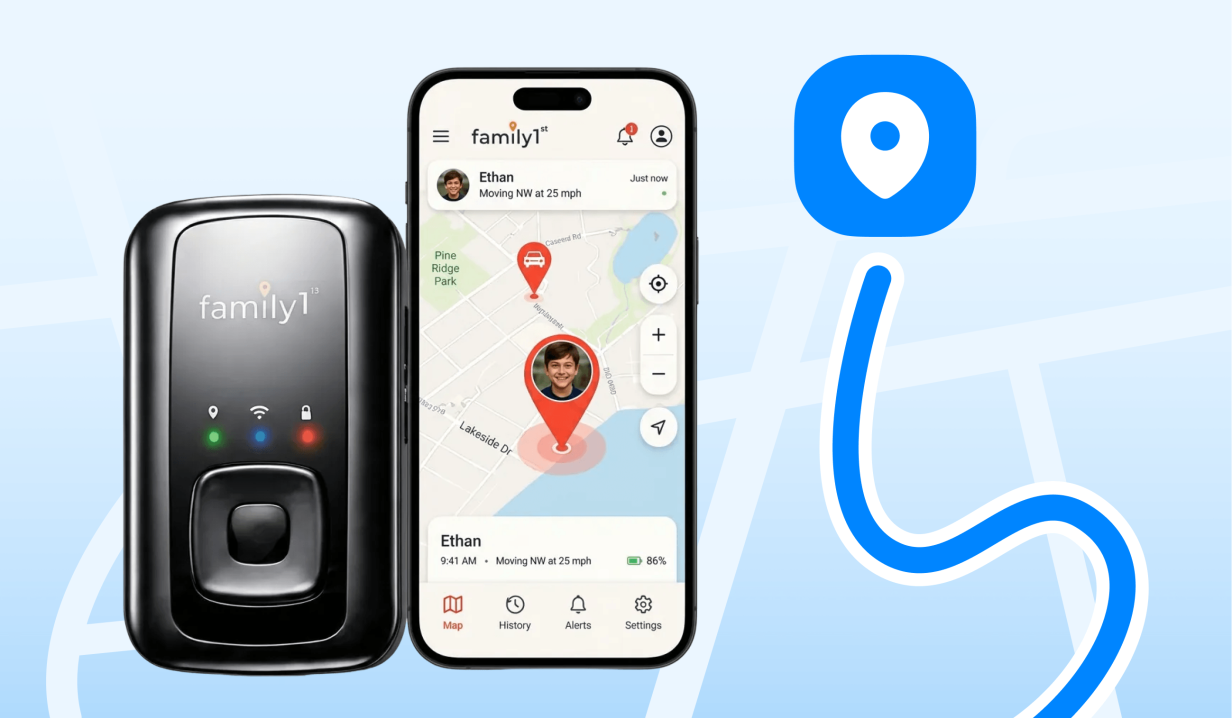
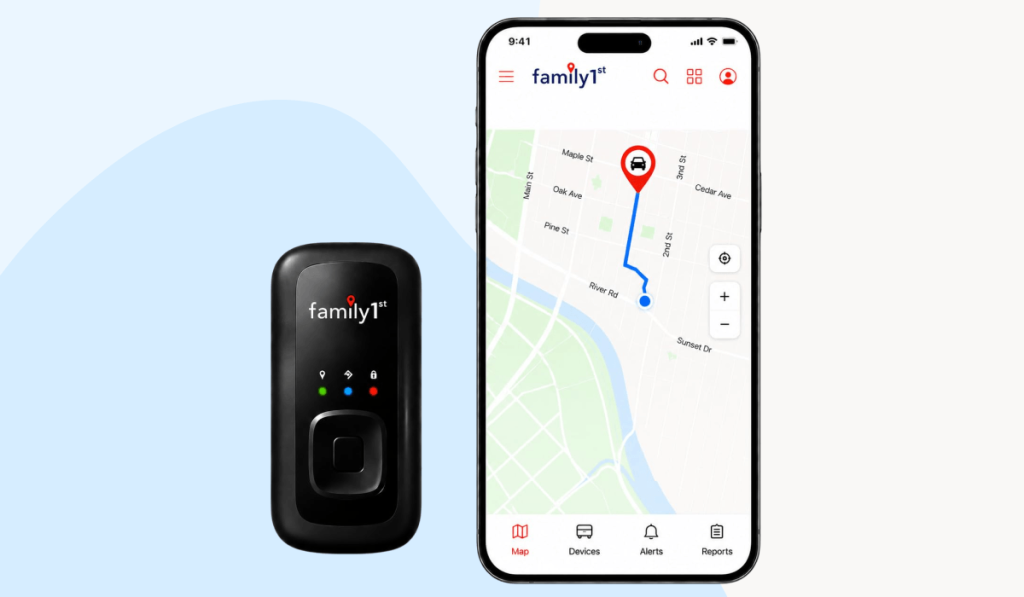
The Family1st GPS Tracker is a compact, portable GPS tracking device that lets parents monitor their children’s and loved ones’ real-time location through a user-friendly app. It uses GPS to provide location updates, travel history, and geofencing alerts that notify parents when their child arrives at or leaves a designated destination.
Family1st GPS Tracker Features: What Can It Do?
With the Family1st portable GPS tracker and accompanying app, parents have access to the following features to protect their kids:
- Real-Time Tracking: See your child’s current location on an interactive map through the Family1st Pro app, with location updates.
- Geofencing Alerts: Set unlimited virtual boundaries around places like home, school, or a friend’s house and receive notifications when your child enters or leaves these areas.
- Location History: View previous routes, stops, and movements to see where your child has been throughout the day.
- Instant Notifications: Receive customizable push, SMS, or email alerts for important events, including destination alerts and low battery levels.
- Long Battery Life: The portable tracker offers up to 14 days of battery life, so you don’t need to charge it every day.
- Speed Monitoring: The tracker supports speed monitoring with customizable thresholds. Family1st also lists trip history and driving behavior reports in its app, although parents should check which report details are available for their particular device.
One limitation worth noting: the portable tracker is not a smartwatch or phone. It does not let children call or message their parents.
How Much Does Family1st GPS Tracker Cost?
The Family1st GPS Tracker price ranges from $29.95 to $55.99, depending on the device you choose. In addition to the device, you need a subscription to the tracking service. These monthly subscriptions range from $15.95 to $21.95, depending on whether you pay annually, quarterly, or monthly.
Family1st GPS Tracker Pros and Cons
Credit: App Store
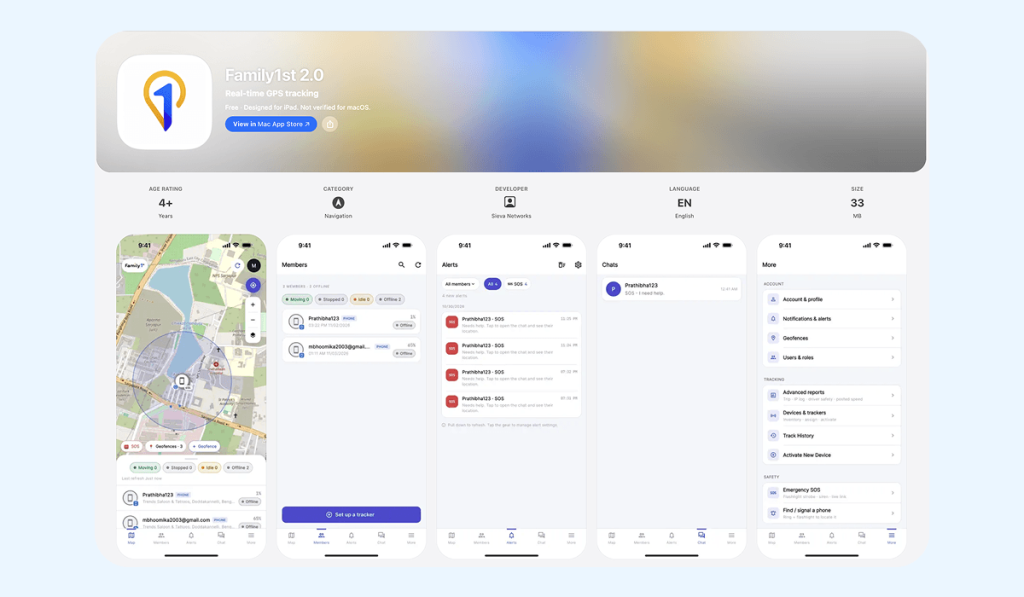
While over one million families use Family1st GPS Tracker, there are pros and cons to consider. These include:
| Pros | Cons |
| Real-time GPS tracking with frequent location updates | Requires a paid monthly subscription |
| Geofencing alerts for arrivals and departures | Limited child-specific activity features |
| Up to 14 days of battery life | Battery life decreases with frequent location updates |
| Compact, lightweight, and easy to carry | Can be forgotten, lost, or removed from a child’s belongings |
| Works without a child’s smartphone or watch | Requires compatible cellular coverage; the portable model uses AT&T’s network in the US |
| Location history and customizable alerts | No built-in calling or two-way communication |
| Tracks multiple devices through one app | Separate tracker purchase and ongoing subscription costs |
⠀
The Family1st GPS Tracker can be a practical option for parents who mainly want to check their child’s location without giving them a phone or smartwatch. Its compact design, geofencing alerts, and travel history make it useful for basic location monitoring. However, it has no calling or messaging features, requires a monthly subscription, and depends on AT&T coverage in the US.
If these limitations are a concern, there are other GPS tracking solutions worth considering. Let’s look at some Family1st GPS Tracker alternatives.
Family1st GPS Tracker Alternatives
Before choosing a family tracking solution, it’s worth comparing what different apps and services offer. Some require a separate GPS tracker, while others use a child’s smartphone or a compatible smartwatch.
The table below compares Family1st with Findmykids, Life360, and Kids360 to help you see how their features and limitations differ.
| Feature | Family1st GPS Tracker | Findmykids | Life360 | Kids360 |
| Primary Purpose | GPS device tracking | Child location and safety | Family location sharing and safety | Parental controls and location |
| Real-time GPS Tracking | ✅ | ✅ | ✅ | ✅ |
| Requires a Separate GPS Device Product | ✅ | ❌ Supports phones and compatible GPS watches | ❌ | ❌ Uses child’s smartphone |
| Location History | ✅ | ✅ | ✅ | ✅ |
| Geofencing/Safe Zones | ✅ | ✅ | ✅ | ✅ |
| Arrival/depature Alerts | ✅ | ✅ | ✅ | ✅ |
| Driving reports | ✅ | ✅ | ✅ | ❌ |
| Low-Battery Information | ✅ | ✅ | ✅ | ✅ |
| SOS Emergency Alerts | ✅ | ✅ | ✅ | ❌ |
| Listen to child’s surroundings | ❌ | ✅ | ❌ | ❌ |
| Loud Signal to child’s phone | ❌ | ✅ | ❌ | ✅ |
| Screen-time limits | ❌ | ✅ | ❌ | ✅ |
| Multiple children/devices | ✅With separate tracker subscriptions | ✅ | ✅ | ✅ |
| iOS and Android parent apps | ✅ | ✅ | ✅ | ✅ |
| Free version | Companion app free; tracker subscription required | Main features are free | Limited free features | Main features are free |
| Paid Subscription | Required for GPS device | Required for full features | Required for full features | Required for full features |
⠀
Family1st is a good option if you prefer a dedicated GPS tracker that works independently of your child’s smartphone. However, it requires a separate device and an ongoing subscription.
App-based solutions can be more flexible. Findmykids, for example, lets parents track a child’s location using their smartphone and offers additional safety features, such as listening to a child’s surroundings and sending a loud signal to their phone. This makes it a more versatile option for families who want to stay connected without buying a separate tracking device.
Looking for a GPS Tracker for Your Child? Consider Findmykids
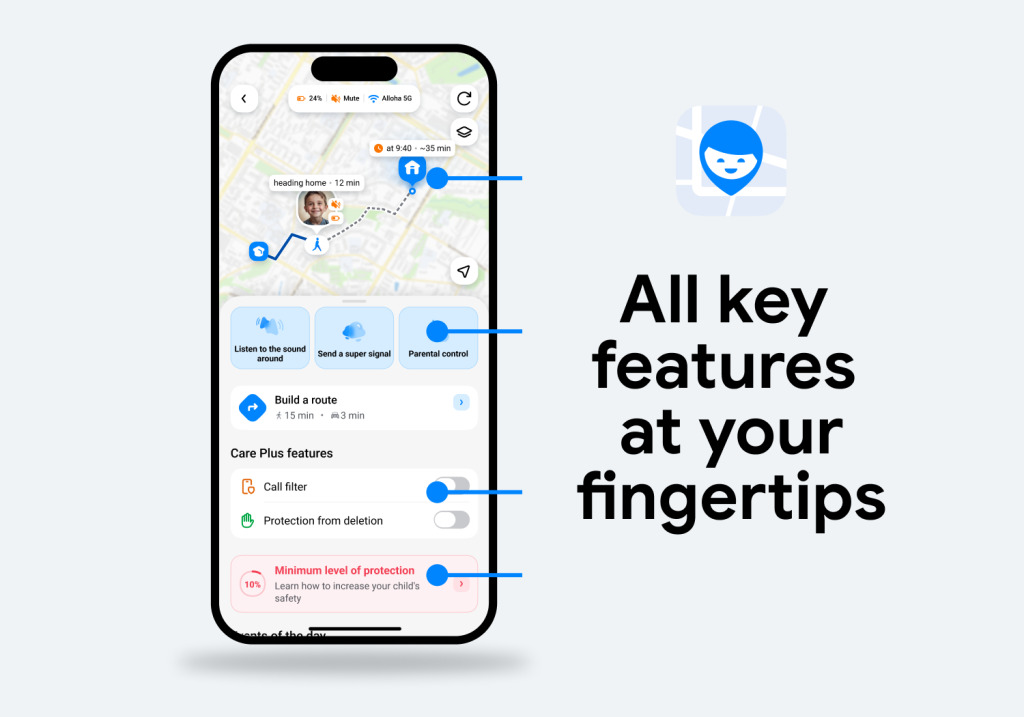
If you’re looking for a GPS tracker with extra safety features, communication, and digital parental controls, Findmykids might be what you’re looking for.
With over 3.5 million active parents in 180+ countries, Findmykids gives parents the tools they need to track their children’s real-time locations, keep their kids safe, and set screen time limits to build healthy digital habits.
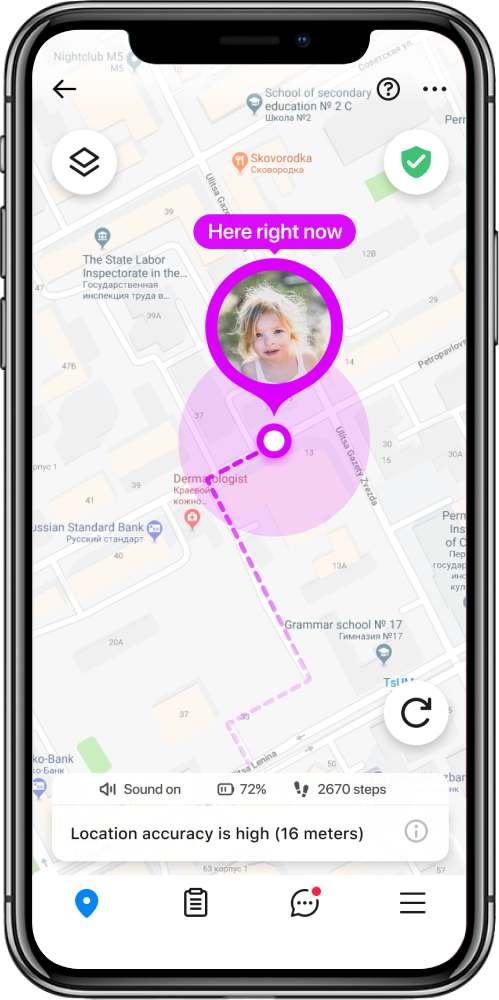
Findmykids is simple to set up and works on both iOS and Android devices. Simply download the app to both your and your child’s phones, create an account, and configure the location settings. Then, on the dashboard, you can see your child’s real-time location, location history, routes, and more. Additionally, you can set screen time limits, restrict app downloads, and set content filters. No extra tracking device required!
Standout features on Findmykids include:
- Real-time location: See your child’s real-time location on an interactive map through the app.
- Status indicators:Understand the settings on your child’s phone, including battery level, silent mode, and network status.
- Route history and playback: Review a list of completed routes in the event feed to know how your child traveled from one point to another.
- Place cards: Frequently visited places or set destinations each have a card displaying details with the address, how long a child spent there, setting changes, and, for Android users, app activity in that location.
- Geofencing Alerts: Receive arrival and departure alerts from set locations such as school, home, or activities.
- SOS Alerts: Kids can press the SOS button and send an alert to their parent’s phone with their current location.
- Sound Around: Listen to the child’s surroundings through the phone’s microphone, which is helpful if they aren’t answering their phone.
- Loud Signal: Bypass silent mode and send a loud alert to your child’s phone with a touch of a button to get their attention.
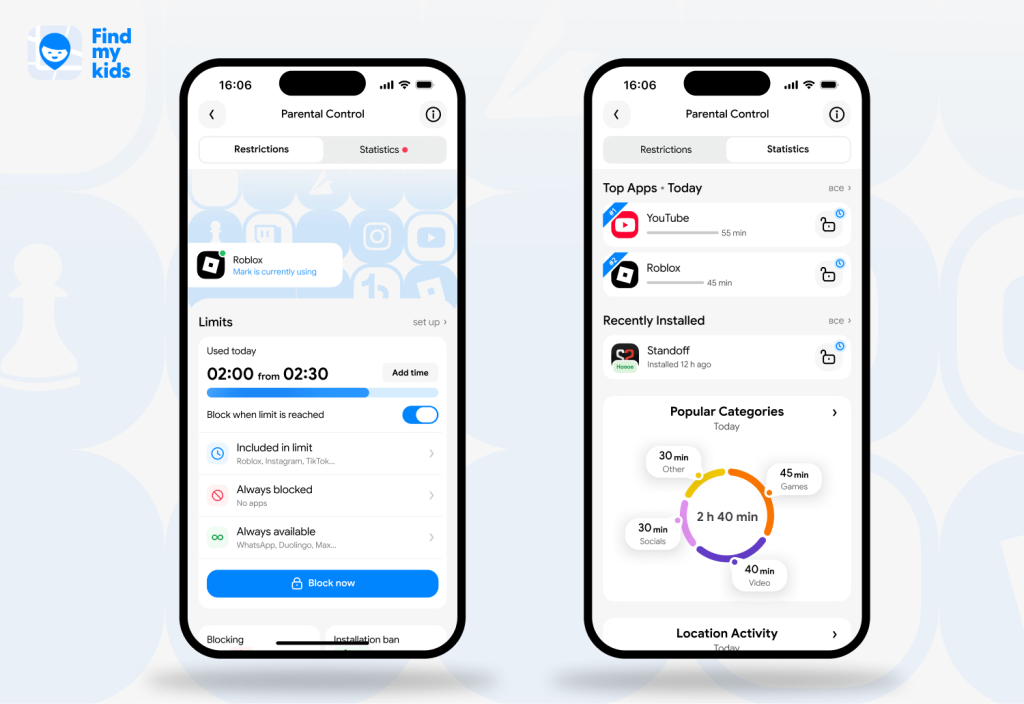
- Digital Parental Controls: Findmykids also lets parents set screen time limits, restrict app downloads and purchases, and receive device usage reports and analytics.
If you’re searching for a family tracking app that doesn’t require an additional device, is easy to use, and has helpful safety features. Download Findmykids for free today!
Family1st GPS Tracker vs. Findmykids: Which Is Better for Your Family?
Both Family1st and Findmykids help parents keep track of their family members’ locations, but they approach safety differently.
Family1st specializes in standalone GPS tracking devices, while Findmykids combines GPS tracking with child-focused safety features, communication tools to stay connected, and parental controls.
| Feature | Family1st GPS Tracker | Findmykids |
| Primary purpose | Tracking people, vehicles, and belongings | Child location, safety, and parental controls |
| Real-time GPS tracking | ✅ | ✅ |
| Location history | ✅ | ✅ |
| Location update frequency | Every 30-60 seconds, depending on plan | Automatic updates; frequency can vary |
| Geofencing/Safe Zones | ✅Unlimited geofences | ✅Customizable safe zones |
| Arrival/departure alerts | ✅ | ✅ |
| Route history and trip details | ✅ | ✅ |
| Speed monitoring | ✅ | ✅ |
| Driving reports | ✅ | ✅ |
| Low-battery alerts | ✅For the tracker | ✅For the child’s device |
| SOS emergency alerts | ✅ | ✅ |
| Loud Signal to the child’s phone | ❌ | ✅ |
| Listen to child’s surroundings | ❌ | ✅ |
| Built-in family chat | ❌ | ✅ |
| Screen time monitoring and limits | ❌ | ✅ |
| App usage statistics | ❌ | ✅ |
| GPS smartwatch compatibility | ❌ | ✅ |
| Works without a child’s smartphone or watch | ✅ | ❌ |
| Battery life | Up to 14 days for portable tracker | Depends on child’s phone or GPS watch |
| Cellular connectivity | Built-in 4G LTE using AT&T | Uses child’s smartphone or compatible GPS watch |
| Geographic coverage | US and Puerto Rico | Available in 180 countries |
| iOS and Android app | ✅ | ✅ |
| Multiple device tracking | ✅Each hardware tracker requires activation | ✅Free |
| Best for | Families who want standalone GPS hardware, especially for younger children without phones | Parents who want location tracking plus child-specific safety and digital monitoring |
⠀
Family1st is a good choice for standalone GPS tracking. Its portable tracker works without a child’s smartphone, offers a long battery life, and includes useful location features.
However, Findmykids is the more comprehensive option for ensuring child safety. In addition to GPS tracking and location alerts, it offers safety features such as SOS alerts, Loud Signal, Sound Around, app usage monitoring, and parental controls. Parents can also use it with a child’s smartphone or smartwatch without buying an additional GPS tracking device.
If you want peace of mind as your children gain independence and venture out into the world, download Findmykids today.
FAQs
Does the Family1st GPS Tracker require a subscription?
Yes, the Family1st GPS Tracker requires a subscription to access all of its location information and features. You can purchase an annual, quarterly, or monthly subscription package.
If you’d rather track your child’s location through their smartphone or a compatible GPS watch, Findmykids is another option. It doesn’t require purchasing a separate GPS tracker.
How long does the Family1st GPS Tracker battery last?
While Family1st advertises the battery life as 30 days, most reviewers state that it lasts for about 14 days. However, this depends on how often the location updates.
How accurate is the Family1st GPS Tracker?
The Family1st portable GPS tracker is accurate within a few feet, but the location readings could be off by up to 20 feet when the device is moving. Environmental factors can also affect location accuracy, including open outdoor areas, urban areas, indoor use, or poor network coverage.
Can Family1st be used for a teen driver’s car?
Yes, Family1st can be used for a teen driver’s car to track their movements and receive driving reports. With a compatible magnetic case, you can attach the portable tracker to a suitable metal surface on the vehicle.
Can I cancel my Family1st subscription?
Yes, you can cancel your Family1st subscription at any time with no hidden fees. There are no contracts, so you have the flexibility to cancel.
If you prefer an app-based solution, Findmykids is worth considering. It uses your child’s smartphone or compatible GPS watch, so you don’t need to maintain a separate GPS tracking device subscription.
Sources & References
- Spying on Your Kids: 96% of Parents Track Their Children’s Online Activities [Survey], All About Cookies, May 29, 2026
- Family1st Home Page, Family1st
- About Us, Family1st