














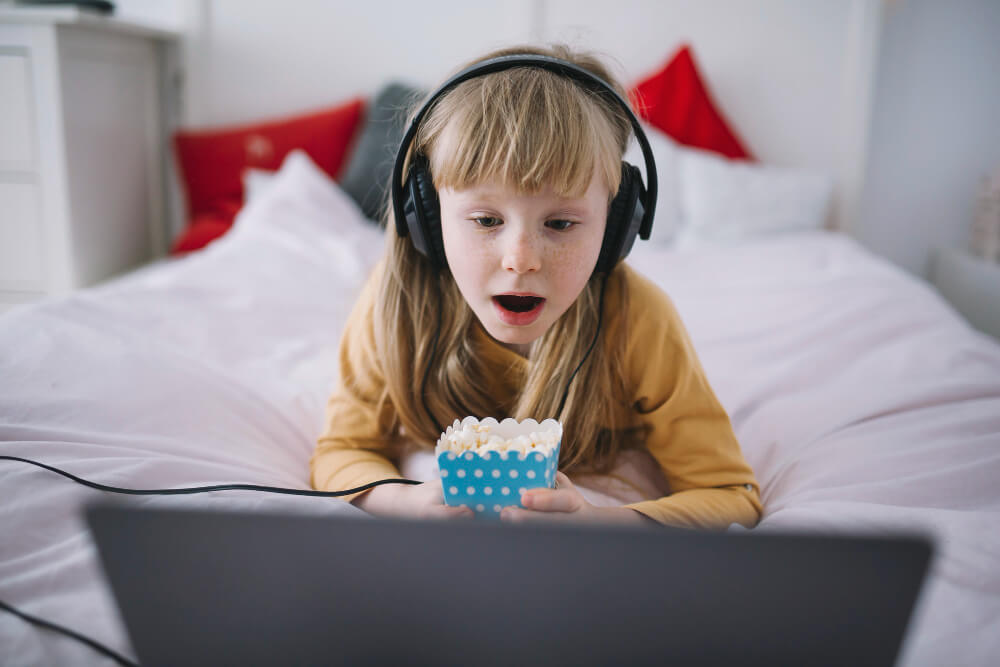
If your child spends time watching gamers online, you’ve probably wondered: is Twitch safe for kids?
With millions of people streaming everything from competitive gaming to music and casual conversations (and nearly 31 million viewers per day on average), Twitch has become one of the biggest entertainment platforms on the internet. But unlike traditional television or even YouTube, much of what happens on Twitch unfolds live, and that changes the entire safety equation.
Twitch isn’t automatically dangerous. Plenty of creators produce entertaining, educational, and family-friendly content. However, live streaming comes with unpredictable conversations, real-time chat, and direct interaction between creators and viewers, and understanding how the platform works is the first step toward helping your child use it safely.
Key Takeaways
- Twitch can be enjoyable for older kids and teens, but it isn’t designed specifically for children and requires active parental supervision.
- Live chat, private messaging, and unpredictable livestreams can expose kids to mature language, inappropriate content, and strangers.
- Twitch includes several built-in safety tools, including chat filters, content classification labels, and options to block private messages and strong language.
- Setting screen-time limits, approving favorite streamers, and talking openly about online safety help children build healthier streaming habits.
- Findmykids gives parents additional tools to manage screen time, app limits, and daily digital routines across all apps, not just Twitch.
Contents:
What Parents Need to Know About Twitch
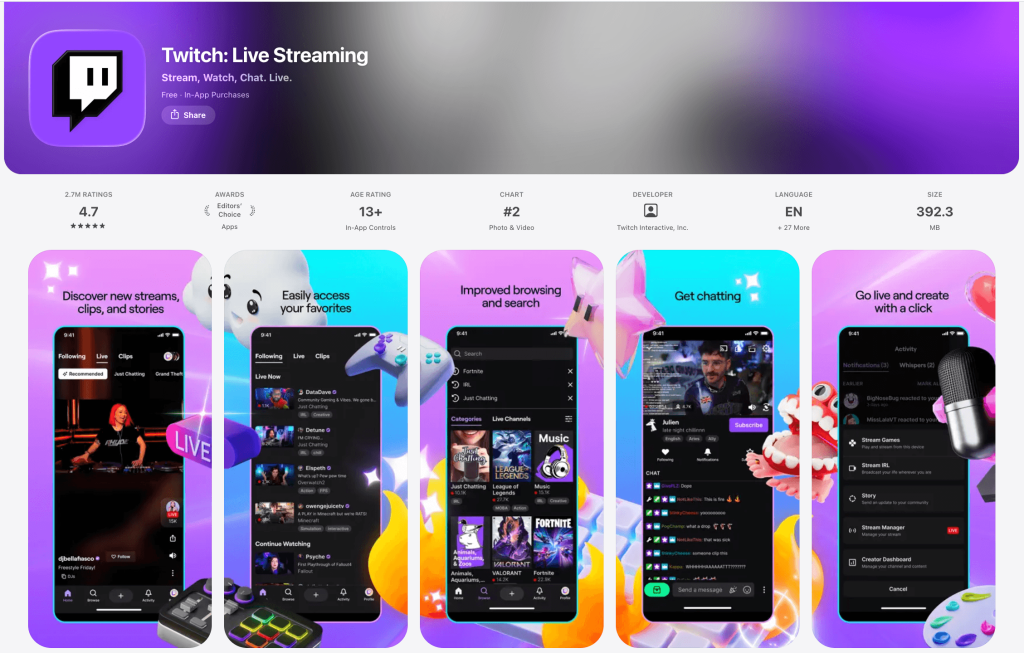
Twitch App
Twitch is a live streaming platform where creators broadcast videos while interacting with viewers in real time. Although it started as a place to watch people play video games, it has grown into a massive entertainment hub covering almost every interest imaginable.
Today, you can find:
- Live gameplay
- Esports tournaments
- “Just Chatting” discussions
- Music performances
- Art and creative projects
- Cooking
- Educational content
- Real-life broadcasts
The biggest difference between Twitch and prerecorded videos is interaction. Instead of simply watching, viewers can type messages into Twitch chat, ask questions, react to events, or support creators financially.
This highly interactive environment is exactly why so many kids enjoy Twitch. They aren’t just watching a game here; now, they’re participating in a community.
Twitch Streams and Streamers
@faylikesapplejuice #twitch #livestream #roblox ♬ original sound – Derryn 🍂
One reason Twitch streams have become so popular is that they feel personal. Unlike polished YouTube videos, a Twitch stream happens live. Many Twitch streamers spend hours talking with their audience while playing games or creating content. Some focus on competitive esports, while others simply entertain.
Popular categories include:
- Minecraft
- Fortnite
- Roblox
- Pokémon
- Animal Crossing
- Creative drawing
- Music
- Science and technology
Some creators even earn money by accepting subscriptions, donations, sponsorships, and advertising revenue. Kids often enjoy watching because they feel connected to their favorite streamers, much like previous generations followed television personalities.
Twitch Chat
The biggest difference between Twitch and many other videos is the chat. Every public stream typically includes a scrolling conversation where thousands of users may be commenting simultaneously. During smaller streams, conversations can feel surprisingly personal.
While chat creates a sense of community, it also introduces risks. Depending on the channel, your child could encounter:
- Significant profanity
- Mature language
- Bullying
- Spam
- Harassment
- Inappropriate behavior
- Offensive jokes
- Discussions involving sexual themes
Although moderators often remove offensive comments, the level of oversight varies dramatically from one channel to another.
Whispers and Private Messages
Beyond public chat, Twitch allows users to send private messages, known as Whispers. These direct messages let people communicate away from public conversations.
Most conversations are harmless, but unsolicited private messages from strangers can become a concern, especially for young users.
Blocking these messages helps reduce opportunities for unwanted contact, which is why many online safety experts recommend turning off incoming Whispers unless there’s a specific reason to use them.
Money on Twitch
Children can spend money in several ways on Twitch, including:
- Channel subscriptions
- Bits (virtual tipping currency)
- Gifted subscriptions
- Donations
- Merchandise
Likewise, some older creators eventually earn money by building audiences. If your child has payment information connected to a Twitch account, purchases can happen surprisingly quickly. It’s a good idea to create spending rules before you allow access to the app, as this can prevent accidental purchases (and uncomfortable surprises on your credit card statement).
What Age Is Twitch Intended For?
According to Twitch’s Terms, users must be at least 13 years old to create a Twitch account, and minors should use the platform under parental supervision.
That doesn’t necessarily mean every teenager is ready. The right age depends on several factors, including their emotional maturity, their ability to ignore inappropriate comments, their understanding of online privacy, and their comfort following family internet rules.
Many experts, as a result, recommend waiting until the mid-teen years before allowing unrestricted use. For older kids who are interested in gaming culture, carefully supervised viewing can be a reasonable compromise.
Risks Parents Should Know About
No matter how entertaining Twitch can be, there are several risks parents need to know before deciding whether it’s appropriate.
Inappropriate Content
Because live streaming happens in real time, creators sometimes say things they wouldn’t include in edited videos.
Your child may encounter:
- Sexual content
- Sexual themes
- Mature-rated games
- Violent games
- Gambling discussions
- Strong opinions
- Alcohol references
- Excessive tobacco use
- Excessive tobacco references
Twitch uses content classification labels to identify streams containing mature topics, including violent and graphic depictions, mature-rated games, or graphic depictions of injuries. Still, labels depend on creators accurately identifying their content.
Stranger Interactions
The social aspect is part of Twitch’s appeal. Unfortunately, it can also expose kids to strangers who don’t have good intentions.
Even friendly conversations shouldn’t replace discussions about online privacy, sharing personal information, or meeting internet acquaintances in real life.
Screen Time
A single stream can last several hours. Since new creators go live throughout the day, it’s easy for one watch session to become an entire afternoon. These prolonged viewing sessions may interfere with homework, exercise, sleep, or family activities.
Does Twitch Have Parental Controls?
While Twitch isn’t designed as a child-focused platform, it does include several built-in parental controls and safety features worth using.
Content Classification Labels
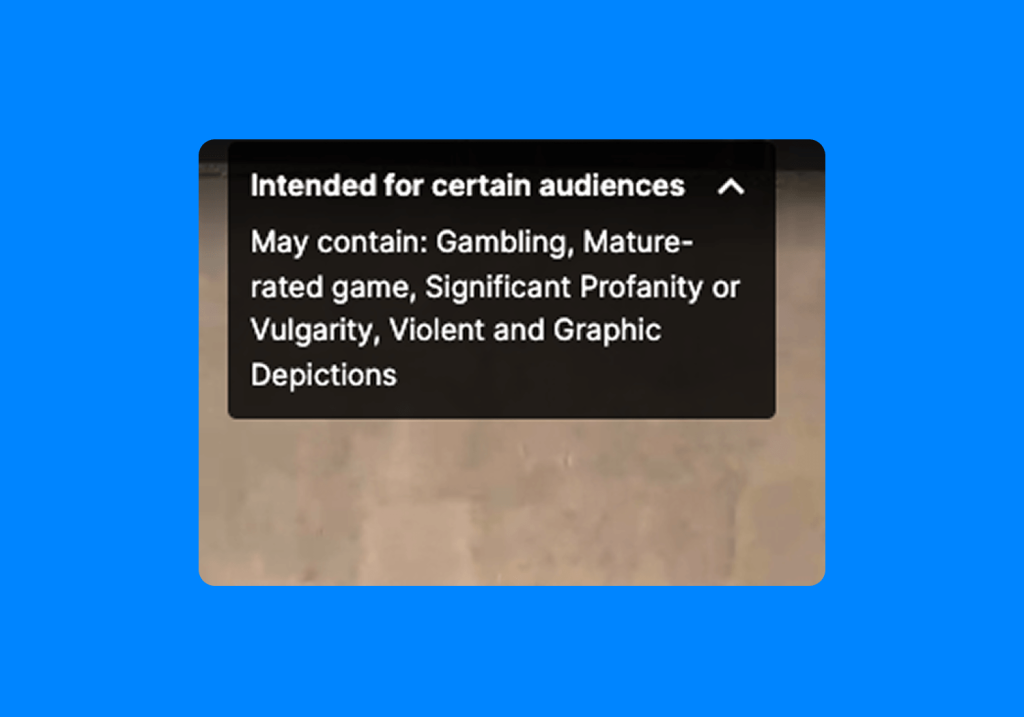
On-screen overlay example of content classification labels on Twitch. Credit: help.twitch.tv
Creators can apply content classification labels when their broadcasts include mature topics.
These content classification labels help families make more informed decisions before joining a stream. You’ll commonly see labels for:
- Mature-rated games
- Sexual themes
- Drugs or intoxication
- Gambling
- Violent and graphic depictions
- Significant profanity
Hide or Blur Mature Content
Within account settings, parents can choose to hide content labeled for mature audiences or blur previews before opening them. While this doesn’t eliminate every risk, it reduces accidental exposure to inappropriate content.
Block Incoming Whispers
One of the most valuable safety settings is the option to block incoming Whispers, which prevents many strangers from sending private messages, reducing opportunities for unwanted contact.
Use Chat Filters
Built-in chat filters automatically hide many offensive terms, slurs, and inappropriate language. Although filters aren’t perfect, they’re worth enabling on every Twitch account.
Block and Report Users
If someone violates the gaming community guidelines or behaves inappropriately, Twitch allows you to report users and block them from future interactions.
How to Make Twitch Safer for Your Child
Technology helps, but family habits matter even more.
Set Screen-Time Limits
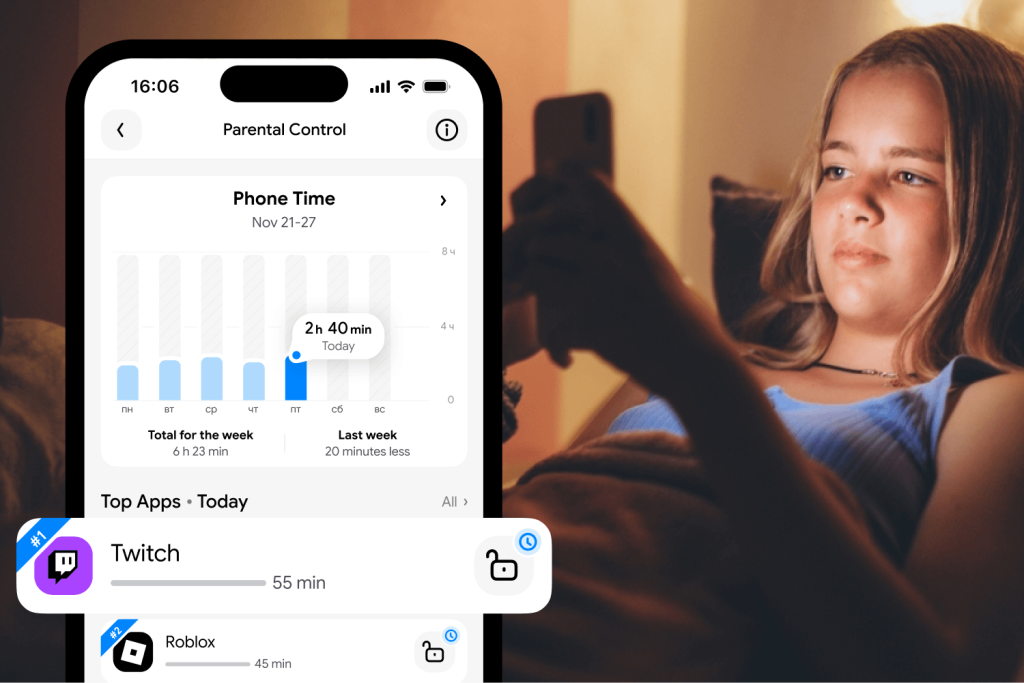
Findmykids app
Instead of banning Twitch altogether, create healthy routines. Apps like Findmykids let you manage screen time across your child’s devices, not just the Twitch app. That flexibility makes it easier to encourage balance rather than constant restriction.
You can:
- Set daily time limits for the Twitch app
- Create bedtime schedules that automatically limit app access
- Schedule downtime during school or homework hours
- Limit specific apps without locking the entire device
- View daily usage reports to understand digital habits
- See which apps are used most often
- Create different schedules for weekdays and weekends
Beyond digital habits, Findmykids also helps parents stay connected to their child’s everyday safety with features like:
- Real-time location tracking and location history
- Safety zones with alerts when a child arrives at or leaves important places
- Loud Signal to reach a child even if their phone is on silent mode
- Sound Around, which allows parents to better understand what is happening near their child’s device in situations where they are worried about their safety. The feature is designed for emergency situations, and the child is notified when it is activated
- SOS features and low battery alerts for added peace of mind
By combining screen time management with everyday safety tools, Findmykids helps families create healthier digital routines while staying connected both online and offline.
Try Findmykids for free today and discover an easier way to support healthy screen habits and your child’s safety.
Watch Favorite Streamers First
Before your child follows new creators, spend time watching together. You’ll quickly get a sense of language, humor, chat moderation, and overall tone.
Many favorite streamers build welcoming communities, while others regularly feature mature jokes or adult discussions.
Create a List of Approved Channels
Rather than allowing unlimited browsing, create a family-approved list of channels. Sticking with trusted favorite streamers dramatically reduces unexpected exposure to inappropriate content.
Block Private Messages From Strangers
Disable or block Whispers whenever possible. Limiting private messages helps keep conversations in public spaces where moderation is more visible.
Set Rules for Chat
Talk about what respectful behavior looks like online. Teach your child never to:
- Share personal information
- Reveal their location
- Exchange phone numbers
- Continue conversations that feel uncomfortable
- Respond to harassment from other users
Having clear rules ahead of time makes decisions easier when situations arise.
Read also: What is Netiquette? A Guide to Teaching Online Etiquette to Your Kids.
Set Spending Rules
Since creators can earn money through viewer support, children often want to contribute. Decide together whether purchases are allowed, which payment methods may be used, and what any monthly spending limits might be.
Twitch Alternatives for Younger Children
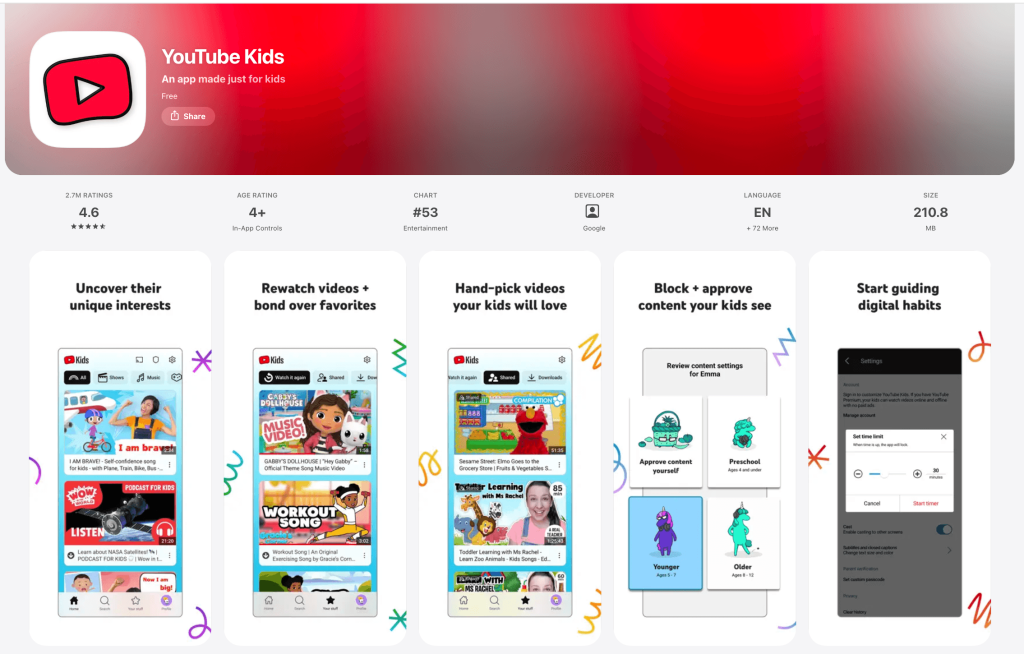
YouTube Kids App
If your child loves gaming but isn’t ready for Twitch, there are several safer alternatives.
YouTube Kids offers curated videos with stronger moderation, although parents should still review content regularly. You can also explore:
- PBS Kids
- National Geographic Kids
- Minecraft Education
- Nintendo’s official channels
- Family-friendly gaming creators on YouTube
These options all provide excellent entertainment while reducing exposure to unpredictable live streaming environments.
Helping Your Child Enjoy Twitch Safely
So, is Twitch safe for kids? For most families, the answer isn’t a simple yes or no.
Twitch can introduce children to creative communities, exciting esports events, and entertaining creators. At the same time, the combination of live streaming, public chat, private messages, and user-generated content requires thoughtful guidance.
The best approach isn’t trying to monitor every minute your child spends online. Instead, combine Twitch’s built-in safety features with family conversations, clear rules, and practical tools like Findmykids that help you manage screen time, schedules, and app access across all of your child’s digital activities.
When children understand expectations and know they can come to you when something feels uncomfortable, they’re far more likely to enjoy Twitch responsibly.
FAQs
Is Twitch safe for kids?
Twitch can be safe for older children when used with parental supervision, appropriate safety settings, and open conversations about online behavior. Younger children should use the platform only with close guidance. Findmykids can provide an extra layer of support by helping parents manage screen time and understand their child’s digital habits.
What age is Twitch appropriate for?
Twitch requires users to be at least 13 years old to create an account. Many families find it’s better suited for mature teens who understand online safety and privacy.
Can kids talk to strangers on Twitch?
Yes. Through Twitch chat and private messages, children can communicate with other users unless those features are restricted. Parents should enable safety settings and discuss safe online communication.
Can kids see inappropriate content on Twitch?
Yes. Because Twitch features live broadcasts, children may encounter mature language, sexual content, violent games, or other inappropriate content found in certain games and chats. Using content classification labels, chat filters, and approved channels helps reduce these risks.
Sources & References
- Twitch Statistics & Charts, Twitch, 2026
- Twitch Overview, Britannica, 2026
- Parent’s Guide to Twitch, ConnectSafely, 2022
- Terms of Service, Twitch, 2026
- Content Classification Guidelines, Twitch, 2026
Cover image: Freepik / magnific.com
Проверьте электронный ящик