At some point, most kids notice that internet access at school looks very different from what they are used to at home. A website that works perfectly in the evening may be unavailable during the school day, even when it seems relevant or harmless. It’s a pattern that often leaves them wondering: why do schools block everything?
Understanding the reasoning behind these restrictions can help you better support your child’s learning and make sense of how schools manage their online environment.
Contents:
Why Schools Block Social Media, Games, and Entertainment Websites
amenic181 / Freepik.com
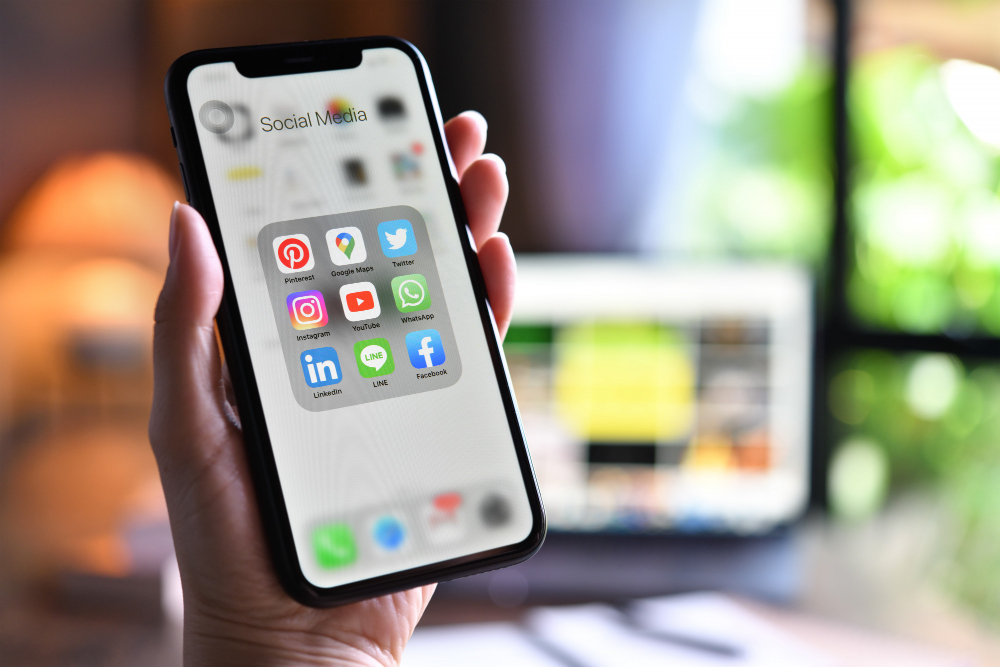
Many schools restrict access to social media, gaming platforms, and streaming services during school hours. The main aim is to reduce distraction and support focused learning time.
Platforms such as Facebook and Roblox are designed for engagement, which can compete with classroom attention. Limiting access helps maintain a more structured learning environment, particularly during independent work or lesson time.
Alongside this, schools apply safeguarding controls to restrict access to adult content and other harmful websites serving inappropriate content to minors.
Why Does It Feel Like Schools Block Everything?
From a student perspective, restrictions can appear far broader than expected. This is largely because access is managed through category-based rules rather than blocking specific websites.
When a specific category such as “games” or “social media” is restricted, it can include a wide range of sites, some recreational, others legitimately educational or collaborative.
The Five Main Reasons Why Schools Block Websites
Reason |
Result |
|---|---|
| Protect students from harmful content | Restricting access to hate speech, pornography, violence, and other inappropriate material. |
| Maintain academic integrity | Reducing access to sites that facilitate cheating or plagiarism. |
| Reduce distractions | Limiting access to entertainment platforms during learning time. |
| Preserve network resources | Ensuring bandwidth is available for educational tools and services. |
| Support structured learning | Allowing controlled exposure to online content within a supervised environment. |
Common Categories of Restricted Content
Schools typically organise web content into categories rather than evaluating individual sites one by one. This allows consistent management of large volumes of online material across devices and users.
Common restricted categories include adult content, gaming platforms, social media, and streaming services. Content associated with hate speech or other harmful material is also commonly restricted.
Because web filtering is category-based, some websites may be restricted even when they contain legitimate educational material.
Legal Requirements: Why School Filtering Is Tied to Compliance
In some countries, web filtering is a legal requirement. In the United States, for example, the Children’s Internet Protection Act requires schools receiving federal funding to use internet filters that block access to inappropriate material and harmful content.
To demonstrate compliance with CIPA requirements, schools must show that they are actively blocking websites that could expose minors to harmful online content and that they are monitoring internet access on school devices. This legal framework plays a significant role in informing how and why schools block access in the first place.
In the UK, statutory safeguarding guidance places responsibility on schools to protect students from harmful websites and ensure appropriate filtering and monitoring systems are in place. The Department for Education offers services for schools and trusts to assess and implement these measures.
Technical Methods Schools Use to Block Websites

rawpixel.com / Freepik.com
In practice, blocking websites is handled through a combination of network-level controls and specialist software. Many schools rely on dedicated platforms such as Smoothwall, Lightspeed, or GoGuardian to manage web filtering across their networks and devices.
One of the most widely used approaches is firewall-based filtering, which blocks access to specific URLs, domains, or categories of sites at the network level.
Modern web filtering systems are also evolving. While traditional filtering relies on predefined lists and rules, newer systems increasingly incorporate machine learning to classify web content in real time. For example, Smoothwall states that its filtering technology uses artificial intelligence to analyse page content and detect risk dynamically.
Similarly, Lightspeed Systems describes the use of machine learning to categorise websites and identify inappropriate content as it appears, rather than relying solely on static blocklists.
Who Decides What Gets Blocked in Schools?
Decisions about website access are typically governed by school leadership, guided by safeguarding requirements and wider institutional policies.
School administrators set the overall rules, aligned with district or local authority frameworks to ensure consistency across multiple schools.
IT teams or external providers implement these policies through filtering systems, translating them into technical rules that determine which categories, domains, or specific URLs are accessible.
Teachers and school librarians may request adjustments where access to specific websites is needed for lessons, but these changes are controlled, documented, and subject to approval to maintain safeguarding standards.
Policies are reviewed regularly to reflect changes in technology, risks, and safeguarding expectations.
Downsides of School-Wide Blocking
One of the most well-recognised challenges is overblocking. The paper “Balancing opportunities and risks in teenagers’ use of the internet: the role of online skills and internet self-efficacy” found that restrictive approaches to managing online access can limit beneficial opportunities for young people, particularly when broad controls are applied across large categories of web content.
Guidance from the UK Safer Internet Centre also stresses that filtering systems must be proportionate, as overly restrictive settings can interfere with access to legitimate educational resources.
This helps explain why students are sometimes unable to access certain websites, even when the content appears relevant.
at the same time, filtering is often combined with monitoring tools that track browsing activity. These systems are intended to improve student safety, but they can also increase surveillance. A report by the Electronic Frontier Foundation highlights how school-issued devices and filtering systems can enable extensive tracking of students’ online behaviour, raising important questions about student privacy.
Because of the need to both enforce restrictions and prevent misuse, schools are expected to restrict access to tools designed to bypass filtering. Guidance from the UK Safer Internet Centre makes clear that effective filtering systems should identify and block circumvention methods such as VPNs and proxy websites as part of safeguarding responsibilities.
Can Students Bypass School Blocks?
Research suggests that young people do not simply accept online restrictions passively. Livingstone & Helsper found that teenagers actively manage their online access and seek greater autonomy, particularly when restrictions limit what they can do.
More recent data from Ofcom also shows that children’s online behaviour is adaptive, with many finding ways to navigate or work around limitations placed on their internet use.
How Parents Can Stay Informed with Findmykids

Findmykids app
School filtering only applies within a controlled environment. Outside of that, parents are the ones guiding how children interact with online content.
This is where Findmykids can support a more balanced approach. The app allows parents to see how their child is using their device, including detailed app usage statistics, so it’s clear which apps take up most of their time and when they are used. This helps identify patterns early — for example, if a child starts spending more time in certain apps or switches to new ones.
Parents can also block distracting or unwanted apps when needed, helping set boundaries around study time, sleep, or family routines. In addition, Findmykids helps flag potentially risky or unfamiliar apps, giving parents a reason to take a closer look and talk things through, rather than reacting too late.
To further support safe browsing, the app includes adult website blocking, helping reduce exposure to inappropriate content while still allowing children to use the internet for learning and communication.
Rather than relying solely on restrictions, this level of visibility makes it easier to have ongoing conversations about internet safety, appropriate boundaries, and how to use the internet responsibly. It also helps bridge the gap between the structured environment of school and the more open access children often have at home.
Beyond digital habits, Findmykids also supports real-world safety. Parents can use real-time location tracking, route history, arrival notifications, and a loud signal feature, as well as listen to surroundings if needed. These tools help parents stay connected and respond quickly in situations where a child might need support.
If you’re looking for a practical way to stay aware of your child’s digital and offline life, you can explore Findmykids right now for free!
Supporting Your Child Beyond the School Firewall
When schools block websites, it is to mitigate risk, maintain focus, and meet safeguarding responsibilities. The systems in place are designed to protect students and support a productive classroom environment, even if they sometimes feel restrictive.
For parents, understanding how these decisions are made and where their limitations exist makes it easier to support children in developing safe, confident online habits. With the right balance of school safeguards and parental guidance, children can make the most of the internet while staying protected from its risks.
FAQs
The Yuri Arcurs Collection / Freepik.com
Why do schools block websites that seem harmless?
Schools often use category-based web filtering, which can block entire groups of sites. This means even harmless websites may be restricted if they fall into a broader category like games or social media.
Do all schools have to follow the Children’s Internet Protection Act?
Only schools that receive federal funding in the U.S. must comply with CIPA requirements. However, many schools worldwide use similar web filtering practices to protect students.
Why are social media and gaming sites often blocked at school?
These platforms are considered distracting content and can interfere with learning. Blocking websites like these helps students stay focused during class.
Why are streaming services restricted on school networks?
Streaming services use significant network resources, which can slow down internet access for educational tools.
Why are VPN and proxy websites usually blocked in schools?
These tools can bypass web filtering systems, so schools block them to maintain control over internet access and ensure student safety.
References
- Children’s Internet Protection Act (CIPA), Federal Communications Commission, 2024
- Keeping children safe in education: Statutory guidance for schools and colleges, Department for Education, 2016
- Plan technology for your school, Gov.UK, 2025
- Balancing opportunities and risks in teenagers’ use of the internet: the role of online skills and internet self-efficacy, Sonia Livingstone & Ellen Helsper, 2010
- A Guide for Education Settings and Filtering Providers, UK Safer Internet Centre
- Spying on Students: School-Issued Devices and Student Privacy, Gennie Gebhart. Electronic Frontier Foundation, 2017
Cover image: faceslab / Freepik.com
Проверьте электронный ящик