














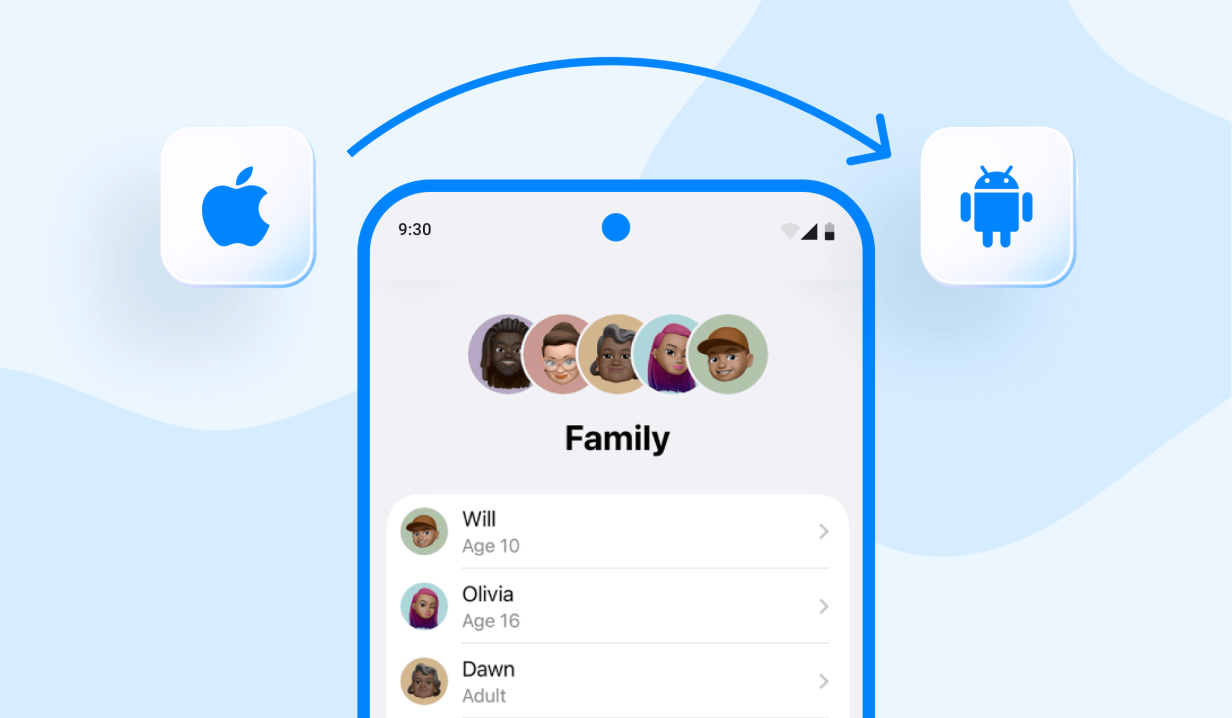
apple is known for creating extremely helpful features where people can collaborate and stay in touch. One of Apple’s long-standing family features is Family Sharing, where households can use their accounts to share subscriptions, manage screen time, and see each other’s locations. But out of the 2.5 billion Apple devices worldwide, some families have a mix of Apple and Android devices.
That raises an important question: how do you get Apple Family Sharing on Android devices? You will find the answer to this question (and more about parental controls for your child) in this article.
Key Takeaways
- Apple Family Sharing gives Android users limited access to services, including Apple Music, Apple TV, and iCloud features through a browser.
- Android parents cannot use Apple’s Screen Time, Ask to Buy, Find My locations, or content and privacy restrictions.
- Family Sharing setup and management require an iPhone, iPad, or Mac, although Apple Music families can be managed on Android.
- Findmykids bridges the device gap with location tracking, history, Safe Zones, alerts, battery monitoring, and parental controls across platforms.
- For mixed-device households, Apple Family Sharing works best for subscriptions, while Findmykids provides monitoring tools to help parents keep children safe.
Contents:
Can You Use Apple Family Sharing on Android?
Apple Family Sharing allows up to six family members to share Apple subscriptions, purchases, iCloud+ storage, and certain parental control features without requiring everyone to share a single Apple ID. This is especially helpful for parents who want to manage their children’s purchases, screen time, and location sharing. Once the family organizer completes the initial setup for Family Sharing, each invited user can access the services available on their device.
While Apple has a reputation for keeping its ecosystem solely for iOS users, Family Sharing features are available on Android devices.
However, an Android phone cannot become a fully integrated Apple device. That means some of the main benefits of Family Sharing remain unavailable. Android users can take advantage of Family Sharing for Apple Music and Apple TV subscriptions, iCloud storage, and web-based experiences such as the new beta version of Apple Maps.
For a brief overview, check out this table to see exactly which Apple Family Sharing features are available on both devices:
| Family Sharing Feature | Apple Devices | Android Devices |
| Create and manage a family group | ✅ | ⚠️Apple Music only |
| Share an Apple Music family plan | ✅ | ✅ |
| Access a shared Apple TV subscription | ✅ | ✅ |
| Share iCloud+ storage | ✅ | ⚠️Only web-based access |
| Share App Store purchases | ✅ | ❌ |
| Approve purchases with Ask to Buy | ✅ | ❌ |
| Set Screen Time limits | ✅ | ❌ |
| Apply content and privacy restrictions | ✅ | ❌ |
| View location through Find My | ✅ | ❌ |
| Find a family member’s missing Apple device | ✅ | ❌ |
| Manage a child’s Apple account | ✅ | ❌ |
How Can You Share a Family Location Between iPhone and Android?
Since Apple Family Sharing only allows iOS devices to share and track locations, families with a mix of iOS and Android devices feel lost when it comes to location sharing and parental controls. That all ends with the Findmykids location-tracking and parental control app.
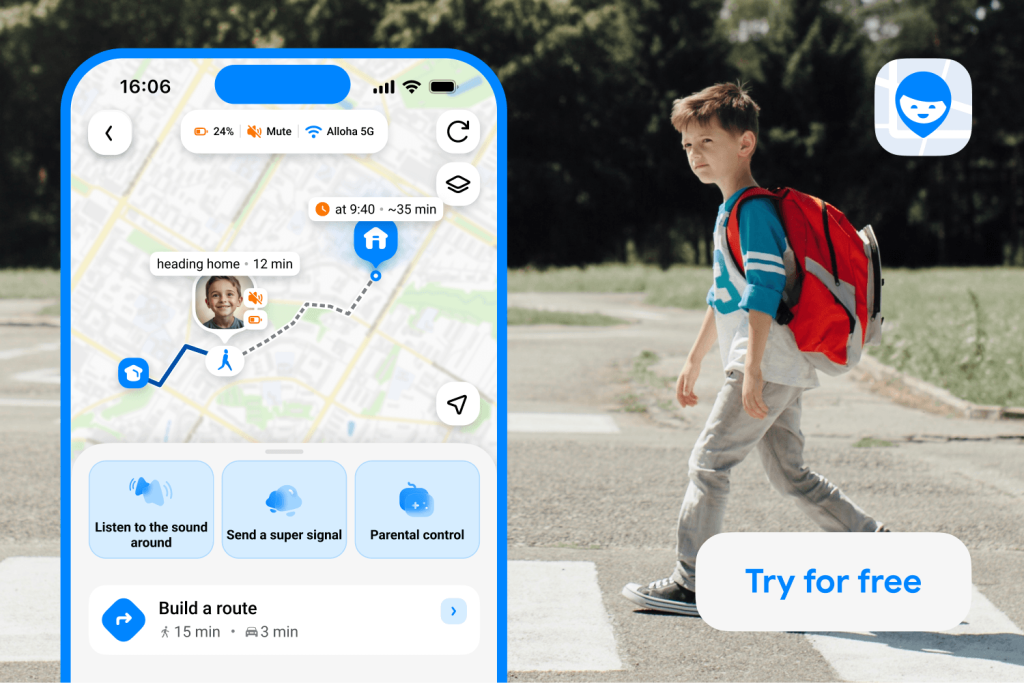
This third-party app allows both iOS and Android devices to share and track their family members’ locations without worrying about device compatibility. For example, if a parent has an Android device but their child uses an iPhone, they can still see their child’s location and more.
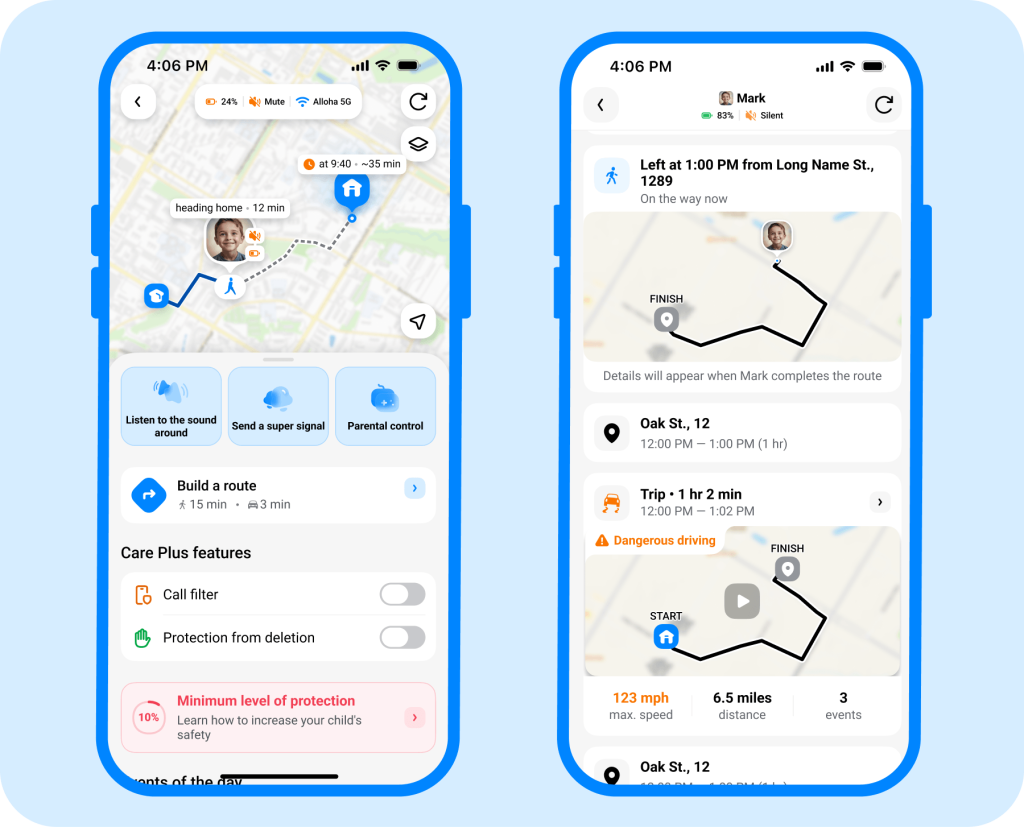
The following Findmykids features offer peace of mind when children travel to school, visit friends, or participate in activities without a responsible adult nearby:
- Real-Time Locations: Always know your child’s device’s real-time location.
- Location History: View where your child has been for the last year and review their complete location log.
- Route Details: See exactly which route your child took to get to their destination and details about how long it took them.
- Frequently Visited Places: View where your child spends the most time, who they’re with, and how long they spend there.
- Safe Zones: Set specific areas as Safe Zones, such as school, activities, and home.
- Place Notifications: Get alerts whenever your child arrives at or leaves a Safe Zone.
Findmykids app
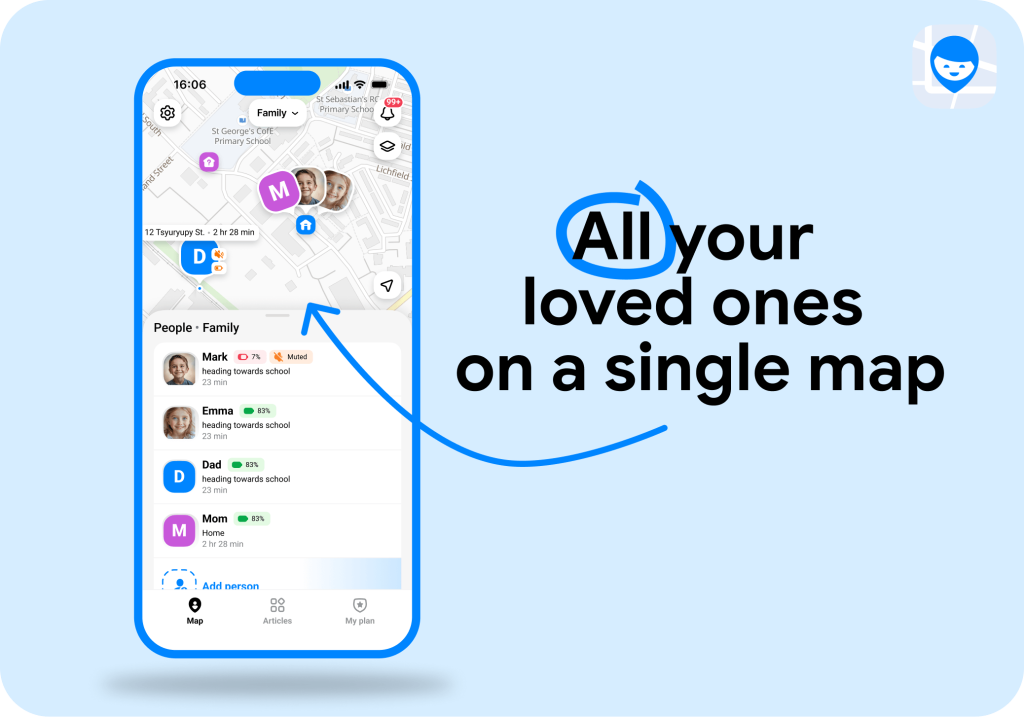
With Findmykids, you can create a family circle that brings the people who matter most into one shared space. Add your children, partner, parents, grandparents, or other relatives and stay connected regardless of whether they use an iPhone or an Android device. This is especially convenient for larger families: parents can keep track of several children at once, while also staying connected with elderly relatives who may live separately. Each family member remains in the same safety circle, so you can check their location and receive important notifications without switching between different apps or services.
Findmykids app
Setting up location sharing only takes a few steps:
- Download Findmykids on the parent’s smartphone from the App Store or Google Play.
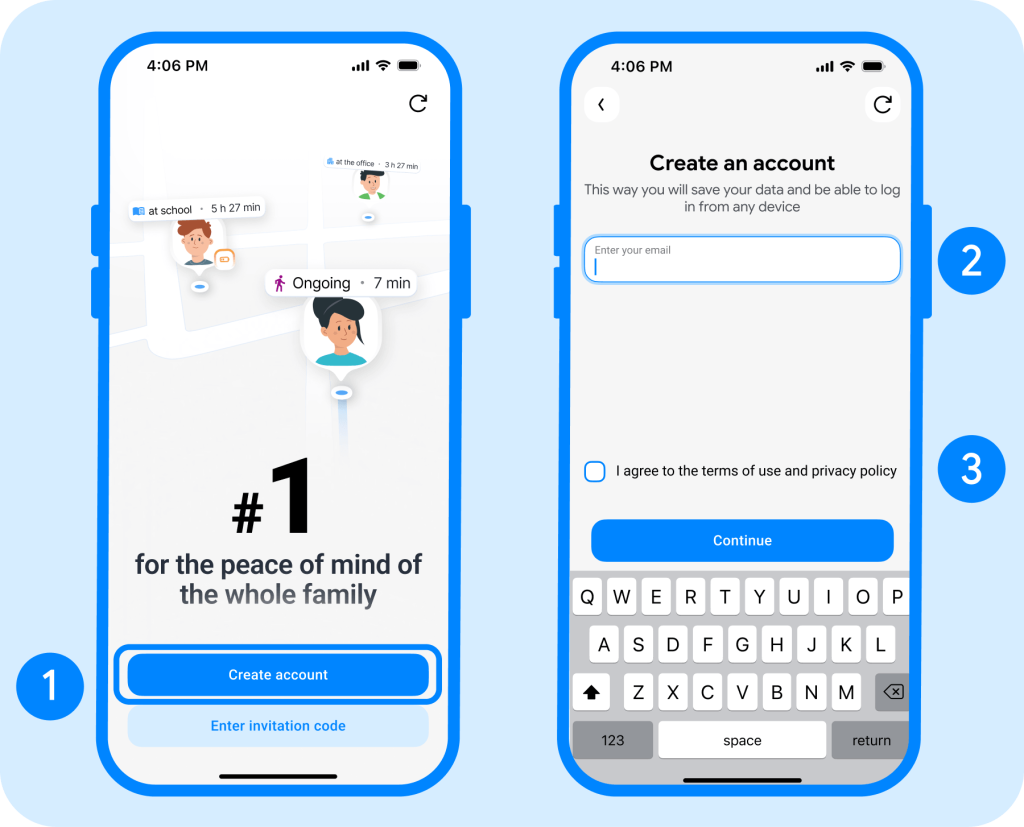
- Install the app on the child’s device.
- Connect the parent’s and child’s devices by following the instructions in the app.
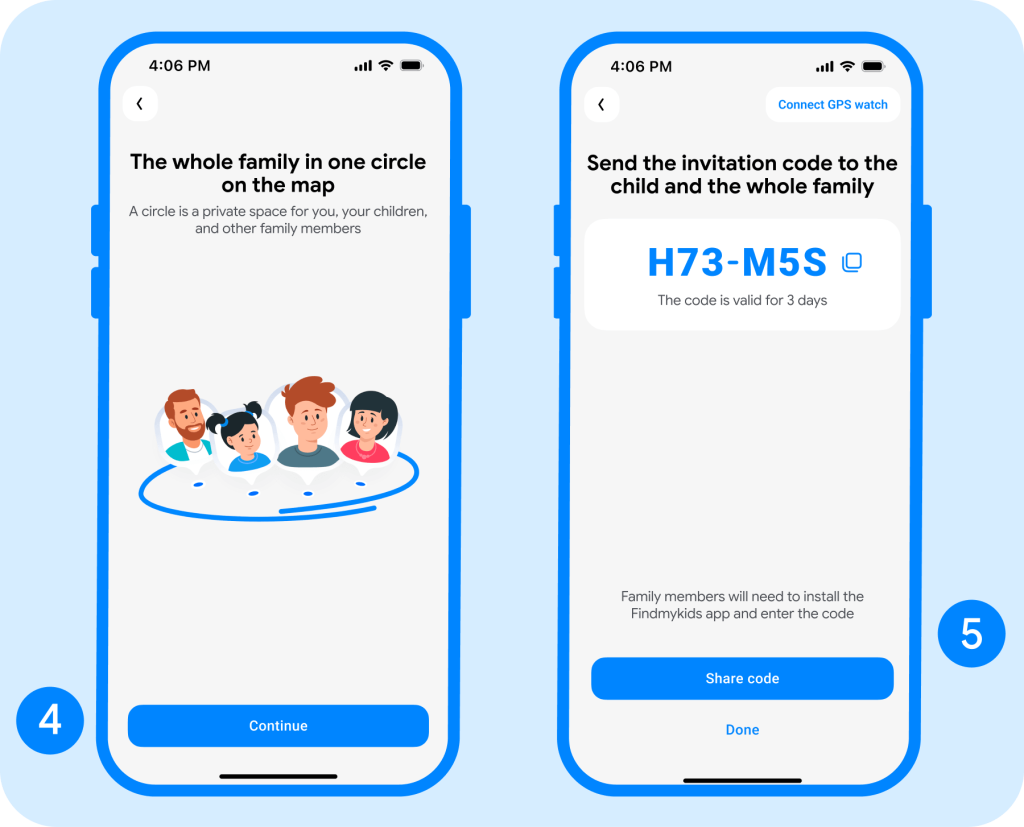
- Allow the required location permissions for the app to work correctly.
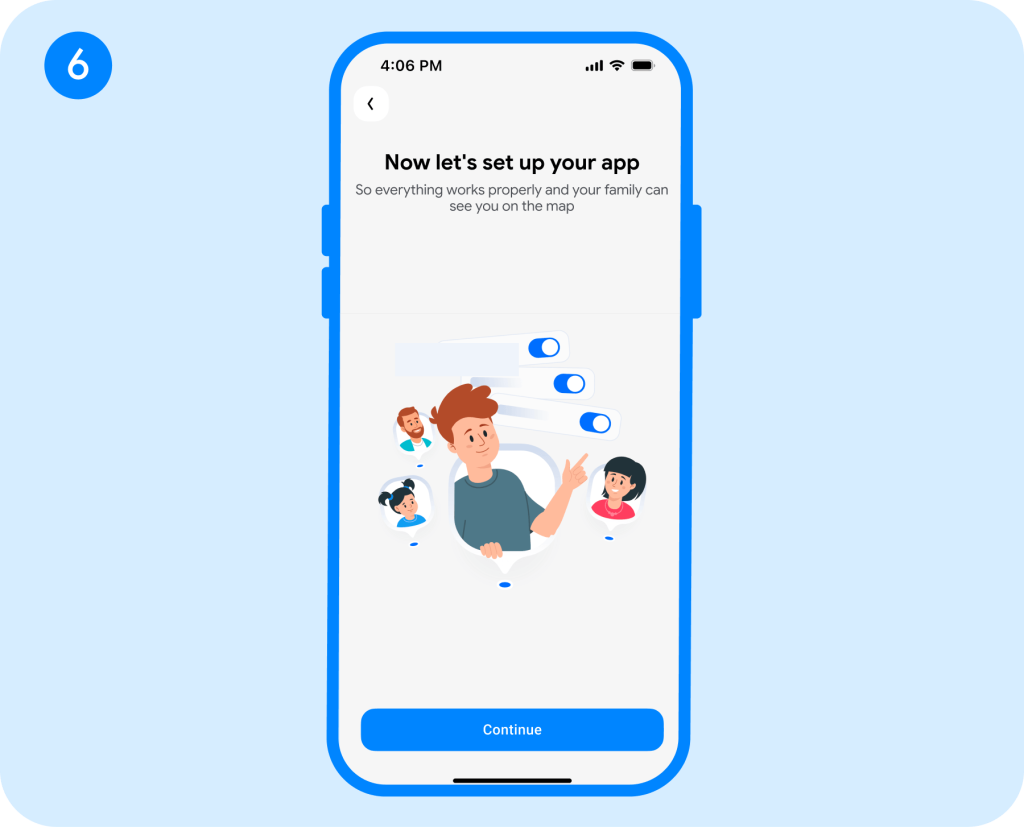
- Open Findmykids on the parent’s phone and select the child’s profile to see their location on the map.
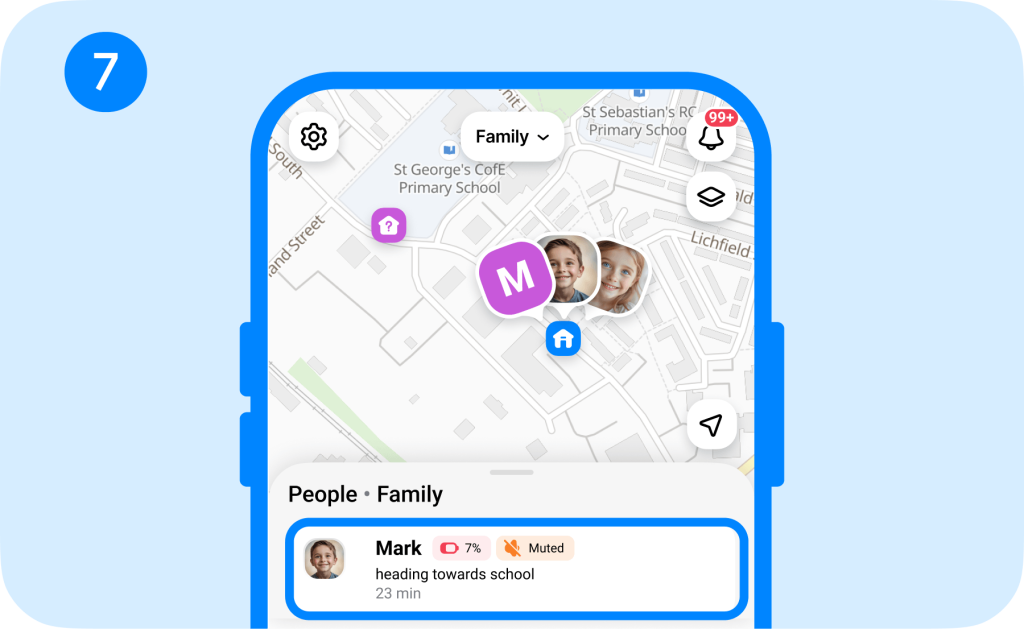
After setup, you can use the app to check your child’s current location, review their movements, and configure notifications for important places.
Along with Findmykids’ location-tracking features, there are additional parental controls for setting screen time limits, content restrictions, and blocking in-app purchases.
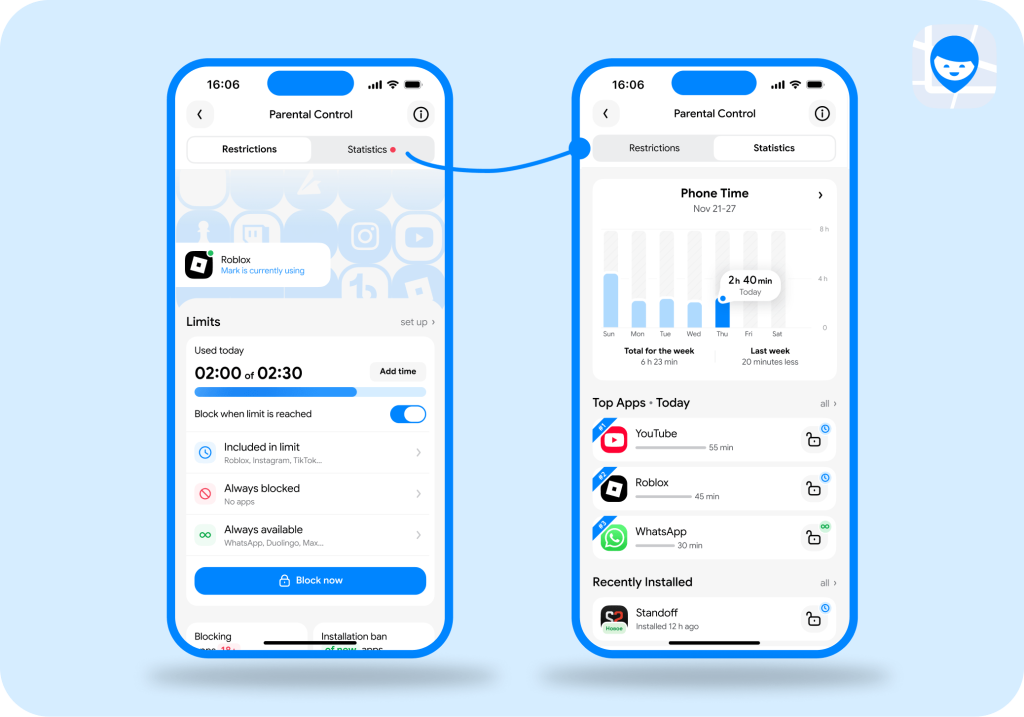
Findmykids app
Download Findmykids on the App Store or Google Play Store to see where your child is and take control of how they use their device—whether it’s Apple or Android!
What Apple Family Sharing Features Are Available on Android?
Android users can still use Apple Family Sharing, but the features are more limited than those iOS users experience. The Family Sharing features that Android users can access include:
- Apple Account Access: Android users can create and sign in to an Apple Account through supported Apple apps and websites.
- Apple Services through Android or the web: Some services (Apple Music, iCloud) are accessible through official Android apps or a browser, but functionality may be more limited.
- Apple Music: Android users can join or manage an Apple Music family subscription through the Apple Music app. Each person can listen to music and create personal playlists without affecting what other family members hear.
- Apple TV: The Apple TV Android app can provide access to a family-shared Apple TV subscription.
- iCloud: Android users can access certain iCloud data through a website, including files, documents, photos, email, notes, contacts, and calendars.
When using Apple Family Sharing for Android, users may need to enter their Apple Account ID and password when signing in through a new browser or computer.
The Family Sharing features that Android users cannot access include parental controls such as Screen Time, Ask to Buy, Find My location, and privacy or content restrictions.
Essentially, Apple Family Sharing is great for sharing Apple service subscriptions with family members.
Can You Manage Apple Sharing from a PC or Browser?
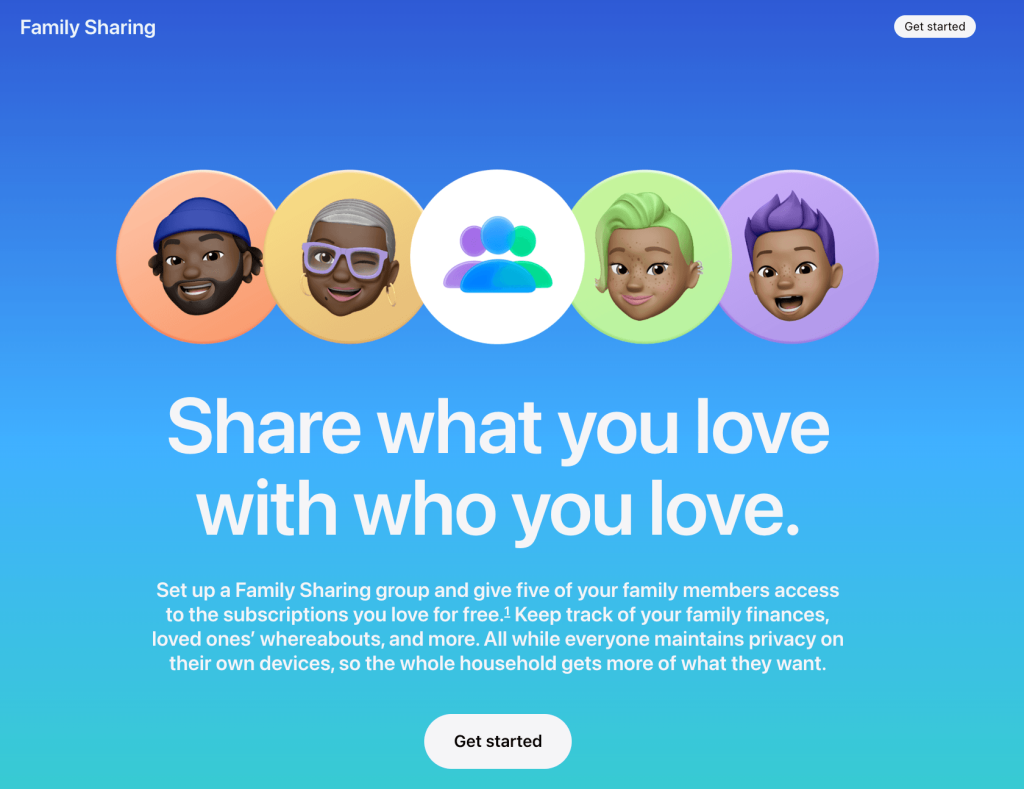
Credit: apple.com
You cannot fully set up or manage Apple Sharing on a computer or in a web browser, but you can access some shared content and subscriptions.
For full Apple Sharing management, at least one family member must have an iPhone, iPad, or Mac to set it up and add or remove family members. To join a Family Sharing group, you will receive an invitation. If you cannot find it, check the email address associated with your Apple Account and search your inbox for messages from Apple.
Can You Use Apple Parental Controls on Android?
It is not possible to use Apple Parental Controls on Android devices. Instead, it’s better to use the built-in Android Google Family Link or Digital Wellbeing tools. Or, if you want to manage parental controls on your child’s phone from your own, then the Findmykids app allows you to do just that no matter which device you or your child uses.
Before choosing an app, review which features are available for your child’s device. Some parental controls may require parents to upgrade from a free plan to get all of the necessary features.
Apple Family Sharing vs. Findmykids
When choosing the right parental control app for your family, understanding its features and limitations is important. In a family with a mix of iOS and Android devices, it’s important to realize exactly which features you can use—and which you can’t.
That’s why third-party parental control apps like Findmykids are a game-changer. Just take a look at how it stacks up to Apple Family Sharing for Android users:
| Feature | Apple Family Sharing on Android | Findmykids |
| Create or manage a family group | ⚠️Apple Music only | ✅ |
| View a child’s real-time location | ❌ | ✅ |
| Review location history | ❌ | ✅ |
| Set safe zones and receive alerts | ❌ | ✅ |
| View the child’s phone’s battery level | ❌ | ✅ |
| Send a Loud Signal | ❌ | ✅ |
| Apply screen-time or app controls | ❌ | ✅ |
| Control app purchases | ❌ | ✅ |
| Access Apple Music family plan | ✅ | ❌ |
| Access shared Apple TV subscription | ✅ | ❌ |
| Access iCloud through a browser | ✅ | ❌ |
| Content and privacy restrictions | ❌ | ✅ |
⠀
As the table shows, Apple Family Sharing offers Android users access to some Apple services, such as Apple Music, Apple TV, and iCloud through a browser. However, it does not provide the same range of family safety and parental control features available to Apple device users.
Findmykids is designed specifically for families who need cross-platform safety and parental controls. Parents can use it to track a child’s real-time location, review location history, set Safe Zones, receive arrival and departure alerts, and manage screen time and app use—all from a compatible smartphone, regardless of whether the parent or child uses an iPhone or Android.
Should You Use Apple Family Sharing for Android Devices?
Findmykids app
Family life with a mix of Apple and Android devices can be particularly challenging when aligning apps, subscriptions, and parental controls. However, with Apple Family Sharing, family members can listen to Apple Music, watch Apple TV, and use iCloud all on one subscription to reduce costs. However, Android users miss out on the parental controls and location-sharing features available with Apple Family Sharing.
Thankfully, third-party apps like Findmykids make it easy for households with mixed devices to set parental controls and share locations. Parents can have iPhones while their children have Androids, and Findmykids works perfectly across the devices!
If you’re ready to take control over how your child uses their phone while also keeping track of their location, download the Findmykids app today for free.

FAQs
Can you use Apple Family Sharing on Android?
Yes, you can use Apple Family Sharing on Android, but the features are limited to sharing Apple subscriptions, such as Apple Music, Apple TV, and iCloud+ storage.
Can I set up Apple Music Family without an iPhone?
Yes, you can set up Apple Music Family without an iPhone. Simply set it up in the Apple Music app. Update to Family in your account settings to choose the Family Plan and send invitations.
How do I accept an Apple Family Sharing invitation on Android?
To accept an Apple Family Sharing invitation on Android, download the Apple Music app from the Google Play Store. Open the invitation email on your Android device, tap the link to open Apple Music, then tap Accept and sign in to your Apple Account.
Can an Android user join an Apple Music Family plan?
Yes, Android users can join an Apple Music Family plan. The account manager must send an invitation to the Android user to accept.
Does full Apple Family Sharing work on Android?
No, the full Apple Family Sharing features do not work on Android devices. Android users can only access shared subscriptions and iCloud through a web browser. Parental controls like Screen Time, Ask to Buy, or Find My location are not available.
Sources & References
- Apple Statistics – Users, Devices, and Revenue, Backlinko, 2026
- Use Family Sharing with Apple Music on Android, Apple Support, 2023
- Can You Use Family Sharing with Non-Apple Devices?, How to Geek, 2025
- Family Sharing, Apple
- How Family Sharing Works, Apple Support, 2026
Проверьте электронный ящик