
















Bark covers a lot of ground, from social media monitoring and text alerts to location tracking and screen time management.
But your family may need something different, whether that means more detailed location features, tighter app-level controls, simpler screen time limits, or a free option that covers the basics.
We compared the best Bark alternatives for 2026, starting with Findmykids for families that want strong location tracking alongside a growing set of parental controls.
Key Takeaways
- Findmykids is the strongest Bark alternative for location-focused family safety, combining real-time location tracking, location history, place alerts, SOS, and Sound Around with expanded screen time and app management tools.
- Bark remains especially strong for social media monitoring. It scans activity across 30+ apps and platforms and can trigger alerts for concerns such as bullying, sexual content, online predators, and self-harm.
- Your child’s device matters. Features can differ substantially between Android and iOS devices, so check compatibility before subscribing.
- For screen time management, look beyond a single daily limit. App-level time limits, schedules, instant blocking, and always-available apps give you more practical control.
- Free parental controls may be enough for some families. Google Family Link provides useful Android and Chromebook controls without requiring another paid subscription.
Contents:
Best Bark Alternatives at a Glance
| App | Best for | Location tracking | Screen time/app controls | Content/social monitoring | Platforms |
| Findmykids | Location + everyday child safety | Excellent | Extensive | Device usage, app usage; adult app/site restrictions on supported devices | iOS, Android, GPS watch, web version |
| Kids360 | Screen time and app management | Yes | Extensive | Web and content controls | iOS, Android |
| Google Family Link | Free basic parental controls | Yes* | Strong | Web and Google Play controls | Best for Android/ChromeOS |
| Qustodio | Broad digital monitoring | Yes | Extensive | Web, calls/SMS, supported social apps | iOS, Android, Windows, Mac, Chromebook, Kindle |
| FamiSafe | Broad activity and content controls | Yes | Extensive | Web, YouTube, TikTok, social app detection | Multiple platforms |
| OurPact | Flexible app schedules | Yes | Extensive | Web filtering + screenshot-based monitoring | iOS, Android |
⠀
*Family Link’s primary supervision features, including device location, app activity, and screen time controls, are designed around a child using an Android device or Chromebook. Many of those controls do not work when a child is using an iPhone or iPad.
The right choice depends on what prompted you to look for a Bark alternative in the first place. If knowing where your child is and managing everyday phone use are your priorities, Findmykids offers the strongest combination.
If you primarily want social media monitoring or message monitoring, Qustodio may fit better. Google Family Link is worth considering if you mainly need free parental controls for an Android device.
Findmykids: Best for Child Location and Everyday Safety
Findmykids began with a strong emphasis on family location and has expanded well beyond basic GPS tracking. Today, you can use it to see your child’s current location and routes, create location alerts, receive an SOS, send a Loud Signal, monitor app usage, set screen time limits, and control access to specific apps.
That combination makes it especially useful for families with younger children who are becoming more independent. You might want to know that your child made it to school, for example, while also making sure TikTok or a favorite game isn’t taking over homework time.
Findmykids supports iOS and Android smartphones and can also connect with compatible GPS watches. It also has a web version, which is especially convenient for parents at work — simply open it in another browser tab to check that everything is okay with your child.
What Makes Findmykids Different From Bark?
Findmykids is our top Bark alternative for families that want detailed location tracking alongside practical parental controls.
While Bark focuses heavily on analyzing messages, social media, and other online activity for concerning content, Findmykids puts more emphasis on knowing where your child is, helping them reach you when they need you, and managing how they use their device.
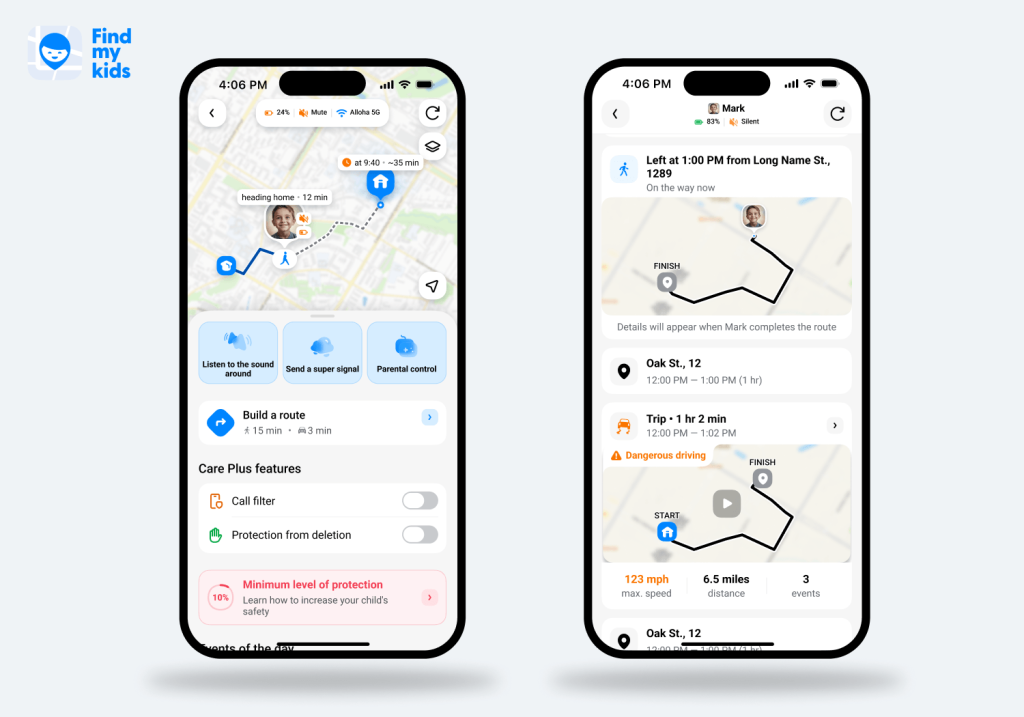
Its location features go well beyond showing a dot on a map. Parents can:
- See a child’s current location and location history.
- View detailed trip information, including start and end times, stops, speed, travel mode, and trip safety.
- Create Places such as home or school, and receive alerts when their child arrives or leaves.
- View detailed information about Places, including when a child arrived, how long they stayed, which apps they used, and how much time they spent on them.
- Monitor Frequently Visited Places to better understand a child’s daily routine.
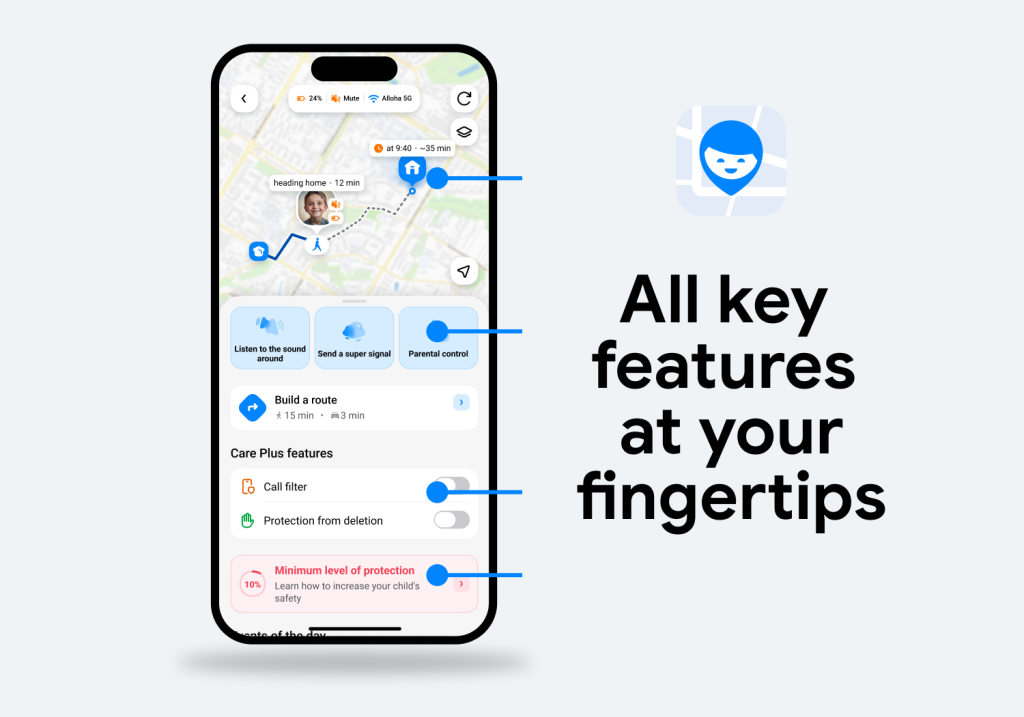
SOS lets a child quickly alert family members and share their location, while Loud Signal can help you reach a child whose phone is on silent. Parents can use Family Circles to stay connected with other family members on the map. Sound Around is also available on supported devices.
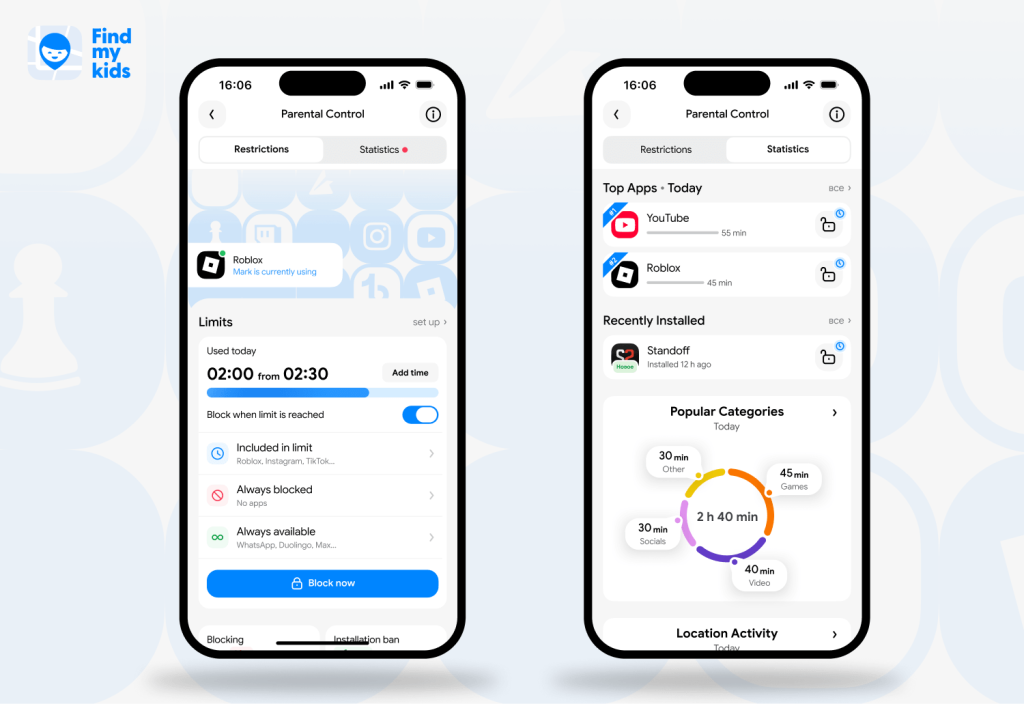
Findmykids has also expanded its screen time management and app-level controls. Depending on your child’s device and operating system, features include:
- App usage statistics: View daily and weekly usage, compare activity with the previous week, see top apps, and check app activity by location, with additional insights available on Android.
- Time limits: Set daily limits for the entire device or individual apps, block apps when time runs out, or grant extra time.
- App blocking: Use Block Now, permanently block specific apps, or schedule restrictions for school, homework, or bedtime.
- Always Available apps: Keep essential apps accessible when other restrictions apply.
- Content and download controls: Restrict 18+ apps and, on supported devices, adult websites, new app installations, and in-app purchases.
- Uninstall protection: Help prevent parental controls from being removed or disabled.
- Unknown caller protection: Filter unwanted callers on supported Android devices.
- Eye-rest reminders: Encourage regular breaks from screen use.
For younger and school-aged children especially, this combination makes Findmykids useful as independence grows: you can keep location and communication tools in place while gradually introducing screen time limits and app rules.
Findmykids vs. Bark
| Feature | Findmykids | Bark |
| Real-time location tracking | Yes | Yes |
| Location history/routes | Yes | Limited compared with Findmykids |
| Place/geofence alerts | Yes | >Yes |
| SOS button | Yes | Yes |
| Loud signal that bypasses silent mode | Yes | No comparable core feature |
| Sound Around | Yes, supported devices | No |
| App usage statistics | Yes | Primarily on Bark Phone |
| Daily app time limits | Yes | Screen time scheduling; controls vary by device |
| Instant app blocking | Yes | No |
| Scheduled app blocking | Yes | Yes |
| Always-available app exceptions | Yes | Device-dependent |
| Adult app/site restrictions | Yes, depending on OS | Web/app filtering |
| New app installation controls | Yes | Bark Phone offers approval controls |
| Social media monitoring | Limited compared with Bark | Yes — major strength |
| Text/message monitoring | No comparable comprehensive monitoring feature | Yes |
| Alerts for bullying/self-harm/predators | No comparable content-scanning feature | Yes |
| GPS watch support | Yes | Bark sells its own Bark Watch |
| iOS + Android support | Yes | Yes |
⠀
Bark’s strongest advantage is still the depth of its content monitoring. Bark digs deeper into your child’s digital world, scanning activity across 30+ apps and platforms for concerning messages, social media activity, photos, videos, and web content.
Findmykids is stronger when your priority is combining detailed location tools with practical control over everyday device use. For families with younger and school-aged children, that can be a particularly useful combination as kids start going places and using smartphones independently.
There’s also a setup difference worth considering for iPhone families. Because of Apple’s restrictions, Bark says comprehensive iPhone and iPad device monitoring may require Bark Sync, its desktop app, or Bark Home, while social accounts may need to be connected separately. Findmykids also has feature differences between operating systems, so you should confirm that the specific parental controls you want are supported on your child’s device before subscribing.
Try Findmykids for free today and explore all the tools you need to keep your child safe, connected, and on track.
Other Bark Alternatives to Consider
Findmykids is a strong choice for location and everyday safety, but these Bark alternatives may fit better depending on your devices and priorities.
Kids360: Best for Building Better Screen Time Habits
App Store
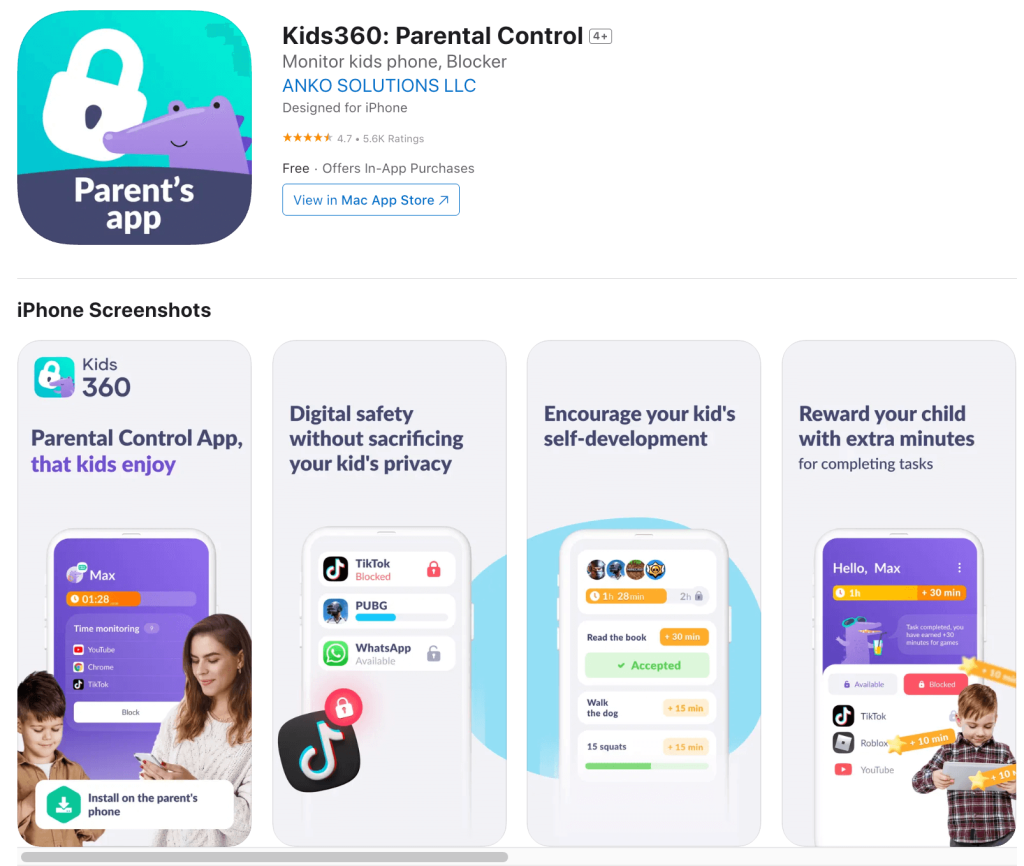
Kids360 focuses on screen time management, with daily limits, app blocking, schedules, adult content filtering, and location tracking on iOS and Android. Children can also complete educational or physical tasks to earn extra screen time.
- Pros: Strong app controls, scheduling, location tracking, web filtering, and a built-in motivation system that rewards children with extra screen time for completing tasks.
- Cons: Limited social media and message monitoring compared with Bark.
Google Family Link: Best Free Bark Alternative for Android
App Store
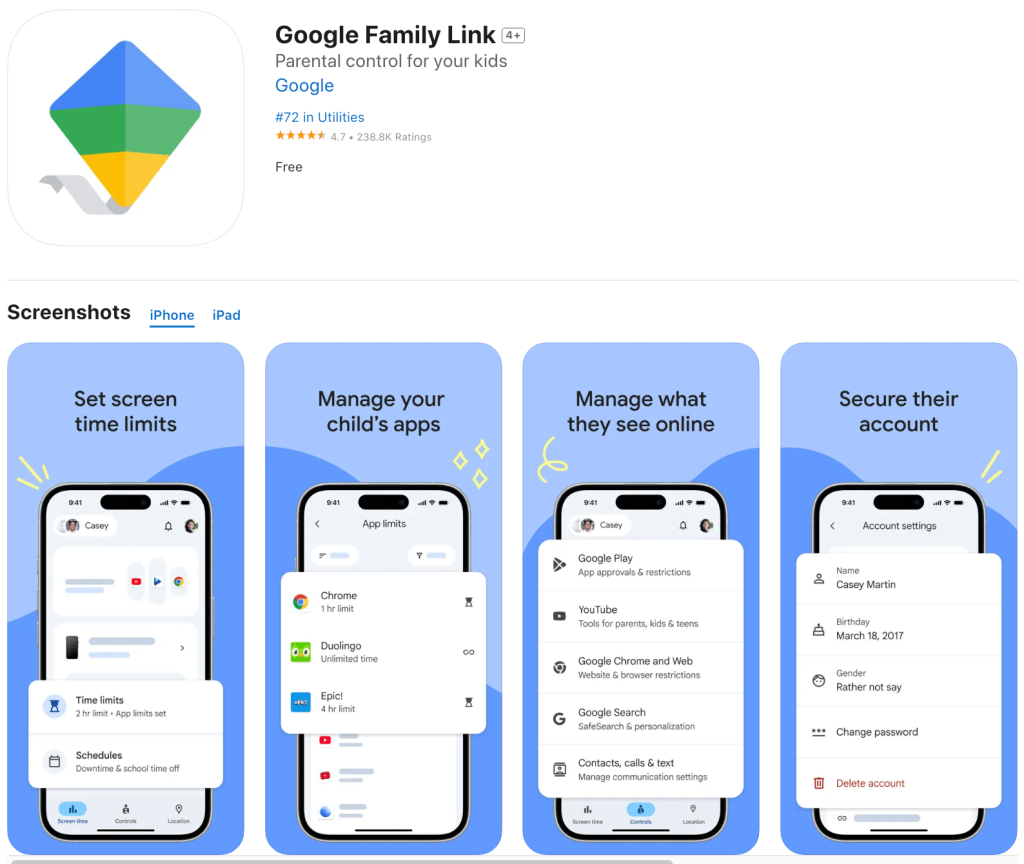
Google Family Link is a solid free option for Android families. You can monitor app usage, set daily and per-app time limits, schedule School Time and Downtime, block apps, approve Google Play downloads, track location, and keep selected apps available outside normal limits.
Its biggest drawback is compatibility: many supervision features aren’t available when your child uses an iPhone or iPad.
- Pros: Free, easy Android integration, location tracking, and useful screen time controls.
- Cons: Limited outside Google’s ecosystem and lacks Bark-style content monitoring.
Qustodio: Best for Broad Digital Monitoring
App Store
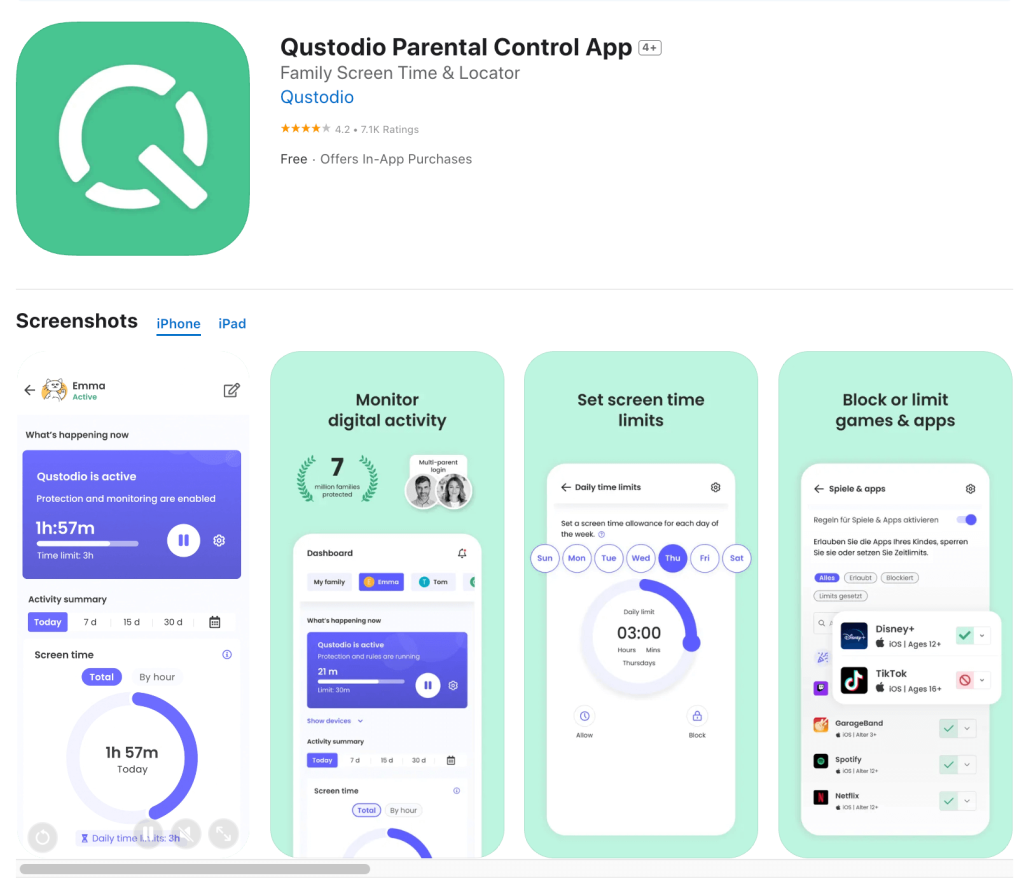
Qustodio comes closer to Bark if you want visibility into your child’s online activity alongside traditional parental controls. Features include web filtering, browsing history, YouTube monitoring, app blocking, time limits, location tracking, reports, and calls and SMS monitoring.
It also supports Android, iOS, Windows, Mac, Chromebook, and Kindle, although some features vary by operating system.
- Pros: Broad compatibility and strong web, app, and message monitoring.
- Cons: Advanced features require a paid plan, and setup can be more involved.
FamiSafe: Best for Flexible Content and Activity Controls
App Store
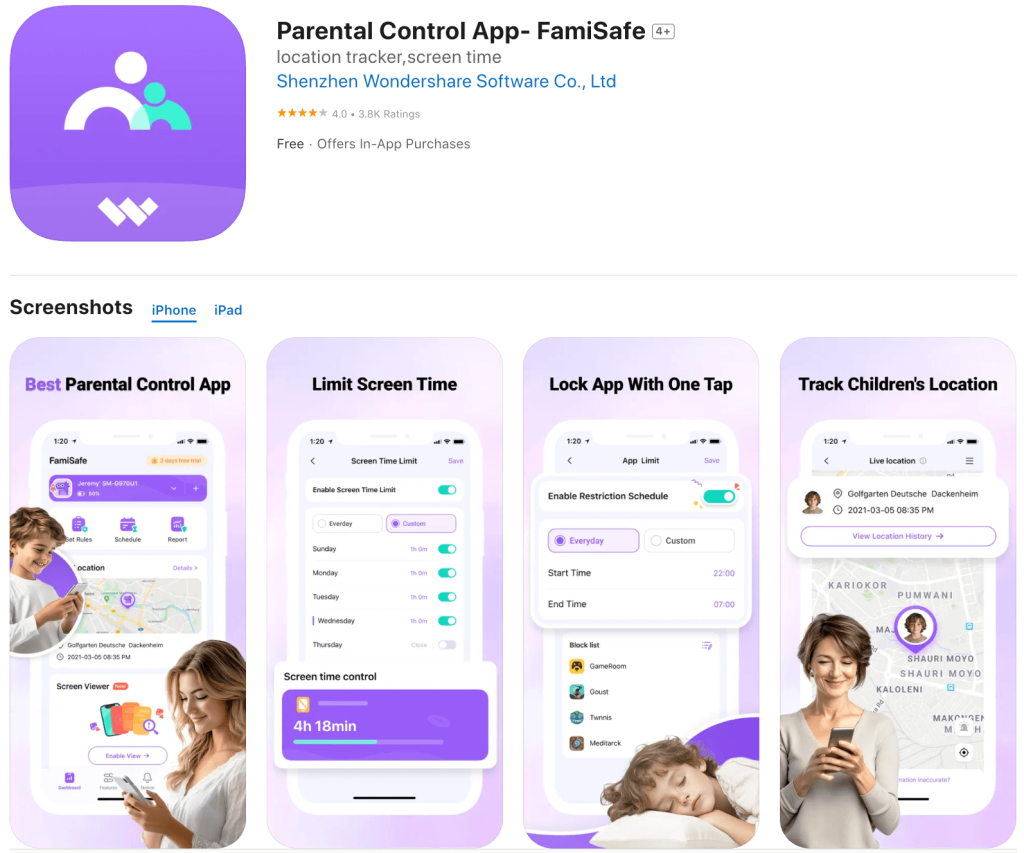
FamiSafe combines screen time, location tracking, and content controls. Parents can block apps, create schedules, establish geofences, filter websites, review browsing history, monitor YouTube activity, and use tools that detect potentially inappropriate text or images.
Some iOS features depend on how the child’s device is configured.
- Pros: Wide range of location, app, web, and content controls.
- Cons: Features vary by device and setup.
OurPact: Best for Detailed App Schedules

App Store
OurPact emphasizes flexible app management. Parents can set daily allowances, schedule restrictions around school or bedtime, block devices, grant extra time, filter the web, and receive location alerts.
Its View feature can also capture periodic screenshots from the child’s device.
- Pros: Excellent scheduling, app controls, location alerts, and web filtering.
- Cons: It doesn’t offer Bark’s automated analysis of messages and social media.
Which Bark Alternative Fits Your Family?
The best parental control apps aren’t interchangeable. Start with the problem you’re actually trying to solve.
- If you mainly want to know where your child is: Choose Findmykids. Its location tracking, route history, Places, SOS, Loud Signal, and other family-safety features make location a core part of the experience rather than an add-on.
- If screen time is becoming the biggest battle: Look at Findmykids, Kids360, or OurPact. All three give you more control than a simple daily device limit, including ways to block apps and establish schedules.
- If you need a free alternative to Bark: Start with Google Family Link, especially if your child’s phone is Android. You get surprisingly capable parental controls without another subscription.
- If you’re most concerned about social media: Bark still has an advantage. Its social media monitoring and content monitoring are designed to trigger alerts for potentially serious issues, including bullying, sexual content, predators, and self-harm. Qustodio and FamiSafe also provide monitoring features worth comparing if you want more traditional parental controls alongside them.
- If you have children using several kinds of devices: Qustodio’s support for phones, tablets, Chromebooks, Windows PCs, Macs, and Kindle devices gives it an edge in households where everyone isn’t using the same operating system.
How to Choose the Right Parental Control App
Before downloading several monitoring apps and hoping one sticks, decide which two or three features matter most.
Start with device compatibility. An impressive feature list doesn’t help if the tools you want aren’t supported on your child’s phone.
Next, think about your child’s age. With younger children, location tracking, app downloads, web filtering, screen time limits, and blocking inappropriate content may be your main concerns. As children move further into social media, you may place more importance on content monitoring, web searches, text monitoring, and alerts for risky interactions.
Also consider how much oversight you actually want. Some parents want detailed visibility into a child’s online activity; others primarily want boundaries around specific apps and reassurance that their child arrived at school safely.
Think about how the level of monitoring may affect your child’s sense of privacy and trust. Features such as message and social media monitoring can be useful for identifying potential risks, but older children and especially teenagers may see this level of oversight as an invasion of their personal boundaries. Parental controls should never be used secretly or as a substitute for an open conversation about safety and privacy. If you cannot agree on the right level of monitoring, consider a more transparent approach to parental controls.
For example, Findmykids’ Family Circles are designed to include every family member, allowing parents and children to see each other’s locations and making the child an active participant in the family’s safety rather than simply someone being monitored.
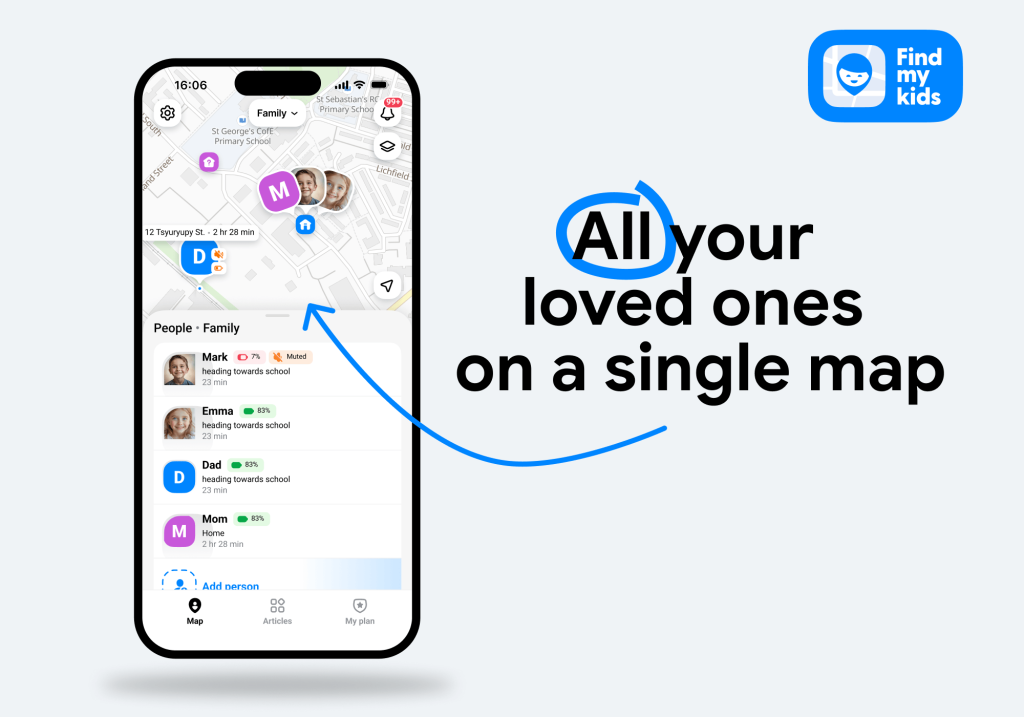
Finally, look for controls that can grow with your family. The ability to add extra time, create always-available exceptions, adjust schedules, or loosen restrictions gives you more flexibility than an all-or-nothing blocking system.
Find Parental Controls That Match the Way Your Family Actually Uses Technology
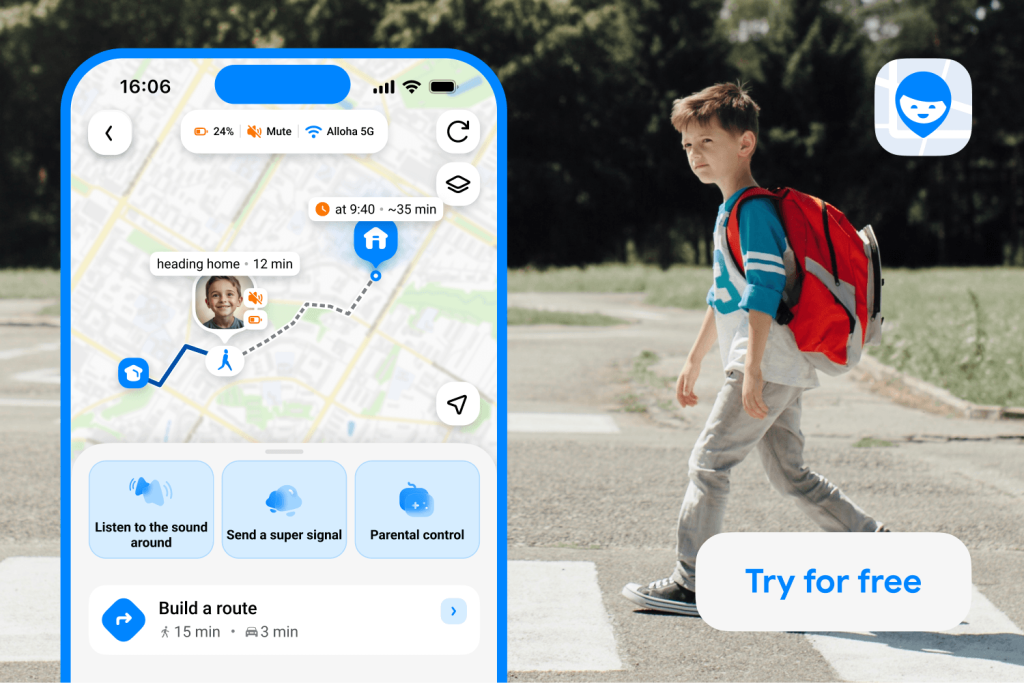
Findmykids app
The right parental controls depend on your child’s age, devices, and growing independence. Bark remains a strong choice for content and social media monitoring, while Google Family Link, Qustodio, FamiSafe, Kids360, and OurPact each solve different problems.
If location and everyday safety top your list, Findmykids is one of the strongest Bark alternatives. You can see where your child is, know when they arrive somewhere safely, manage apps and screen time, and give them a quick way to reach you when they need help.
Explore Findmykids, choose the controls that make sense for your family today, and adjust them as your child grows.
FAQs
What is the best alternative to Bark?
Findmykids is one of the best Bark alternatives if your priorities are location tracking, child safety, and screen time management. If your main priority is social media monitoring or monitoring text messages, other parental control apps might be a better fit.
Is there a free alternative to Bark?
Yes. Google Family Link is a strong free option for families with supervised Android devices or Chromebooks. It includes daily screen time limits, per-app time limits, app blocking, schedules, Google Play Store controls, and location features.
What is the best Bark alternative for younger children?
Findmykids is particularly well suited to younger children because its parental control features are paired with location tracking, SOS, place notifications, and other tools centered on everyday safety. It also gives parents room to introduce app limits and schedules as children begin using their own devices more independently.
What is the best Bark alternative for screen time?
Findmykids and Kids360 are both strong choices for screen time management. Look at whether you need per-app time limits, schedules, instant app blocking, always-available exceptions, or a combination of those controls.
What is the best Bark alternative for social media monitoring?
Qustodio is one of the closest Bark alternatives for families that still want monitoring on social media apps, although Bark remains especially focused on detecting concerning content across messages and social media. FamiSafe also offers social content detection on supported devices.
Sources & References
- Parental Control App, Findmykids
- All of Bark’s features and how they work on different devices, Bark
- Parental Control That Kids Enjoy, Kids360
- Set up parental controls for your child, Google Help
- Set app time limits on your child’s device, Google For Families Help
- Features, Qustodio
- FamiSafe, FamiSafe
- What is OurPact?, OurPact
Проверьте электронный ящик