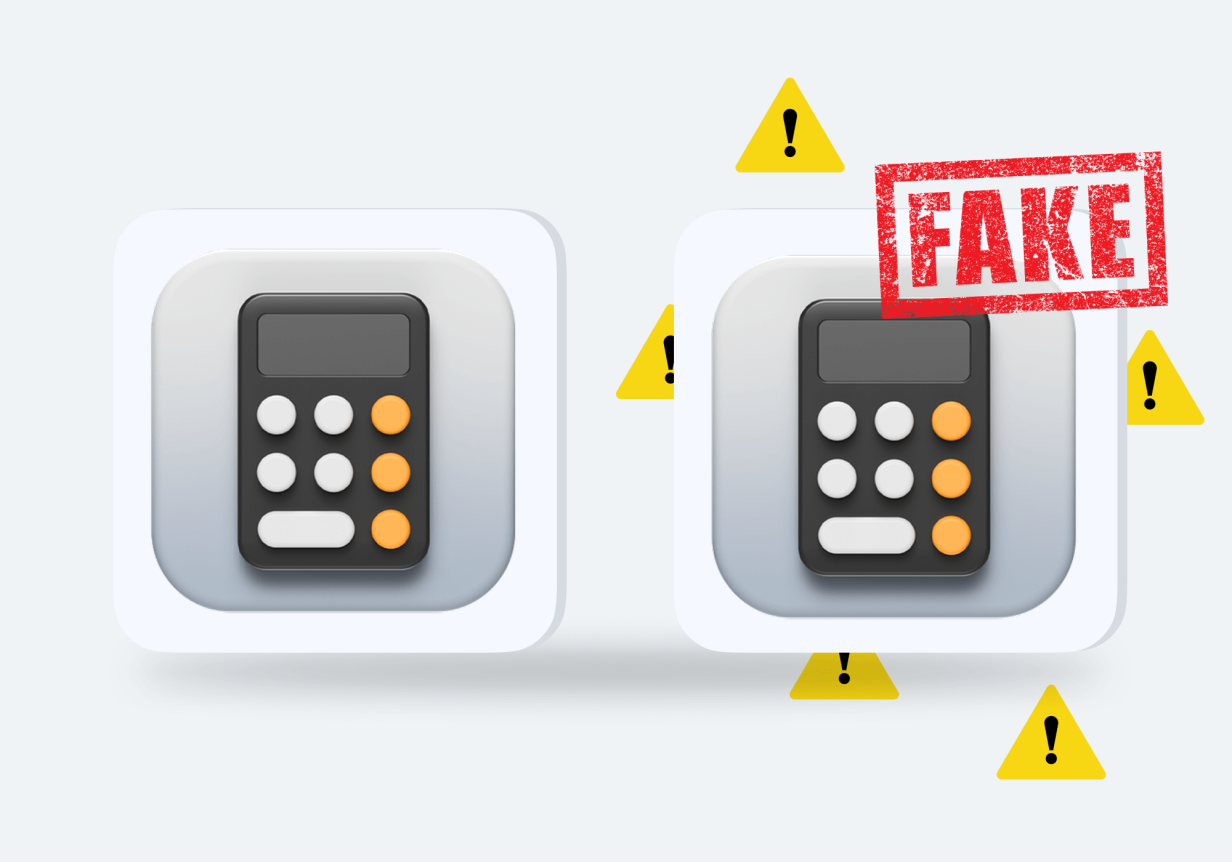
For parents, keeping kids safe online is a priority. However, with tech innovations and trends coming thick and fast, staying on top of the latest threats is a real challenge. Below, we’re going to take a look at a specific risk: fake calculator apps. Keep reading for how to spot a fake calculator app and why your kid might be using one.
Quick Answer: What Is a Fake Calculator App and Why Should Parents Be Concerned?
A fake calculator app looks like a real calculator app, but this is a front. Its real purpose is to discreetly store private content like videos and photos. Fake calculator apps may be used to hide sensitive information from others who might access the device. There are signs to look out for, though, that suggest the app isn’t a regular calculator—careful checks and monitoring tools can help with this.
Contents:
What is a Fake Calculator App?
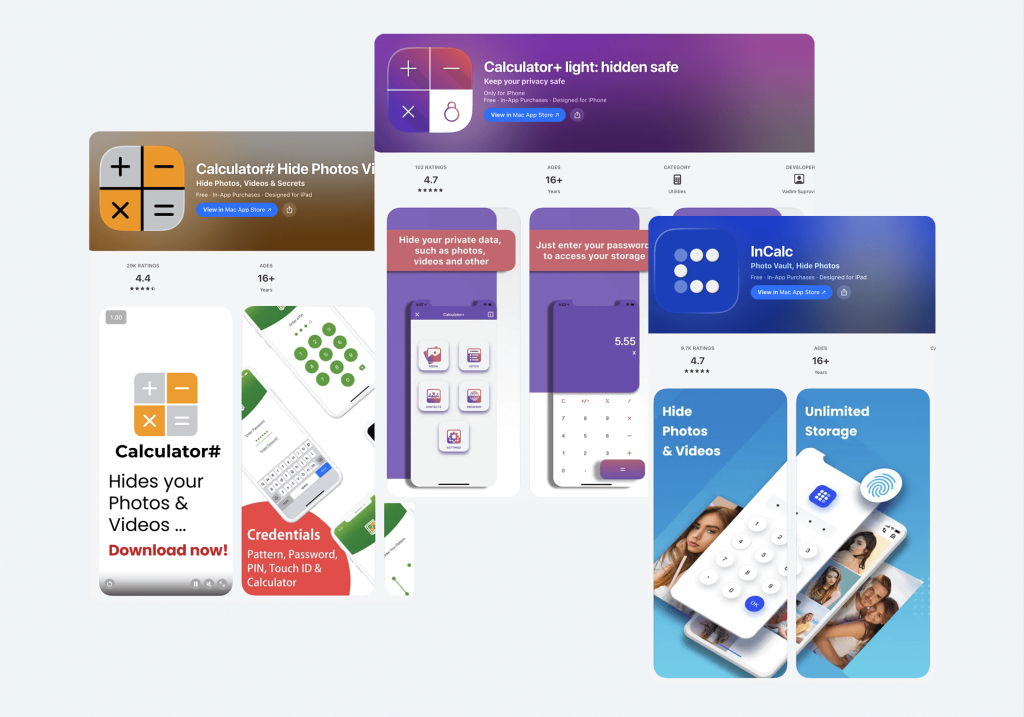
Credit: App Store
A fake calculator may appear like a legitimate calculator app, but its real purpose is to keep private files secret. For example, it could be used to hide sexual images, sensitive data, private files, and other content that kids don’t want their family members (or other people) to see. They’re effectively a vault app disguised as a normal calculator app.
Fake calculator vault apps often require a password to unlock and, as well as being used to store photos and images, can also be a way to keep chats and other apps hidden. Often marketed as a privacy tool, parents need to be aware of them as a way for kids to hide things on their devices.
Some well-known examples of calculator-style vault apps include:
What Other Apps Can Dangerous Vault Apps Disguise Themselves As?
While calculator apps are one of the most common disguises, they’re not the only ones. Some vault or hiding apps mask themselves as other everyday utilities to avoid suspicion.
Common disguises include:
- Clock Vault — looks like a simple clock but hides private files behind a PIN code.
- App Hider — can clone and hide other apps behind a neutral-looking icon.
- Gallery Vault — appears to be a regular photo gallery but includes hidden storage features.
- Audio Manager — may look like a sound or volume control tool while functioning as a secret vault.
- Notepad Vault — disguised as a notes app but used to store hidden media.
Some apps also use generic names like “Utilities,” “Device Health,” or “System Tool” to blend in with legitimate system apps.
In many cases, the disguise works by requiring the user to enter a specific PIN into the visible interface (for example, typing a code into a clock or calculator) to unlock hidden content.
Why Do Kids Use Fake Calculator Apps?

freepik / Freepik.com
There are several key reasons that kids may use a fake calculator app:
- To hide information they don’t want others to see. This could be private photos, messages, or documents.
- To protect their privacy on shared devices.
- To prevent misunderstandings, kids may hide sensitive data or content as they think their parents could blow it out of proportion or misinterpret its meaning.
- To bypass parental controls that are installed on the child’s device.
- To hide romantic conversations or sexting activity.
- To store screenshots from social media platforms like Snapchat or Instagram.
- To experiment with independence without feeling monitored.
It’s important to remember that not all use is malicious—sometimes it’s driven by embarrassment, curiosity, or fear of punishment.
Why Parents Should Care
While a fake calculator app may seem like a harmless way for kids to maintain their privacy, they come with some serious risks. Most importantly, they’re a way for children to store inappropriate content on their devices without parents being aware of it. This could include sexual or illegal content or concerning messages.
As well as this, there’s the risk that your child downloads a fake app that’s infected with a virus or malware. With so many developers pumping out these apps, there’s always the risk that some contain bugs and flaws.
Further, fake calculator apps may require extensive permissions to operate, including requiring access to a device’s camera, storage, and even contact list. This access could lead to privacy breaches and put your kids’ personal information at risk.
Another serious concern is sextortion. If explicit images are hidden in a vault app and later accessed by someone else (for example, through hacking or peer pressure), children may become vulnerable to blackmail or coercion.
Red Flag Checklist: How to Spot a Fake Calculator App
Here are the red flags that suggest a calculator app is fake:
- How many calculator apps are installed on your child’s device? If there are multiple calculator apps, this could suggest one or more are fake.
- Look for inconsistent permissions or file size. A large file size should be viewed with suspicion, as legitimate calculator apps require minimal storage, while extensive permissions (like access to cameras, storage, or contacts) are also red flags.
- Are there extra features that seem unusual for a basic calculator app?
- Check out the app’s details in the device’s app store. Look at the publisher’s information (a fake app might be published by a suspicious or unknown developer), reviews, and release date.
- Take a look at the app drawer. On Android devices, this feature allows you to see all apps installed on the device, including hidden apps that don’t show up on the main menu. To access the app drawer, tap the App icon on the device’s home screen or swipe from bottom to top.
- Be mindful of how your child uses the app. Are they secretive about using the calculator app and trying to hide it from you?
Additional red flags:
- The app requires entering a PIN into the calculator interface to “unlock” something.
- The app icon looks slightly different from standard calculator icons.
- The app disappears from the home screen after installation.
- The app listing in the store includes words like “vault,” “secret,” “hide,” or “private storage.”
- Unusual battery drain caused by background activity.
Where to Look on the Phone (Without Snooping)

volodymyr-t / Freepik.com
If your child is using a fake calculator on their computer or mobile device, the app may not appear on the home screen. Check the app drawer (on an Android device), or check the apps installed via the device’s main menu, looking for secret apps. You could also head to the Google Play Store or Apple App Store and search for the exact name of the suspicious app on your child’s device to see if it appears and, if so, get more details.
On iPhone:
- Go to Settings → General → iPhone Storage to see a full list of installed apps (including hidden ones).
- Swipe down on the home screen and use Spotlight Search to check for app names.
- Check the App Library (swipe left past the last home screen page).
On Android:
- Open Settings → Apps → See All Apps to view the complete list.
- Check app permissions under Settings → Privacy → Permission Manager.
- Review Special App Access settings for apps that can hide content or run in the background.
The key is transparency. Instead of secretly searching your child’s phone, consider saying: “I’ve been reading about apps that can hide things. Let’s take a look together so we both understand what’s on your phone.”
Related: How to Find Hidden Apps on Your Child’s Device.
What to Do if You Find a Suspicious Calculator App?
So, you’ve discovered a suspicious app on your kid’s phone and are concerned they’re using a fake calculator. What’s the next step? Open communication is vital—it’s important to talk to kids (in an age-appropriate way) about why these apps are dangerous and shouldn’t be used. Explain the threats that secret vault apps pose and why honesty about their online and offline activities is vital.
Instead of accusing, try calm and curious language:
- “I noticed this app and I’m not angry — I just want to understand what it’s for.”
- “Can you help me understand why you downloaded this?”
- “If there’s something you feel you need to hide, I’d rather we talk about it.”
- “My job isn’t to punish you — it’s to keep you safe.”
Practical next steps:
- Review the app together before uninstalling it.
- Check whether any hidden content has been shared externally.
- Change important passwords if you’re concerned about security.
- Review privacy settings on social media accounts.
- Revisit family rules about device use and privacy.
Once you’ve uninstalled the app, consider downloading a reliable parental control app to help manage your kid’s digital world and keep them safe online—more on this below.
How to Prevent Hidden Apps Without Turning Into a Detective

Findmykids app
The best way to prevent your kid from downloading or hiding apps on their device is to use a great-quality parental control app, like Findmykids. This app focuses on care, rather than spying, and is designed to help your child grow and develop while giving parents peace of mind.
It’s an effective way to stop your child from using a hidden calculator (or similar) app, via several key means. For example, use it to monitor how long your kid spends on specific apps and spot patterns early—a lot of time spent could be a red flag. You can also use it to block specific apps entirely, if you’re concerned, and even temporarily limit phone use to prevent further hiding behavior. This gives you time to have a conversation with your child about online safety before allowing them full use of their device once more.
For additional peace of mind, Findmykids incorporates built-in app removal protection, meaning your child won’t be able to simply delete or disable the parental controls you set.
The Findmykids app is a great tool to prevent your kids from downloading and hiding apps, and also offers a wide range of other features to help keep your child safe, both online and offline. These include real-time location tracking and an SOS signal, so you can easily stay in contact in an emergency.
Try Findmykids today to protect your child from hidden apps and give yourself confidence in their digital safety. Download the app now for free and take the first step toward safer, more mindful device use.
Easy Ways to Combat the Threat of Fake Calculator Apps
Fake calculator vault apps represent a real threat, and protecting against them is an important part of keeping your child safe online. To this end, it’s vital to understand what they are, how they’re used, and where to look for them. From here, a mix of open conversations with your child about their dangers and a parental control app can help mitigate the threat.
FAQs
How to spot a fake calculator app on my child’s phone?
There are several red flags that suggest your child has a fake calculator app installed on their phone. These include if your child has more than one calculator app on their device, if it uses a large amount of storage and requires extensive permissions, and additional features that are unusual for a basic calculator app.
What is a calculator vault app, and why do kids use it?
Calculator vault apps look like regular calculator apps but are actually a way to discreetly store private photos, videos, documents, and other content. Kids may use them as a way to protect their privacy, hide things they don’t want their parents (or other family members) to see, or bypass any parental controls installed on the device.
What permissions should a normal calculator app NOT need?
A normal calculator app should not need permission to access a user’s camera, contact list, or device storage.
Does a large file size mean a calculator app is fake?
A large file size is a major red flag that a calculator app is fake. This is because calculator apps typically have an extremely small file size.
Cover image: Author / Freepik.com
Проверьте электронный ящик