














Finding the right parental control and family tracking app takes careful research and a close look at features, plans, and device compatibility. The best way to understand what is right for your family is to compare these apps. In this post, we are discussing the difference between the former Sprint Family Locator and Findmykids family tracking apps to help you decide which fits your family.
Key Takeaways
- Sprint Family Locator is no longer available. T-Mobile discontinued the service in 2021 after merging with Sprint, and its replacement, Safe & Found, is now limited to existing subscribers.
- Sprint Family Locator was primarily focused on basic family location-tracking services through Sprint’s network.
- Findmykids is a stronger modern alternative for families because it works on both Android and iOS devices and isn’t tied to a mobile carrier.
- Findmykids combines location tracking with parental controls and child-safety tools, including location history, safe zones, SOS alerts, screen-time management, app blocking, and driving reports.
Contents:
What Is Sprint Family Locator?
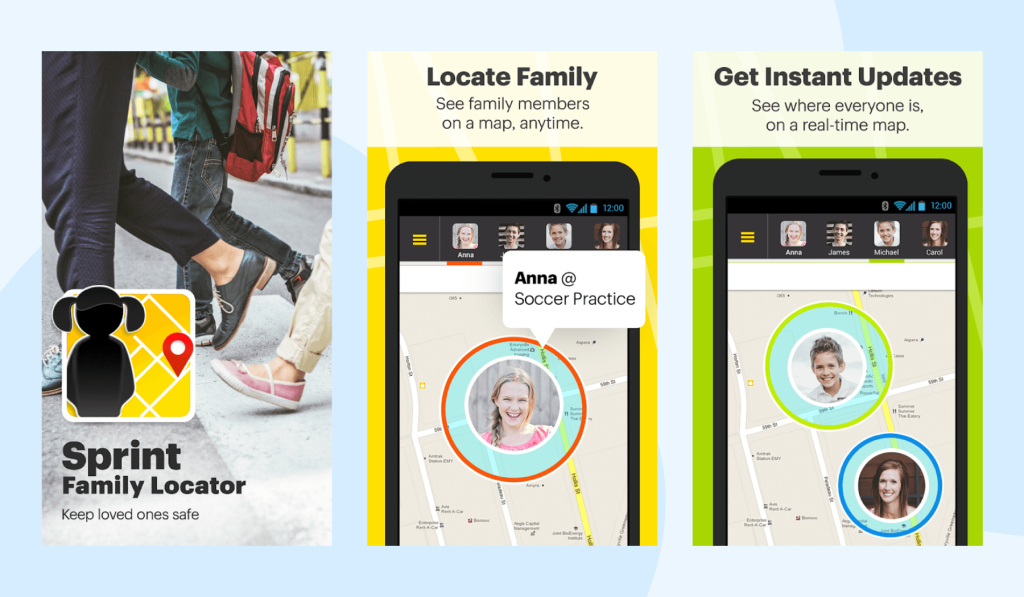
Sprint Family Locator worked as a carrier-service location app that tracked devices and let families see their children’s approximate locations. Users could see locations on an interactive map as well as a history of their whereabouts. The main difference between the Sprint Family Locator app and other family tracking apps is that it used Sprint’s network along with GPS to determine the phone’s location.
The app was available to all Sprint customers and offered a free 30-day trial. Afterward, it was just $5.99 per month to track multiple devices.
What Sprint Family Locator Doesn’t Tell You
Since Sprint Family Locator came out in 2006, family locator and parental control apps have evolved to offer many more features. For example, Sprint Family Locator only showed device locations. It wouldn’t share information about the routes they took, how long they spent at a certain location, how much time they spent on their phones, or what apps they’ve downloaded.
Ultimately, Sprint Family Locator was only useful for knowing your family members’ real-time locations.
Is Sprint Family Locator Still Available?
No, the Sprint Family Locator is no longer available. Sprint launched the family location service in 2006 as a paid, carrier-based service. However, Sprint discontinued the service in October 2021 after T-Mobile’s merger with Sprint.
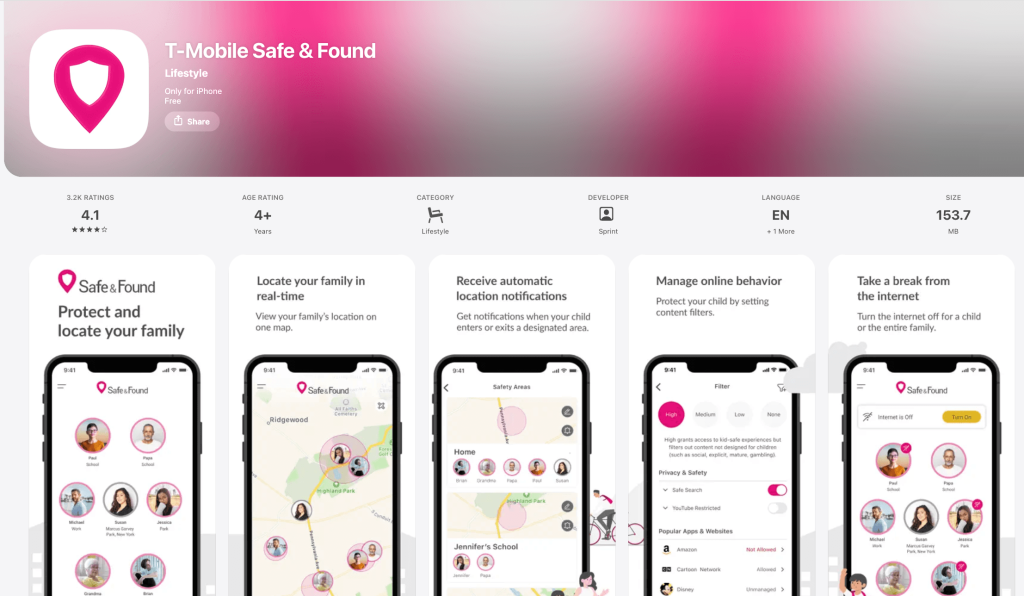
T-Mobile then replaced it with Safe & Found for a couple of years, allowing users to track locations, send check-ins as text messages, and manage or address screen time. Unfortunately, even this service was discontinued for new subscribers and serves as a legacy app. That means previous users can still use it and add new profiles and devices, but new users cannot create an account.
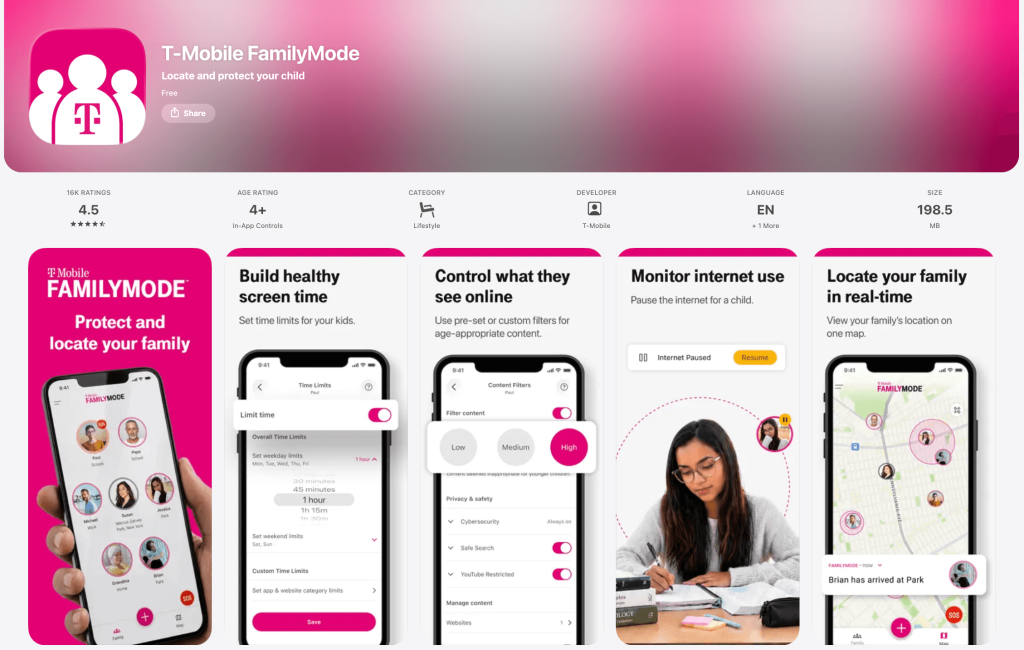
Presently, T-Mobile customers can use either the FamilyMode app for location tracking and parental controls for $10 per month. Families who only want location tracking for Android devices can use the FamilyWhere app from T-Mobile.
Findmykids: A Child-Focused Alternative to Sprint Family Locator
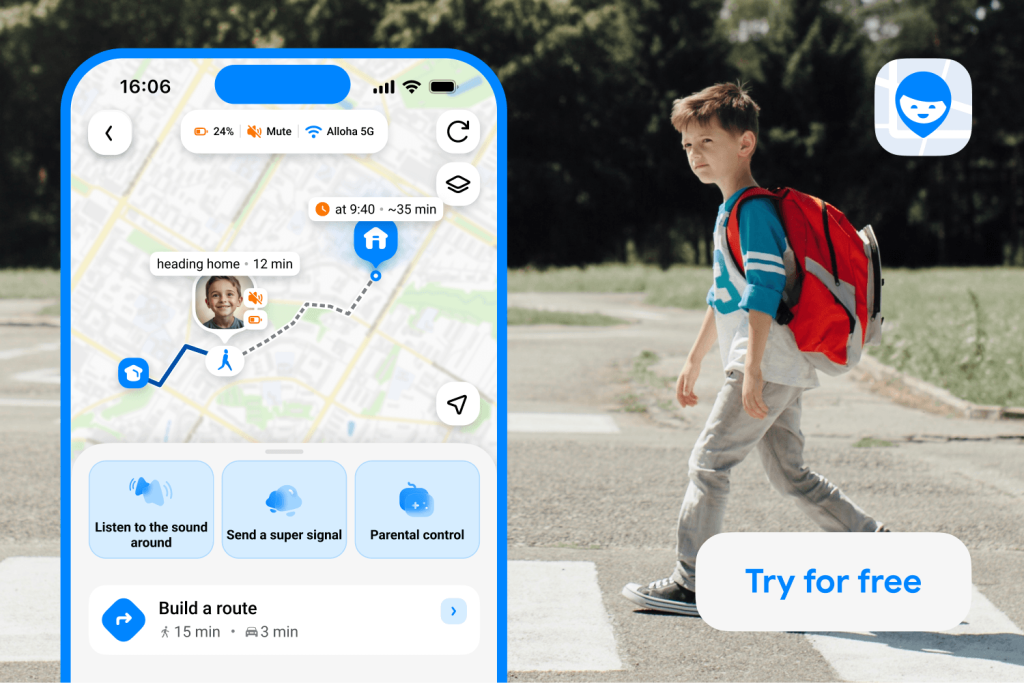
Since the discontinuation of Sprint Family Locator, many families, especially Sprint and T-Mobile customers, are left searching for a family tracking app alternative. That’s where Findmykids comes in.
Findmykids is a parental control and location-tracking app that helps parents protect their kids both online and in the real world. Findmykids offers innovative safety features to get a user’s attention and help everyone stay safe.
Like Sprint Family Locator, Findmykids works on both Android and iOS devices, so mixed-device households don’t have to rely on device-specific location-sharing features.
What Makes Findmykids Different from Sprint Family Locator?
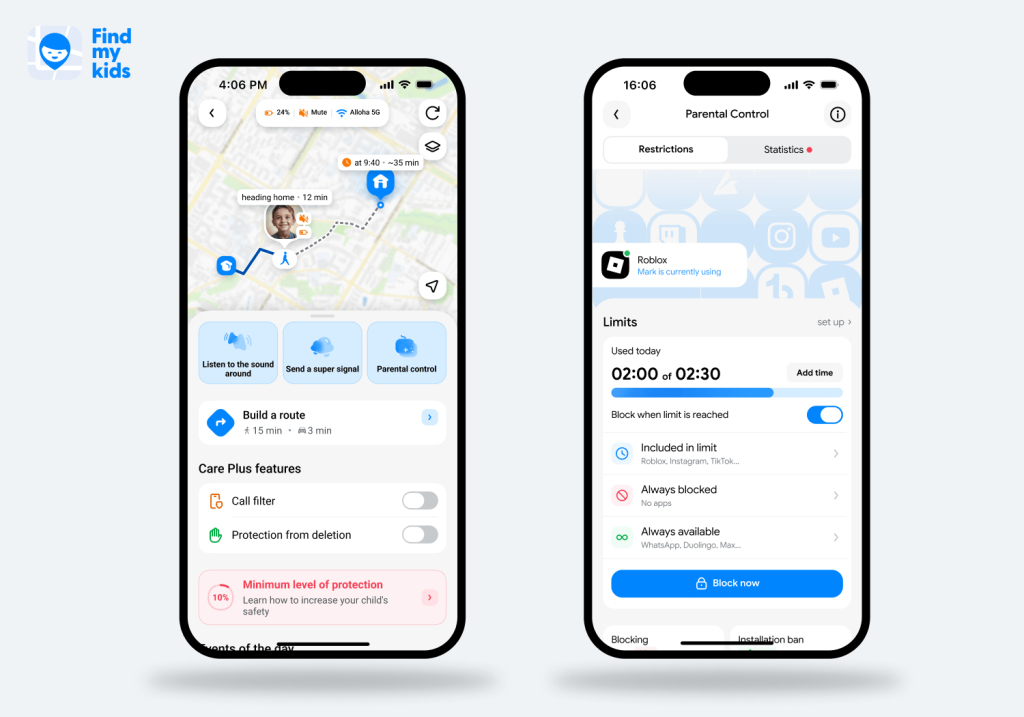
The main difference between Findmykids and Sprint Family Locator is the parental controls and safety features available. Sprint Family Locator was an excellent choice for seeing your family members’ real-time locations. However, it didn’t offer features like blocking inappropriate apps or websites or setting screen time limits.
Findmykids offers the following features that Sprint Family Locator did not:
- Family Circles:Create a shared family space where parents, children, relatives, and other trusted people can see each other’s locations on one map. Location sharing is mutual, so children can also see where their parents are.
- Safe Zones (Places): Set designated areas such as school or activities and receive arrival and departure alerts.
- Frequently Visited Places: The app’s algorithm recognizes where your child visits the most and collects data about how much time they spend there, when they went, and how much time they spent on their phone.
- Route History: See the exact route your child takes to get from one place to another.
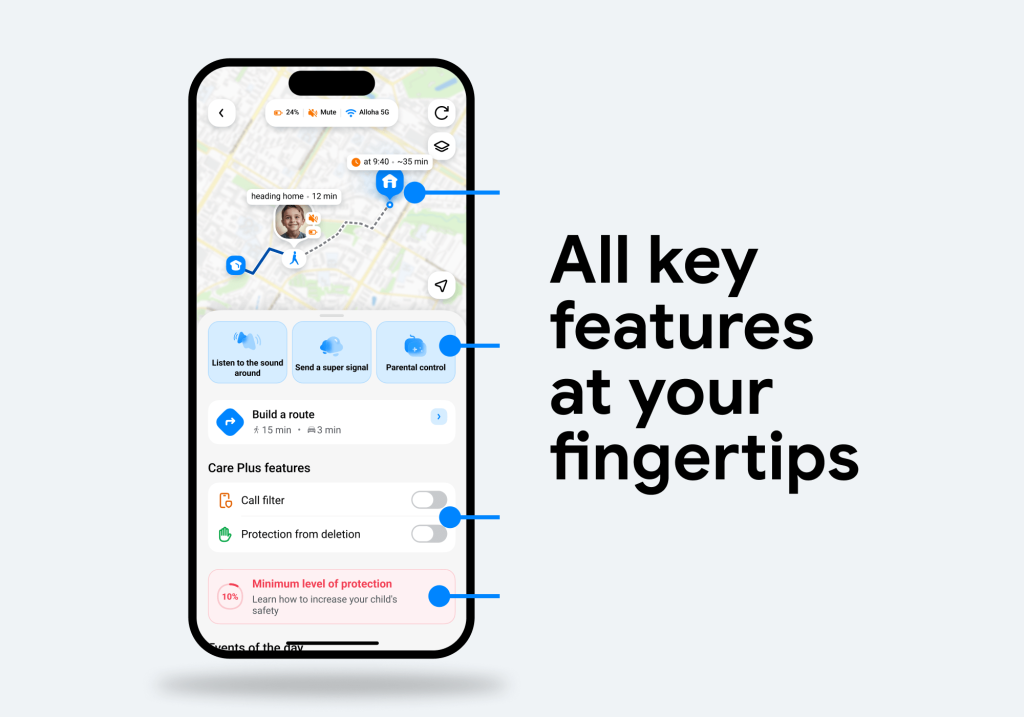
- Route Predictor: Get an estimated arrival time and see where your child is likely headed based on their usual routes.
- Sound Around: Use the microphone on your child’s phone to listen to what is happening around them.
- Loud Signal: Send a loud alert to your child’s phone to get their attention, even if it’s on silent or Do Not Disturb.
- Driving Reports: Receive driving safety reports, maximum speed, and the route taken, especially helpful for parents with teen drivers.
- SOS Button: In an emergency, kids can send an alert to parents with their current location.
- Screen Time Management: Parents can set screen time limits and schedules to manage how much screen time their children get each day.
- App Blocking: Findmykids blocks apps and websites that have an 18+ age rating.
- App Usage Analytics: Receive weekly reports about how much time children spend on certain apps or categories.
If you’re looking for more than basic location sharing, Findmykids combines real-time tracking with family circles, location history, safety alerts, and parental controls in one app. Try Findmykids for free right now to see whether it’s the right fit for your family!
Findmykids vs. Sprint Family Locator
The table below compares the core features of Findmykids with what Sprint Family Locator offered. While both services provided location tracking and location alerts, Findmykids goes further with family location sharing, child safety tools, detailed route information, and parental controls for managing screen time and app use.
| Feature | Findmykids | Sprint Family Locator |
| Availability | Available today on iPhone and Android | Discontinued in 2021 |
| Real-Time GPS Tracking | ✅ | ✅ |
| Location History | ✅ | ✅ |
| Detailed Route History | ✅ | ❌ |
| Place/Geofence Alerts | ✅ | ✅ |
| Family Circles | ✅ | ❌ |
| SOS Button | ✅ | ❌ |
| Loud Signal | ✅ | ❌ |
| Listen to Surroundings | ✅ | ❌ |
| Parental Controls | ✅ | ❌ |
| Carrier Required | ❌ Works independently of a specific mobile carrier | ✅ Designed for Sprint phones and accounts |
| How It Worked | Parent and child apps are connected using an invitation code | Location was provided through Sprint’s network-based service |
⠀
Back when Sprint Family Locator first launched, location tracking was enough for parents. However, 20 years later, parents require more tools, such as the ability to block inappropriate apps and websites and limit screen time, to keep children safe. Findmykids is the all-in-one family tracking app with an easy-to-use interface and exceptional safety features. And unlike the Sprint Family Locator, it is still available today.
Download Findmykids for your family’s safety!
Alternatives to Sprint Family Locator: How Does Findmykids Compare?
If you were using Sprint Family Locator and are now looking for a replacement, Findmykids is not the only option. T-Mobile also offers FamilyMode and FamilyWhere, but these services are designed for somewhat different needs.
The table below shows how the main options compare, so you can choose the one that best fits your family:
| App | Best For | Why It Fits |
| Findmykids | Families wanting child-focused safety features beyond basic tracking | Offers real-time location, alerts, safety areas, SOS features, and additional child-safety and parental control tools without being tied to one carrier |
| T-Mobile FamilyMode | T-Mobile families with a qualifying plan wanting location tracking plus parental controls | Combines family location with screen-time controls, filtering, internet access, and other digital-safety features |
| T-Mobile FamilyWhere | T-Mobile families wanting basic location tracking | Focuses on locating phones on a T-Mobile plan and viewing their location history |
⠀
If you want a family tracking app that works independently of your mobile carrier and combines location tracking with child-safety and parental control features, Findmykids is a flexible alternative to carrier-based services.
How to Switch From Sprint Family Locator to Findmykids
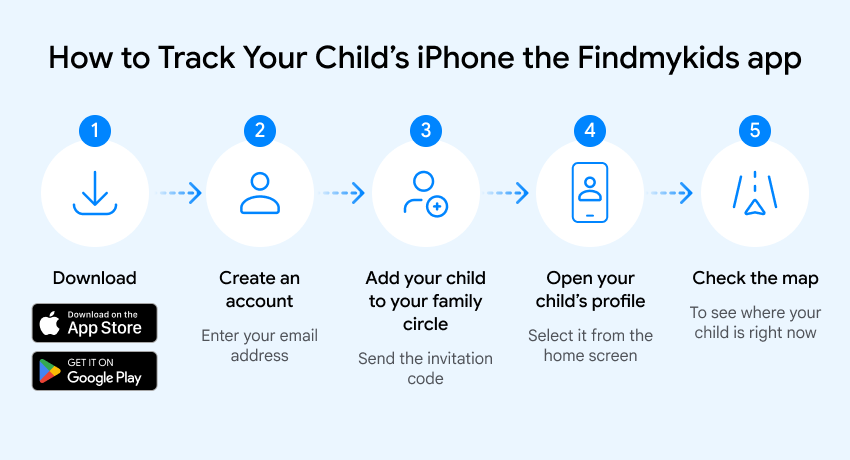
If you’re switching from Sprint Family Locator, getting started with Findmykids only takes a few steps. You can set it up on your phone and your child’s phone and start using location tracking and family safety features without changing your mobile carrier:
- Download Findmykids on your phone and create your parent account.
- Create a Family Circle and get an invitation code for your child.
- Install Findmykids on your child’s phone.
- Enter the invitation code on the child’s device to connect the two accounts.
- Set up location permissions and other required settings on your child’s phone.
- Choose the features you want to use, such as Safe Zones, location history, SOS alerts, or parental controls.
Once everything is connected, you can use Findmykids to see your child’s location, receive safety alerts, and manage other family safety settings from your own phone.
Choose the Right Location Tracking and Parental Control App for Your Family
Sprint Family Locator was built around a simple idea: give families an easy way to see where their loved ones are. But the service is no longer available, and today’s family locator apps offer much more than basic location tracking.
If you’re looking for a replacement, the right choice depends on what you need. Carrier-based options such as T-Mobile FamilyMode and FamilyWhere can make sense if you already use T-Mobile and want location or parental-control features tied to your mobile service. Findmykids is a better fit if you want a dedicated family safety app that works independently of your carrier and combines location tracking with tools designed specifically for keeping children safe.
FAQs
Is Sprint Family Locator still available?
No, Sprint Family Locator is no longer available. T-Mobile discontinued it in October 2021 after it merged with Sprint.
Is Sprint Family Locator the same as T-Mobile FamilyMode?
No, Sprint Family Locator is not the same as T-Mobile FamilyMode. FamilyMode is a parental control app that offers location tracking and device controls like screen time limits. It also costs $10 per month for up to 4 devices.
Can Findmykids work with both Android and iPhone?
Yes, Findmykids works on both Android and iPhone. That means parents with an iPhone can track their child’s Android device without a problem—and vice versa.
Can I locate my child using only their phone number?
It is not possible to locate your child using just their phone number. To see your child’s location, consider a family tracking app like Findmykids.
Is Findmykids free, and what requires a subscription?
Findmykids has a free version that lets parents see their child’s location on the map, view recent routes, get notifications for one saved Place, and use chat, SOS, emergency contacts, and three Super Signal sends in total. Paid plans add features such as extended location history, full route history, notifications for all saved Places, unlimited Super Signal, and parental controls. Care Plus also includes app usage statistics, app blocking, app deletion protection, 18+ website blocking, in-app purchase blocking, and protection from unknown callers, depending on the child’s device.
Sources & References
- Safe & Found, Google Play Store, November 11, 2024
- T-Mobile Completes Merger with Sprint to Create the New T-Mobile, T-Mobile, April 1, 2020
- T-Mobile FamilyWhere App, T-Mobile
- Make Digital Parenting Control Easier with FamilyMode, T-Mobile
Проверьте электронный ящик