
















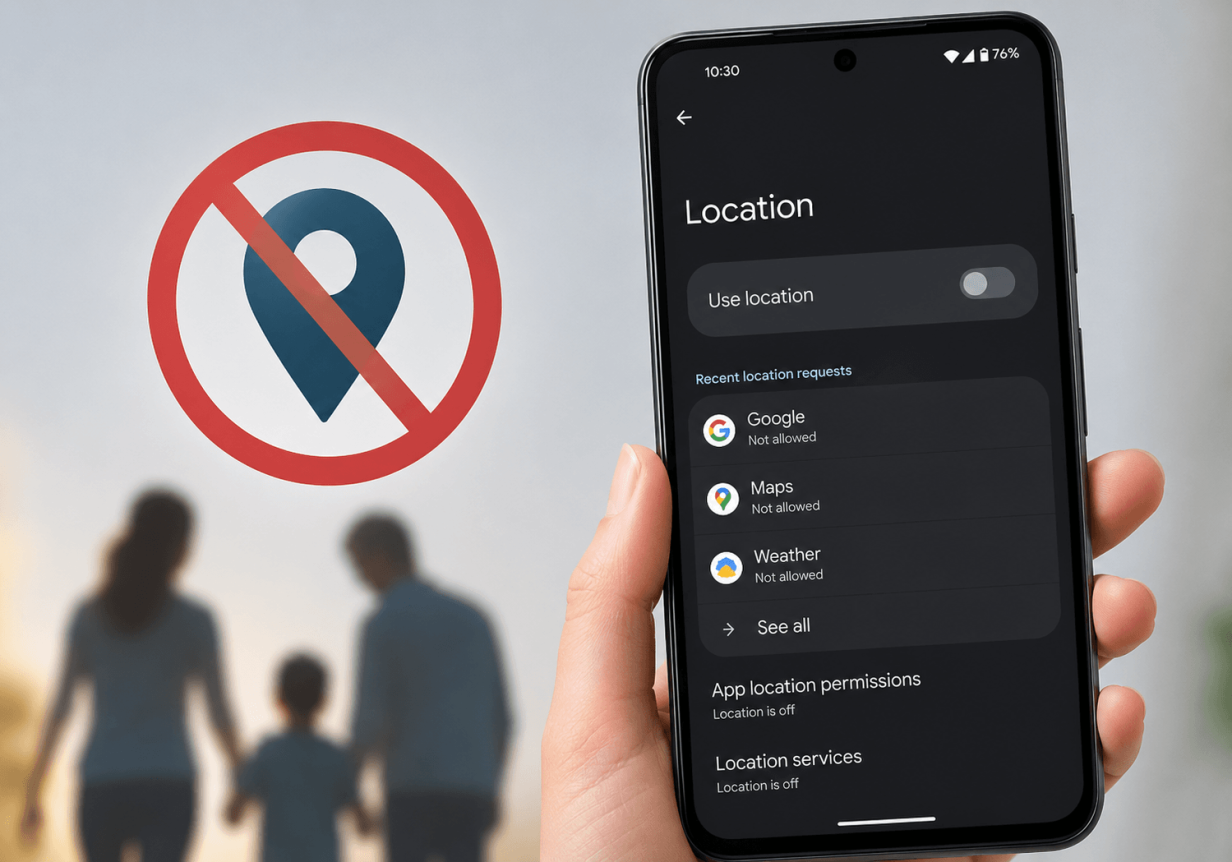
In the age of modern parenting, about 50% of parents track their child’s location using a GPS location-tracking app. This ability to see where they are provides parents with a peace of mind unheard of previously. But what if your child learns how to turn off location on the Android devices they are using?
In this guide, we will discuss what it means when the location is turned off and several methods for turning it off. The more parents acknowledge and understand how to manage the devices and tech their children are using, the better they can set boundaries in their parenting when needed.
Key Takeaways
- Turning off location on Android prevents apps from accessing GPS data, which can affect navigating, tracking, and other location-based services.
- Android users can disable location in several ways, including through Settings, Quick Settings, and app-specific permissions.
- Airplane mode does not fully disable GPS, so apps can still access location data.
- Parents use apps like Findmykids to monitor their children’s safety with real-time tracking and route history.
Contents:
What Happens When You Turn Off Location on Android?
When you turn off location services on an Android device, apps can no longer access the device’s GPS location. As a result, location-tracking apps and other apps that rely on location data may lose important functionality, such as navigation in Google Maps.
Simply put, when location services are disabled, apps cannot retrieve information about the user’s physical location.
How to Turn Off Location on Android (Step-by-Step)
Below are multiple methods to turn off an Android’s location. Understanding these methods can help you know what your children are doing with their devices while also allowing you to troubleshoot location issues.
Turn Off Location from Settings
To completely turn off location sharing from an Android phone, follow the steps below:
- Open the Settings app.
- Scroll down the menu and tap Location.
- Toggle Use Location or Location access to off.
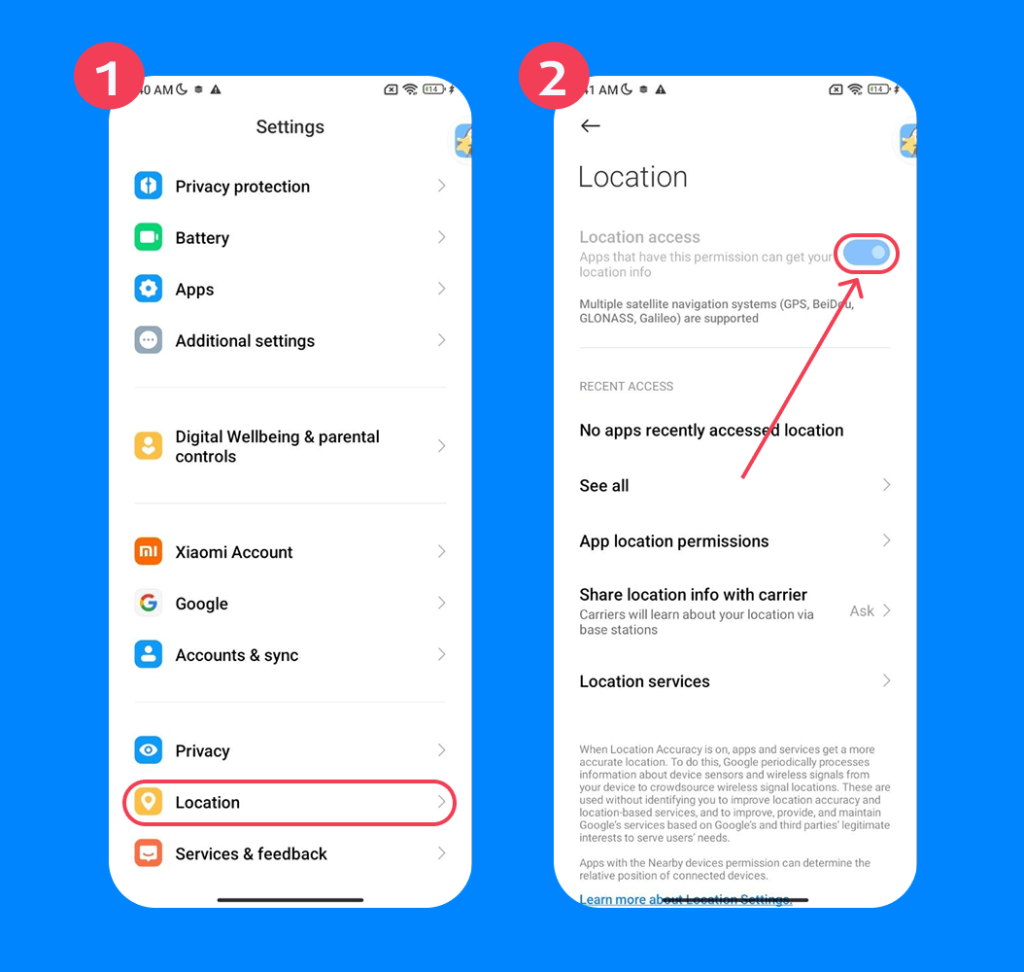
It’s important to note that some Android models label this slightly differently. In the second step, you may have to tap Privacy and then Location. On other devices, it may show up as Security & Location.
Turn Off Location from Quick Settings
It is also possible to turn off location from the Quick Settings menu. To do so, follow the outline steps below:
- Swipe down from the top of the screen to open the notification panel.
- Swipe down again to expand the Quick Settings panel.
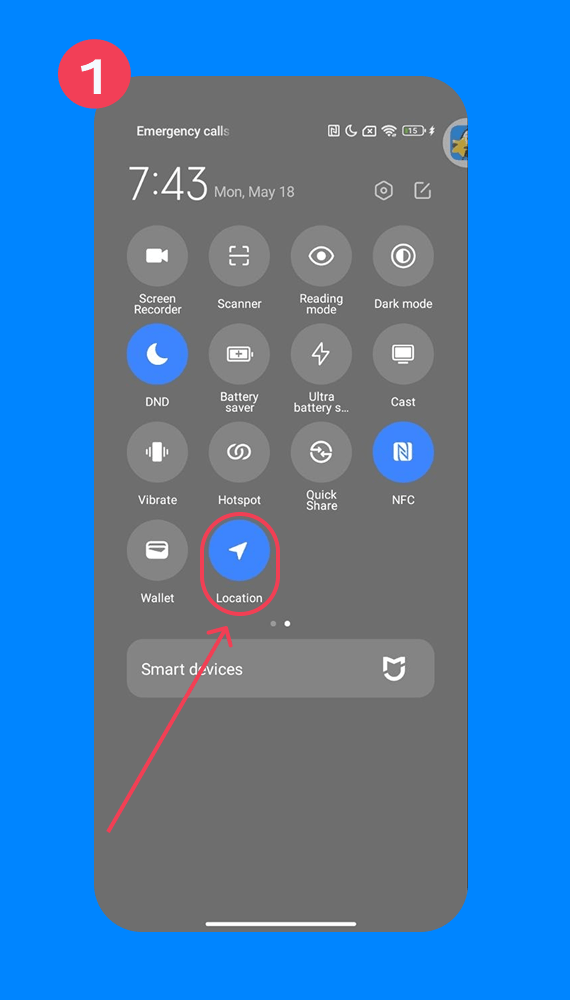
- Look for the Location icon (it usually looks like a map pin).
- Tap the Location tile to turn it off.
You will know when the location is turned off because the icon will lose its color.
Related: How Children Can Change Location on Android.
Turn Off Google Location Accuracy
Google Location Accuracy is an Android feature that improves your phone’s location. It combines GPS, Wi-Fi, Bluetooth, and mobile towers to get a more precise pinpoint of your exact location. This provides better accuracy for Google Maps, weather apps, ride-share, local searches, and emergency location services.
However, some people say that it can drain their device’s battery. For this reason, many people decide to turn it off. They would rather have a phone that lasts all day than a super accurate location.
To turn off Google Location Accuracy, follow these steps:
- Open Settings.
- Tap Location.
- Tap Location services (on some phones, it appears as Advanced or Improve accuracy).
- Tap Google Location Sharing.
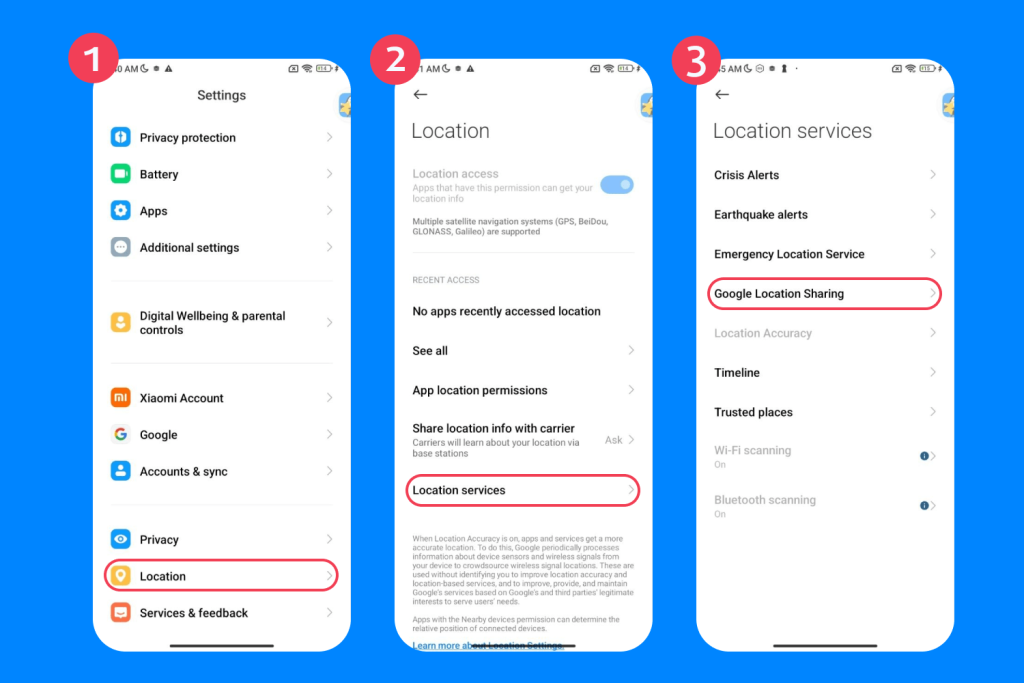
- Toggle Improve Location Accuracy to off.
Turn Off Location for Specific Apps
If you don’t want to turn the device’s location off entirely, it is also possible to select specific apps from Google Play services and adjust location access. To do this, follow these steps:
- Open Settings.
- Tap Location.
- Tap App location permissions or App permissions.
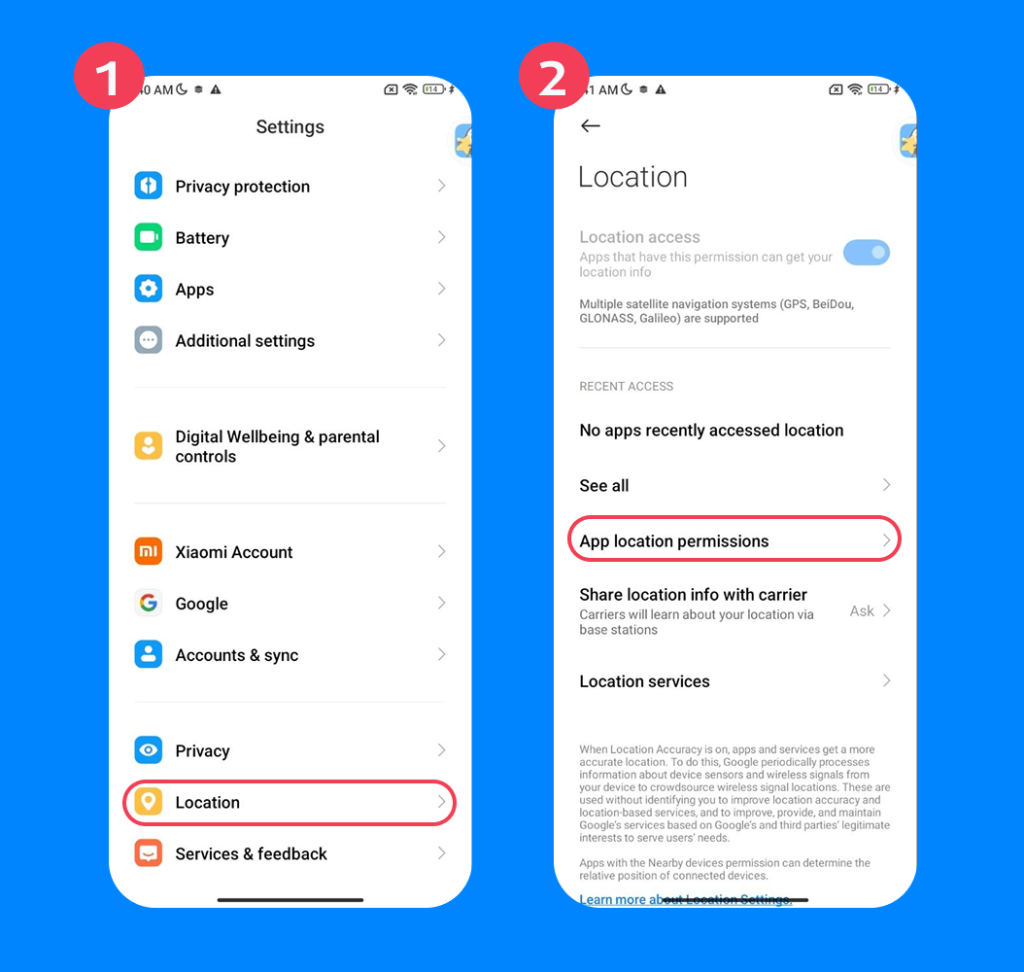
- Tap the app you want to change.
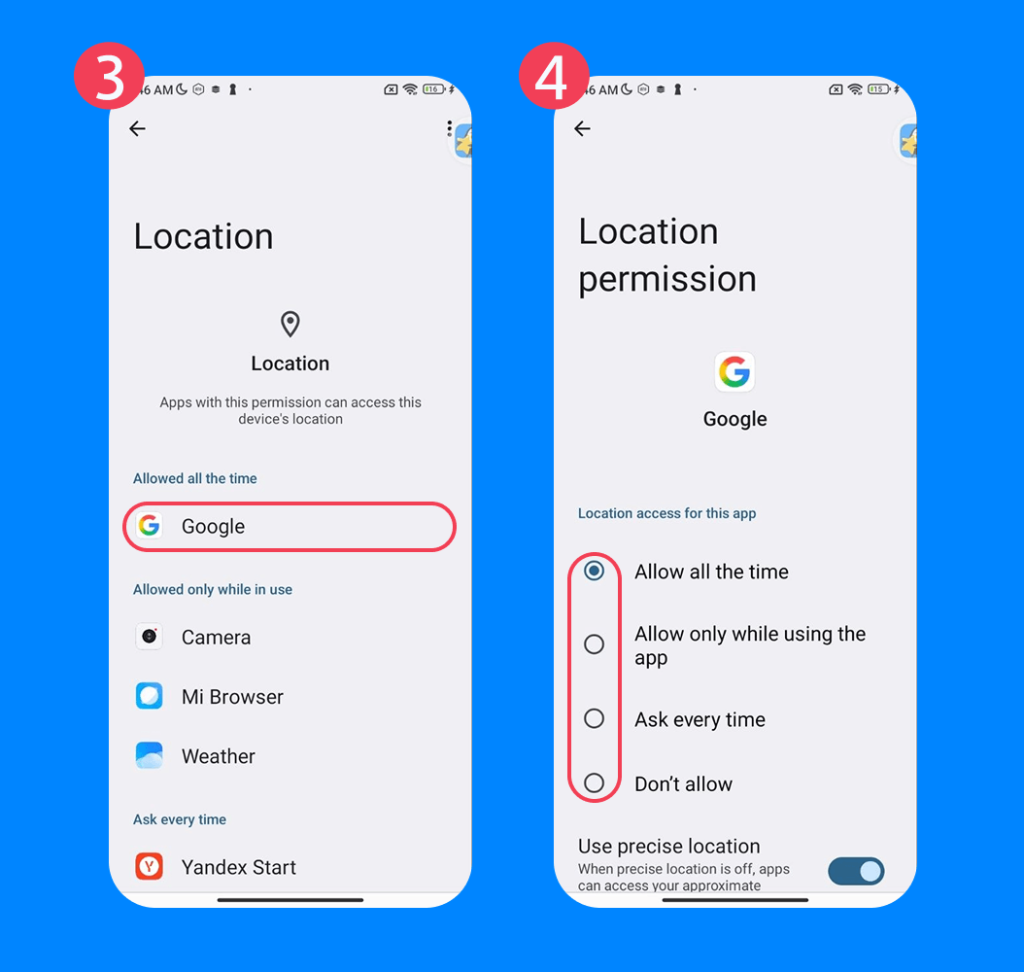
- Choose one of the following options:
- Allow all the time → Apps can access location anytime
- Allow only while using the app → Only when the app is open
- Ask every time → Prompts you each time you open the app
- Don’t allow → Completely blocks location information
There are some apps that should always have your location, or at least when you open the app. This includes Google Maps, weather apps, and location-tracking apps that you use with your child.
Stop Sharing Location in Google Maps
To turn location settings off on Google Maps sharing, you complete the following:
- Open the Google Maps app.
- Tap your account profile picture in the top-right corner.
- Tap Location Sharing.
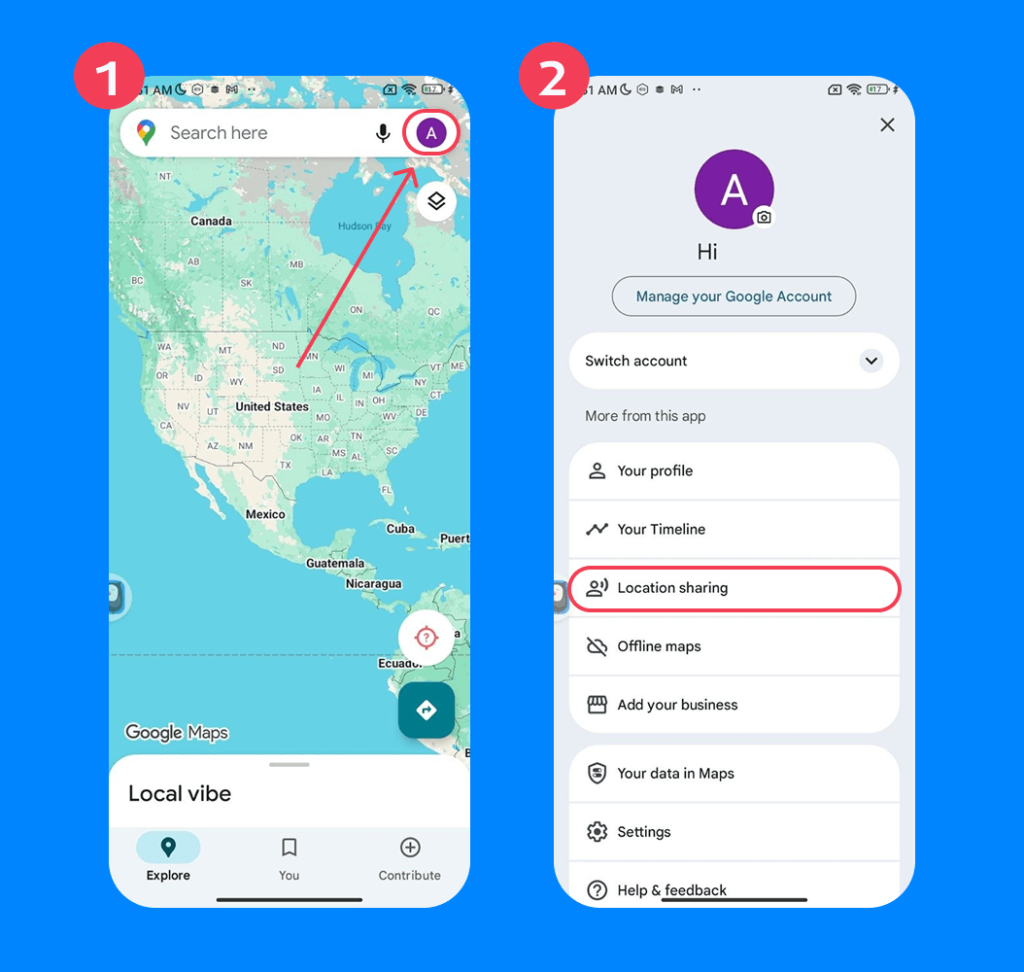
- Tap the specific person you want to stop sharing your location with.
- Tap Stop.
If you want to prevent Google Maps from accessing your location entirely, you can do so by following the steps to turn off location tracking for specific apps in Settings.
Turn Off Wi-Fi and Bluetooth Scanning
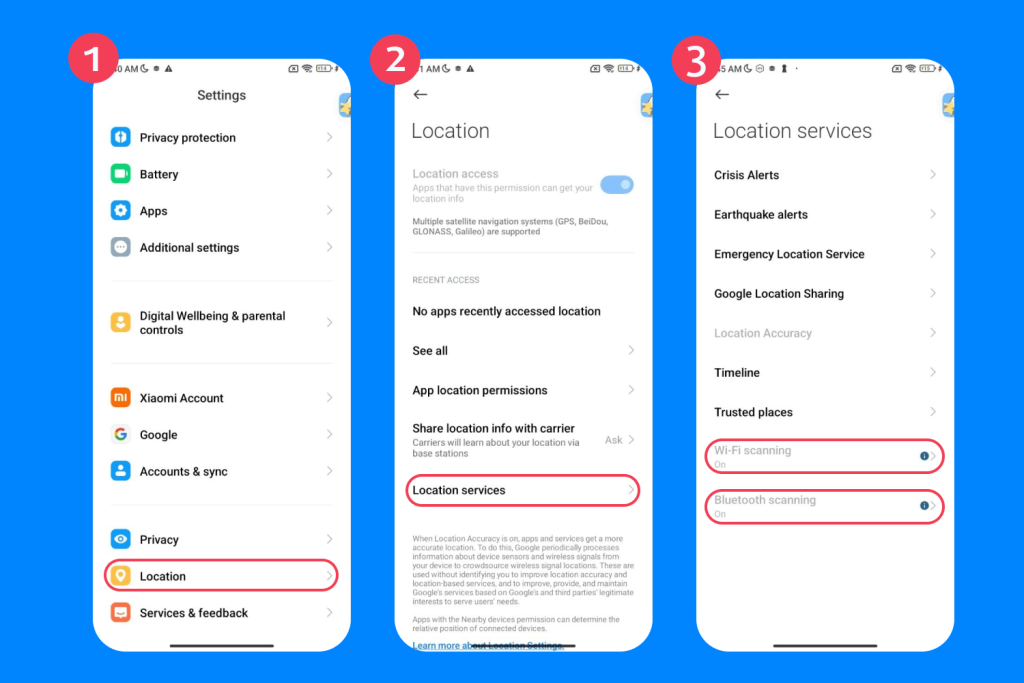
Android devices will scan Wi-Fi networks and Bluetooth devices to improve location accuracy. If you want to disable this feature for privacy or to save battery, follow these steps:
- Open Settings.
- Tap Location.
- Tap Location Services.
- Select Wi-Fi Scanning and toggle off.
- Go back and tap Bluetooth Scanning and toggle off.
Does Airplane Mode Turn Off Location on Android?
No, turning on Airplane Mode does not fully turn off location on Android phones and devices. The GPS services can still work and send or receive signals, so apps like Google Maps and location-tracking apps can show your location.
Read more: Does Airplane Mode Hide Your Location? What You Should Know.
Why Turn Off Location Services
There are a few reasons people choose to turn off location services on their phones or tablets. For adults, this is often about privacy or battery life. However, for parents, understanding these motivations also matters because older children and teens may intentionally disable location settings without realizing how it affects safety, navigation, or family tracking apps.
These reasons can include:
- Privacy concerns
- Reducing targeted advertising
- Saving battery life
- Limiting data collection
- Preventing constant tracking by apps
- Reducing location-based notifications
- Avoiding sharing live location with family, friends, or contacts
While some of these concerns are completely reasonable, turning off location services can also interfere with tools parents rely on to stay connected with their children, especially during school commutes, outings, or emergencies.
How Findmykids Helps Families Stay Connected and Safe
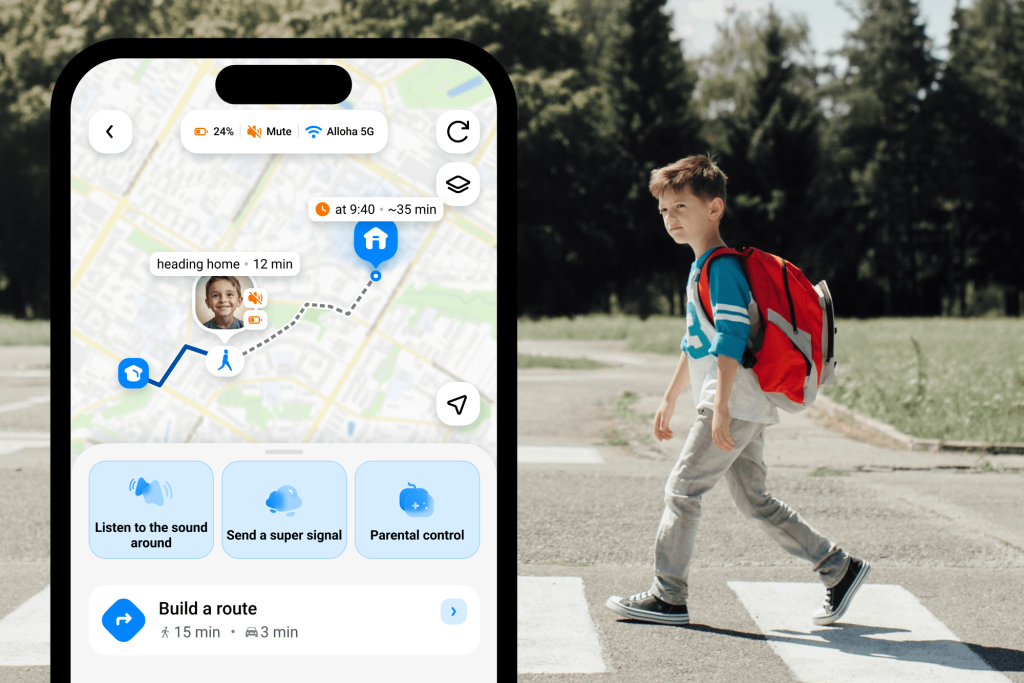
Findmykids app
Because Android users can disable location services in multiple ways, many parents worry about losing visibility into their child’s whereabouts entirely. In reality, the most effective approach is not constant surveillance, but open communication combined with reliable safety tools.
This is where apps like Findmykids can help families maintain a healthier balance between independence and safety. With accurate, real-time location tracking and information such as the route your child takes from point A to point B, places they visited, and arrival or departure notifications from a specific address, parents feel more in control and at ease.
In just a few seconds, parents can understand where their child is, how they got there, and how long they have been at that location, which is especially helpful if a child forgets to answer messages or phone calls.
Beyond location tracking, Findmykids also gives parents access to several additional safety and family-management features, including:
- Loud signal for finding a lost or silent phone
- Sound Around for checking the child’s surroundings when needed
- App usage and screen time monitoring
- App blocking
- Battery level monitoring
- SOS alerts from the child’s device
Additionally, parents can set up a new share circle with a community of close friends and family members. So, grandparents or caretakers can also see your child’s location in appropriate scenarios. For example, if your child is spending the weekend with relatives, you can see where your child is or when they will arrive.
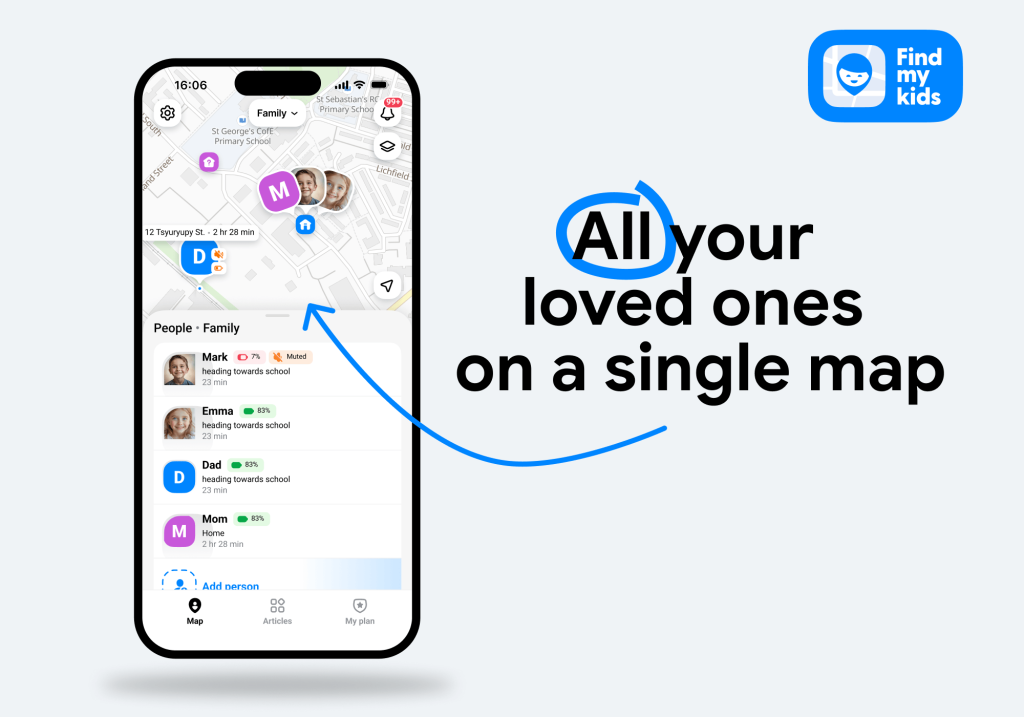
Findmykids app
This is perfect for children of all ages, especially new teen drivers. With Findmykids’ new Driving Protect feature, parents can see crucial information about driving safety and speed averages.
Parents love the app’s intuitive design and dedicated user cards. They can actively track each child, see information at a glance, and have valuable peace of mind about their children’s whereabouts. It’s also super helpful in scenarios like tracking down a lost device.
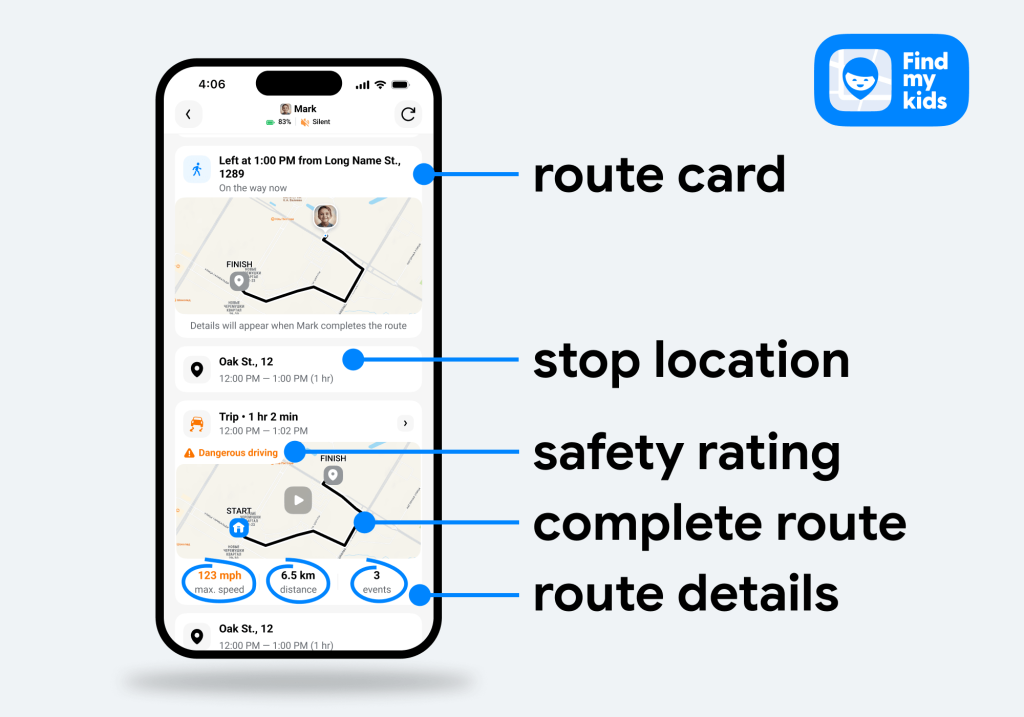
Findmykids app
Not only can this help strengthen trust with your child, but it can also provide unprecedented peace of mind to parents. Download the Findmykids app right now for free to get started!
FAQs
How do I turn off location on Android?
To switch off your location on Android, go to Settings → Location → Use Location → OFF.
How do I stop sharing my location on Google Maps?
To stop sharing location on Google Maps, open the Google Maps app → select your profile photo → Location Sharing → Select the person you’re sharing your location with → Stop.
Can I turn off location for only one app?
Yes, you can turn off location for select apps. Open Settings → Location → App Permissions → Select the app → Choose location permissions.
Does airplane mode turn off location?
No, airplane mode does not turn off the location. Google Maps, weather, and location-tracking apps can still access GPS location services.
Sources & References
- How GPS Tracking of Teens 24/7 Impacts Parent-Child Relationships, Scientific American, October 18, 2024
- How Location Accuracy Improves Location, Google Support
- Here Is the Shocking Truth About Android’s Location Services, Android Police, August 19, 2025
Cover image: generated by ChatGPT / OpenAI
Проверьте электронный ящик






