Keeping up with the apps and platforms our kids access online can feel like a never-ending task. With so many out there—and more dropping all the time—how can parents assess the dangers? We’re here to help. Below, we’re going to take a look at CapCut and tackle the question, “Is CapCut safe for kids?”
Contents:
What is CapCut and Why Do Kids Use It?
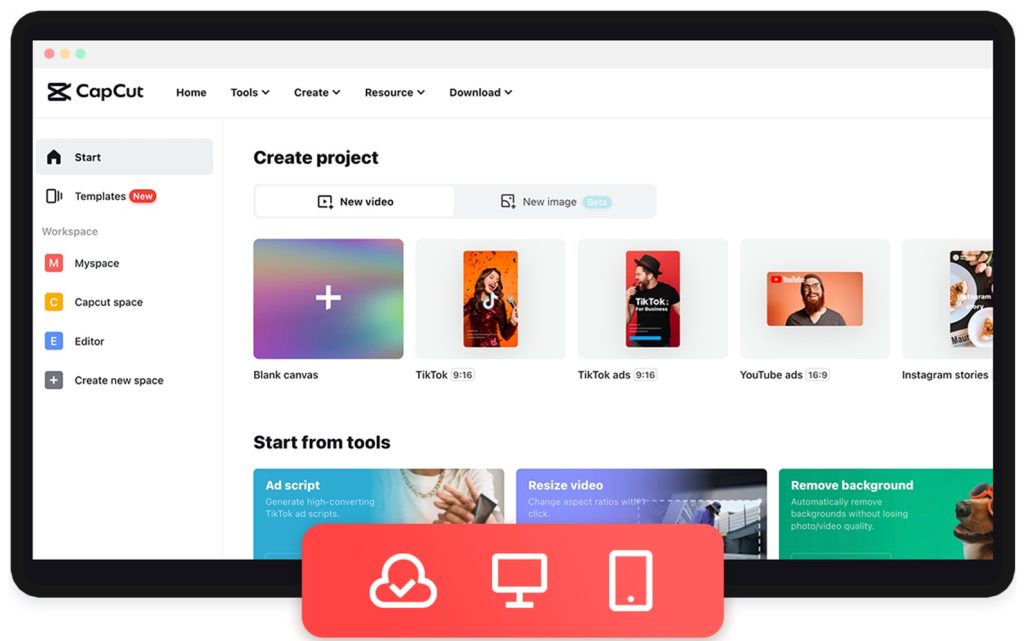
Credit: capcut.com
CapCut is a free video editing app developed and owned by ByteDance, the company behind TikTok. The video editing tool allows users to take photos and videos and add elements such as filters, stickers, text, music, sound effects, text message effects, and transitions.
CapCut also offers a library of ready-made templates, and the video editor can be easily linked to social media accounts, including TikTok and other platforms. It can be downloaded via the App Store, Google Play Store, or via the CapCut website.
CapCut is officially rated 12+ on the Apple App Store and Teen (13+) on Google Play, meaning younger children may still access it depending on device settings and parental supervision.
Kids love CapCut for its super accessible, user-friendly interface and wide range of fun effects that enable them to get started with video editing immediately. Because it integrates so smoothly with TikTok, which is also hugely popular with kids, they like how the tool allows them to create and polish their own videos before uploading them to the platform.
Potential Risks for Kids
Kids might love this video editing app, but is CapCut safe? There are several significant risks and hidden dangers that it’s vital parents be aware of. Here’s what you need to know.
No Parental Controls
CapCut doesn’t incorporate any parental controls, meaning that you have no say over the content your child is viewing and creating, or who they can interact with. While the app does not allow any content containing nudity, it’s been known to sneak in under the radar. If this happens, it tends to stay available until reported and removed.
Privacy
There are some serious privacy concerns around CapCut. While the platform doesn’t allow for direct messaging or have its own feed, short videos created via the app are often shared to social media, which can result in oversharing and your child’s personal details being divulged. Plus, CapCut requires various app permissions to work properly, including access to the device’s microphone, camera, and storage.
Inappropriate Content
While only approved creators can create templates for public use, inappropriate content can slip through the net. Plus, not all approved templates may be suitable for young users, and children may use these templates without fully understanding the meaning or subtleties they contain.
Data Collection
CapCut collects user data, such as the type of content being created, the device being used to access the app, and how the app itself is being used. The app claims broad rights over all content uploaded, which includes your child’s image and voice. This points to risks around data privacy and exposing personal details that your kid may not be aware of.
Related: How to Protect Personal Information Online in Your Family.
Stranger Danger
While CapCut doesn’t allow direct messaging, comments can be made on public templates created by other users. This introduces the risk of your child making contact—or being contacted—by a stranger, or inadvertently revealing private information. Further, if their CapCut profile is linked to your child’s TikTok account (and the latter is public), it becomes much easier for someone to contact them online.
Self Esteem
As well as the online dangers outlined above, CapCut may undermine your child’s sense of self-esteem and confidence. The app’s appearance filters and beauty “tools” can have users questioning their looks, and even becoming reliant on these filters to feel acceptable.
How Parents Can Protect Their Kids

New Africa/Shutterstock
Now for the good news. There are several important steps you can take to protect your kids from the dangers CapCut poses.
Make Your Child’s CapCut Account Private
Firstly, head to the CapCut settings to make your child’s account private (note that privacy options may vary slightly depending on the device and the latest app version). To do this:
- Open the app and log in to your child’s CapCut account.
- Tap on the profile icon in the bottom right corner of the screen to access Account Settings.
- Select Privacy Settings and then the Privacy tab from the options menu.
- Toggle the switch to Enable Private Account. This restricts access to your kid’s profile and videos to approved followers only.
- From here, you can also adjust who can view your child’s liked videos, comment on their videos, and send them messages.
Watch for In-App Purchases
Parents should also know that, while CapCut’s basic editing tools can be accessed for free, there are paid plans available. Keep an eye on your kids’ in-app activities to ensure they don’t end up spending too much (or anything at all) on upgraded subscriptions. With paid plans offering a range of exciting tools and features, it’s easy for children to be tempted.
Read more: A Detailed Guide: How to Turn Off In-App Purchases on Android and iOS Devices.
Talk About Online Safety and Screen Time
When it comes to online safety in general, it’s important to create an atmosphere of open communication at home, where you can talk about your child’s online activities and the dangers of the digital world. As part of this conversation, speak about—and set—healthy screen time limits, and chat about the importance of maintaining a good screen-real life balance. Modeling healthy habits is crucial to help reinforce this.
If your child comes across content that upsets them, let them know they should always come to you. Inappropriate content can be reported via CapCut’s mobile app by following these steps:
- Open the CapCut app and navigate to the template you want to report.
- Tap on the three dots.
- Select the Report option and follow the instructions.
Use Parental Control Tools

Findmykids app
Consider using a reliable parental control tool, such as Findmykids, to manage how your child is using CapCut and other apps and get an overview of their online activities. This can be especially helpful given how popular video editing and social video apps are among kids today.
For example, research shows that CapCut is widely used by younger audiences and is closely tied to TikTok, with 94% of adult CapCut visitors also using TikTok to publish their videos.
⠀
In addition, industry research shows that CapCut is among the most downloaded photo and video apps globally, with hundreds of millions of downloads each year—highlighting just how mainstream video-editing apps have become among younger users.
You can use Findmykids to block CapCut temporarily or entirely if you decide the risks are just too great. This can be particularly relevant because children today spend a significant amount of time in apps: according to the Findmykids phone usage statistics study, video and social media apps are consistently among the most frequently used categories on kids’ smartphones.
With Findmykids, parents can:
- Monitor how much time a child spends in apps like CapCut and see which apps they use most frequently.
- Set screen time limits or temporarily block distracting apps if usage becomes excessive.
The app offers a ton of other great benefits, too, including real-time location tracking, location history, and the Sound Around tool, to give context about your child’s environment—not to mention that all-important peace of mind.
Additional features include safe zone alerts (so you know when your child leaves school or arrives home), battery notifications, and movement tracking. These tools help parents stay connected with their child’s daily routine while still giving them independence.
If you’re concerned about how much time your child spends on apps like CapCut—or the type of content they encounter — Findmykids can help you stay informed and set healthy digital boundaries.
Try Findmykids today and give your family more peace of mind in the digital world.
CapCut: Making an Informed Decision
CapCut may be a highly popular tool to edit videos, but it poses significant dangers to kids, and it’s crucial that parents take steps to reduce risks if they allow their child to access it. Things like ensuring your child’s account is set to private, enforcing healthy screen time limits, and deploying a great parental control tool all play a vital role.
FAQs
What is CapCut?
CapCut is a video editing app owned by Bytedance, the company behind TikTok. It allows users to create and edit photos and videos, including adding a wide range of effects and filters, and easily upload them to social media platforms such as TikTok.
Does CapCut’s basic plan give full access to all features?
CapCut’s basic plan is free and offers access to limited video editing features. To unlock the full range of features and tools, users have to sign up for a paid plan.
What age is CapCut suitable for?
According to the App Store, CapCut is rated as being suitable for users twelve years and older.
Cover image: Connecthf / Freepik.com
Проверьте электронный ящик