












You’ve likely heard of TikTok and Instagram and how they are among the most-used social media apps by the younger generation. And while these apps offer great content, some features could be considered harmful to kids. But what if there were an entertaining social media app designed to be safer for kids than TikTok?
The good news is that there is! The newly popular app Coverstar claims to be “the safe TikTok alternative.” With this tagline, parents can’t help but wonder: Is Coverstar safe for kids?
That’s exactly the question we will answer in this post. We’ll explore what Coverstar is, how it differs from TikTok, and its built-in safety features. By the end, you’ll have a better idea of whether you should allow your child to use Coverstar.
Key Takeaways
- Coverstar is an app designed to be a safer, kid-friendly alternative to TikTok, with strong protections for younger users and a more positive social environment.
- Unlike TikTok, Coverstar doesn’t allow private messaging, reducing the risk of strangers communicating with children directly.
- Parents can make Coverstar profiles private, so only approved friends can view their child’s content and interact with their posts.
- While Coverstar offers safety features, parents should still monitor screen time, public comments, live videos, and what their child shares online.
- For an extra layer of support, parents can use Findmykids to manage screen time, understand how their child uses their phone, and encourage healthier digital habits alongside safer app use.
Contents:
What Is the Coverstar App?
@coverstar.appSee why so many teens love Coverstar ⭐️ try it and follow @haven_cheo♬ original sound – Coverstar
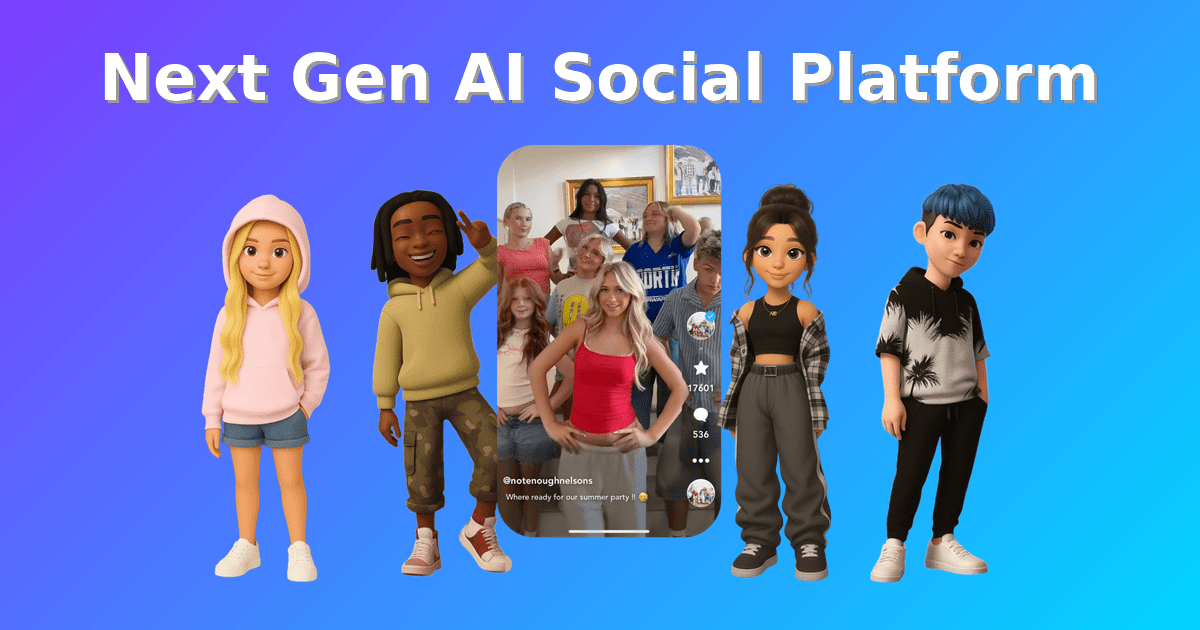
Coverstar is a social media app featuring short-form video content and an algorithm that safely promotes creativity and positivity for young users. Similar to TikTok, users can post fun videos and scroll through a personalized feed of short-form content that matches their interests. They can also follow accounts and leave comments.
However, Coverstar is designed with safety in mind. Unlike other leading social media apps, this app does not allow users to send direct messages. Additionally, the content is heavily moderated by both human and AI technology to create a safer space and ensure everything is appropriate for kids. That takes away the habit of doomscrolling and replaces it with fun, positive content for a better overall experience.
What Age Is Coverstar Appropriate For?
Coverstar is perfect for kids and teens ages 9 to 15. However, Bark, a leader in online youth safety, recommends the app for children 10 and up.
It’s important to note that children under 13 will still require parental consent to download the app from the App Store or Google Play Store.
Coverstar vs. TikTok
There’s no denying that TikTok is the leading social media platform for short-form video content. But how exactly do Coverstar and TikTok stack up when compared for kids to use?
| Feature | Coverstar | TikTok |
| Best for | Kids and tweens who want a short-form video app with safety-focused limits | Teens and adults who want access to a large, trend-driven social platform |
| Age rating | Rated 9+ in the Apple App Store | Users must be 13+ to use TikTok |
| Main purpose | Creative expression through videos, challenges, avatars, and positive community participation | Entertainment, trends, creator content, live videos, messaging, discovery, and algorithm-driven scrolling |
| Direct messaging | No DMs or private messaging, which helps reduce the risk of strangers contacting children directly | Direct messaging is not available for ages 13–15, but users 16-1-7 can access messaging with privacy features |
| Content moderation | Uses a combination of AI-assisted moderation and trained human moderators for posts, comments, and livestreams | TikTok moderates content and offers reporting, blocking, Restricted Mode, and community guidelines |
| Feed design | More positive and age-appropriate with a “scroll-stopper” | Built around a highly personalized For You feed, which encourages long scrolling sessions |
| Parental controls | Built-in safety features | Family Pairing lets parents manage some safety settings |
| Privacy settings | Designed with fewer high-risk social features | Teen accounts have default protections |
| Addictive design concerns | Positions itself as “creativity, not doomscrolling” with features intended to encourage creating rather than consuming | TikTok’s algorithm is designed for continuous content discovery, making it harder for kids to stop scrolling |
| Parent takeaway | Coverstar may be a better choice for younger kids who want a TikTok-like creative app without the risks | TikTok may be better suited for older teens, but parents should use Family Pairing and Restricted Mode |
So, Is Coverstar Safer than TikTok?
Ultimately, Coverstar is safer for kids than TikTok due to the overall design and prioritization of creating a safe space. However, it is not completely risk-free. Parents should still monitor their child’s use of the app and have important conversations about staying safe online.
Coverstar Safety Features
Credit: coverstar.app
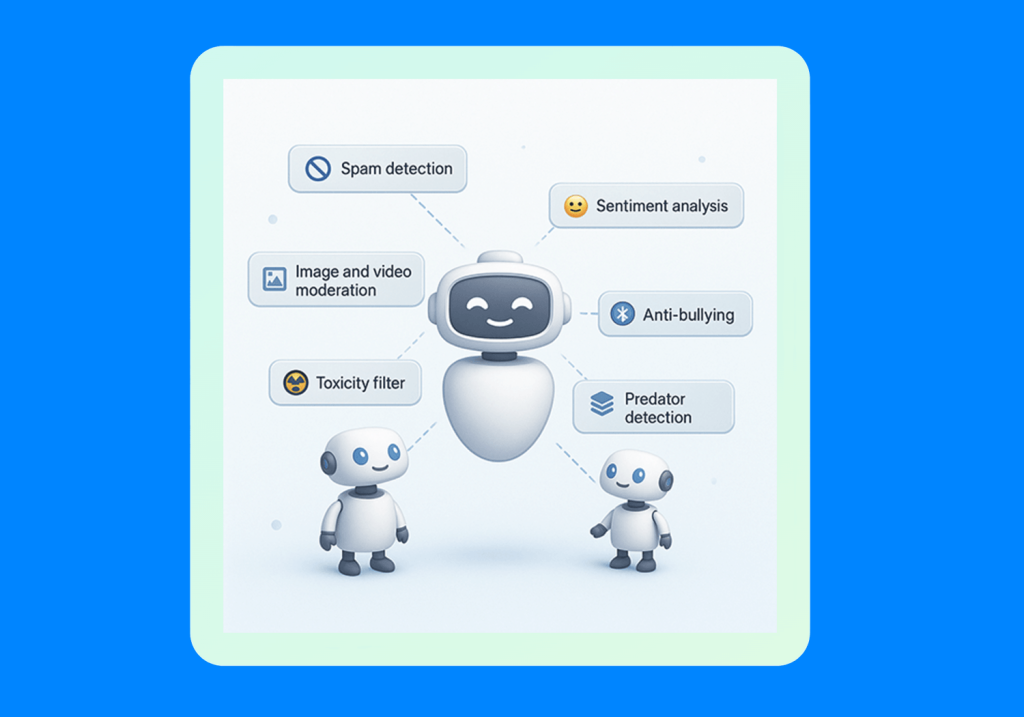
Coverstar is unique in offering built-in safety features to protect young users. These include:
- No direct messaging feature: Users cannot directly message each other, which prevents strangers from communicating with your child online.
- Strict content rules: There are guidelines and restrictions that users must follow. Prohibited content includes bullying, bigotry, violence, threats, spam, trolling, misinformation, promotion, sexual harassment, soliciting sex, and the sexualization of minors. It also prohibits content where users are in swimwear or underwear.
- AI and human moderation: Coverstar uses human moderators and AI to monitor content and comments and ensure compliance with community guidelines.
- Reporting tools: If users discover inappropriate content or comments, they can report it and the account that posted it for review.
- Child safety policy: Coverstar’s main mission is to create a safe space for children to share their creativity on social media. With a zero-tolerance rule for exploitation and strict appearance guidelines, it takes a child-first approach.
Potential Risks Parents Should Know
While Coverstar prioritizes kids’ safety and has designed the app to be safer than other social media platforms, there are still potential risks that parents should be aware of. These risks include:
- Interacting in public comments
- Social pressure to get likes or followers
- Oversharing personal information online, such as their school or address
- Interacting with strangers while hosting a live stream
- Seeing inappropriate content that slipped through moderation support
- Spending too much time on the app
- Comparing themselves to others online, especially using filters, can lead to mental health issues
Before you allow your child to use Coverstar or any social media app, there are important conversations to have about responsible use.
How to Make Coverstar Safer for Your Child
There are several ways you can enhance your child’s safety when they use Coverstar. Below are some of the most effective methods.
Review Their Profile Together
When setting up your child’s account, review their profile together. Help them choose their custom avatar and what information to add. It’s also important to decide whether to make their profile private or not. Most parents opt for private profiles for their children so that only friends who request to follow them can see their content.
Set Posting Rules
Have a conversation about what kind of videos your child can post to Coverstar, if any. Reading through the community guidelines with them can help them understand what is appropriate and what is not. This is also a good time to discuss online safety, what information you should or should not share, and the consequences of posting certain things online.
Set Screen Time Limits
Findmykids app
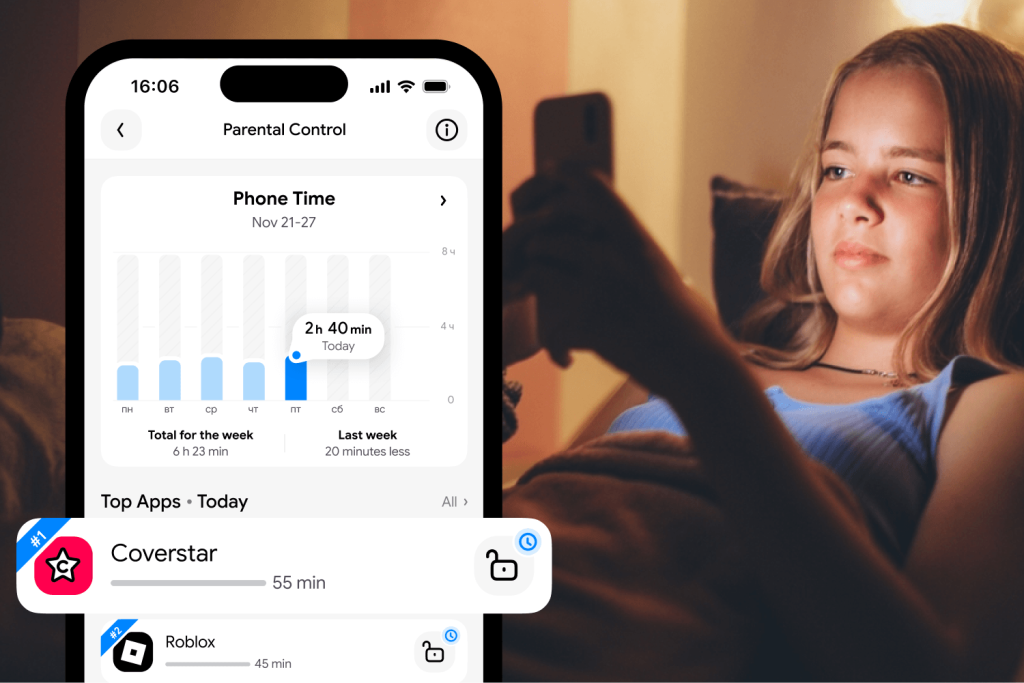
To keep your child from spending too much time scrolling on their phone, consider setting screen time limits with the Findmykids app. This third-party parental control app allows parents to see what apps their child uses and track how much time they spend on them. From these reports, they can set app time limits or limits for screen time on their child’s device.
Along with screen time limits, parents can set what time of the day apps are available. For example, at night or at school, the phone can lock apps except for essential ones like Phone, Maps, and Camera.
Findmykids also includes offline safety features that help parents stay connected when their child is away from the screen:
- Real-time location tracking and location history to help parents know where their child is throughout the day
- Safe zones with notifications when a child arrives at or leaves important places like school, home, or practice
- Loud Signal to reach a child even if their phone is on silent mode
- Sound Around to let parents hear what is happening around their child’s device in real time
- SOS features and low battery alerts for added peace of mind
With these tools, parents can support their child’s independence while staying connected to their everyday life.
Try Findmykids for free today and discover a simpler way to support healthy screen habits while staying connected to your child’s daily life!
Talk About Comments and Attention
If your child plans to post content on Coverstar, it’s helpful to have an honest conversation about what it means to be online. Unfortunately, people can leave negative comments that show up before moderators can take them down. Talking to your child about getting online attention and how to handle it, especially negative attention, can serve as a helpful tool.
Teach Them How to Report and Block
A good skill to teach your child is how to take action and report inappropriate content and block profiles they don’t want to see. Coverstar makes it easy to do it right in the app, but going through it with your child when setting up their account can reinforce the idea that it’s okay to report and block people on the app.
Choose the Kid-Friendly Social Media App with Parental Controls
In today’s society, many parents feel it’s hard to keep kids off social media. All of their friends are on it, and the trends roll over from the screen and into classrooms. However, there are ways you can keep your kids safe on social media, like with Coverstar. Designed specifically for kids, this app is similar to TikTok but more age-appropriate.
Now that you have a better understanding of how these apps differ, you can choose the one that best fits your child’s needs and your family’s approach to digital safety. Whichever app you decide on, consider using Findmykids to set healthy screen time limits, stay informed about your child’s phone use, and support better digital habits.
FAQs
Is Coverstar safe for kids?
Coverstar is designed to be a safer social media platform for kids, using enhanced content moderation and strict community guidelines to reduce exposure to inappropriate content. However, these measures cannot eliminate all of the risks associated with social media platforms. For an extra layer of protection, parents can use Findmykids to monitor screen time, keep track of app usage, and encourage healthier digital habits.
Does Coverstar have direct messaging?
No, Coverstar does not offer direct messaging, so accounts cannot interact with each other through private messages.
What age is Coverstar appropriate for?
Coverstar is a good app for kids and tweens between the ages of 9 and 15.
Can kids see inappropriate content on Coverstar?
Coverstar has enhanced content moderators, using both humans and AI technology to remove inappropriate content. However, there may be instances where inappropriate content slips through and shows up. If this is the case, users can report the content for the moderation service to review.
Is Coverstar safer than TikTok?
While no social media platform can eliminate every online risk, Coverstar was designed with children’s safety in mind. Features such as scrolling limits, strict content guidelines, no direct messaging, and parental controls may make it a better fit for younger users than traditional platforms like TikTok.
Sources & References
- TikTok Isn’t the Only Social Media Channel Available to Gen Z, Forbes, 2025
- Is Coverstar Safe? A Coverstar Review for Parents, Bark
- Our Community Guidelines, Coverstar Help Center, 2025
Cover image: coverstar.app
Проверьте электронный ящик