
















Parents who are looking at mSpy alternatives usually aren’t asking one question. They’re asking two: How much do I need to know about what my child does on a device, and how much monitoring is appropriate?
mSpy is built around detailed device monitoring, including text messages, call logs, social media activity, GPS location, screen recording, and other monitoring features.
But plenty of families don’t need that level of access. If your main concern is knowing where your child is, whether they arrived safely, and how they’re using their phone, simpler monitoring solutions may provide better value.
Key Takeaways
- mSpy is one of the more intensive monitoring apps. Its feature set includes calls, messages, social media monitoring, GPS tracking, keylogging, screen recording, and other detailed device activity.
- Findmykids is our top mSpy alternative for everyday family safety. It focuses heavily on location tracking, place notifications, routes, family safety, and practical parental control features.
- Google Family Link and Apple’s built-in tools are solid alternatives if you mainly need free screen time, content, app, and location controls.
- Bark is stronger for social media monitoring and risky-content alerts but comes with a monthly subscription.
- More monitoring doesn’t automatically create more trust. The best parental control approach should reflect your child’s age, maturity, and actual risks.
Contents:
Why Parents May Prefer Another App
mSpy is a powerful tool, but its depth is exactly why some parents start looking for alternatives.
Privacy and Personal Boundaries
mSpy can provide extensive access to a target device, including messages, browsing, calls, social media, GPS location, and screen activity. Its website even promotes monitoring that can operate without the device user knowing.
That may be more information than a parent needs to answer ordinary questions such as, “Did my child make it to soccer practice?” Location tracking and sensible screen time limits may accomplish the goal without turning every text conversation into parental data.
Covert Monitoring Can Affect Trust
Stealth mode may sound reassuring, particularly when parents are frightened about online risks. It can create another problem if a child discovers they’ve been monitored without knowing it.
Findmykids specifically recommends discussing location and monitoring with children rather than secretly installing the app. Its Sound Around feature also notifies the child’s device when activated, and automatic monitoring can be disabled for teens.
More Information Doesn’t Always Mean Better Parenting
Call logs, deleted messages, Facebook Messenger conversations, email monitoring, SMS tracking, and a live view of a device screen produce enormous amounts of data.
Parents still have to decide what that data means. Sometimes the most useful information is simpler: your child left school, arrived at Grandma’s house, spent four hours on social media, or used their phone well past bedtime.
Age and Independence Matter
A nine-year-old walking to school alone and a 17-year-old preparing for college don’t need identical monitoring.
Controls should generally become less intrusive as children demonstrate more independence. GPS tracking might remain useful for travel or emergencies while detailed monitoring of private messages becomes less appropriate.
Legal and Consent Considerations
Laws concerning device monitoring vary by jurisdiction, device ownership, age, and consent. Parents should check applicable local law and an app’s terms before monitoring a device.
This is particularly important with adult users, partners, employees, or company devices. The FTC has taken enforcement action against stalkerware companies that enabled secret access to location, text messages, photos, and other sensitive data without users’ knowledge.
Best mSpy Alternatives at a Glance
Before diving into each mSpy alternative, take a quick look at the table below to compare their key features and see which options may best fit your family’s needs.
| App | Best for | Location | Screen time/control | Content monitoring | Price approach |
| Findmykids | Family safety and location | Excellent | Strong | Limited compared with mSpy/Bark | Free features + paid plans |
| Kids360 | Screen-time management | Good | Excellent | Moderate | Free trial + paid plans |
| Google Family Link | Android families | Good | Strong | Basic | Free |
| Apple Screen Time/Find My | Apple families | Good | Strong | Basic | Free with Apple devices |
| Bark | Online-risk alerts | Good | Strong | Excellent | Monthly subscription |
⠀
In our chart above, the column headers really tell the story: parents who primarily want location tracking and practical safety tools don’t necessarily need the same product as parents seeking extensive social media monitoring.
For most families asking for a less invasive mSpy competitor, Findmykids, Family Link, Apple, and Kids360 are the more natural starting points.
Findmykids: Best mSpy Alternative for Parents
Findmykids approaches parental control from a different direction. Instead of trying to reproduce virtually everything happening on the target device, it focuses heavily on questions parents encounter in daily life: Where is my child? Did they reach school? Which route did they take? Are they spending too much time on their phone?
What Makes Findmykids Different From mSpy?
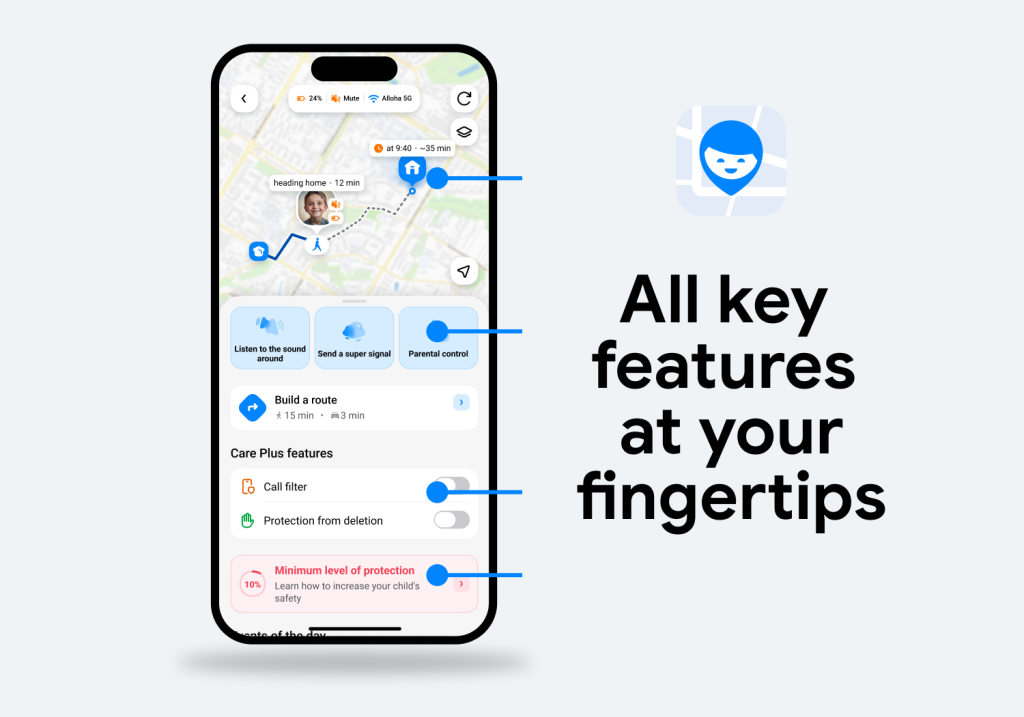
mSpy emphasizes monitoring. Findmykids emphasizes safety, location, communication, and healthier device habits.
Its real-time GPS tracking works with Android phones, iPhones, and compatible GPS watches. Parents can see a child’s current location, review routes and stops, save important places such as home or school, and receive notifications when their child arrives at or leaves those places. Family Circles also let parents connect multiple family members in one app.
Findmykids also combines location features with practical tools for everyday parenting, including screen-time information and controls. Features such as Loud Signal and Sound Around can provide additional help when parents need to reach a child or better understand what is happening around them.
That narrower purpose may make Findmykids a better fit for parents who want awareness without reading every conversation their child has.
Findmykids Features Review
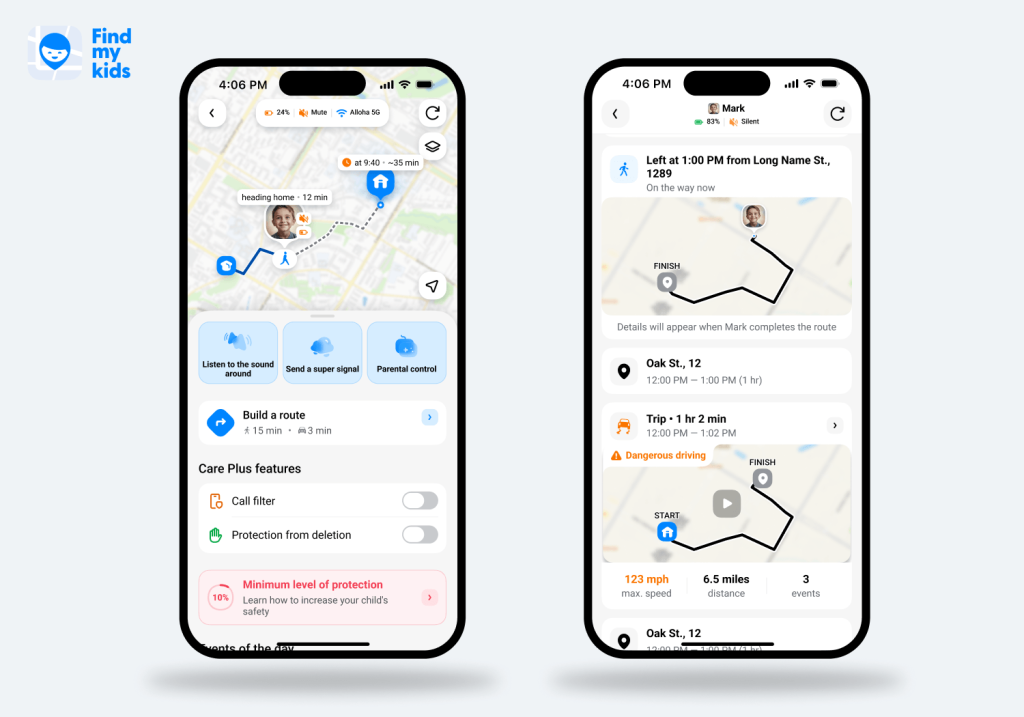
- Real-Time Child Location: Parents can view a child’s current GPS location on a map rather than repeatedly calling for updates.
- Family Circles: Families can add multiple children and adults, allowing parents, grandparents, or other trusted family members to participate in family safety.
- Location History: Parents can review location history, including where a child has traveled, rather than seeing only real-time data.
- Frequently Visited Places: This feature helps parents understand where a child normally spends time.
- Route Details: Findmykids records routes and stops, giving parents useful historical location data when they need context around a trip.
- Driving Reports: The app records the beginning and end of trips, route, distance, maximum speed, hard acceleration or braking, and sharp maneuvers. Despite the name, the feature isn’t only for teens driving themselves. It can show trips when children travel with parents, friends, or on public transportation.
- Saved and Safe Places: Parents can save places such as school, home, sports practice, or a relative’s house.
- Place Notifications: The app can send geofencing alerts when a child enters or leaves saved areas.
- Loud Signal: If a child isn’t answering because their phone is buried in a backpack or set to silent, Loud Signal can trigger a sound on the device.
- Sound Around: Parents can use this feature to hear the sounds around their child’s device, which can provide additional context when they’re trying to understand what’s happening nearby.
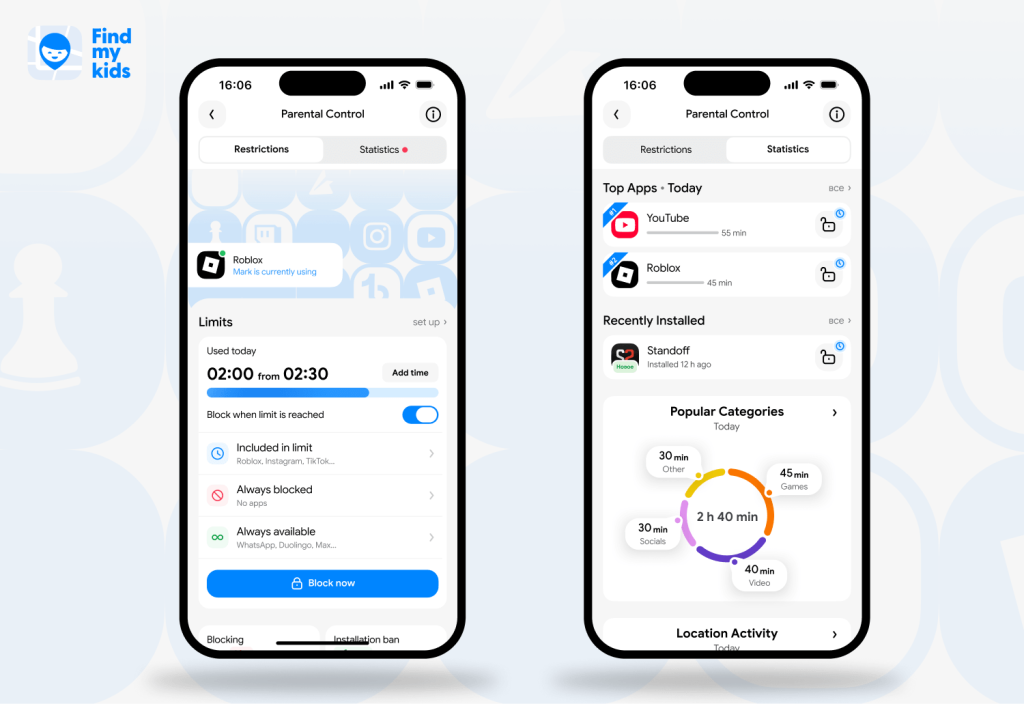
Findmykids also includes screen time and app controls. Parents can see which apps their child uses most, check daily and nighttime phone use, and review recently installed or deleted apps.
You can set app limits, block certain apps, create schedules for school or bedtime, and allow extra time when needed. Some features vary by device, including adult-content restrictions, unknown-caller protection, and in-app purchase controls.
That makes Findmykids useful for parents who want location tracking plus everyday phone controls without the deeper monitoring mSpy provides.
Findmykids vs. mSpy
The table below highlights the key differences, from location and family safety to screen-time controls and device monitoring.
| Feature | Findmykids | mSpy |
| Real-time GPS tracking | Yes | Yes |
| Location history & routes | Yes | Yes |
| Place alerts | Yes | Yes |
| Driving reports | Yes | — |
| Screen-time statistics | Yes | — |
| App limits & blocking | Yes | Yes |
| Sound Around | Yes | — |
| Loud Signal | Yes | — |
| SOS Signal | Yes | — |
| Family Circles | Yes | — |
| Location-based app usage | Yes | — |
| Social media monitoring | Limited | Extensive |
| Text message monitoring | — | Yes |
| Call logs | — | Yes |
| Screen recording | — | Yes |
| Stealth monitoring | — | Yes |
| Everyday family safety tools | Extensive | Limited |
⠀
The choice comes down to what you need from the device. If you need detailed monitoring features across messages and social media, mSpy provides more access. If your goal is supporting your child’s independence while staying connected, Findmykids is likely the better value.
Give your child room to grow while staying close when it matters. Findmykids combines location tracking, safety features, and parental controls to help families stay connected every day. Try it for free right now!
Other mSpy Alternatives Worth Considering
Not every mSpy alternative takes the same approach to parental control. The options below cover different needs, from screen-time management and location tracking to built-in device controls and more detailed online monitoring.
Kids360
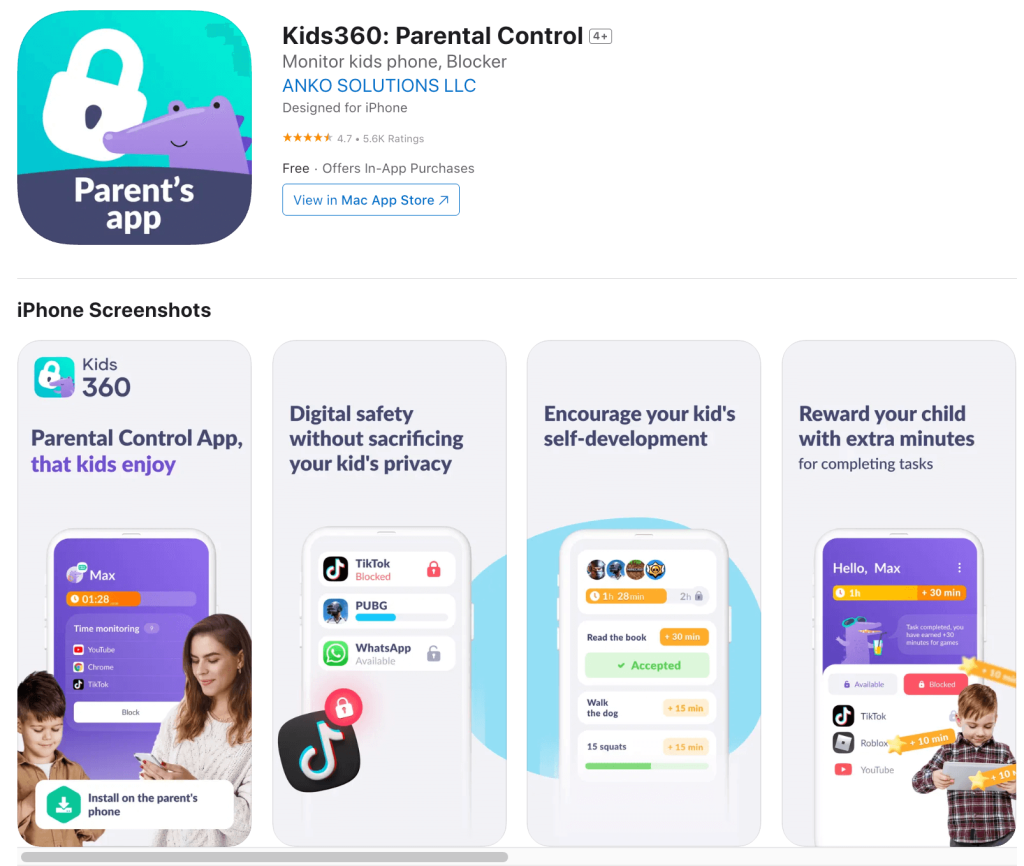
Credit: App Store
Kids360 is another strong parental control app for families focused on screen time. It supports app limits, instant and scheduled blocking, search and browsing insights, location tracking, and movement history. It can even let children earn phone time by completing tasks.
- Pros: Strong screen time controls, app blocking, location tools, child-friendly incentive system.
- Cons: Less extensive social media monitoring than mSpy.
Google Family Link
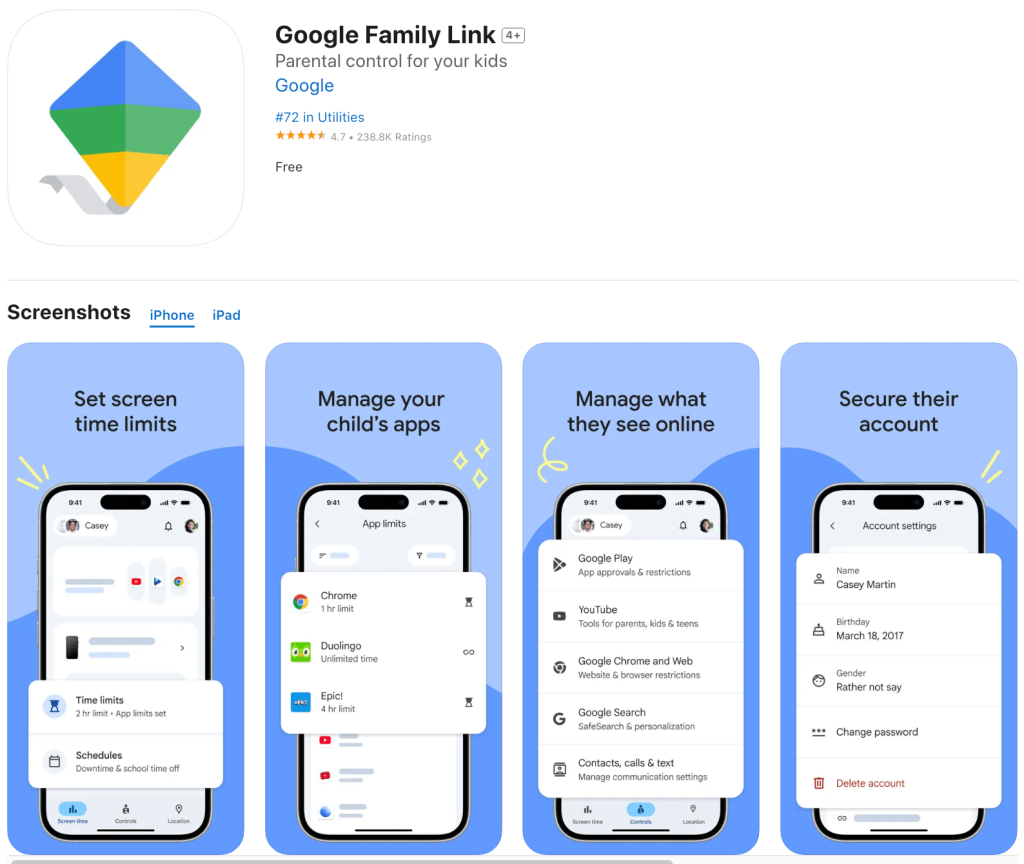
Credit: App Store
Family Link is one of the best free mSpy alternatives for Android families.
Parents can set daily screen time limits, establish downtime and school schedules, block or allow apps, approve Google Play activity, view app-use statistics, and locate supported Android devices. Family Places can send arrival and departure notifications.
Google explicitly states that Family Link doesn’t let parents remotely listen to phone calls or remotely see the child’s device screen.
- Pros: Free, straightforward, tightly integrated with Android.
- Cons: Doesn’t provide mSpy-style SMS tracking, call monitoring, or extensive social media access. Plus, its strongest parental controls are designed for Android, while most Family Link supervision features do not work on a child’s iPhone or iPad.
Apple’s Built-In Features

Credit: Google Play
For an Apple household, you may not need another app.
Screen Time lets parents review device activity, set app limits and downtime, manage communication, restrict purchases, block inappropriate web content, and control privacy settings.
Family Sharing and Find My add location sharing and notifications when a family member arrives at or leaves a location.
- Pros: Free, integrated into Apple devices, strong privacy controls.
- Cons: Most useful features are limited to Apple devices, so it’s less convenient for families using a mix of iPhone and Android devices. It also offers less detailed monitoring than dedicated parental control or phone monitoring apps and doesn’t provide features such as remote screen viewing, message monitoring, or social media tracking.
Bark
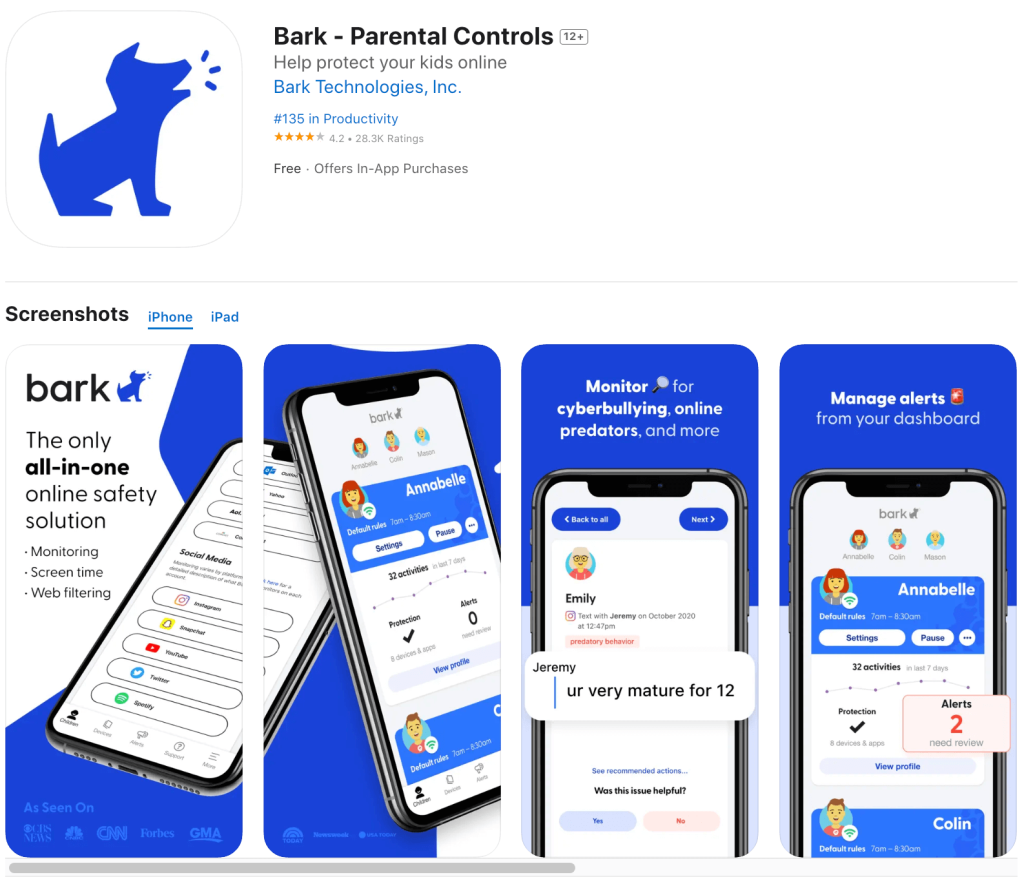
Credit: App Store
Bark occupies the middle ground between general parental control and intensive monitoring.
Rather than requiring parents to manually read everything, Bark scans connected texts, email, web activity, and supported social media for possible concerns such as bullying, predatory behavior, drugs, sexual content, or self-harm, then sends an alert.
Bark includes GPS tracking, website and app blocking, and screen time tools. The Bark app currently starts at $14 per month or $99 annually, with a seven-day free trial.
- Pros: Strong social media monitoring, risk-based alerts, unlimited children and multiple devices under one subscription.
- Cons: Another monthly subscription, and some monitoring requires account login credentials or additional setup.
Related: Bark Alternatives: Best Parental Control Apps in 2026.
Which mSpy Alternative Fits Your Family?
Don’t pick monitoring software by counting which service has more features. Start with the problem:
- If you’re mainly worried about where your child is: Choose Findmykids. Its GPS tracking, route details, place notifications, and family features make it one of the strongest location-focused alternatives.
- If screen time is the biggest battle: Kids360, Family Link, Findmykids, or Apple’s Screen Time are all solid alternatives.
- If you want location and phone-use controls in one app: Findmykids combines location tracking with screen-time information, app controls, and other parental control features.
- If you’re concerned about dangerous online conversations: Bark offers stronger social media monitoring while filtering activity for potential risks instead of requiring parents to inspect every message themselves.
- If your child often doesn’t answer calls, loses their phone, or forgets to let you know when they’re running late: Findmykids can help you stay connected with location tracking, place notifications, Sound Around, and Loud Signal, so you can check where your child is and get their attention when needed.
- If you want free parental control: Start with Google Family Link or Apple’s built-in controls.
- If you truly need extensive device monitoring: mSpy has a broader monitoring feature set, including text messages, calls, screen recording, and multiple social media platforms. Its Premium pricing currently ranges from shorter plans to less expensive monthly rates on longer subscriptions.
How to Use a Location App Without Becoming Overly Controlling
If you’re considering an mSpy alternative that focuses more on location and family safety, it’s worth thinking about how you’ll use those features. Location tracking can be helpful, but the goal should be safety and communication rather than constant surveillance.
A location app works best when the child understands why it’s there. Tell them what you can see and what you intend to check. A parent might say that location tracking is there so they don’t have to text constantly after school, not so every five-minute stop becomes an interrogation.
Then match monitoring to risk. A ten-year-old walking home independently may need active location alerts. A responsible 17-year-old may only need location sharing for driving, late nights, or emergencies.
Avoid checking simply because the information is available. If every deviation from a route triggers a phone call, a safety tool quickly starts feeling like surveillance. Technology should support conversations and independence, not replace them.
Read more: How to Negotiate With Your Child About Tracking Their Location?
Can Findmykids Replace mSpy?
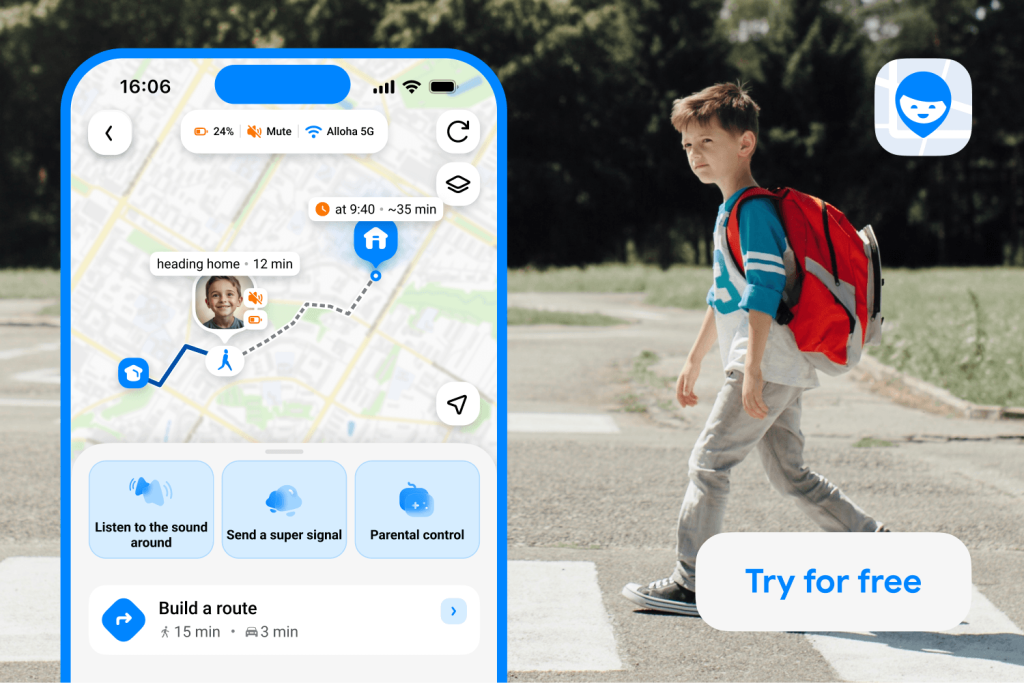
Findmykids app
For many parents, yes, provided you don’t need mSpy’s deepest monitoring features.
Findmykids won’t reproduce every function associated with mSpy’s social media monitoring, access to messages that may disappear from the monitored device, call logs, screen recording, email monitoring, or stealth mode.
That may be exactly why it works better for some families. Findmykids offers strong GPS location tracking, routes, location history, saved places, alerts, driving reports, screen time insights, app controls, and family-safety features. It gives parents useful information without requiring them to turn every interaction on a child’s phone into something to inspect.
If your question is, “How can I see everything my child does?” mSpy is closer to that goal.
If your question is, “How can I give my child more independence while still knowing they’re safe?” Findmykids is one of the strongest mSpy alternatives to consider.
FAQs
Is mSpy legal?
It can be legal in some parental-monitoring situations, but laws vary depending on jurisdiction, age, device ownership, consent, and how the software is used. Secretly monitoring another adult’s device can raise serious legal and privacy issues. Check applicable law before installing monitoring software.
What is the best alternative to mSpy?
Findmykids is the top choice for parents who prioritize child location, safe-place alerts, routes, driving information, and everyday parental control. Bark may be more appropriate when social media monitoring is the primary concern.
Is Findmykids a good alternative to mSpy?
Yes. Findmykids is particularly strong for location tracking, GPS location information, screen time insights, app controls, place notifications, and family safety. It doesn’t attempt to mirror every mSpy monitoring feature.
Is there a free alternative to mSpy?
Google Family Link is one of the strongest free options for Android families. Apple users already have free parental control tools through Screen Time, Family Sharing, and Find My.
Findmykids and several other apps offer free access or trials for certain basic features, although premium capabilities and pricing can change.
Which mSpy alternative is best for GPS tracking?
Findmykids is particularly well suited to GPS tracking because location is central to the product rather than an extra feature. Parents can see real-time location, routes and stops, saved places, location alerts, and driving information.
Sources & References
- mSpy Features, mSpy
- FTC Denies Petition from SpyFone App CEO to Vacate 2021 Order, Federal Trade Commission, 2025
- Parental Control on Android That Kids Enjoy, Kids360
- Provide consent & add supervision to your child’s Google Account, Google for Families
- Use Screen Time to manage your child’s iPhone or iPad, Apple
- Products & Pricing, Bark
Проверьте электронный ящик