
There are plenty of parental control and location-tracking apps available to help parents keep their children safe and protected. However, you might notice that many parents are searching for “Why Life360 is bad” on Google while looking for the best app for their family.
In this article, we will explore why Life360 is problematic and safer alternatives you can use for your family.
Contents:
- What Life360 Does (and Why People Install It)
- Common Problems with Life360
- When Life360 Makes Sense (and How to Use It Safely)
- Better Alternative to Life360
- How to Decide What Works for Your Family
- FAQs
What Life360 Does (and Why People Install It)
App Store
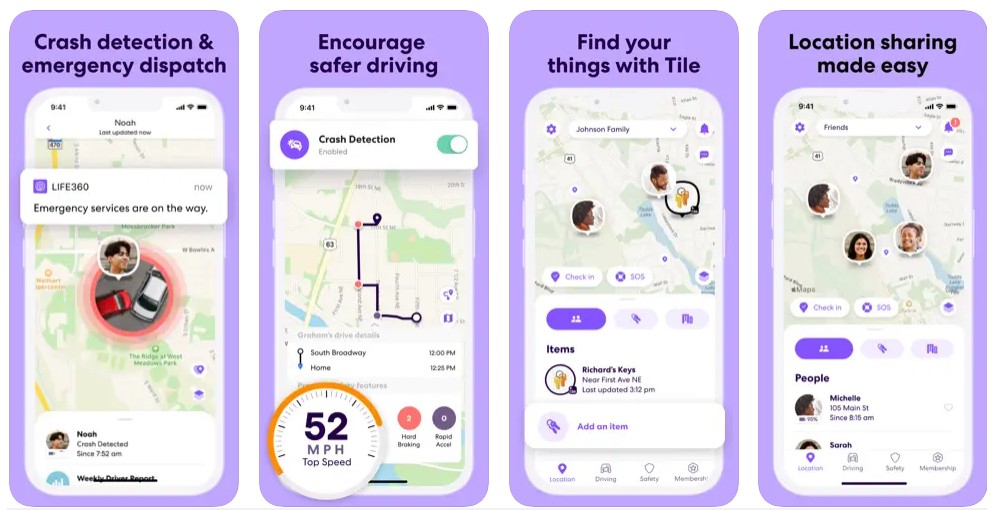
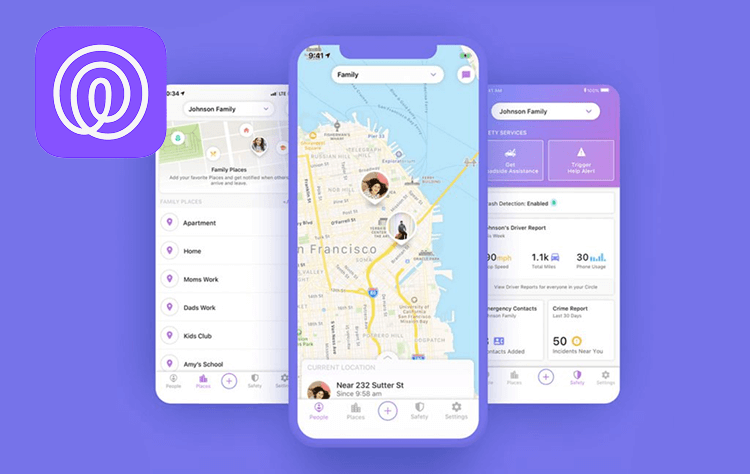
Life360 is a family location-tracking app that lets you see your family members’ real-time updates on a digital map. The goal of the app is to know where your loved ones are at all times.
But Life360 offers more than just real-time location information. Users can also see location history and receive notifications when a family member arrives or leaves designated places, such as school, home, or work.
Additionally, it provides driving behavior monitoring, which is attractive for parents with teenagers who have just obtained their driver’s license. Life360 also provides emergency features, such as crash detection and SOS alerts, providing peace of mind to parents.
With more than 79 million users worldwide, Life360 is one of the most popular location-tracking apps for families. It provides peace of mind to parents with children, teenagers, and even elderly adults. However, Life360’s features could become harmful within the family dynamic and your family’s overall privacy.
Before you decide to use Life360, we encourage you to learn more about why Life360 is bad and other apps to use instead.
Common Problems with Life360
When it comes to protecting their kids, parents will do anything they can, including downloading location-tracking apps. Before you download Life360, you should understand the most common problems users encounter.
Privacy Concerns: Your Location Data Can Become a Product
When you use a location-tracking app, you have to be careful about what the company behind the app does with your data. Your location history is extremely private, especially when tracking your children and teens.
Recently, Life360 was caught selling user data, including user location histories, of more than 30 million people. In 2020, Life360 earned a whopping $16 million from selling user data.
This should be a major red flag to parents because it means that third parties have information about their kids’ and teens’ locations. Complete strangers have extremely personal information about your family—and you have no control over it.
Life360’s Privacy Policy states that it will share user information with partners. This shared data can include crash detection, research, analytics, tailored advertising, and attribution. However, it also states that they can share your data with third parties, including law enforcement, government entities, and private companies.
Access to this sensitive information in the wrong hands can be detrimental and make most people feel that their privacy has been invaded.
Understanding how your data is used and where it is shared is a driving factor in deciding whether or not Life360 is the best choice for your family.
Constant Tracking Can Harm Trust and Mental Well-Being
The main reason families use Life360 is to track family members and their locations. However, this simple feature could soon turn from protective parenting into toxic relationships.
While most parents start using Life360 with good intentions, it can quickly become controlling. Constantly checking in on where your child is and bringing up their location to them in a negative way can harm the parent-child relationship.
Kids and teens begin to feel constantly monitored and controlled by their parents. This can turn into distrust between both children and parents. When parents rely on location sharing instead of having open communication with their children and teens about their whereabouts, kids can feel like they lack privacy.
There is a fine line between location tracking for safety and location tracking for complete control. Parents who begin using family sharing apps need to understand how to properly use these apps and also openly communicate with their kids.
Battery Drain, Glitches, and “It Says You Were Somewhere Else”
Having a cell phone battery that lasts all day long is crucial for children and teens. It’s important to keep in touch with their parents and to contact emergency services if needed.
However, one of the main reasons Life360 is bad is that it drains the phone battery. Many users complain that their batteries drain to 20% by midday. That’s because Life360 is constantly running in the background, tracking and sharing your location.
When teens and kids have dead phones for half of the day, parents are quick to blame it on irresponsibility. They may start arguments about why their child didn’t charge their phone the night before or blame them for using their phone too much. But the reality is that the Life360 app is the reason.
Another downfall of Life360 is the in-app glitches and incorrect location information. Users have reported issues when a family member’s location showed “Could Not Be Located.” This can cause tension between parents and children, with accusations of turning location sharing off or being somewhere they aren’t supposed to be, when in fact, it’s an app issue.
The whole point of Life360 is to have accurate, real-time location information for family members. And when it cannot deliver that information correctly, it becomes unreliable and even harmful for families.
When Life360 Makes Sense (and How to Use It Safely)
Life360 app
There are some circumstances where Life360 might make sense for your family. However, it’s essential that you learn to use it safely and not rely entirely on the data it provides.
Short-Term Safety Situations
There are various factors for when Life360 can be useful for parents who want to track their family members’ locations.
For example, if a child is traveling alone for the first time or going on a field trip with school, parents can track their location easily for travel safety. Another example is during a family vacation in an unfamiliar place. Just in case a son or daughter steps away or ventures out on their own, parents know exactly where they are.
A popular reason most people will use a location-sharing app like Life360 is when their teenager starts driving a car. They can track where their teen is when going to school, a friend’s house, or their job. As a mom or dad, this can help you give them more independence and build a stronger connection with your teen.
Life360 can be used as a safety net during unique situations where it is essential for parents to know their children’s locations.
Elder Care or Medical Concerns
Life360 is helpful for more than just tracking the location of children and teens. It can also be helpful for families with aging parents or grandparents with medical conditions, dementia, or Alzheimer’s.
Elders with memory issues can often wander and are unable to contact someone about their whereabouts. Life360 can send alerts and location updates to family members if an elder leaves a location, such as their home.
This can help caregivers feel more in control and worry less, just in case something happens.
Mutual, Adult-to-Adult Use
Many couples without children also use location-tracking apps like Life360. A wife and husband might share their location to enhance communication, such as when they are leaving work. However, it’s important that this use between adults is always voluntary and consensual.
Adults should always talk about their boundaries and privacy before sharing their location. Additionally, the location sharing should always be reversible at any time if it begins to harm their relationship.
Better Alternative to Life360
Findmykids app
When they ask why Life360 is bad, people realize it might not be right for their family, and they might wonder if there are other apps available with the same features. The good news? There is!
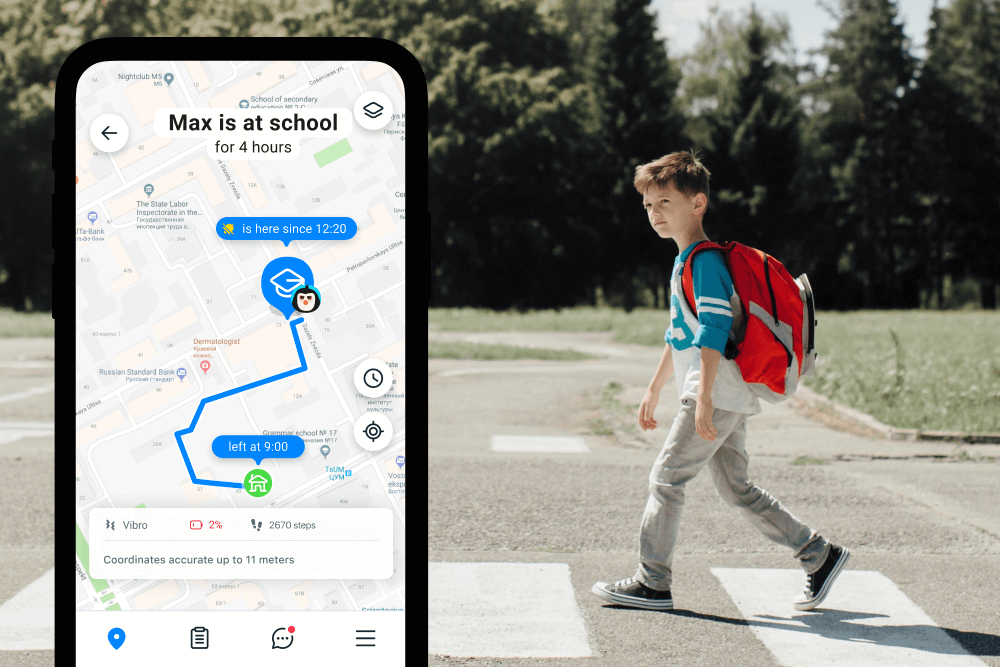
The Findmykids app offers real-time location sharing and parental controls for devices (a feature that Life360 lacks).
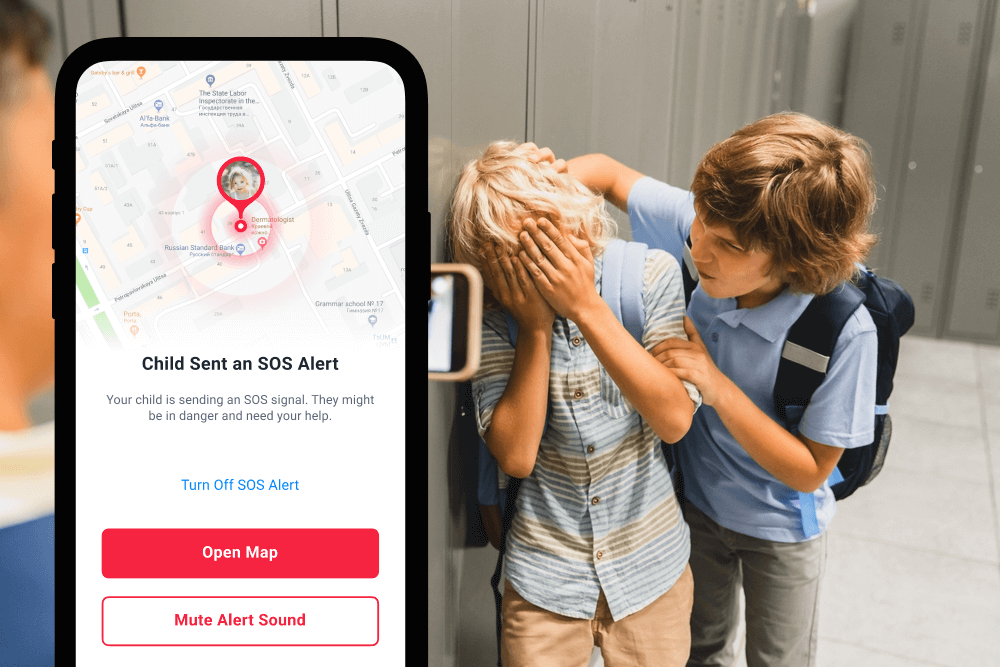
Parents can see their children’s real-time location and history, and set Safe Zones to receive alerts when their child arrives or leaves. Kids also have access to an SOS button to alert emergency services and parents of danger. This allows authorities and parents to locate their child instantly.
Additionally, Findmykids comes with important safety features when installed. Parents can always know what’s going on around their child with the Sound Around feature. If your child doesn’t pick up the phone, Sound Around activates the microphone on your child’s phone so parents can listen in. And if a child’s phone is on silent, Loud Signal overrides the silent settings to let your child know you’re trying to reach them.
Findmykids app
Last, but not least, Findmykids also comes with built-in parental controls, allowing parents to set screen time limits, block certain apps, and receive detailed app usage reports. This provides insight into how much time your child spends on their phone, what apps they use, and even where they use certain apps.
And to further encourage healthy digital habits and boundaries, parents can set daily screen time limits. They can also lock the child’s device entirely (except for essential features like phone, camera, and maps) right from their phone.
Importantly, Findmykids is designed to be installed only with your child’s consent, helping to build trust rather than secrecy. We provide practical tips for talking to children and teens about the app, so they understand how it supports both their safety and independence. Learn how to discuss parental controls with your child.
Read also: Findmykids vs. Life360: Which Location-Tracking App is Best for Your Family?
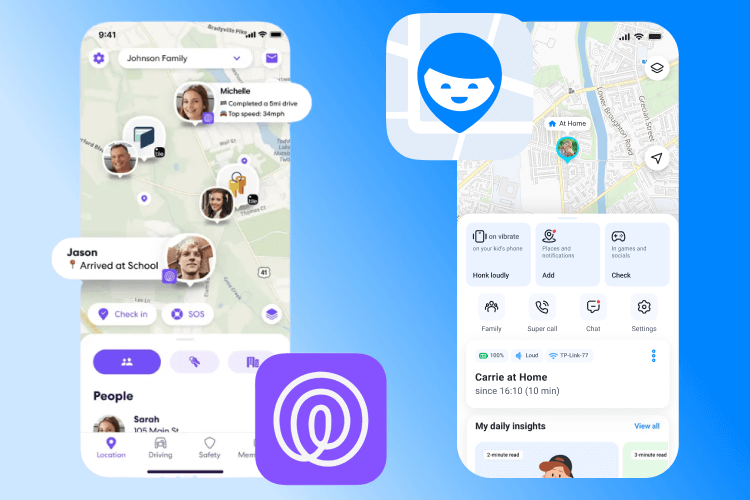
While Life360 may sound similar, Findmykids offers so many more helpful features that parents can use to keep their children safe. Below is a quick comparison of both apps:
→→→
| Feature | Life360 | Findmykids |
| Primary Focus | Family location sharing and safety (real-time GPS, geofencing, alerts) | Child GPS tracking with additional parental control insights |
| Real-Time Location Tracking | Yes, real-time location shared on a map for family circles | Yes, GPS tracking with route history for kids’ devices |
| Geofencing and Place Alerts | Yes, notifications when someone arrives or leaves designated places | Yes, movement alerts when entering or leaving places |
| Driving Data and Safety Reports | Yes, driving behavior, speed, crash detection (premium members only) | No, focused on child location, not driving metrics |
| Emergency Features (SOS, alerts) | SOS/Help alerts available | SOS button on child’s device to contact authorities |
| Parental Control Features | No, only location notifications | Yes, app usage statistics and screen time limits |
| Screen Time and App Limits | No built-in screen time limits or app usage analytics | Yes, monitors how much time a child spends on app/phone and provides usage insights |
| Additional Device Insights | Focused on location, places, and family coordination | Can include chat features and even sensors for Sound Around and Loud Signal |
| Target Audience | Families who want comprehensive location tracking, including teens and drivers | Parents with younger children who want to track location and monitor device usage |
| Data Sharing | Sells user data to third parties | Never sells user data to third parties |
| Compatability | iOS and Android phones | iOS and Android, and optionally GPS watches |
Take action now: Protect your child safely while supporting independence and healthy family relationships—download Findmykids today and start using real-time location tracking with parental controls that your child agrees to and understands.
How to Decide What Works for Your Family
Findmykids app vs Life360 app
Before choosing a family location-sharing app, there are a few things to consider.
Start With the “Why,” Not the App
Before searching for family location apps, take a step back and ask yourself why you want to use them with your family.
- Is it about safety, family coordination, or control?
- Do you plan to use it all the time or for temporary situations?
- What is the problem you’re trying to solve?
If you’re simply looking for peace of mind when your children are out of sight, then a family tracking app could lead to more anxiety than safety. Parents can easily become obsessed with their child’s location and become helicopter parents.
However, if there is a specific reason, such as your child is starting to walk to a friend’s house on their own or going away for a week to summer camp, then a family tracking app could be useful.
Consider Your Child’s Age and Independence
There are certain ways to approach location sharing depending on your child’s age and their level of independence.
- Young Children: Location tracking may make sense as they begin learning independence.
- Pre-teens: Set clear boundaries and explain why you want to see their location during specific situations.
- Teenagers: Limit location tracking to when they are driving, out with friends, or away for a weekend.
- Adults: Location tracking should always be mutual and voluntary.
As your child grows older, the reasoning for location tracking changes. Your responsibility as a parent is to rely on it less and instead replace it with open communication.
Data Privacy
Your location information is proprietary. When choosing a location-sharing app, read the app’s privacy policy and understand if it shares your data and, if so, to whom. Some apps may share data with their partners, while others actually sell it to third parties.
Understand what is happening with your personal information and data before agreeing to download and pay for a location-sharing app.
Location Tracking vs. Parental Control
When you go back to your “why” of downloading an app for family monitoring, consider your priorities. Do you want to track family members’ locations or also have parental controls over their apps?
Findmykids gives the best of both worlds, allowing parents to track their children’s location in real-time while also providing parental control features. Parents can see where and how their child uses their device while also keeping them safe when outside the home.
Choosing the Right App for Your Family is a Big Decision: Which App Will You Choose?
Before you go and download Life360, it’s essential to understand why it might not be the best app for your family. From data-selling scandals to incorrect location information to harmful family dynamics, there are better apps out there.
Our favorite? Findmykids. It comes with all the necessary location-tracking features while also providing parental controls to instill healthy digital habits and boundaries.
If you found this article helpful, make sure to share it with a friend who is also considering downloading Life360 or looking for a family app for location-tracking and parental control features.
Remember, it’s important to build mutual trust with your family members before tracking their location. This is the foundation of a healthy family dynamic.
FAQs
Is Life360 safe to use?
Yes, Life360 is safe to use, but with the right precautions. It’s important for users to limit data sharing by changing their settings. Users should also have open conversations with their family members about how and why they want to use the app. This helps maintain a healthy family dynamic, build trust, and set boundaries.
Does Life360 sell data?
Yes, Life360 was caught participating in data sales of more than 30 million users to third parties. This can be a major downfall of the app because it stores extremely personal information, such as location history. For parents, this is a major factor to consider when choosing a family location-sharing app.
Why does Life360 drain battery?
Life360 drains battery because it is constantly working in the background—even when the app isn’t open. It consistently pings the device’s location and updates it in the app for family members to see. This can drain the phone battery quickly, sometimes dropping to 20% by midday.
Can Life360 show the wrong location?
Yes, unfortunately, Life360 does not always show precise locations. This is common when users are inside buildings, where it can be difficult for GPS to ping exactly where they are. Sometimes, Life360 can show error messages that the location cannot be found at all.
This is a major pitfall for the app, as location tracking is its main feature. Inaccurate location information can lead to issues among family members, distrust, and preventable arguments.
Can I rely on Life360 to give me real-time updates on my child’s location?
Life360 provides real-time updates for family members, but it’s not always 100% accurate. GPS may fail indoors or in areas with poor coverage, and sometimes the app shows outdated or missing locations. For parents, this means that while Life360 can be a helpful safety tool to monitor your son or daughter, it shouldn’t replace communication or judgment. It’s best used as one piece of your broader plan to ensure your child’s safety.
Is it okay to track teenagers?
When tracking a teenager’s location, it is crucial that parents sit down and have an open and honest conversation with their teen. It should be clear that they are not tracking their child’s location for control, but for safety. Remember, you need to show that you trust your teen to be in control of their own lives and explain that the app is an extra safety tool to help.
Is it appropriate to use Life360 for all circumstances?
Life360 is a useful tool, but it’s important to consider your child’s age, maturity, and circumstances. For younger children, it can provide quick alerts and location tracking. For teens, it’s better to talk and agree on how the app is used. Using Life360 without discussion can make your child feel spied on, damage trust, and interfere with their sense of responsibility. Balancing access to real-time location with respect for independence ensures the tool supports safety without creating unnecessary tension.
How can Life360 affect peace of mind for parents?
Many moms and dads use Life360 for peace of mind, especially when their child is at school, on a car trip, or exploring the world independently. While the app can help locate a family member and monitor their whereabouts, inaccuracies, glitches, or battery issues can sometimes create worry instead of reassurance. Understanding the app’s limitations and talking openly with your child about responsibility and boundaries can help maintain a healthy connection.
Cover image: freepik / Freepik.com
Проверьте электронный ящик