
















If you’re wondering if WhatsApp notifies screenshots, you’re not alone. Many parents ask this question when trying to understand how private their child’s conversations really are and what can happen to messages once they are shared.
Understanding how WhatsApp handles privacy—and where its protections end—can help families have more informed conversations about digital boundaries, sharing, and trust in everyday messaging.
Key Takeaways
- WhatsApp does not notify screenshots. Users can take screenshots of chats, photos, and group conversations without alerts.
- Users can use screen recording tools without the other participants’ knowledge.
- WhatsApp blocks screenshots for some View Once media, but this protection is limited and does not fully prevent content sharing.
- Teens may wrongly assume disappearing messages or privacy settings guarantee complete privacy online.
- Parents can support safer digital habits by teaching children about screenshots, consent, and healthy communication rather than relying on app settings.
Contents:
Does WhatsApp Notify Screenshots?
Many parents assume apps automatically notify users of screenshots because several social media platforms now include privacy warnings. However, WhatsApp does not notify users if someone captures content via a screenshot or device recording software.
Does WhatsApp Notify Screenshots of Chats?
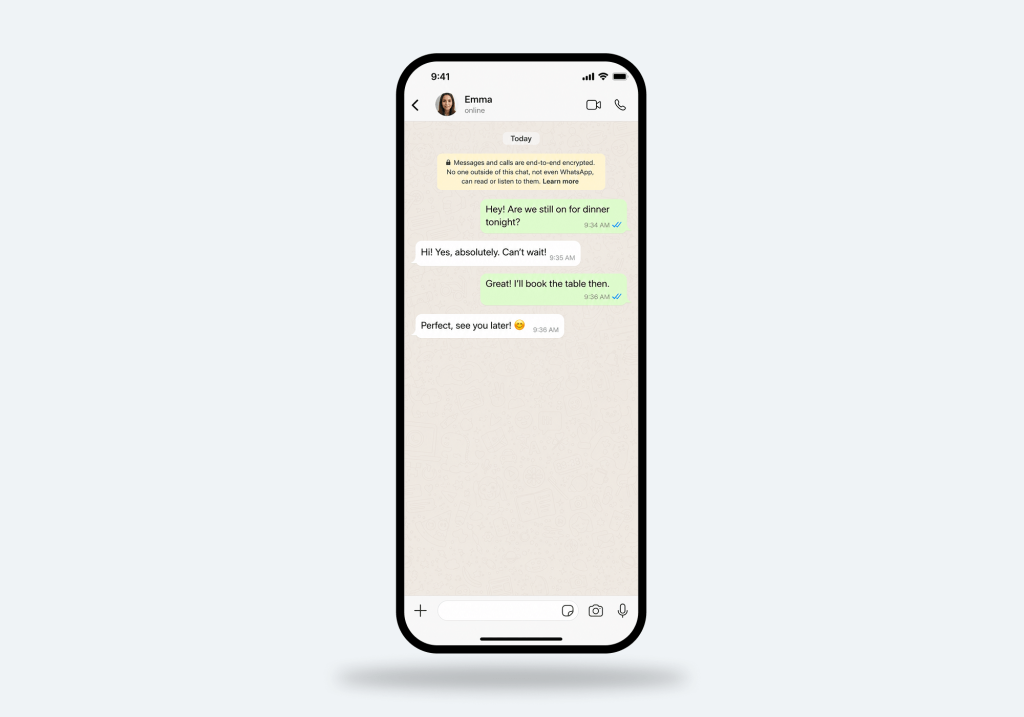
WhatsApp Chat. Credit: generated by ChatGPT / OpenAI
Private Chats (One-to-One Chats)
A private chat is a conversation between two users. These are the most common chats on WhatsApp. Private chats are protected with end-to-end encryption, meaning only the sender and receiver can read the messages.
However, encryption does not prevent another person from taking screenshots, forwarding messages, or using screen recording tools without the other participant’s knowledge, since WhatsApp does not notify users about screenshot activity in private chats.
Group Chats
Group chats allow multiple people to communicate in one shared conversation. Families, classmates, sports teams, and friendship groups often use these chats.
Group chats can include hundreds of participants, shared media, polls, voice chats, and group video calls. For teens, these spaces can sometimes become emotionally intense because messages spread quickly and social pressure is more visible. At the same time, WhatsApp does not alert participants if someone takes a screenshot inside the group.
Archived Chats
Archived chats are conversations hidden from the main chat list without being deleted. Teens sometimes use archived chats to reduce clutter, hide their chat history, or organise messages privately. Parents should know archived chats still remain on the device unless deleted, and screenshots taken inside archived conversations are not reported to other users.
Locked Chats (Chat Lock Feature)
WhatsApp’s Chat Lock feature allows users to protect selected chats behind a passcode, fingerprint, or face recognition.
Locked chats are hidden from the regular inbox and stored in a protected folder. This feature is designed for privacy, but parents may want to open conversations with teens about why certain chats feel necessary to hide. Even with Chat Lock enabled, WhatsApp still does not notify users if screenshots are taken.
Does WhatsApp Notify Screenshots of Status Updates?
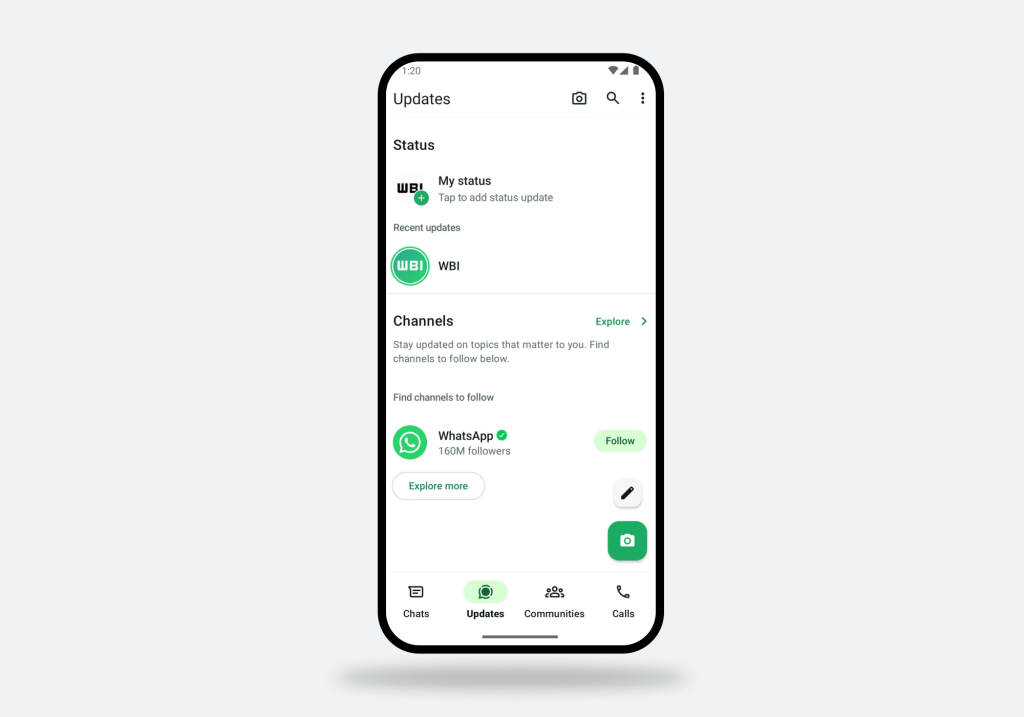
WhatsApp Status Update. Credit: wabetainfo.com
Status works similarly to Stories on other social media apps. Users upload photos, videos, or written posts that disappear after 24 hours. However, unlike Snapchat—which can notify users about screenshots in some situations—WhatsApp does not send notifications when somebody screenshots or saves a status update.
Why This Matters for Teens
Teens often treat status posts as temporary or semi-private. In reality, another person can still take screenshots, use screen recording, share the image externally, or forward content to other messaging apps. Many users wrongly assume disappearing content equals full privacy.
Does WhatsApp Notify Screenshots of Disappearing Messages?
Disappearing messages work in a similar way to privacy features like Vanish Mode on other apps. They are designed to make conversations temporary by automatically deleting messages after a set period, such as 24 hours, 7 days, or 90 days.
However, it’s important to understand that this feature only controls how long messages stay visible inside the app—it does not control what someone does with the content while it is still available.
What Disappearing Messages Do Not Guarantee
While disappearing messages can help reduce long-term chat history, they do not prevent other ways of saving or sharing content. For example, messages can still be captured through screenshots, screen recordings, forwarded to other chats, or even recorded using another device.
This means that anything shared in a disappearing chat can still be saved permanently once it leaves the original conversation, even if it later disappears from the app.
Does WhatsApp Block Screenshots of View Once Media?
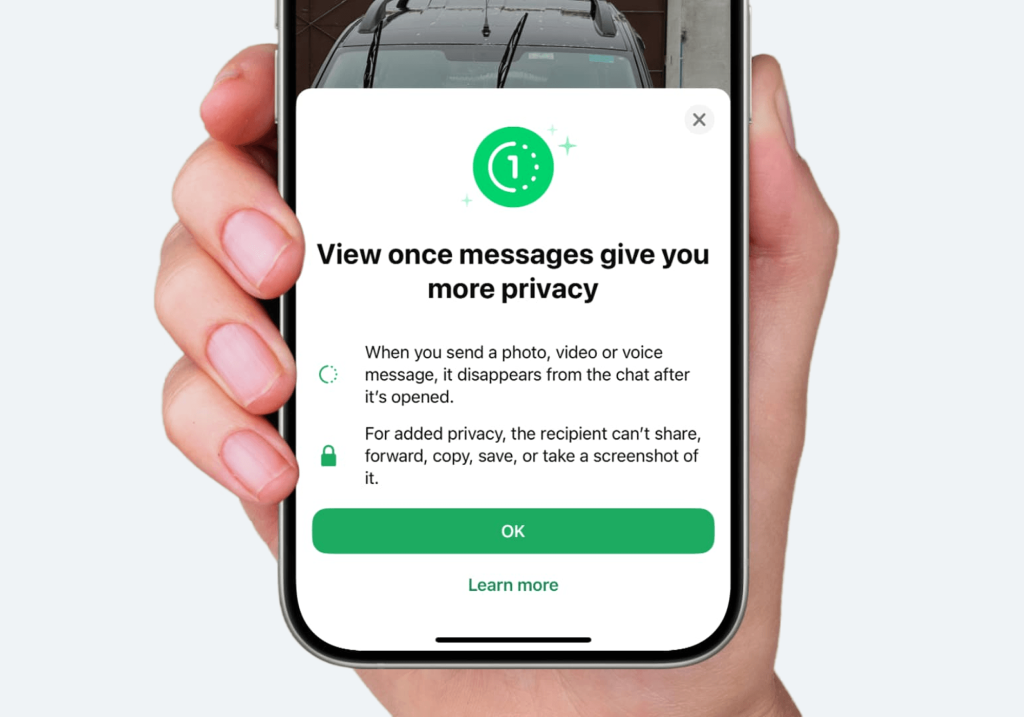
WhatsApp View Once Media. Credit: idownloadblog.com
WhatsApp View Once allows users to send photos or videos that disappear after opening. A one-time picture can only be viewed once before vanishing. Currently, WhatsApp blocks screenshots for many View Once images and disappearing photos. If somebody attempts to take a screenshot, the app may prevent it entirely.
However, this system is not perfect. A person could still photograph the screen using another device or use other software to capture the message. So while WhatsApp blocks screenshots for some WhatsApp View features, parents should still teach children not to share sensitive information digitally.
Does WhatsApp Block Screenshots of Profile Pictures?
Profile photos can generally be viewed and captured through a screenshot without any alert being sent to the account owner, as WhatsApp does not currently include screenshot protection for this type of content.
WhatsApp privacy settings do allow users to control who can see their profile photo, online status, and other account details. Users can choose whether their profile picture is visible to everyone, only contacts, or nobody.
However, once a profile photo is visible to someone, it can usually still be saved via a screenshot on the device, without any notification or restriction from WhatsApp.
This matters because profile photos may unintentionally reveal personal details such as school uniforms, locations, or family context. For this reason, it can be helpful for teens to choose profile images that are more neutral and less identifiable.
So, What WhatsApp Does and Does Not Protect?
WhatsApp is one of the most widely used messaging apps in the world, with billions of users. It includes several strong privacy and security features, but screenshot protection is limited across most types of content.
To understand how these protections actually work in practice, it helps to separate what WhatsApp does protect from what it does not—and then look at how different features behave in real use.
What WhatsApp DOES protect
WhatsApp includes several important privacy and security tools designed to protect communication and account access.
| End-to-end encryption | WhatsApp encrypts messages so only the sender and receiver can read them. This improves user privacy during communication. |
| Disappearing messages | Users can enable disappearing messages to reduce long-term chat storage. |
| Privacy settings | WhatsApp privacy controls allow users to manage:
|
| Two-step verification | Two-step verification adds an added layer of account protection. Families should enable two-step verification to improve security if a phone is lost or hacked. |
What WhatsApp does NOT protect
However, protections apply mainly to how messages are stored and delivered inside the app. They do not prevent content from being captured or shared once it appears on a screen.
| Screenshot activity | WhatsApp does not notify screenshots in regular chats or status content. |
| External sharing | The app cannot stop somebody from forwarding screenshots to other messaging apps or social media platforms. |
| Screen recording | Screen recording remains possible in many situations. |
| Full content control | Even disappearing messages cannot fully protect users if another party decides to save content manually. |
Related: WhatsApp Scams: How to Spot Suspicious Messages, and Avoid Account Takeovers.
How WhatsApp Features Work in Practice
To make the differences clearer, here are three key areas where parents often assume there is more protection than actually exists.
| WhatsApp feature | Screenshot notification? | Screenshot blocking? | Parent takeaway |
|---|---|---|---|
| Regular private chat | Usually no | Usually no | Chats can be captured |
| Group chat | Usually no | Usually no | Group content can spread fast |
| Status update | Usually no | Usually no | Temporary posts can still be saved |
| Disappearing messages | Usually no | Not fully protected | Disappearing does not mean private |
| View once media | No alert needed in normal use | Yes, screenshots are blocked | Safer, but not perfect |
| Profile photo | Not the main issue | Yes, screenshots are blocked | Still review disability settings |
Why Screenshot Privacy Matters for Children and Teens
In the 2015 article Privacy Perception of Adolescents in a Digital World, Soffer and Cohen found that adolescents value privacy but often trade privacy protections for social benefits, especially on social networking platforms. The authors also discuss how teens’ attitudes toward sharing and control of personal information frequently do not match the realities of digital environments.
Research published by the Pew Research Center similarly shows that many users underestimate how easily messages can spread beyond their intended audience. Young people may feel comfortable sharing emotional thoughts in a WhatsApp chat without realising that another person could secretly save the exchange, take a screenshot, or forward it further.
This is why screenshot privacy is an important part of digital safety discussions. It is not enough to rely only on app settings or assume that disappearing content stays private. Children and teens benefit from understanding that digital communication can often be copied, saved, and shared outside their control.
For parents, this means that while it is important to ensure appropriate privacy settings are enabled across apps, it is equally important to help children understand the concept of digital permanence—that online content rarely disappears completely once it has been shared.
How Findmykids Helps Parents Understand Their Child’s Digital Communication Environment
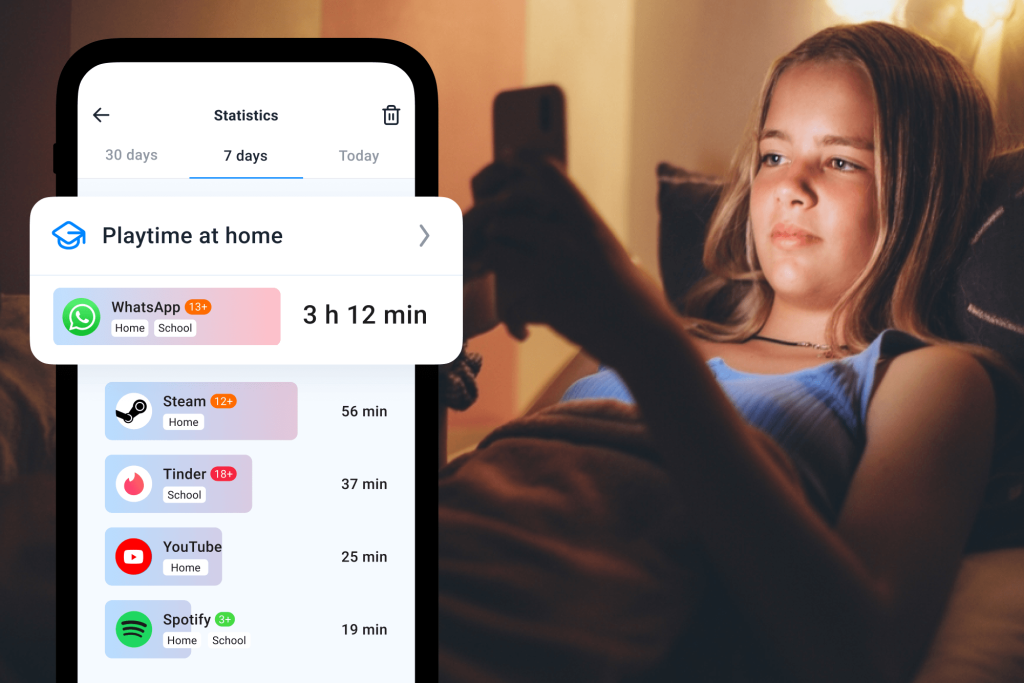
Findmykids app
Findmykids is not designed to monitor private conversations or read individual messages such as WhatsApp chats. Instead, it focuses on helping parents understand broader patterns of digital behaviour—how children use their devices throughout the day and how this fits into everyday routines.
Rather than focusing on individual messages or isolated actions, the goal is to give parents a clearer sense of how digital habits develop over time and how they connect to sleep, school, and offline life.
In practice, Findmykids helps parents in two main areas:
Online: Screen time and app usage patterns
- Time spent in apps with daily, weekly, and historical breakdown
- Apps displayed with category and age rating context
- App blocking (full device or individual apps on Android, full device mode on iOS)
- Temporary or permanent app restrictions depending on device type
These tools help parents understand how screen time is distributed across apps and how usage patterns change over time.
Offline: Safety and real-world awareness
- Real-time location tracking
- Movement and route visibility
- Alerts about key location updates
- Sound Around feature for real-world audio awareness
- Loud Signal to help get the child’s attention
- Multi-child and multi-caregiver management in one account
This layer focuses on what happens outside the screen, helping parents stay aware of where a child is and how they move through their day.
Taken together, these two layers help shift the focus away from constant monitoring of individual actions and toward a more balanced understanding of a child’s digital habits and real-world routine.
If you want a clearer view of your child’s digital habits and daily movements without turning it into constant monitoring, Findmykids brings screen activity and location awareness together in one place. Download the app for free right now to support a healthier balance between online and offline life!
What Parents Can Teach Kids About Screenshots
Parents cannot prevent others from capturing screenshots, but they can help children make safer choices online so that any content that may be captured cannot be harmful if shared.
Useful lessons include:
- Never assume chats are fully private
- Think carefully before sharing sensitive information
- Never send anything on impulse
- Remember, screenshots can spread quickly
- Understand that disappearing messages are not foolproof
Families can also discuss consent. Before sharing screenshots involving another person, teens should ask whether the other party feels comfortable with that content being shared.
These conversations help kids develop healthier long-term digital habits.
How to Improve WhatsApp Privacy for Kids

fizkes/Shutterstock.com
Parents can strengthen WhatsApp privacy by:
- Enabling two-step verification
- Limiting profile picture visibility
- Reviewing online status settings
- Checking who can contact the account
- Discussing safe chat habits regularly
Children should also understand that no app can completely prevent screenshots or external sharing.
For more guidance, read this article: WhatsApp for Kids: Exploring Safety Concerns and Tips for Parents
Helping Families Build Healthier Digital Trust
WhatsApp offers strong encryption and useful privacy settings, but screenshots remain impossible to control. Whether someone screenshots a chat, saves a profile picture, or records disappearing messages, the app cannot fully manage what happens after content becomes visible on a screen.
For families, the healthiest approach is open communication, realistic privacy expectations, and ongoing digital awareness.
FAQs
Does WhatsApp notify users about screenshots in chats?
No. WhatsApp does not notify users when someone takes a screenshot of a chat. Users can capture regular conversations, photos, or messages without the other person receiving any notification.
Does WhatsApp notify users about screenshots in group chats?
No. If someone screenshots messages in a school group, friendship group, or family conversation, participants will not receive screenshot alerts or notifications.
Does WhatsApp notify about screenshots of Status?
No. Users can screenshot a story or WhatsApp Status update without alerting users. Unlike Snapchat, WhatsApp does not send screenshot notifications for status content, even if the post disappears after 24 hours.
Does WhatsApp block screenshots of View Once photos?
WhatsApp screenshot notifications do feature in View Once photos. However, users may still bypass restrictions through external cameras or unofficial tools.
References
- Teens, Social Media and Technology, Faverio & Sidoti. Pew Research Center, 2024
- Privacy Perception of Adolescents in a Digital World, Tal Soffer and Anat Cohen. Bulletin of Science, Technology & Society, 2015
Cover image: generated by ChatGPT / OpenAI
Проверьте электронный ящик