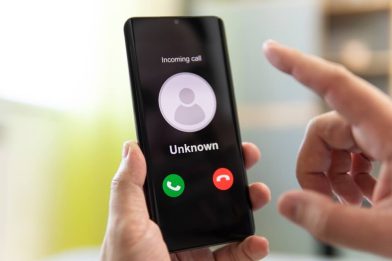
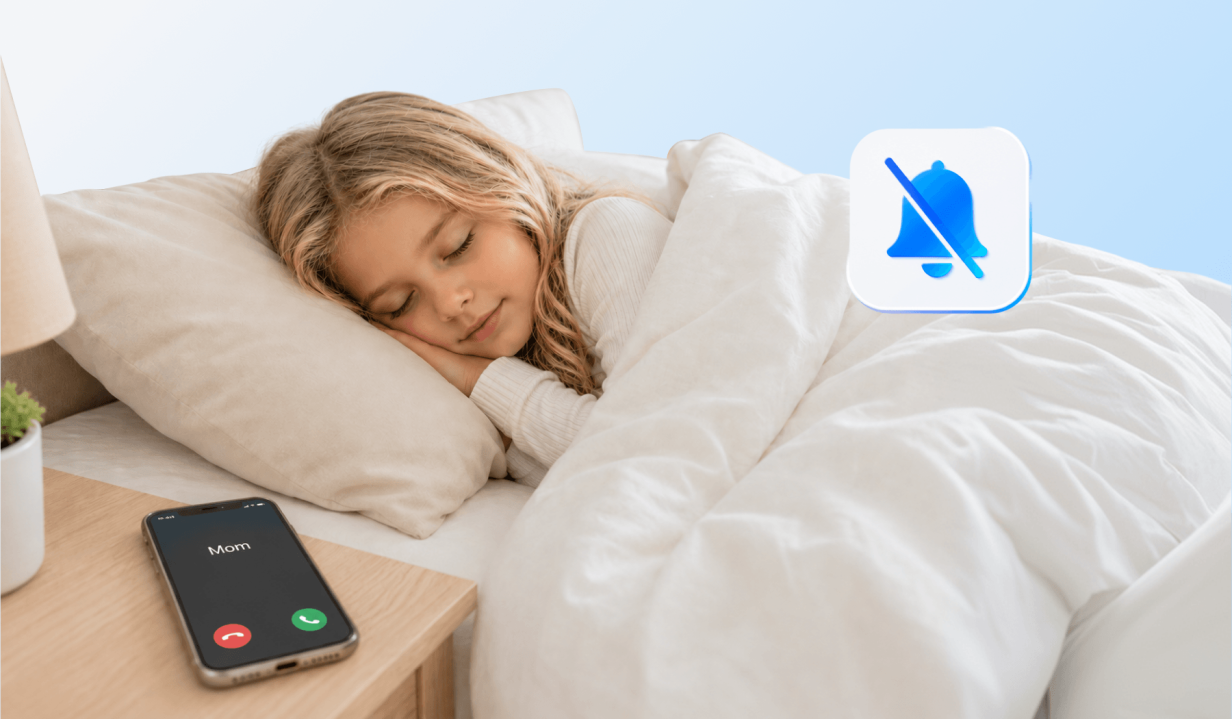
With parents’ work schedules, sometimes they need to leave the house before their kids get up for school. That puts a lot of trust in the children to get up on time and get themselves ready for the day. This is where parents use different methods to ensure their kids are up and out the door on time. One of those methods includes waking them up over the phone.
In this guide, we’ll discuss how to wake someone up over the phone and how parents can effectively make sure their kids are up when they need to be, even when they are not home.
Key Takeaways
- Parents can have trouble waking their children up through the phone due to deep sleep, silent mode, Do Not Disturb, or if the phone is out of battery.
- Parents can wake someone up over the phone through repeated phone calls, voice or video calls, shared alarm apps, or multiple notifications through messaging platforms.
- Features that bypass silent mode, such as Findmykids’ Loud Signal, are the most reliable way to reach a child when standard calls won’t ring.
- The best wake-up strategy often combines technology with preparation, such as keeping phones nearby, setting special parental ringtones in advance, and using backup options like smart speakers or shared alarms.
Contents:
Why Someone May Not Answer or Wake Up
There are a few reasons someone might fail to answer their phone. These can include:
- Deep sleep: During the deep sleep cycle, noises may not wake someone as easily at night.
- Phone on silent or Do Not Disturb mode: The phone silences all notifications when these settings are switched on; therefore, it will not ring.
- Distractions like games or social media: In some cases, a person might not notice their phone ringing or a text message because they are playing games or scrolling through social media videos.
- Being outdoors or in a noisy environment: If someone is outside, at a party, or in a restaurant, they may not hear their phone go off because of ambient noise.
- Dead battery: A phone will not ring when the battery is dead, so the call won’t go through for the person to pick it up.
- Phone isn’t nearby: In some cases, the phone might not be in the same room, and they don’t hear it ringing. This is becoming more common for parents who want to cut down their child’s screen time and require the phone to stay outside the bedroom.
Read also: Should Parents Let Their Kids Keep Phones in Bedroom at Night?
Safe Ways to Wake a Child or Teen Up Over the Phone
If you rely on your child’s phone to wake them up, there are a few ideas to make sure it works.
Loud Signal Feature in the Findmykids App
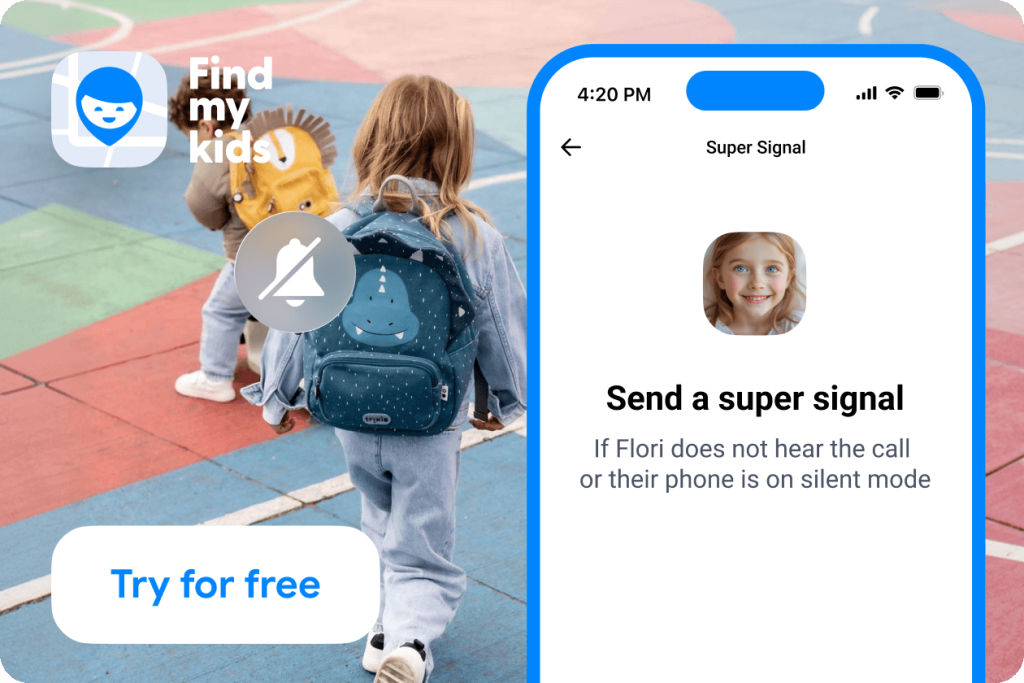
One of the most reliable ways to get someone to wake up over the phone is with the Findmykids’ Loud Signal feature. Regardless of whether the phone is on silent mode, Do Not Disturb, or even at a low volume, the Loud Signal will make the phone sound loud enough for your child or teen to hear. It’s a simple tap of a button on your phone, and the signal alerts your child’s phone.
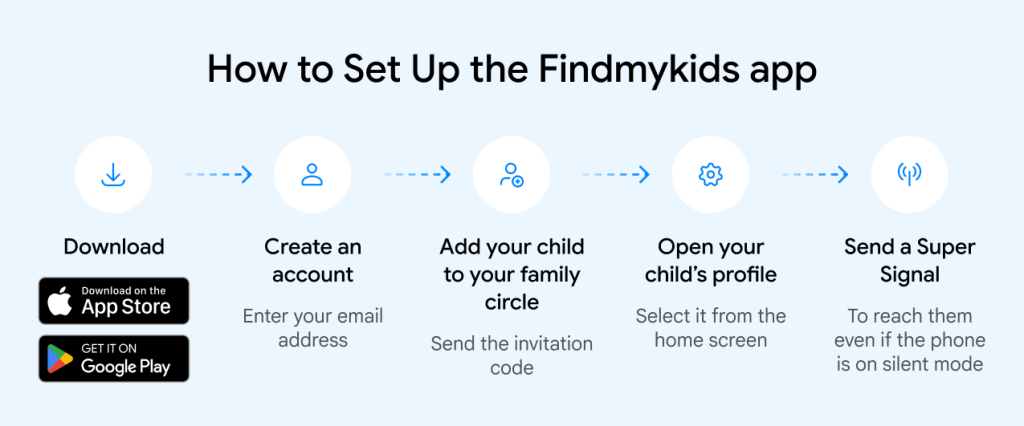
Setting it up is simple:
- Download Findmykids on your phone and connect your child’s device.
- Open the app and select your child’s profile.
- Tap Send a super signal to play a loud sound on their phone.
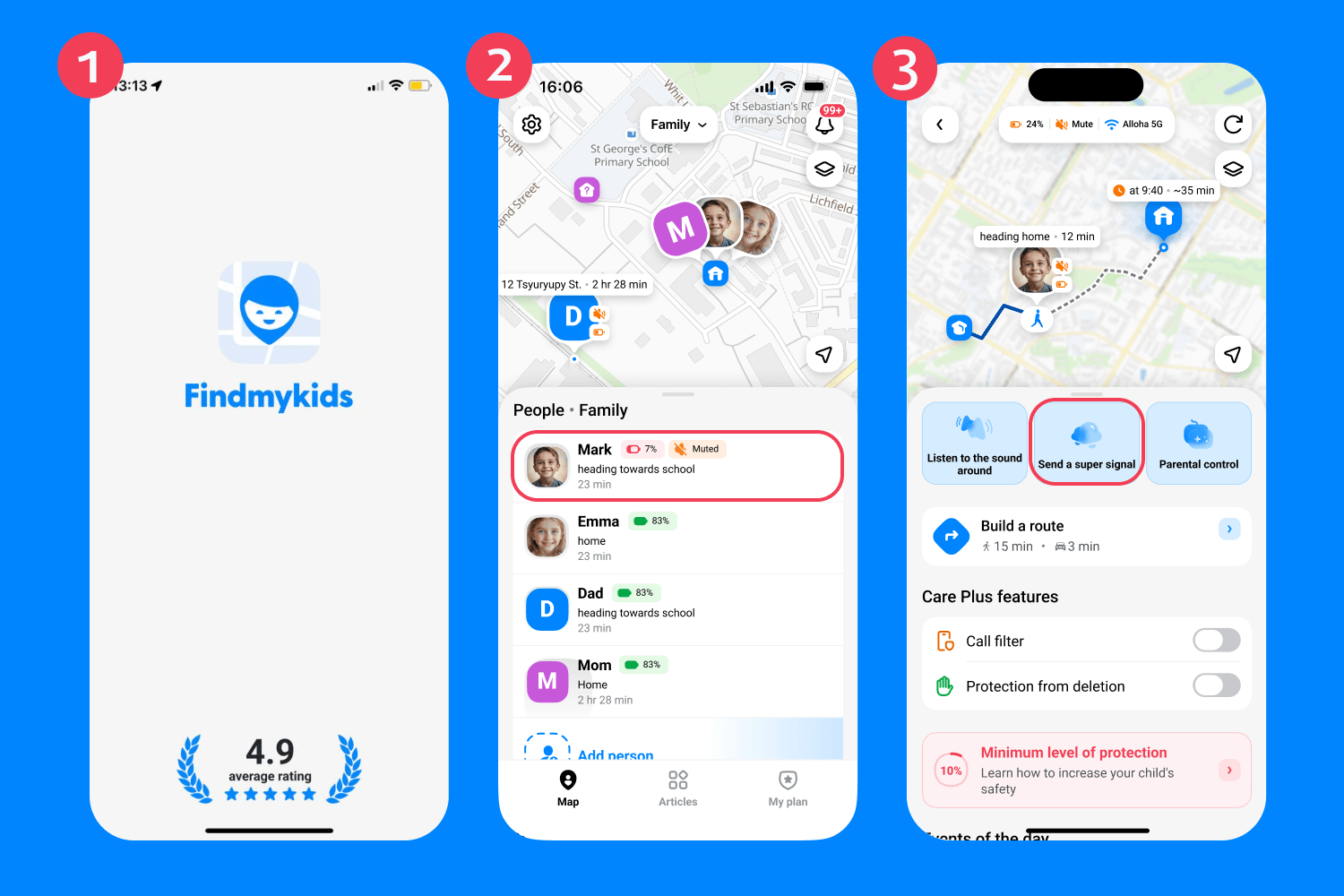
Findmykids app
The feature is especially useful when you need to wake your child up in the morning, remind them about an important event, or quickly reach them if they aren’t answering calls.
And Loud Signal is just one of the many features Findmykids offers. Parents can track their child’s real-time location, view route and location history, receive notifications about important movements, listen to the sounds around the child’s phone, monitor screen time statistics, and check the phone’s battery level—all from a single app.
Looking for a simple way to stay connected with your child and make sure they never miss an important call? Try Findmykids for free and explore all of its family safety features!

Call Repeatedly with Timing Gaps
Another common approach is to call your teen several times with short breaks in between. Repetition can help pull them out of deep sleep gradually. They may ignore the first call or barely register it, but by the second or third attempt, they’re often awake enough to answer.
Send Texts Through Multiple Channels
Another effective, yet time-consuming method, is to send messages and texts through multiple chat apps and channels. For example, a parent might send a message to their child through text, iMessage if they have an iPhone, Facebook, Instagram, or Telegram. This can work in some cases due to the repeated notifications and different ringtones and sounds for each notification. However, it is not the most reliable method.
Try a Voice or Video Call App
Phone calls can be effective wake-up calls because the phone rings for a while. This timing can vary depending on the country. For example, a standard phone call in the USA rings for 36 seconds, while the UK rings for just 18 seconds. However, this could be the time it takes to wake someone up on the phone.
It can also be helpful to set a special ringtone for parents. Choosing one that your child will definitely hear when they are asleep in bed can prevent them from missing the call.
Use Shared Alarm Apps
Rather than relying on phone calls or text messages, some parents and children download shared alarm apps. Popular options include Galarm app, AlarmShare, and JioJio. These social tools let users create wake-up alerts for family members and friends, organize group events, and even attach voice notes. They can also help coordinate daily routines, whether it’s waking up on time, getting ready to leave, or setting reminders for important tasks.
Related: How to Wake Someone Up (Especially Kids and Teens).
How to Wake Someone Up If Their Phone Is on Silent Mode
If you’re relying on the phone to ring to wake up your child, a common issue parents run into is when the phone is set to silent or Do Not Disturb. In these settings, normal phone calls will not go through or show up in notifications.
Findmykids Loud Signal
Findmykids app
The Loud Signal feature from the Findmykids app bypasses all silent mode or Do Not Disturb settings. When you play the Loud Signal on your child’s phone when they are asleep, it is almost guaranteed to wake them up in the morning, especially if it’s near their bed.
Emergency Bypass
If your child has an iPhone, you can activate the Emergency Bypass feature. This allows a specific contact’s calls or texts to override the Do Not Disturb setting and make the phone ring. You can activate this feature by selecting the specific person in the contact list, editing their contact card, and toggling the feature on.
You can read and learn more about how to set this up in our blog post How to Make a Phone Ring on Silent Mode.
Smart Speakers and Home Devices
In households with smart speakers like Amazon Alexa or Google Assistant, parents can activate alarms or even set a custom routine. If the child still hasn’t woken up from the alarms, the “announce” or “broadcast” feature allows you to send a voice message to the device.
Proven Ways to Wake Someone Up Over the Phone
| Method | Works if the phone is on silent/Do Not Disturb | How it works | Reliability | Best for |
| Findmykids’ Loud Signal | ✅Y es | Sends a loud alert that bypasses silent mode, DND, and low volume settings | Very High | Waking children or teens who sleep through calls or have their phone silenced |
| Repeated Phone Calls | ❌ No | Parents make multiple calls with short gaps between them to gradually wake the child | Medium | Children whose phones are not on silent and who respond to repeated ringing |
| Messages Through Multiple Apps | ❌ Usually No | Sends notifications through different channels | Low-Medium | Light sleepers who may notice repeated notifications |
| Voice or Video Calls | ❌ No | Standard phone or app calls ring continuously for a period of time, helping wake the child | Medium | Situations where the phone volume is on, and the child can hear incoming calls |
| Shared Alarm Apps | ⚠️ Depends on Settings | Family members can schedule alarms, reminders, and voice notes through shared alarm apps | Medium | Coordinating recurring wake-up times, reminders, and family schedules |
| Emergency Bypass (iPhone) | ✅ Yes | Allows calls and texts from specific contacts to override DND and silent mode | High | Parents who need to ensure their calls reach their child |
| Smart Speakers | ✅ Yes | Plays alarms, announcements, or voice broadcasts through smart speakers | High | Waking children at home when phone notifications are missed |
Make Getting Up in the Morning Easier for Everyone
Sometimes a traditional alarm clock isn’t enough to get your kids out of bed, especially if you have to leave early for work. That’s why many parents turn to using their phones to wake their children up. And now you know many different effective ways to use your phone, shared alarm apps, and Findmykids’ Loud Signal feature to make sure your children get up on time.
If you’re ready to make your mornings easier, download the Findmykids app today. Not only can you wake your children up via their phones, but you can also see where they are in real time and receive a notification when they’ve arrived at school. Try it for free right now!
FAQs
Can I wake someone up if their phone is on silent?
Yes, if they have set your contact to Emergency Bypass on their phone, your call or text will go through. Or you can download the Findmykids app and use the Loud Signal feature to get the person’s attention even when their phone is on silent.
Is there an app that sends an alarm to someone else’s phone?
The Findmykids app has a Loud Signal feature that sends an alarm alert to someone else’s phone with a tap of a button. However, both parties must have the app downloaded to their phone.
What is the best way to wake up a heavy sleeper over the phone?
The best way to wake up a heavy sleeper over the phone is to call multiple times, set an extra-loud ringtone for your contact, or use the Findmykids’ Loud Signal feature. Sometimes all three of these methods must be used together for effectiveness.
Can I make someone’s iPhone ring if it is on Do Not Disturb?
Yes, but the person you are trying to reach must have your contact settings to activate Emergency Bypass, which allows your calls to go through on Do Not Disturb.
Read more: How to Send an Alert to Someone’s iPhone (Even If It’s on Silent or Far Away).
Sources & References
- How Many Seconds Is 6 Rings?, Call Centre Helper
- Make Announcements with Alexa, Amazon Help & Customer Service
- Broadcast Voice Messages to Google Nest or Home Devices, Google Home and Nest Help
Проверьте электронный ящик