
Instagram is one of the most popular apps for teenagers. It’s a place where they can share photos, Reels, and Instagram Stories.
For parents, a major concern about Instagram is who can view Instagram Stories on their child’s profile and how. In this guide, we will discuss how Instagram Stories work, who can view them, and major protections you can take to keep your child safe while using Instagram.
Contents:
How Instagram Stories Work
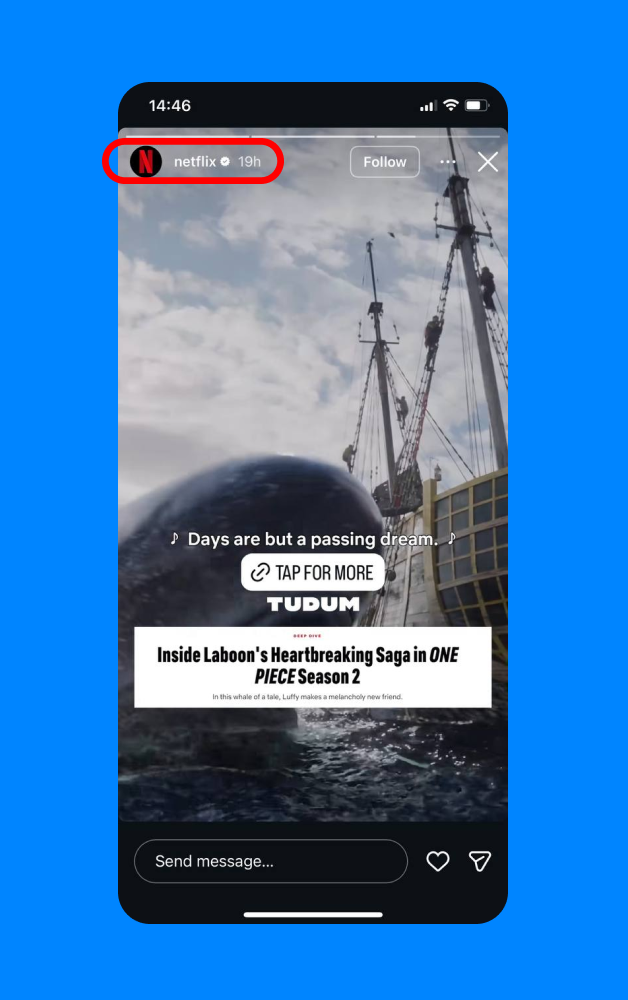
Credit: @netflix
Instagram Stories is a key feature where users can share photos or videos for 24 hours. After this period, they disappear and cannot be seen. Active stories are only accessible for a limited time and can be viewed by approved followers or the public, depending on account settings.
When posting Instagram Stories, users can add interactive features, such as polls, reactions, or a spot for IG story viewers to submit questions. These are used to interact with followers and give them a chance to get the poster’s attention.
Since people can only access Stories for 24 hours, the person who posted can see Instagram profile Story viewers. However, children who use Instagram (and sometimes parents) might not know how to see who has viewed their IG stories. Don’t worry, we’ll explain how to see your Instagram Story viewers in this article.
Who Can See Your Child’s Stories
as per Instagram terms and privacy protection, when your child creates an Instagram account, they automatically receive a private account. This means they must approve who follows them. However, when the child turns 16, they can change their Instagram profile to public, making it visible to everyone. But what does this mean for who can see their Stories?
- Private Account: Only approved followers can see your Instagram Stories.
- Public Account: Anyone can view your Instagram Stories—they don’t have to be a follower.
However, there is a feature to create a Close Friends list. That means the user can create a list of selected accounts that can view certain stories. This is especially important for parents who know that their child may be posting Stories that they cannot see because they did not include them on the Close Friends list.
How to Check Who Viewed Your Story
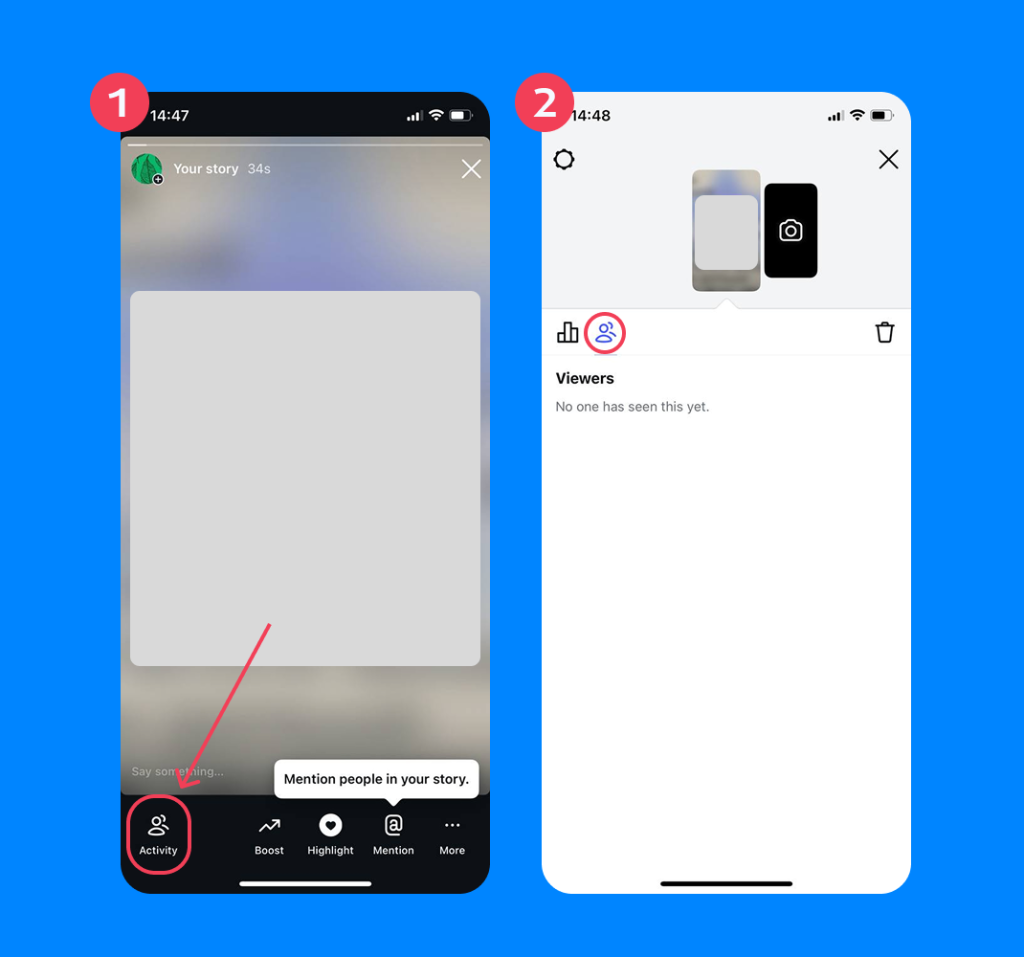
You can see who has viewed your IG Stories for as long as they are visible. To check who viewed your Story, follow these steps:
- Open the Instagram app.
- Tap on your available Stories.
- In the bottom left corner, select “Activity.”
- You can see a list of Instagram usernames that viewed the Story, along with reactions and likes.
Related: Is Instagram Safe for Kids to Use: What Parents Need To Know.
Can Someone View Instagram Stories Anonymously?
The short answer—kind of. There are some ways to enable anonymous viewing of Instagram Stories, but they are not 100% reliable or effective. Instagram is designed to show users who have viewed their Instagram Stories.
However, some tech-savvy people have found ways to look at someone’s Stories and remain anonymous. Some websites even claim to offer a completely free way to watch Stories without being detected, raising safety concerns.
For parents of children with Instagram profiles, this can be a cause of concern. Understanding how people might become anonymous Instagram Stories viewers is the first step to keeping your child safe online.
How to View Instagram Stories Anonymously
Instagram Stories is not designed for people to view them anonymously. In fact, Instagram wants users to know who has seen them! But there are still some ways that people can see these Stories without the user knowing.
Below are explanations of the most common ways people watch Instagram Stories anonymously.
Airplane Mode
Some people activate Airplane mode after opening the Instagram app to watch Instagram Stories anonymously. After the Insta Stories have loaded, they disconnect their phone from the Internet and can still view the Stories without showing up on the “Who Viewed This Story” list.
Create a Second Account
Another sneaky way people watch Instagram Stories without the user knowing who they are is by creating a fake account. Because an Instagram account is needed to view Stories, this is a popular way to be an anonymous story viewer.
The person who posted the Story will see what the fake account viewed, but they don’t necessarily know who the account owner is, creating complete anonymity.
This is often the most common way to bypass visibility. However, if the Instagram account is private (which it should be automatically for users under the age of 18), then the user must accept the fake account as a follower before they can see their Stories.
Adjacent Story “Slide” Method
Another sneaky way to view Instagram Stories anonymously is by using the “slide” method. This is when you open up a Story before the one you actually want to see. Then slowly swipe toward the next Story, but pause halfway. This allows you to get a glimpse of it without fully opening it and being tagged as a viewer.
Third-Party Online Viewers
There are third-party tools that let Instagram users be completely anonymous as an Insta Stories viewer. And they don’t need an Instagram account to watch Instagram stories. However, this only works for accounts that are public. Private account Stories are not accessible through third-party apps.
These Instagram anonymous story viewer apps usually require users to input an Instagram profile URL or Instagram username in the search bar. And since they allow you to view Instagram stories without a login required, you don’t show up on the viewer list.
Blocking After Viewing
Another common method to look at Instagram Stories and not show up in the “Who Viewed This Story” list is to block the profile right after viewing their Story. When this happens, your name will disappear from the list of people who have seen the Story.
Can You Tell If Someone Is Secretly Viewing Your Instagram Stories?
Since people might be able to view Instagram Stories secretly, you might not know about it at first. However, there are some subtle signs to look for if you suspect a user is looking at your Story anonymously.
- Sudden frequent views from an unknown IG account
- The same person disappears from views but engages elsewhere
- Suspicious timing patterns with views appearing immediately after posting
- Someone refers to content from a Story, but it didn’t show up on the Viewer list
- You get unexpected views on a private account
- Receive random followers after posting to Stories
- Sudden increase in Story views after switching from private to public
- Accounts with little activity regularly watch your Stories
While these may be signs that someone is anonymously watching your Instagram Stories, it does not always mean there is danger. This can also be normal social media behavior. However, if something doesn’t feel right about certain accounts, trust your gut and block the account.
How to Protect Your Child’s Instagram Stories
Fortunately, there are ways parents can protect their child’s Instagram Stories from being viewed by strangers.
Privacy Settings
The number one thing parents should do is verify that their child’s account is set to Private. This limits who can see their posts and Stories to just approved followers.
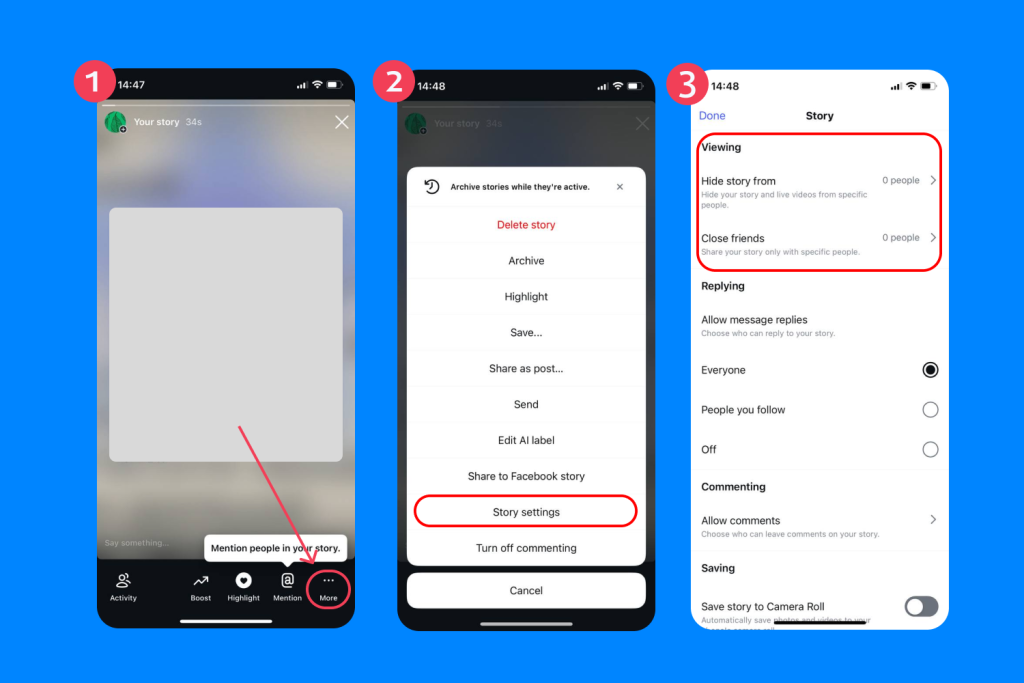
Additionally, if there is a follower you do not want to see your child’s Stories, you can “Hide” the story from them. This means Stories will not show up in that account’s feed.
Read more: Instagram Parental Controls: A Parent’s Guide to Keeping Kids Safe Online.
General Online Safety
Before you allow your child to create an Instagram account, it’s strongly advised to have an honest conversation about online safety. Remind them to avoid sharing sensitive information about themselves online, even if their profile is private.
Another safety tip for Instagram Stories is to wait to post until they have left the location they’re sharing. This avoids sharing their real-time location with followers.
Lastly, discuss what your child should do if they notice strange accounts following them or viewing their Stories. Make sure they know they can come to you at any time if they feel uncomfortable.
Parental Control Apps
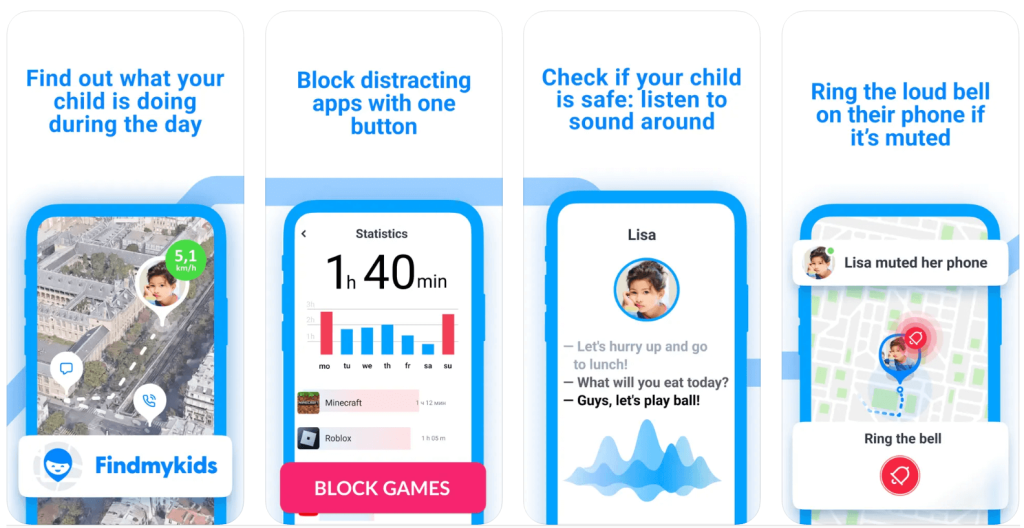
Findmykids app
A great way to keep children safe on Instagram and other social network apps is the Findmykids app. This third-party parental control app gives parents access to advanced features and more control over how their children use their devices—including how much time they spend in front of their screens.
With Findmykids, parents can:
- Manage Screen Time: Limit for how long your child can use certain apps each day to build healthy digital boundaries.
- View App Usage Statistics: Get reports about what apps your child uses, how much time they spend on them, and even where they use them the most.
- App Blocking: Block access to all apps and 18+ websites from your child’s device.
Having more control over how your child uses their phone and how much time they spend on it helps keep them safe and avoid excessive screen time.
Try Findmykids today and give your child the freedom to explore safely while keeping their screen time healthy and balanced!
Take Steps to Keep Your Kids Safe on Instagram
It can be difficult to tell your children they cannot have user profiles on social media. The next best thing is to educate yourself about the apps and how to protect your children when they use them.
Now that you know how Instagram Stories works and how to tell if someone is secretly watching them, you can take steps to protect your child’s privacy online. If you found this article helpful, make sure to share it with a friend who is also curious about online safety when it comes to Instagram.
FAQs
Can you view Instagram Stories anonymously?
Yes, there are some (unreliable) ways to watch an IG story without showing up on the viewer list. These include using methods like airplane mode, fake accounts, half sliding to the next story, blocking, or third-party apps.
Does Instagram have a built-in option to watch Stories anonymously?
No, Instagram doesn’t have a built-in option to watch Stories anonymously. It is designed to see who has viewed your Stories.
How to view Instagram Stories anonymously on a public account?
To view IG Stories anonymously on a public Instagram account, you can load the Story, then turn on Airplane mode and watch it. Then close out of the app before turning Airplane mode off. However, this method is not always effective.
Can you view Stories anonymously on private accounts?
There are some ways to view Stories anonymously on private accounts, but they are not reliable. You can use Airplane mode or block the account after viewing the Story.
Cover image: photomaru / Freepik.com
Проверьте электронный ящик