If you’re wondering, can you put parental controls on Instagram, you’ll be relieved to know the answer is yes. There are plenty of ways to protect teens and young people from harmful social media content and limit their time spent on the app.
In this article, we’ll show you how to keep your teen safe using Instagram’s built-in safety features, good family screen habits, and external monitoring tools.
Contents:
- Instagram’s Built-In Safety Resources: What Parents Should Know
- Why Built-In Parental Controls Aren’t Always Enough
- Other Ways to Support Safe Instagram Use At Home
- How to Set up a Family Safety Plan for Instagram
- FAQs
Instagram’s Built-In Safety Resources: What Parents Should Know

Credit: about.fb.com
Helping your teen navigate Instagram safely is a huge responsibility. You want them to enjoy the Instagram app and have safe, positive experiences online without invading their privacy or making them feel controlled.
Luckily, Instagram has a number of safety tools and resources available to parents via their Family Center. These include:
- Activity Summaries. Check your teen’s account usage and interactions, such as followers and following, time spent on the app, and recent message activity.
- Content Filters. Set filters to restrict sensitive content like videos depicting nudity, violence, or self-injury. Sensitive Content Controls also let you hide offensive comments and block users.
- Account Privacy Settings. Your teen’s account will be set to private by default, meaning they must approve follower requests. Content posted by private accounts is always invisible to non-followers.
It’s important to note that the Instagram app (which is owned by Meta, like Facebook and WhatsApp) doesn’t offer complete control over messaging or time limits. Supervision tools are more about oversight and setting daily time limits, as well as trying to protect your child from harmful content.
You should also note that teens can sometimes bypass content filters and override screen time restrictions, even if you set daily limits.
For step-by-step instructions on setting up your teen’s Instagram account, see our Instagram parental control guide, where we cover this in detail.
Why Built-In Parental Controls Aren’t Always Enough
One of the most reassuring features of Instagram is that you can adjust the settings so teens can only access certain features with a parent’s permission.
However, studies have found that even with the strictest settings enabled, harmful content can still slip through. It’s not that easy to hide comments, either. Increasingly, users use “algo speak” to bypass content filters, using coded words such as “unalive” for kill or “smex” for sex.
Another concern is that supervision and sleep mode features are mostly optional and require mutual consent from both parent and teen. Young users can also create a new account with an older birthdate to bypass default teen account settings, removing all parental control limits.
While a certain degree of freedom might feel appropriate for older teens, the holes in Instagram’s parental control and safety settings present potential risks for younger or more vulnerable users. These risks include cyberbullying in group chats, exposure to inappropriate content or unsafe images, and excessive time spent on the app.
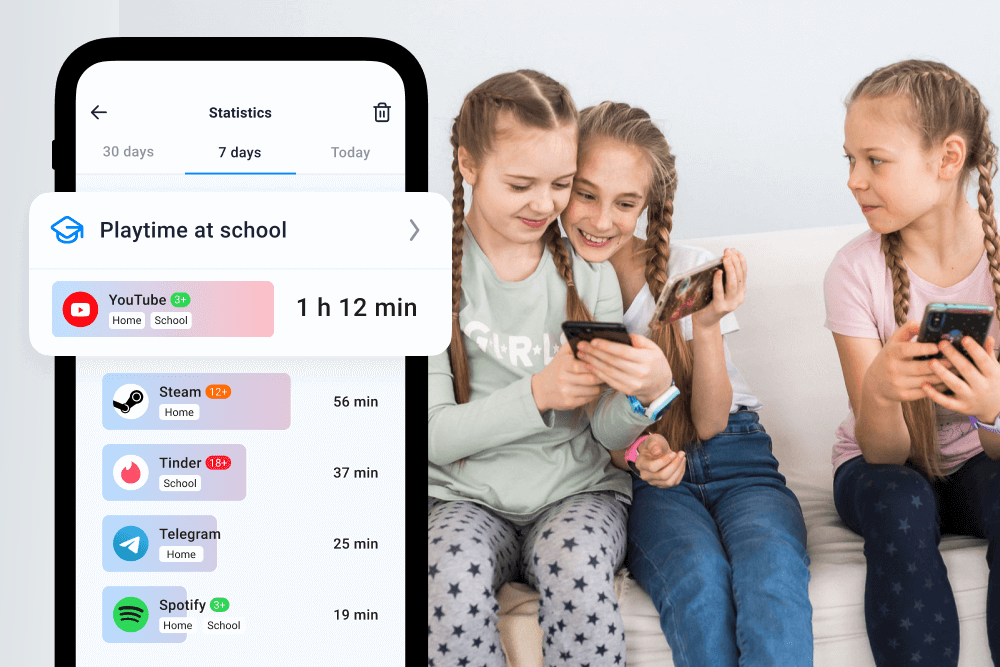
Using tools like Findmykids alongside Instagram’s parental control may give you more reassurance. Findmykids gives you the ability to monitor your teen’s app usage, set time limits, and block unwanted calls.
The app also lets you track your child’s real-time location, get notified about places they visit, and actually listen in to what is happening around them. This is ideal if you’re worried about where they are and they’re not answering their phone.
Other Ways to Support Safe Instagram Use At Home
Findmykids app
As well as trying to manage how much time your teen spends on Instagram and using the app’s built-in resources, there are other ways to keep them safe online.
This starts with encouraging open conversations around safe social media habits at home. You may also want to establish family rules and screen time schedules to avoid overuse.
When your child first starts using Instagram, before they share a single post, it’s a good idea to log on with them and explore the app together. This way, you can get an insight into their digital world and help them make sense of the platform before they commit to making anything public.
You should advise them to choose a safe, age-appropriate profile picture (e.g., one that doesn’t show them wearing their school uniform or with any location markers visible) and help them decide which accounts and friends to follow or block.
Logging off at night is also important. You can enable sleep mode on most phones and devices, which shuts off apps at certain times to give your child a break.
Related: How to Turn off Internet Access at Night?
How to Set up a Family Safety Plan for Instagram
Setting up a safety plan helps teens and young people to have safe, age-appropriate experiences online when they post, interact, and scroll.
Here are the steps to follow if you want to set up a safety plan for teens:
- Set All Teen Accounts To Private. This should happen by default if your child is under 16 and spending time on Instagram or Facebook, but it’s worth double-checking.
- Use the Supervision / Family Center Invite. If you’re setting up a teen account on Instagram, you’ll need to send your child an invite for supervision. They must accept this invitation for you to use parental controls. You can do this on a phone, computer, or tablet.
- Turn On Hidden Words/Comment Filters. It’s important to filter out unsafe language and offensive comments. Not only does this protect your child from inappropriate content, but it also limits online bullying.
- Restrict Unknown Message Requests and Story Views. Instagram should automatically prevent unknown users over 18 from sending messages to your child, and you should get a notification. Double-check your settings and make sure you are notified if your child is ever connected with a person they don’t know.
- Set Limits For Time Spent On Instagram. Use the app’s built-in time limits, as well as sleep mode, and external monitoring tools like Findmykids.
- Agree on Family Rules: Have open conversations around screen-time limits and trust-building. Boundaries might include putting their device in sleep mode at night, blocking unknown follower requests, and sharing concerns openly.
For step-by-step instructions on setting up parental controls on Instagram, check here!
It’s important to approach the topic of online safety with trust and empathy. If you try to control your child or use blaming or shaming language, they will shut down and stop sharing, which will only make them more unsafe.
Reinforce that it’s never their fault if they see something they’re not supposed to see online, and that you won’t be mad. What’s important is that they’re honest so that you can help them block the account, report the incident, and move on.
How to Help Teens Establish Good Instagram Habits

mundissima/Shutterstock.com
Setting up parental controls on Instagram might be a bit time-consuming, but it is necessary if you want them to have age-appropriate experiences online with their friends.
However, the best way to ensure teens are safe on Instagram is to establish a complete family safety plan. This may consist of rules, open conversations, Instagram’s parental control settings, and external monitoring apps like Findmykids.
No parental control feature is failsafe, but with this comprehensive approach, you can make sure all bases are covered, instilling good habits in your kids.
A family safety plan won’t just help your teen navigate Instagram safely but will hopefully set them up for a lifetime of responsible, safe social media use.
FAQs
How do I restrict inappropriate content on my child’s Instagram account?
You can restrict harmful or inappropriate content by using Instagram’s built-in Supervision tools and settings, available via the Family Center. You should always check Instagram’s community guidelines for the latest version of their teen privacy and safety settings.
Does Instagram have child restrictions? Can I create time limits?
Children under 13 cannot use Instagram. For teens 13–17, parents can set up daily time limits and restrictions through the Family Center. You can also set sleep mode controls through devices like phones and iPads.
How can I control who interacts with my teen’s account?
Instagram gives teens several tools to limit unwanted interactions. They can hide comments, choose who’s allowed to receive messages from them, and manage who follows their account. Reviewing these settings together helps your teen stay in control of who they connect with and ensures they feel comfortable when they post or interact with others. It’s also a good idea to encourage them to follow and communicate only with real-life friends they trust.
Can I reduce how much time my teen spends on Instagram?
Yes. Parents and teens can set daily time limits so the user gets reminders when they’ve been on the app for too long. This feature makes it easier for teens to manage their screen time and develop healthier habits around how they spend time online.
Can parents using parental controls see messages on Instagram?
No. Parent using the Supervision feature can see who teens have messaged and received messages from over the last 7 days, but they cannot read the contents.
Can parents see what teens do on Instagram, including comments and likes?
If teens have Supervision set up, their parents can see some of their activity, including their likes, followers, and publicly available posts and comments. But parents cannot see any private messages.
Cover image: Luiza Kamalova / Shutterstock.com
Проверьте электронный ящик