














Every parent wants their kids to have fun while staying safe. And with thousands of games now available across phones, tablets, computers, and gaming consoles, choosing the right ones can feel like quite an overwhelming task. Some games encourage creativity, teamwork, and learning, while others expose kids to strangers, aggressive advertising, or unnecessary in-app purchases.
And unfortunately, telling those two apart is hard when you’re just looking at a game description on a screen.
Luckily, finding safe games for kids doesn’t mean avoiding technology altogether. You just need to know how to choose age-appropriate ones that match your child’s development while creating healthy habits around how they play, communicate, and spend time both online and offline.
Key Takeaways
- Choosing safe kids’ games starts with checking age ratings and ability levels, privacy settings, advertising, chat features, and educational value, not simply downloading the most popular title.
- The best games for kids encourage creativity, reading, math, problem-solving skills, movement, or family interaction while avoiding inappropriate content.
- Parents should regularly review new online games, discuss internet safety, and understand how in-game purchases and social features work before children begin to play.
- A healthy balance includes screen time limits, outdoor play, family activities, and tools like Findmykids that help parents manage gaming without making games feel like a punishment.
Contents:
What Makes a Game Safe for Kids?
Not every fun game that’s marketed toward children is automatically safe. So before you download a new app or buy a video game, consider the following factors.
Age Appropriateness
Credit: internetmatters.org
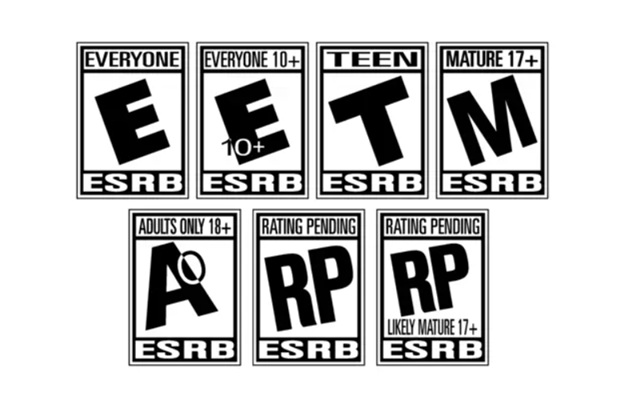
A game designed for teenagers may contain social features or competitive elements that younger children simply aren’t ready to handle. That’s why you need to confirm a game’s age appropriateness first.
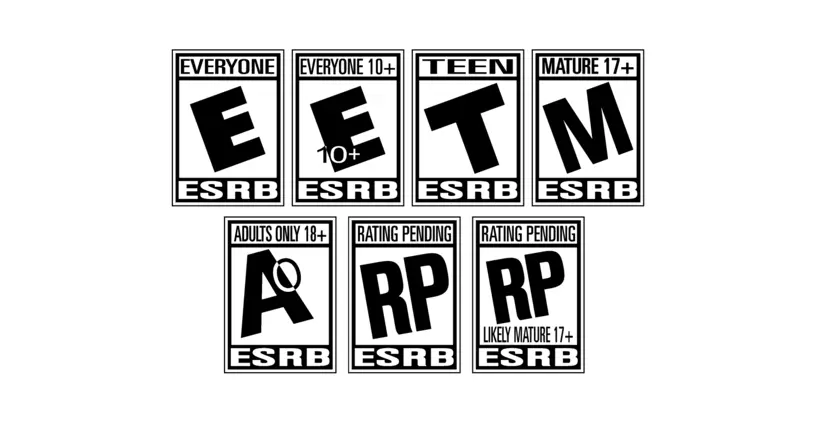
The easiest way to do this is by checking its rating, which is readily available as a service of organizations like the Entertainment Software Rating Board. ESRB provides recommendations based on language, violence, themes, and online interaction.
| ESRB Rating | Recommended Age | What It Means |
| EC (Early Childhood) | 3+ | Designed for very young children. Contains no material that parents would typically find inappropriate. |
| E (Everyone) | 6+ | Suitable for most children. May include mild cartoon violence or very mild language. |
| E10+ (Everyone 10+) | 10+ | May contain more action, mild fantasy violence, or slightly stronger language. |
| T (Teen) | 13+ | May include moderate violence, crude humor, mild gambling themes, or stronger language. |
| M (Mature 17+) | 17+ | Intended for older teens and adults. May contain intense violence, sexual content, or strong language. |
| AO (Adults Only 18+) | 18+ | Contains explicit adult content and is not appropriate for children or teenagers. |
⠀
Remember that ratings exist only as a starting point; reading reviews from parents and watching gameplay videos is another strategy you can use to decide whether a game fits your family’s expectations.
No Inappropriate Content
Kids shouldn’t be exposed to excessive violence, gambling mechanics, sexual material, hate speech, or mature language. That seems pretty obvious, but the challenge is rooting out whether a game is purely entertaining or if it’s entertaining and also includes inappropriate content.
Even if gameplay seems harmless, some online games include user-generated content that parents never intended their child to see (despite the ratings).
Ask yourself:
- Does the game include violence?
- Are there open chat rooms?
- Can strangers contact my child?
- Is there user-created content?
- Does it encourage positive behavior?
Safe Interaction Features
Many modern online games encourage players to communicate with their teammates. And while social interaction like this can be beneficial in helping children make friends and practice teamwork, parents also need to know who their children might be able to interact with during the game.
Prioritize games that include:
- Parent-controlled chat
- Friend approval systems
- Private accounts
- Easy reporting tools
- Moderated communities
On the flip side, games that allow unrestricted messaging with strangers deserve extra caution, particularly for younger users.
Advertising and In-App Purchases
One of the biggest frustrations for parents isn’t necessarily the gameplay itself but what happens between levels. Some free games interrupt play with constant advertising, while others encourage children to spend money through cosmetic upgrades, bonus lives, or surprise loot mechanics.
Even educational apps sometimes rely on frequent advertising, so reading reviews beforehand is the best way to prevent any surprises later. You can also look for games that are ad-free, transparent about costs, and free of aggressive in-app purchase drives. Make sure you choose those that are clear about subscriptions, too.
Educational and Developmental Value
The best educational games entertain kids while also helping them build valuable skills. Depending on your child’s age, these exciting games can improve reading comprehension, math, memory, creativity, communication, and problem-solving skills.
Not every single game needs to be educational, but mixing learning with entertainment ultimately creates healthier screen habits over time.
Best Types of Safe Kids’ Games

Freepik / magnific.com
Different kinds of games support different aspects of child development, but a balanced routine usually includes digital and offline activities.
| Category | Recommended Ages | Benefits | Examples |
| Educational Online Games | 4+ | Reading, math, science, learning | PBS Kids Games, ABCya, Prodigy Math |
| Board Games | 4+ | Strategy, family bonding, patience | Candy Land, Guess Who?, Ticket to Ride First Journey |
| Outdoor Games | All ages | Exercise, teamwork, confidence | Tag, soccer, scavenger hunts, catch with a ball |
| Interactive Games and Toys | Toddlers–8 | Creativity, imagination, motor development | LEGO, magnetic tiles, Osmo, coding robots |
| Family Games | All ages | Communication, cooperation, laughter | Charades, Pictionary, Tic Tac Toe, Uno |
⠀
Don’t feel like you just need to choose between technology and traditional play, either. Combining digital learning with board games, outdoor games, and creative toys is an excellent approach, as it gives children a wider, more well-balanced range of experiences.
Related: The Most Fun and Engaging Board Games for Kids in 2026.
What Parents Should Check Before Allowing an Online Game
Before you download any new app, run through this quick checklist:
| Question | Why It Matters |
| Is the game age-appropriate? | Helps match content to your child’s maturity |
| Can strangers contact players? | Limits unwanted interaction |
| Are parental controls available? | Gives parents more control over communication and purchases |
| Does it include advertising? | Excessive ads may expose children to unsuitable products |
| Are there in-game purchases? | Prevents unexpected spending of real money |
| Does it collect personal information? | Protects privacy and internet safety |
| Is gameplay educational or creative? | Encourages learning alongside entertainment |
| Are reviews from other parents positive? | Helps identify hidden concerns before downloading |
⠀
This checklist is not about restricting access entirely but about helping parents make more informed choices before a game becomes part of a child’s daily routine. Even a quick review of these points can significantly reduce surprises later on.
Safe Online Game Categories
Credit: assets.nintendo.com
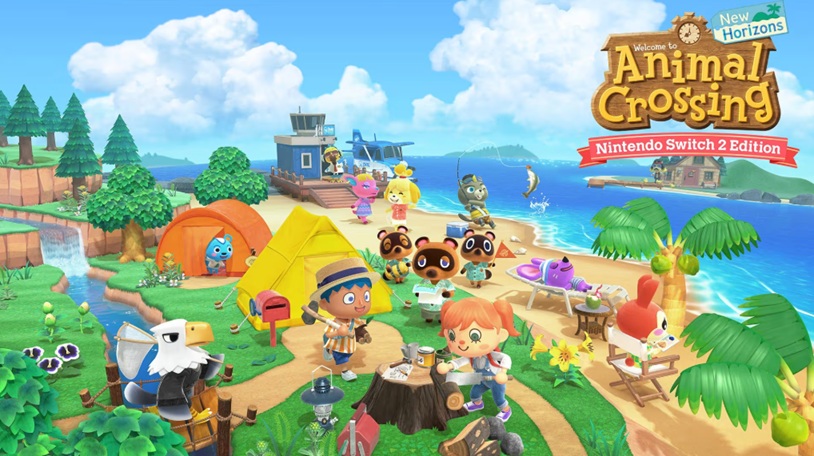
As a parent, you might find yourself panicking when you hear the words “online games,” but fortunately, plenty of excellent options exist. Safe online games are designed specifically for children, use moderated communities, and give parents meaningful privacy controls they can actually depend on.
Learning Platforms
Learning platforms combine educational activities with stories, puzzles, and mini-games that help children build reading, math, vocabulary, and science skills.
Some examples include:
- PBS Kids Games
- ABCya
- Prodigy Math
Creative Building Games
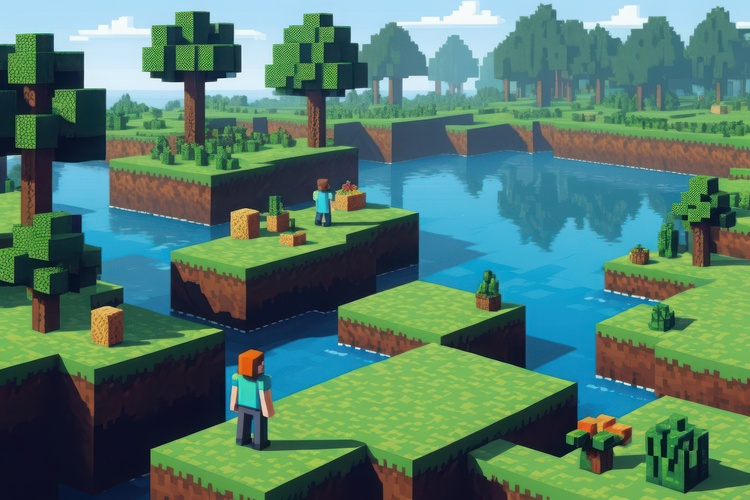
Building games encourage children to discover solutions through experimentation. With parental controls, Minecraft lets children build worlds, solve puzzles, and express their creativity. When played in private worlds or supervised servers, it provides a safe, engaging sandbox experience. Just make sure you disable public multiplayer for younger players.
Puzzle Games
Digital puzzles can strengthen memory, planning, attention, and logical thinking. Many younger children enjoy matching games, while older kids often gravitate toward more complex logic challenges.
Puzzle-based experiences can quietly build valuable learning habits. Plus, they’re just plain fun!
Family-Friendly Multiplayer Games
Not every multiplayer game is risky. Many encourage positive interaction between siblings, parents, and friends.
Examples include:
- Mario Kart
- Animal Crossing
- Overcooked
- Lego video games
Red Flags in Online Games
While many online games are designed with children in mind, others include features that may not be suitable for younger players. Before you allow your child to download a new game, watch for these warning signs:
- Unrestricted chat features that allow children to communicate with strangers.
- Aggressive advertising that interrupts gameplay or promotes products aimed at children.
- Frequent requests for money through subscriptions, virtual currency, or loot boxes.
- Games that encourage players to spend real money to progress more quickly.
- Poor privacy policies that collect unnecessary personal information.
- User-generated content that isn’t moderated.
- Pressure to stay online through limited-time rewards or daily login bonuses.
- Excessive violence, gambling mechanics, or other mature themes.
If a game raises several of these concerns, it’s worth looking for a safer alternative.
Best Safe Kids Games by Age Group
ahfarhan001 / magnific.com
Kids’ interests and abilities change fast, so choosing age-appropriate games is easier when you think about developmental stages instead of just age ratings.
Ages 3–5
Young children learn best through simple, hands-on activities that encourage curiosity and exploration.
Good choices include:
- PBS Kids Games
- Khan Academy Kids
- LEGO DUPLO
- Matching games
- Shape and color puzzles
- Tic Tac Toe with a parent
- Simple memory games
At this age, children benefit from educational games that build basic reading, counting, letter recognition, and motor skills. Most play should still happen away from a screen through books, toys, pretend play, and outdoor games.
Ages 6–9
Elementary-aged children are ready for games that combine learning with creativity.
Some recommended games include:
- ABCya
- Prodigy Math
- Minecraft Creative Mode
- Animal Crossing
- Mario Kart
- Digital puzzles
- Board games like Uno, Guess Who?, and Ticket to Ride First Journey
Kids in this age group tend to enjoy earning rewards and completing challenges. You can use these interests to encourage reading, math practice, and problem-solving skills while still keeping gaming balanced with family activities.
Ages 10–12
Preteens often become interested in multiplayer games and more complex challenges.
Some good options include:
- Minecraft (private servers)
- Roblox with parental controls and account restrictions
- Pokémon GO
- Nintendo Switch family titles
- Strategy board games
- Cooperative puzzle games
This stage is also when you should begin talking more about internet safety, respectful communication, and recognizing scams. It’s also a good age to discuss responsible spending, so children understand how virtual purchases work before they’re tempted to buy cosmetic upgrades or other digital items.
Ages 13+
Teenagers typically seek more independence and enjoy playing with friends online.
The most appropriate choices depend on maturity level, but you should continue to discuss healthy gaming habits and digital citizenship nonetheless.
Some popular options include:
- Minecraft
- Rocket League
- Nintendo family games
- Strategy games
- Creative building games
- Educational coding platforms
Rather than focusing only on restrictions, encourage your teens to think critically about the games they play, how much time they spend online, and how gaming fits alongside school, hobbies, sports, and family responsibilities.
Important! Screen Time Rules for Safe Gaming
Findmykids app
Even the best safe games are only one part of healthy technology habits. Establishing clear expectations helps children enjoy games while making time for learning, exercise, and family activities.
Some advice:
- Set daily screen time limits that match your child’s age.
- Keep devices out of bedrooms overnight.
- Encourage outdoor games, sports, reading, and creative hobbies each day.
- Play together whenever possible to better understand the games your child enjoys.
- Keep conversations open about online experiences instead of relying only on restrictions.
- Schedule regular breaks to reduce eye strain and encourage movement.
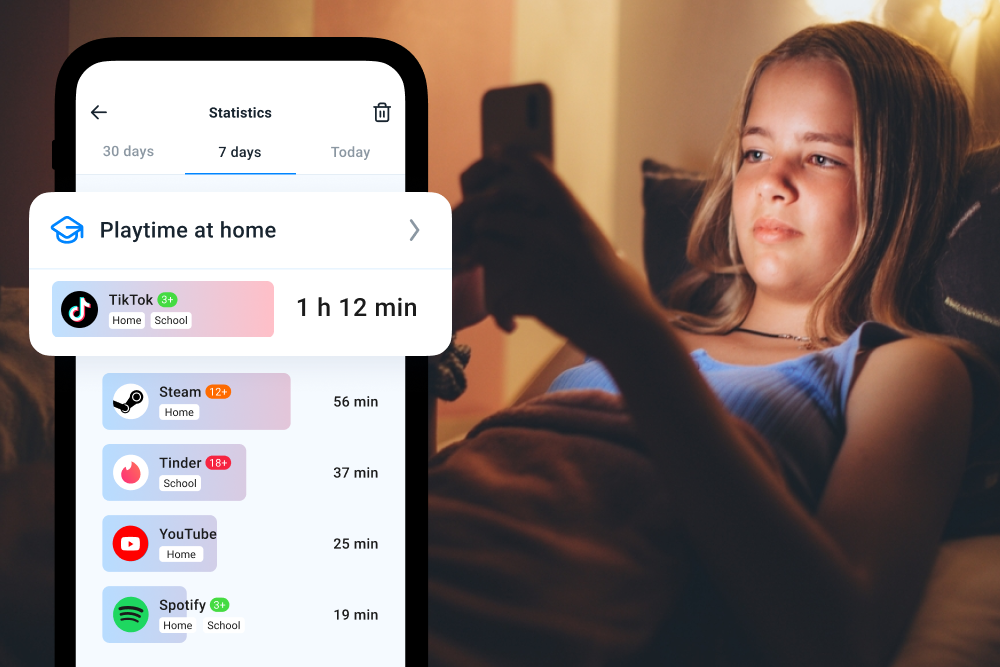
Technology can also help parents support healthy habits. The Findmykids app gives families practical tools for balancing gaming with everyday life.
You can see how much time your kids spend in games and social apps, block specific apps on Android devices, prevent in-app purchases, and filter 18+ websites on supported iOS devices.
In addition, you can set device usage schedules and healthy daily limits, so the phone is available only at approved times (for example, after homework or during weekends). You can also see how much time your child spends on the phone at night, and get a clear breakdown of which app categories they use most—such as games, social media, or entertainment.
Other features, like real-time location, movement notifications, route history, SOS alerts, and family chat, help you stay connected whether your kids are at school, visiting friends, or heading home.
Want to build healthier screen habits without constant conflict? Try Findmykids right now for free and set simple, balanced rules that actually work in everyday family life!
Helping Kids Build Healthy Gaming Habits
Safe gaming isn’t about banning technology. It’s about choosing age-appropriate games, staying involved, and helping children develop healthy digital habits.
Combined with tools like Findmykids, families can enjoy technology while making time for learning, outdoor play, and real-world connections.
FAQs
What are safe kids’ games?
Safe kids’ games are games designed with children’s ages and developmental needs in mind. They avoid inappropriate content, offer strong privacy protections, include appropriate parental controls, and encourage positive play, creativity, or learning.
Are online games safe for kids?
Many online games are safe when parents choose reputable platforms, review privacy settings, supervise younger children, and enable available parental controls. Games with moderated communities and limited communication features are generally better choices.
What are the best safe games for young children?
Some excellent options include PBS Kids Games, Khan Academy Kids, ABCya, simple puzzles, matching games, Tic Tac Toe, and family board games that encourage learning and social interaction.
How can I tell if a game is age-appropriate?
Start by checking the ESRB or PEGI rating, then read reviews, watch gameplay videos, and look at features such as chat options, advertising, in-app purchases, and the type of content included.
Are free games safe for kids?
Some free games are excellent, while others rely heavily on advertising or encourage frequent in-app purchases. Always review a game’s privacy settings, monetization model, and parent reviews before allowing children to download it.
Sources & References
- Ratings Guide, Entertainment Software Rating Board (ESRB)
- Media and Young Minds, American Academy of Pediatrics, 2016
- Protecting Kids Online, Federal Trade Commission
- FTC Report Finds Sexually and Violently Explicit Content in Online Virtual Worlds Accessed by Minors, Federal Trade Commission, 2019
Cover image: Evgeniiafreeman / magnific.com
Проверьте электронный ящик