















Tracking apps are an essential part of our daily lives, helping us locate friends, family members, and our kids. They can also prevent theft or help retrieve a stolen device.
However, not all free mobile tracker apps are built the same. While there are plenty of free cell phone tracker options, there are also paid services available. Finding the right one will require you to consider the app’s essential features.
In this article, we’re sharing the best free mobile GPS tracking apps that you can download and start using today.
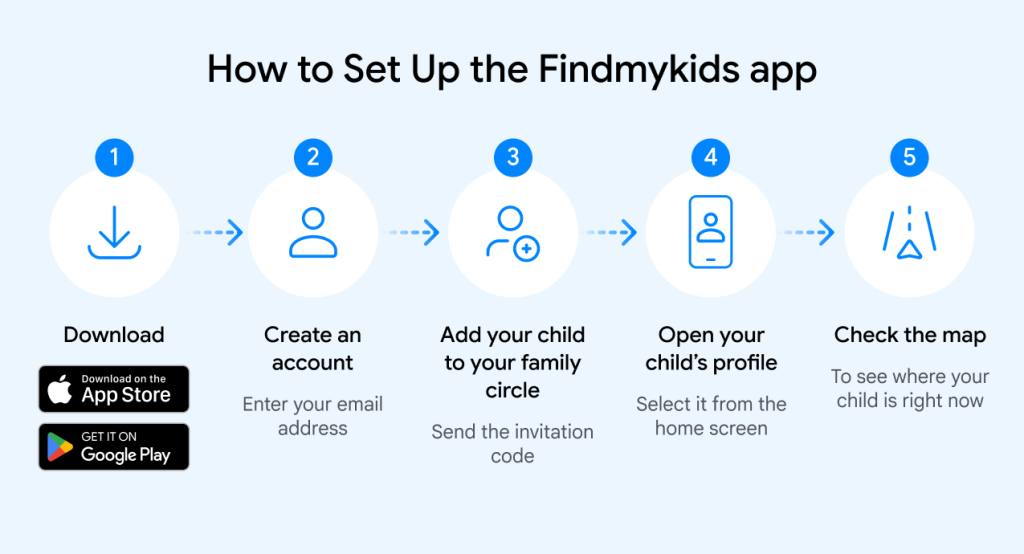
With the Findmykids app, you can track a person’s location using your phone. Download from the App Store and Google Play.
Key Takeaways
- Free mobile tracker apps vary widely, so compare compatibility, pricing, location tools, parental controls, and trial limitations carefully before downloading one.
- GPS, cell towers, and Wi-Fi help tracking apps locate devices, but accuracy and available features can differ between services.
- Built-in Apple and Android tools work well for finding lost devices, while third-party apps usually provide broader parental-control features.
- Geofencing, location history, SOS alerts, and battery monitoring can help parents respond quickly and understand a child’s daily movements.
- Most tracking apps require installation and device connection first, so families should choose legal, legitimate methods that follow applicable local privacy laws.
Contents:
Comparison Table of Top 15 Free Mobile Tracker Apps
With so many different mobile tracker apps out there, finding the right one for your family comes down to comparing their features and prices. Below is a chart that lets you easily compare the location-tracking and parental-control apps in this article to help you decide which one best fits your needs and helps keep your family safe.
| Tool Name | Best For | Platform | Price | Free Trial |
| Findmykids | Parental control, location and activity tracking | iOS, Android, GPS watch, web version | Free | Yes |
| Life360 | Battery monitoring app and location sharing | iOS and Android | $7.99 – $24.99/month | Yes |
| uMobix | App usage tracking | Android | $49.99 | Yes |
| SpyHuman | Website history viewing | Android | $17.99/month | Yes |
| FamiSafe | App blocking | iOS and Android | $4.99/month | Yes—3-day free trial of premium plan |
| Hoverwatch | Social media tracking | Android only | $29.95/month | Yes |
| mSpy | Parental control app | iOS and Android | $11.67 to $48.99/month | Yes—7-day free trial |
| Glympse | Location tracking | iOS and Android | Free | Yes |
| Find My | Lost iPhone tracking | iOS | Free | Yes |
| Mobile Tracker Free | SMS monitoring | Android only | Free | Yes |
| Geo Tracker | Live Google maps tracking/GPS free phone tracking app | iOS and Android | Free | Yes |
| Snoopza | Social media monitoring | Android | $8.33/month | Yes |
| SpyBubble | Real-time location tracking | Android and iOS | $24.95/month | Yes |
| iSharing | Location tracking and driving monitoring | Android and iOS | $6.99 to $12.99/month | Yes–7 days |
| MyCarTracks | Tracking vehicles and drivers | Android and iOS | $4/month | Yes–14 days |
⠀
As you can see, not all of these apps are made the same. Some are great for tracking your child’s online activity, while others focus on location tracking. The first thing to do is decide how you want to use the app in your parenting, then choose the one that aligns with your goals. ⠀
Phone Tracking Apps: What Are They?
Phone tracker apps are tools you can use to help you locate a loved one or find a lost or stolen mobile device. They work by using various location-tracking technologies, including GPS satellites, cell towers, and local Wi-Fi networks, to build an accurate picture of a target device’s location.
The police and other security agencies are among the most well-known users of phone tracker technology. However, the technology has now become mainstream—you can download family locator or phone tracker apps on almost any modern device, including iOS and Android smartphones, smartwatches, and tablets. In fact, up to 67% of parents use location-tracking apps to see their children’s locations.
All in all, phone tracker apps are crucial for ensuring your children’s safety.
Being an effective parent in this digital age can be challenging. However, we’re going to provide you with a list of free mobile tracker apps that will help you make sure your family is safe and secure—and make your life a little easier at the same time, too.
How To Legally Track A Cell Phone Location For Free
Secretly tracking someone’s location using their phone is often associated with the police, security agencies, and crime drama movies.
There are many ways to track a phone number—both legal and illegal.
To avoid worrying about breaching privacy laws, it’s always best to find legal, legitimate ways to track a person or a device. To do this, you’ll need to install a free mobile tracking system.
Most tracker apps require you to connect the device you want to monitor before tracking its location.
For example, the Findmykids GPS tracking app requires you to connect a device, such as your child’s smartphone, before you can use the app. This type of tracking is designed for family safety purposes and should be set up transparently, with the child’s awareness whenever appropriate.
Many other apps offer a feature that lets you track a device without the user knowing, provided you’ve successfully connected it before monitoring. However, using such features without the person’s knowledge or consent may violate privacy laws and ethical principles. Responsible tracking should always have a legitimate purpose, follow applicable laws, and respect the privacy of the person being monitored.
Below is a list of the top free tracker apps that will help you legally track the location of a mobile device.
15 Free Cell Phone Tracker Apps
#1 Findmykids
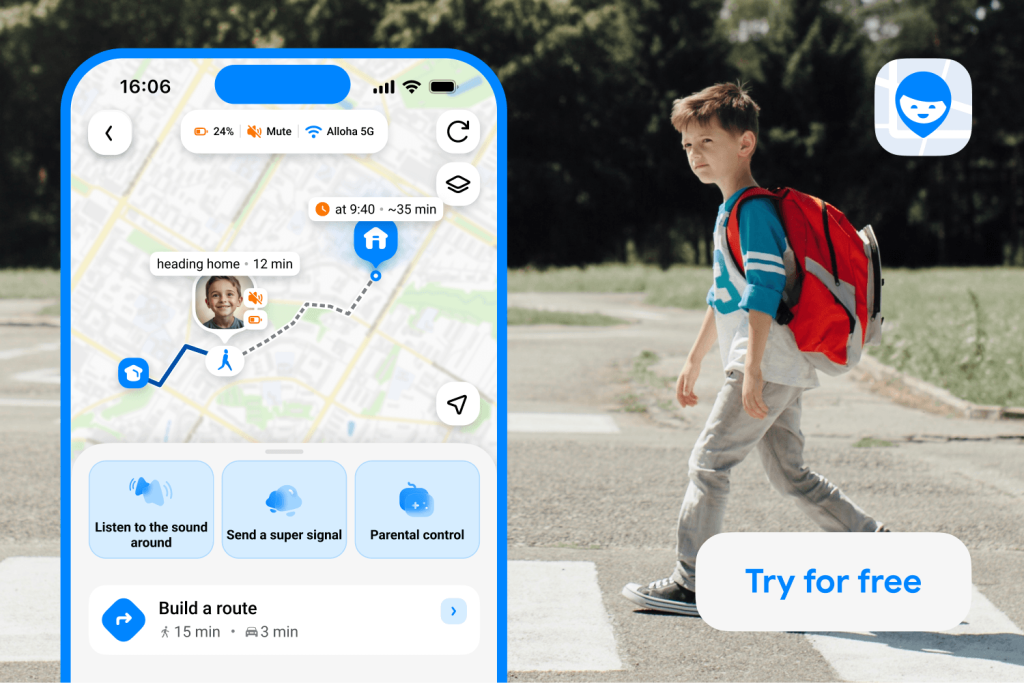
Findmykids app
The Findmykids app is a fantastic all-around cell phone tracking solution and parental control app. The app has a wide range of advanced features, including real-time location tracking, geofencing alerts, and support for GPS smartwatches for kids.
There are also parental controls that will enable you to view your child’s activity on their smartphone—what apps they’re using, how long they’re using their device for, etc. Using the parental controls, you’ll be able to control your child’s device settings, including setting screen time limits, helping to prevent gadget addiction.
The app’s main features include:
- Location tracking — track the location of your kids in real time
- Location history — view all saved routes and access detailed information about each trip, including the start and end time, type of movement (walking or transport), all stops along the way, speed, and safety indicators such as sudden turns, hard braking, and other unusual driving patterns
- Area alerts — receive real-time updates when your child leaves or arrives at a specific location
- Family circles — create a shared family space where parents, relatives, and other trusted adults can stay connected and see each other’s locations. Family members can join the circle to coordinate daily activities and make sure everyone stays safe.
- Activity tracking — view your child’s activity on their device, e.g., what apps they’re using, for how long, etc.
- Listen to surroundings — hear what’s happening around your child through their device with Sound Around (Android users only)
- GPS smartwatch connectivity — connect the Findmykids app to a GPS smartwatch
The app is available as a free download for both iOS and Android devices. To learn more about the Findmykids app, click here.

#2 Life360
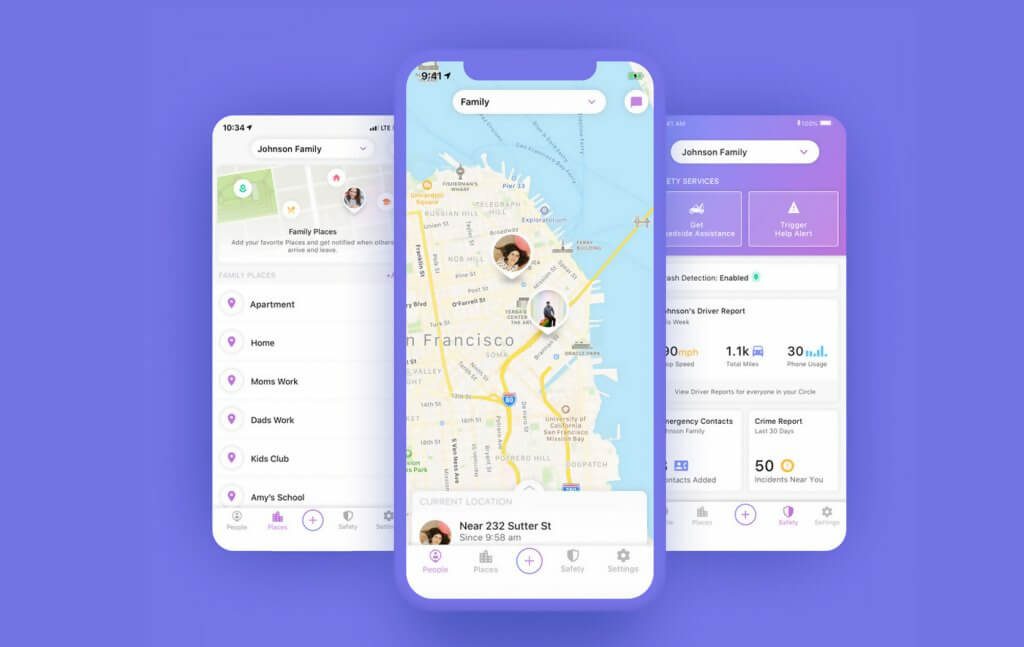
Credit: life360.com
Life360 is a popular family location-sharing app. Its sleek, easy-to-use interface makes it simple to share locations with family members in one place.
The Free plan offers many useful features. These include:
- Location Sharing — your family can share their location with you
- Battery Usage Monitoring — see if a family member’s device is running low on battery
- Location ETA — get an accurate time and distance between you and a family member
- Help Alerts — enables a family member to alert you if they’re in trouble
Other advanced features available on the free version of the app include location history, which enables you to view the complete location history of your family members. You can also receive Place Alerts—notifications when your family members arrive at specific locations, like school or business hangouts.
The app is available with paid plans starting at $7.99 per month for iOS and Android. Life360’s website.
#3 uMobix
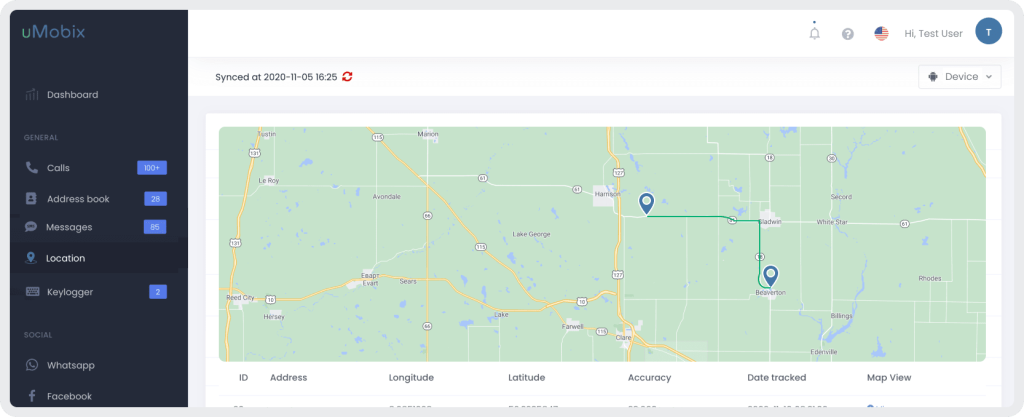
Credit: umobix.com
uMobix is a mobile tracker app that allows you to keep tabs on your child’s activity on their device. With uMobix, you can see your child’s call logs, GPS location, photos, and videos, depending on device compatibility and permissions. The app also lets you monitor certain social media activity features, including Facebook, Instagram, Snapchat, and WhatsApp.
Other key features of uMobix include:
- Real-time tracking of phone calls
- Instant alerts for geofencing
- Remote screen lock
- Instant messaging tracking
- App usage tracking
The app is available starting at $49.99 per month for Android. There is a free trial available. Here’s the uMobix website.
#4 SpyHuman
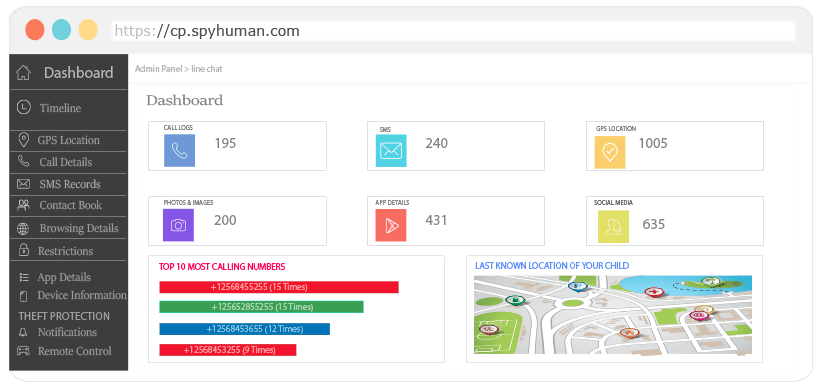
Credit: spyhuman.com
SpyHuman offers a wide range of advanced features for users looking to track mobile devices.
In addition to accurate location tracking, the app lets you view activity on a specific device—including website history, photos, and video files. You can also access audio monitoring features, where available and permitted.
The main features of the app include:
- Both cell tracking and location tracking
- App Blocker — instantlyblock selected apps and manage device usage
- File Explorer — view any files stored on the device
- Live sound recording
The app is available starting at $17.99 per month for Android. There is a free trial available. SpyHuman’s website.
#5 FamiSafe
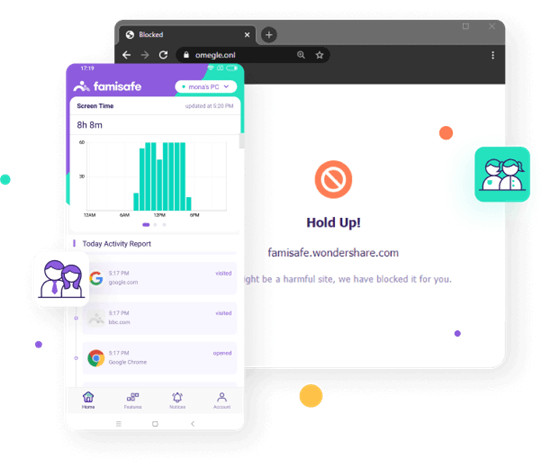
Credit: famisafe.wondershare.com
FamiSafe is a top-rated app for families looking to safeguard their children, both in the digital world and the real world.
The app has free features such as location tracking, but the company also offers a 3-day free trial of the premium plan.
Using the free trial, you’ll be able to filter malicious website content, detect potentially inappropriate images, set screen-time limits, and set up geofencing.
The main features of the app include:
- App Blocker — block the use of specific apps
- Real-time location tracking
- Set screen-time limits
- Geofencing — get alerted when your child leaves a specific area
The app is available starting at $4.99 per month for iOS and Android. FamiSafe’s website.
#6 Hoverwatch
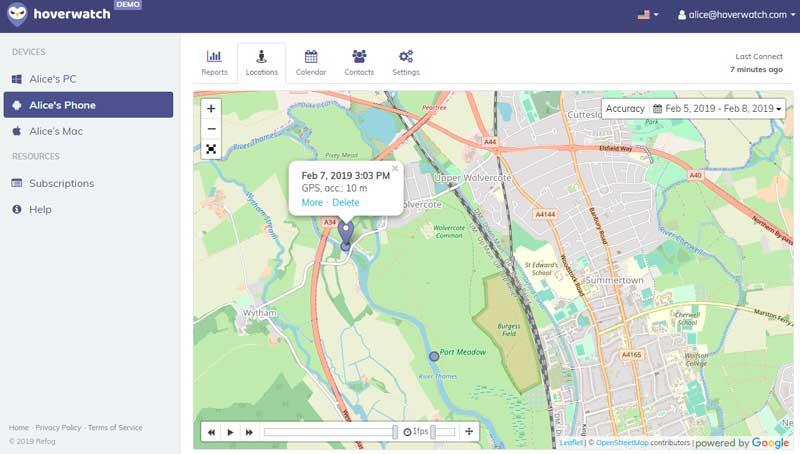
Credit: hoverwatch.com
Hoverwatch is a feature-rich mobile tracker that also offers a wide range of parental controls.
This cell phone tracking app is most notable for its wide range of social media tracking options—you’ll be able to track WhatsApp messages, as well as monitor activity on Snapchat, Facebook, and Viber.
The app goes even further, enabling you to view call history and SMS messages on a tracked device.
Using the app, you’ll also be able to track the locations of your kids.
The main features of the app include:
- Social media monitoring — Snapchat, WhatsApp, Facebook, and Viber
- Location tracking
- SMS and call history tracking
- Monitor cell phones and other devices — including smartphones, tablets, and laptops
Currently, Hoverwatch is only available for Android users. It is $29.95 per month with a free trial available on Hoverwatch’s website.
#7 mSpy
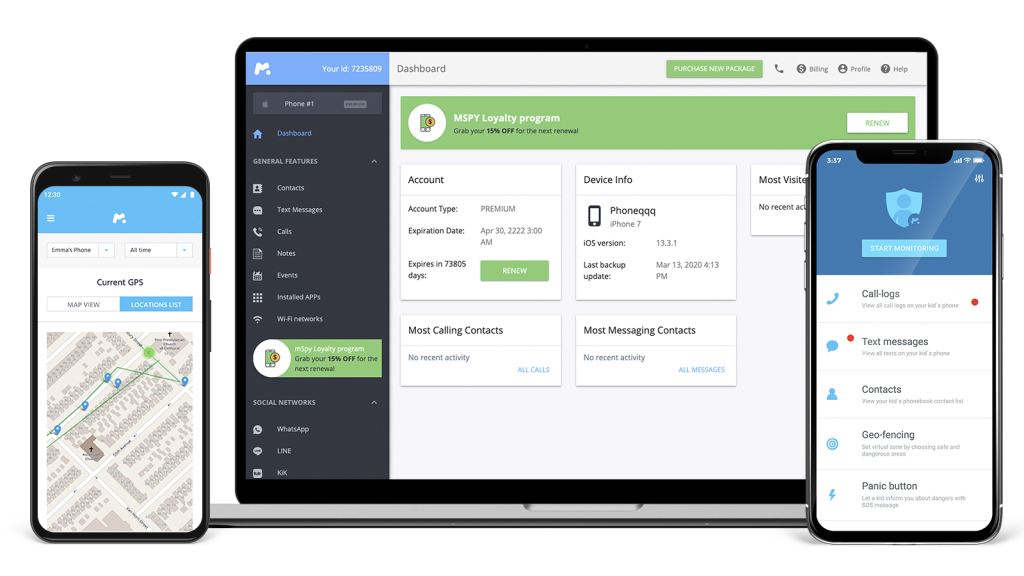
Credit: mspy.com
mSpy is a popular app that offers many tracking features. The app currently offers a 7-day free trial, allowing users to get a feel for it before deciding to purchase.
mSpy offers real-time location tracking and a wide variety of parental control functionality. The parent control features include SMS tracking, app control, and access to messaging apps—such as Messenger. You can also flag inappropriate activity and block access to inappropriate apps.
The main features of the app include:
- Real-time location tracking
- App control—view activity on specific apps, flag inappropriate apps, and block access where necessary
- SMS tracking
- Internet activity monitoring
mSpy is available for iOS and Android devices and costs from $11.67 to $48.99/month.
Learn more about the pricing plans and features on mSpy’s website.
#8 Glympse
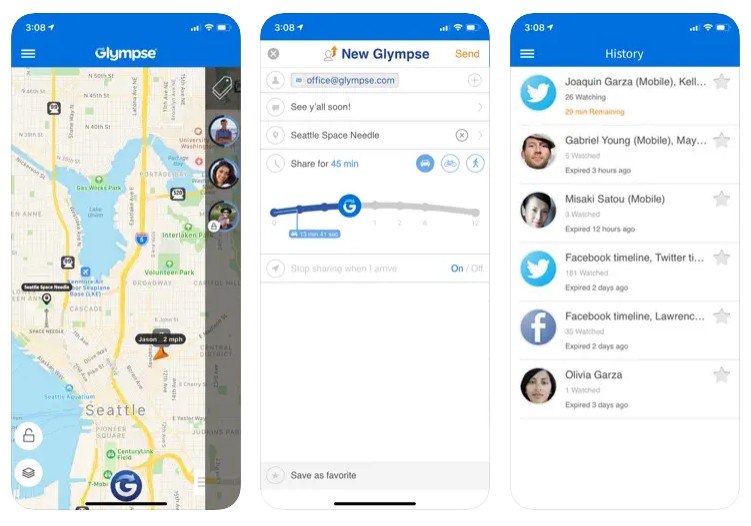
App Store
Glympse is a sleek, easy-to-use app that lets you temporarily share your location with friends and family.
While the app offers all the basic real-time location-tracking features, it is most notable for allowing users to request others’ locations, even if the other person does not need to create an account on the Glympse app.
Requests are sent via SMS, allowing the user to click a specific link and begin sharing their location using GPS technology.
The Glympse app’s advanced features include:
- Real-time location tracking
- Ability to request the location of others who need the Glympse app installed
- Share your location for a limited period
Glympse is available for free download on both iOS and Android devices.
Learn more on Glympse’s website.
#9 Find My
Credit: apple.com
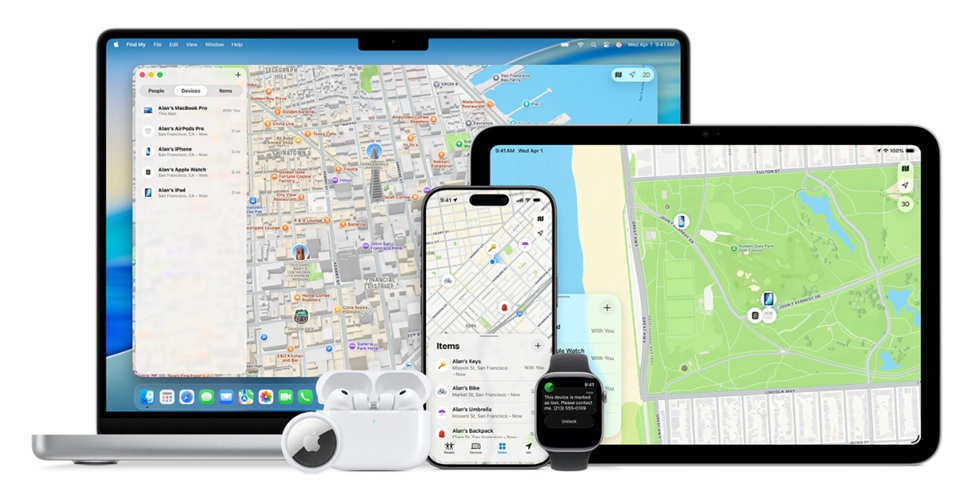
Find My is a native Apple application that combines the previously known Find My iPhone and Find My Friends apps. The free app is available as part of Apple’s iOS 13 software update.
The app provides users with the ability to share locations with friends and family, while also helping you find a lost or stolen phone.
This reliable phone tracking app can be used to help you track the location of your iPhone, Apple Watch, AirPods, and even a Mac. However, location accuracy can be questionable.
The main features of this device location and sharing solution include:
- Share locations with friends and family
- Find a lost or stolen Apple device, including iPhones, Apple Watches, Macs, and AirPods
As the app is designed specifically for iOS devices, Find My can be used through other iOS native apps such as iMessage—you’ll be able to send your location to a friend or family member directly through iMessage.
Find My is a free app for iOS users. More info on Find My.
#10 Mobile Tracker Free
Credit: mobile-tracker-free.com
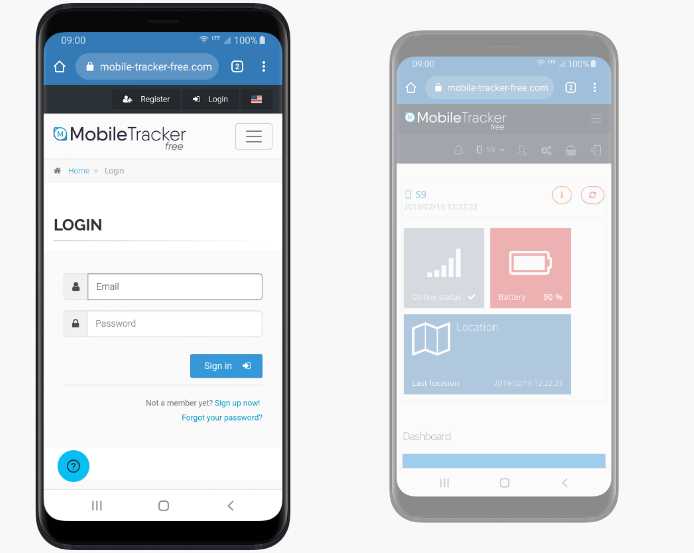
Mobile Tracker offers a free app that enables parents to track their kids’ location and smartphone activity.
The app offers advanced phone management features to help keep a cell phone user safe, including SMS monitoring, real-time location tracking, and live camera access to see what’s happening while the device is being used.
There is also a social media monitoring feature that lets you view incoming Facebook and WhatsApp messages.
The main features of the app include:
- Location tracking
- SMS monitoring
- Set schedules — ensuring your child’s device isn’t overused
- Live viewing
Mobile Tracker Free is currently available for Android devices only. It is completely free.
Learn more about the app’s features on Mobile Tracker Free’s website.
#11 Geo Tracker
Credit: external-preview.redd.it
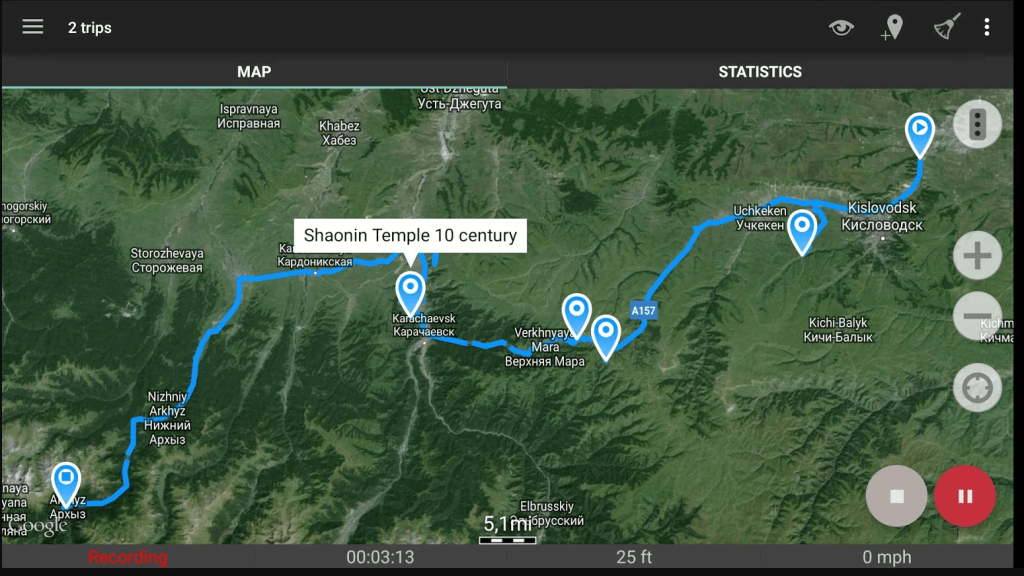
Geo Tracker is a location-based app that enables you to track your child’s location. With Geo Tracker, you can save locations and view routes on a map.
Not only that, but you can track your child’s movement history and view their location on a live map. Some of the other standout features of Geo Tracker include:
- Live map tracking
- Customizable safe zones
- Movement history
- Battery-saving mode
- Easy setup
Geo Tracker is available for free on iOS and Android devices. Here’s the Geo Tracker website.
#12 Snoopza

Credit: s8248.pcdn.co
Snoopza is another mobile tracker app that helps you keep an eye on your child’s activity on their device. With Snoopza, you can monitor your child’s calls, text messages, and social media activity. You can also track their GPS location and view their browsing history.
Here are some of the key features of Snoopza:
- Call and SMS tracking
- GPS location tracking/GPS phone tracker
- Browser history tracking
- Social media monitoring
- Keylogger feature
Snoopza is available for Android users only. The free version has basic location-tracking features, or you can upgrade your subscription for just $8.33 per month for the app’s full functionality. You can download it here.
#13 SpyBubble
Credit: cellspyaustralia.com
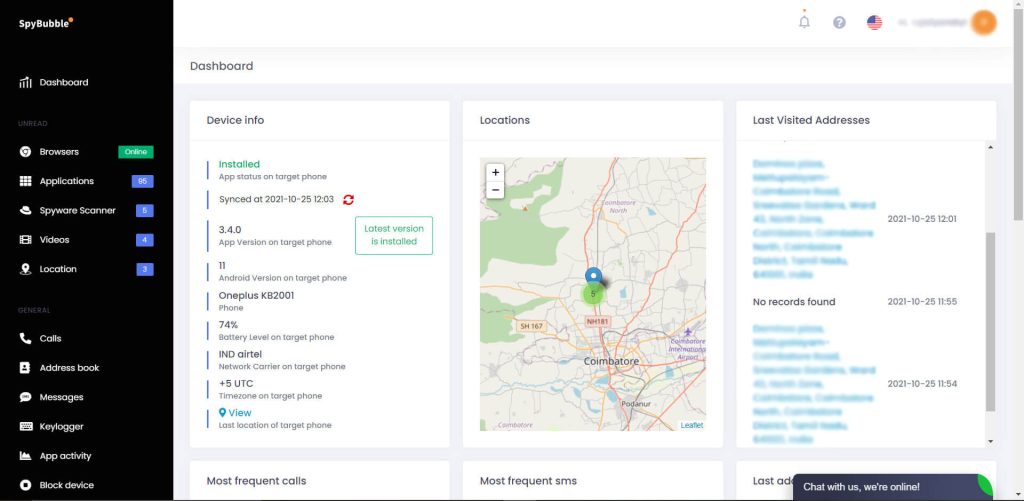
SpyBubble is a mobile tracker app designed to monitor your child’s target phone activity, including incoming and outgoing calls, text messages, emails, and social media chats. This app is compatible with both Android and iOS devices, making it accessible to a broader range of users.
The app even sends you alerts and notifications when certain keywords are detected, such as curse words, sexting, or drug-related content. You can also set geofencing to notify you when your child enters or leaves a particular area.
Some of the main features of SpyBubble include:
- Real-time location tracking
- Call and SMS monitoring
- Social media tracking
- Internet browsing history
- Remote camera and microphone access
SpyBubble has a free trial available, but prices start at $24.95/month. It is available for Android and iOS users. Here’s the website.
#14 iSharing
App Store
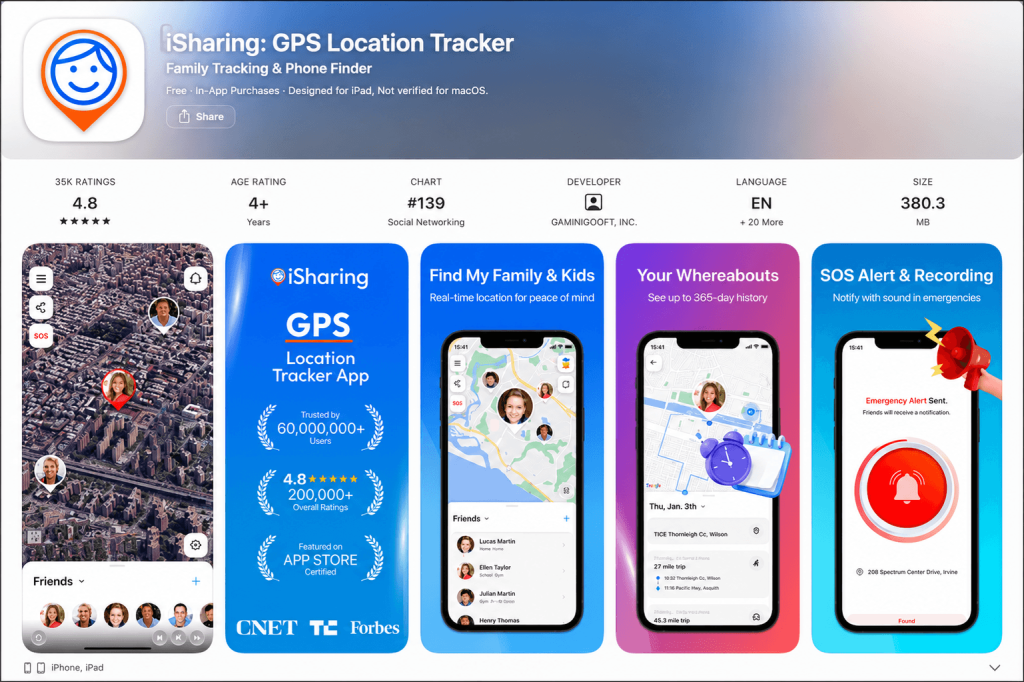
iSharing is a popular mobile tracker app that offers robust monitoring features to ensure your child’s online safety. The app is compatible with both Android and iOS devices and offers a seamless installation process.
The app provides accurate location tracking, including a one-year history of your child’s location. You can also set up geofencing on the app to receive alerts when your child enters or exits a particular area.
Some of the key features of iSharing include:
- Real-time location tracking
- SOS alert
- Place alert notifying parents when a child arrives or leaves a specific location
- Driving monitoring and safety reports
The app offers tiered subscription plans ranging from Silver, Gold, and Platinum packages with differing features for iOS and Android. There is a free version. You can learn more on the website.
#15 MyCarTracks
App Store
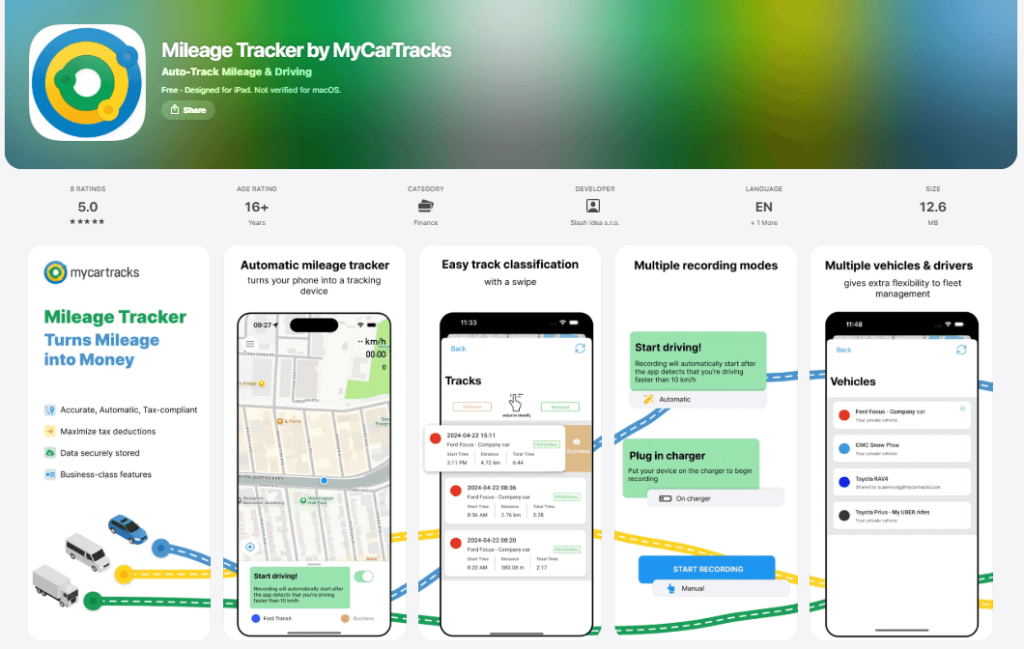
MyCarTracks is a versatile app designed not only for businesses but also for individuals, including parents, seeking effective vehicle location tracking solutions.
Parents of teen drivers can use MyCarTracks to monitor their children’s driving activities, ensuring their safety and promoting responsible driving behavior. The app provides real-time location tracking, allowing parents to know their teen’s whereabouts and receive alerts for any unusual driving behavior.
For families with multiple vehicles, MyCarTracks simplifies vehicle management by providing comprehensive tracking and reporting capabilities. Parents can track the usage of each vehicle, monitor vehicle usage data and reports, helping optimize the family’s transportation needs.
Key Features:
- Tracking teen drivers
- Sharing location with family members or caregivers in real-time
- Managing family vehicles
- Setting up geofences and receiving alerts when vehicles enter or leave predefined areas
MyCarTracks is available for free on iOS and Android and costs $4 per month for individuals and $8.50 per vehicle per month for businesses. Learn more on the website.
Built-in Features vs. Third-Party Apps
It’s worth noting that both Android and iOS devices also have built-in tracking capabilities of their own.
Android, for example, has Find My Device (now part of Find Hub). Meanwhile, iOS devices like iPhones have the Find My feature, which parents can use to track their children’s devices via iCloud.
These services have some benefits. Both are quite easy to set up and use, and they’re free services that Apple and Google provide to their users. They’re also both generally accurate and reliable, so you can count on them to aid you in finding a lost device.
However, they are not quite as good when it comes to real-time tracking and other parental control features, in the same way that third-party apps, like Findmykids, are.
For example, while Findmykids lets you monitor your child’s location history over several days and weeks, the built-in finding features of Android and iOS do not have that feature. They won’t let you access features such as listening to surroundings or checking nearby activity either.
The table below shows how the features compare:
| Feature | Find My (iOS) | Find Hub (Android) | Findmykids App |
| Real-time location | ✅ | ✅ | ✅ |
| Location history | ❌ | ❌ | ✅ Saved location history and routes |
| Detailed route information | ❌ | ❌ | ✅ Trip details, stops, movement type and route data |
| Area alerts / geofencing | ⚠️ Location sharing and notifications | ⚠️ Limited location sharing features | ✅ Place notifications and safe zones |
| Parental controls | ⚠️ Via Screen Time and Family Sharing | ⚠️ Via Family Link | ✅ Built-in parental control features |
| Screen time monitoring | ⚠️ Via Screen Time and Family Sharing | ⚠️ Via Family Link / Digital Wellbeing | ✅ |
| App usage statistics | ⚠️ Via Screen Time and Family Sharing | ⚠️ Via Family Link / Digital Wellbeing | ✅ |
| Emergency communication | ⚠️ Emergency features on Apple devices | ⚠️ Emergency features depend on device | ✅ SOS signal and family communication tools |
| Family features | ⚠️ Apple Family Sharing and location sharing | ⚠️ Google account-based sharing | ✅ Family circles with trusted members |
| GPS smartwatch support | ❌ | ❌ | ✅ |
| Listen to surroundings | ❌ | ❌ | ✅ Android only |
| Lost device protection | ✅ Locate, lock, erase Apple devices | ✅ Locate, secure, erase Android devices | ⚠️ Focused on child safety rather than lost devices |
| Platform support | ⚠️ Apple ecosystem only | ⚠️ Android ecosystem mainly | ✅ Android, iOS and web version |
⠀
Overall, as the table shows, there’s a lot more you can get out of an app like Findmykids, and it provides a much deeper and more thorough way to keep your kids safe.
The Bottom Line: Best Free Mobile Tracker Apps
Mobile tracking and family safety tools have never been easier to use. Whether you simply want to check a loved one’s location or need more advanced parental controls, there are plenty of free mobile tracker apps that can help keep your family safe.
Many free apps go beyond real-time location tracking by offering features such as location history, place alerts, and activity insights. These tools can give parents greater peace of mind, especially when their child starts using a smartphone independently.
If you’re looking for a family-focused solution that combines accurate location tracking with practical parental tools, Findmykids is an excellent place to start. It helps parents stay informed about their child’s whereabouts while supporting safer and more independent everyday routines.
Try Findmykids for free and see how easy it is to stay connected with your child—wherever they go!
FAQs
What is cell phone tracker software?
Cell phone tracker software is a type of program that can monitor and record various activities on a specific mobile phone. These include tracking of text messages, call logs, GPS location, browsing history, social media, and photos/videos.
How does a cell phone tracker app work?
Once the app is installed on the target phone, the data is transmitted to the user panel, where the user can view the logs, location, and other details. An internet connection is necessary for the app to send data and receive commands.
How does a Mobile Tracker Free work?
Mobile Tracker Free is a reliable phone-tracking app for Android phones. You can use its advanced features to track available device activity data on a target device, including outgoing messages, outgoing calls, call history, and instant alerts. This SMS tracker and monitoring solution also works as a location tracker, letting you see the phone’s GPS coordinates and all the places it’s been.
It’s a highly rated, affordable cell phone tracking app with advanced phone management features and many satisfied customers. However, there are many other similar apps you can use to track a target device, like Findmykids.
What are the common features of phone tracking apps?
The best free phone tracker app will have features such as call log monitoring, text message tracking, GPS location tracking, social media tracking, a keylogger, app usage monitoring, multimedia file tracking, and remote control.
How to choose the best mobile phone tracker?
Choosing the best mobile phone tracker depends on several factors, including compatibility with your target phone, the features you require, the user interface, reliability, and customer support. The first thing to do is thorough research, read reviews, and compare options before deciding.
What is the geo-fencing feature in phone tracker apps?
Geo-fencing is a feature that allows users to set up virtual boundaries or safe zones on a map. If the target phone enters or exits these zones, a notification is sent to the user.
What is the opening code for a mobile tracker?
There is no universal opening code or default password for mobile tracker apps. Each service has its own account setup process, and access is usually protected through the user’s registered account credentials rather than a simple code.
Is there a totally free cell phone tracker?
Yes, if you’re looking for a free, reliable phone-tracking app, there are options. Findmykids is a free cell phone tracking and parental control app that lets you track someone’s real-time location and see where they are at any given time.
What is the password for the mobile tracker WI-FI app?
If you want to use the monitoring functions and additional features to track Android phones and device activity, you’ll have to input the password *1234*. Other affordable cell phone tracking apps may also require a password, usually a simple series of numbers like 1234 or 123456. Contact the developers on social media platforms or via other means to find out how to unlock each cell phone tracking app.
Is the mobile number tracker free?
There are free mobile number trackers, yes, but they are often limited in terms of the features you can access. Many also have paid or premium versions that give you more features and more precise tracking of your target device.
What is the best free phone tracker?
Findmykids is the best free tracker app you can get today on both Android and iOS devices. It offers precise location tracking for any target device, activity tracking, the ability to listen in on the device’s surroundings, area alerts, and more.
Can someone track your phone without you knowing it?
It is possible, yes. They could install hidden or spy apps on your device that allow them to track your location, movements, or even spy on your messages and activities without you even being aware of this. This is why it is important to practice good mobile security habits.
How to track mobile live location online for free?
You have to use a free mobile tracker app that will let you track the location of a target device as it moves around. But you have to first set up the app on the device you want to track.
Why are mobile tracking apps better than AirTags for kids?
While AirTags can help locate personal items like backpacks, they’re not designed for child safety. Unlike dedicated apps such as Findmykids, AirTags don’t offer real-time GPS tracking, geofencing, or emergency alerts. Findmykids provides a more complete solution, giving parents access to live location, movement history, and the ability to listen to their child’s surroundings—all essential for real-time child monitoring.
Cover image: rawpixel.com / magnific.com
Проверьте электронный ящик