It’s a question that, today, all parents will face. When to allow their child to get their first cell phone. It’s a tricky conundrum, and there are many things to consider, not least of which is your kid’s readiness for a cell phone. Keep reading for factors to consider, how to choose a first cell phone, how to get it set up, and rules to put in place to help keep them safe.
Contents:
When Is a Kid Ready for Their First Mobile Phone?
It’s a good idea to run through a simple checklist to determine whether your kid is ready for their very first mobile phone. Here’s what to think about:
- Maturity level: Kids develop at different rates, and it’s vital to consider whether they’re mature enough to have and use a cell phone. Are they generally good at following rules and instructions? If not, now may not be the time to entrust them with their first handheld mobile phone.
- Responsibility: Is your child likely to take care of their cell phone properly, or do they frequently lose their possessions or forget things?
- Past behavior: Think about how your kid typically behaves. Do they, generally, stay out of trouble and follow guidelines? If not, you may want to put getting their first cell phone on the back burner for a year or two.
- Activities and hobbies: Is your child regularly out of the home, perhaps at summer camp or after-school clubs? If so, a portable cell phone could be a good way to keep in touch.
- Mental health: Internet use, particularly around social media, can have a detrimental effect on users, especially those who have conditions such as depression, anxiety, and ADHD. Think carefully about allowing your child a cellular phone with internet access if this applies.
According to Statista, more than 60% of kids in the US own a cell phone, and that number is growing. Further, children in the US get their first cell phone at an earlier age compared to many other countries.
When it comes to the reasons parents choose to give their child a cell phone, safety is at the top of the list. A phone allows you to more easily stay in touch with your child, and means they can quickly contact you in the event of an emergency.
Other reasons include helping them stay connected with friends, and for educational use, perhaps to support their school learning. Read more information here on what to think about when deciding whether or not your child is ready for their first phone.
Best First Phone Types for Kids
If you’ve decided your child is ready for their first cell phone, the next big question is: what kind of device actually makes sense?
Not every child needs the same level of access—and not every family has the same expectations. Broadly speaking, there are three main options: a basic flip phone, a smartphone with restrictions, or a fully open smartphone. Each comes with its own benefits and trade-offs.
Let’s break them down clearly.
Flip Phone (Feature Phone)
igterex / Freepik.com
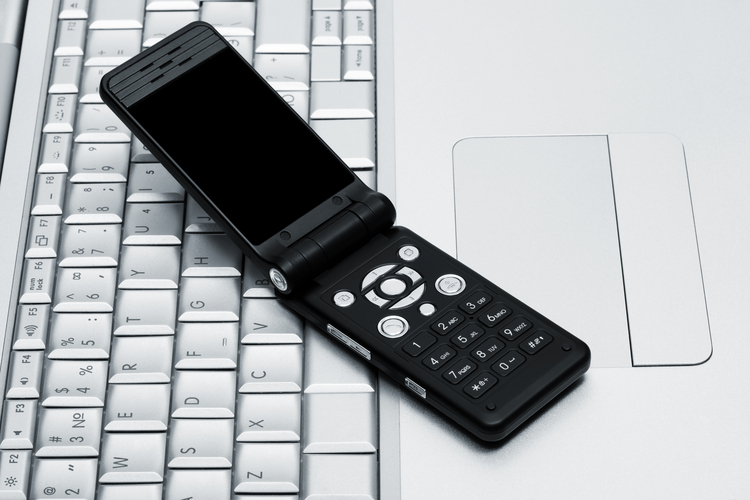
A flip phone—similar to early mobile phones—is the most basic type of mobile handset available today. These devices are typically limited to calling and sending an SMS message. Some may include a simple camera or basic apps, but internet access is minimal or nonexistent.
Examples include the Nokia 2780 Flip, Alcatel Go Flip 4, and the modern remake of the Nokia 3310.
Advantages:
- Allows your child to make and receive calls
- Often supports basic text communication
- No social media or app distractions
- Long battery life
- Usually more affordable
- Durable and simple to use
Disadvantages:
- No GPS tracking or smart safety features
- Limited functionality as your child grows
- May feel outdated compared to peers’ portable phones
Best for:
- Younger children who only need a mobile telephone for emergencies
- Families who want communication without internet access
- Situations where a child walks home alone or stays after school
This type of cellular telephone answers one simple need: “Can I reach you?” — without opening the door to the wider online world.
Smartphone With Restricted Setup
Tada Images / Shutterstock.com
This is often the most balanced option for a first cell phone.
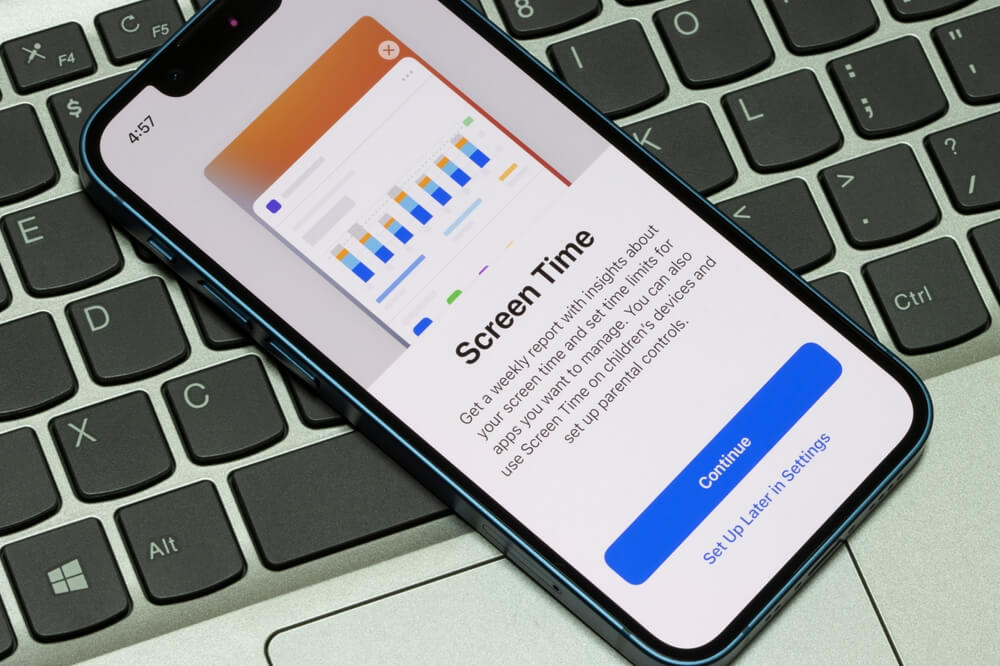
Here, your child has a modern smartphone—but with parental controls limiting internet access, downloads, screen time, or specific apps. Devices like the iPhone SE or iPhone 13 with Screen Time enabled, or Android phones such as the Samsung Galaxy A14 or Google Pixel 7a with supervised accounts, are great examples.
Advantages:
- Access to useful apps (school tools, messaging with family)
- GPS tracking and safety features
- Parental controls for time limits and content filtering
- Can gradually “unlock” more features as your child matures
- Feels current and socially acceptable
Disadvantages:
- Requires active setup and ongoing supervision
- Children may try to bypass restrictions
- More expensive than basic portable phones
Best for:
- Elementary or middle-school kids
- Parents who want connection and safety tools
- Families easing into smartphone responsibility
This option recognizes that a mobile handset today is more than a calling device—it’s a portable device connected to your child’s social life, school, and entertainment. The key is pacing access rather than granting it all at once.
Smartphone With Open Internet Access
freepik / Freepik.com
This is a standard smartphone—like iPhone 15, Samsung Galaxy S23, or Google Pixel 8—with no built-in restrictions beyond what the manufacturer provides by default. It functions as a fully capable mobile telephone with internet access, app stores, social media, gaming, and messaging platforms.
Advantages:
- Full digital access
- No technical setup required
- Maximum independence
- Suitable for older, responsible teens
Disadvantages:
- Exposure to inappropriate content
- Contact from strangers
- Increased risk of cyberbullying
- Privacy and data-sharing concerns
- Greater screen time temptation
Best for:
- Older teens
- Children who have already demonstrated digital responsibility
- Families who prioritize independence and ongoing conversation over technical controls
If you choose this route for your child’s first mobile phone, open dialogue becomes essential. Technology alone won’t be the safety net—your relationship will.
For some families, a smartphone—even a restricted one—feels like too much too soon. That’s where kids’ smartwatches with SIM cards can be a helpful middle ground. If you’re considering this route, we’ve explored the pros and cons of kids’ smartwatches in more detail here.
What Features Matter Most in a Kid’s First Cell Phone?
There are some key features to look for in a mobile telephone for your child. Getting it right is an important way to ensure your kid enjoys a safe online experience and gives you peace of mind.
Calling and Texting
At its most basic level, you’ll need a cell phone capable of making calls and sending text messages. These functions should be as easy as possible. While all modern smartphones offer these capabilities, check carefully if you opt for an old-style flip phone. Consider, too, whether the phone can easily save important contacts—making them easy to access for your child—and that it’ll reliably work within a given geographic area, or beyond.
Location
As well as making sure the handheld mobile phone will work well in the required service area, think about an option that’ll also allow you to see the device’s location. This is important should your child get lost or find themselves in an emergency, or should the phone be misplaced.
Durability

andreypopov / Freepik.com
Let’s face it, kids are unlikely to treat their first real cell phone with consistent care and respect! With horseplay, sports, and general typical child-like behavior, you’ll need a durable handset that can withstand knocks, drops, and more. Look for a cellphone with a sturdy case and effective screen protection.
Battery and Charging Routine
You’re buying your kid a portable cellphone to better stay in touch with them, so the last thing you want is not to be able to get through to their device because it’s uncharged. To this end, make sure the mobile phone you opt for has a battery life likely to last through the day, and helps users remember to charge.
Internet and Data Services
As part of this consideration, you’ll need to decide whether you want your child to have a cellular telephone just for making telephone calls and sending messages or access to the internet. If the latter, take a look at different mobile operators as well as the various networks and data services available, to choose the option that meets your needs.
Camera Phone
If you want to get your child their first camera phone, it’s vital to discuss with them the importance of privacy and when it’s ok—and not ok—to take and share pictures. This could be part of a wider discussion about staying safe online and general digital etiquette.
App Stores
As part of choosing a cellphone, look at how to download apps from, for example, the Google Play Store or Apple’s App Store. Also, check out how to view and change age rating settings, and set up purchase controls—to avoid any nasty surprises.
Touch Screen vs. Non-Touch Screen
Finally, decide whether your child would find a touch screen or a non-touch screen cellphone easiest to use. This is likely to depend on your individual child and their abilities and preferences.
Guidelines for Introducing a First Phone
The day has arrived—you’ve decided your child is ready for their first cellphone, and you’ve chosen a handset. Before handing the device over, there are some crucial steps to take.
Set Up the Phone Before Handing It Over
Start by updating the device’s operating system and setting a passcode. The latter means that, should (or when!) your child lose their phone, no one picking it up will be able to access the device and, potentially, their personal information. It’s also a good idea to add emergency contacts (and show your child how to access these) and enable backups, should disaster strike.
Establish Clear Rules From Day One
Next, set clear rules around mobile phone usage, and explain these to your child. Some parents make their child aware that, should these rules be broken, their access to the device will be limited, or it may be taken away altogether. Here are some rules you may wish to introduce for a first cellphone—although bear in mind these are likely to be affected by the age of your child:
- Your child can only access the internet while a parent is supervising.
- The device must be treated with care and charged regularly.
- The phone may not be used at certain times of day, such as in the early morning, mealtimes, or while doing homework.
- Kids should never share personal information online or contact someone who is not a friend or a relative.
- They should never say anything online or in a message that they wouldn’t say to someone’s face—and remember to be kind and respectful.
- As the parent, you can check their device at anytime to see how they’ve been using it.
- Look together at the wellbeing tools and features—if available—on your child’s device, and explain how to use each. These could be around maintaining a healthy screen time or limiting distractions.
Read also: Recommended Screen Time for Kids: How Much Is Healthy by Age.
Use Parental Controls for Ongoing Protection
Findmykids app
Parental controls are a crucial way to ensure your child stays safe while using their cellphone. These tools vary by phone manufacturer or network, but—generally speaking—are designed to help you manage how much time they can spend online, limit access to certain apps or sites, and prevent access to age-inappropriate content. These settings can be altered, so as your child grows and develops, you could consider allowing them freer access to the internet, apps, and more.
It’s advisable to talk to your child about the parental controls you deploy on their device, and let them know why they are so important—and why it’s vital they don’t try to get around or disable them.
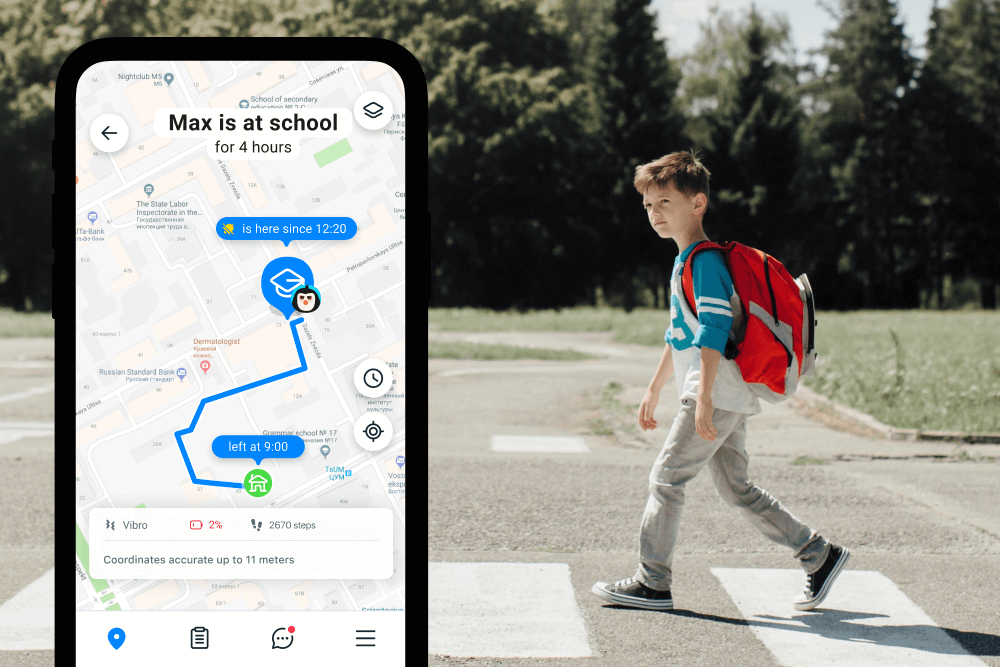
No matter what safeguards you put in place, giving your kid their first phone can feel super stressful, especially as this often ties in with a time when they’re growing in independence. For an extra layer of security, consider downloading a high-quality, reliable third-party parental control app, such as Findmykids. This option offers the perfect balance of care and control, allowing you to manage your kid’s online activities and safeguard their privacy. It’s not about surveillance, but giving them the space they need to grow without compromising safety.
- Restrict the apps and sites your child can access—and even block all apps remotely on iOS.
- View your child’s location in real-time and see their location history.
- Set geofencing alerts, so you’re notified when your child arrives at or leaves designated safe places, such as school or grandparents’ house.
- Send a loud alert to your child’s phone that bypasses silent mode or Do Not Disturb.
- Use Sound Around to listen to real-time sounds near your child’s device (microphone is live only while the feature is active; no recording or storage).
- Access app usage statistics, showing which apps your child uses most and for how long.
- Manage a white list of always-allowed contacts.
Download Findmykids for free right now if your child is ready for their first cellphone to make it a positive, stress-free experience!
Teach Responsible Online Behavior
On this subject, it’s important to teach your child responsible online behavior. This covers everything from establishing healthy online habits to digital etiquette. Here are some pointers:
- Teach your child the importance of protecting their personal information and how to do so. This means things like never sharing sensitive information with strangers, setting strong passwords, and only interacting online with those they know.
- Talk about good online etiquette. This means not using offensive language, being respectful of others’ views and opinions, and understanding that things we do or say online can have serious real-world consequences.
- Discuss cyberbullying with your child, including how to recognize and avoid it, stand against it, and what to do if it happens.
- Model good online habits yourself—this is one of the most powerful things you can do to shape how your child uses their device. For example, put your phone down at mealtimes and when talking with your child.
- Create a home environment in which speaking about your online lives is normal. Make sure your child knows they can come to you if anything happens online that makes them upset or uncomfortable, or if there is anything they don’t understand.
Related: Internet Safety Tips for Kids & Must-Have Rules for Every Parent.
Common Problems (and Fixes) When Your Child Has a Cellphone
Despite our best efforts (and—often—your child’s!), at some point you’re likely to hit up against a hurdle relating to your kid’s cellphone usage. Below you’ll find some of the most common problems, and what to do about them.
“My Child Won’t Put Their Phone Down”
One of the most common issues parents face is that their child is glued to their phone, and it feels virtually impossible to prise their eyes from their screen. To overcome this, it’s important to set clear rules around when your kid can use their phone and the amount of daily screen time they’re allowed, whether this is for playing games, watching videos, or chatting with friends.
For a schedule to be successful, you’ll need to enforce it consistently. Using a parental control app like Findmykids can make this much easier, as it allows you to remotely block all apps at once from your own phone—helping you reinforce homework time, family dinners, or bedtime without constant arguments. Be sure to offer alternatives to screen time, too, to tempt your child away from their device. These could be regular family game nights, trips to the skatepark, or the offer of having a friend over.
Read more: How to Reduce Screen Time for Kids Without Drama.
“They’re Distracted at School”
If your child is using their phone at school—despite the rules you’ve set—then you’ll need to take further action. Parental controls often allow you to choose the times your kid can access their device, meaning you can block out the school day and prevent distractions.
If you’re worried that you won’t be able to contact your child in an emergency, consider the Findmykids app, which will allow you to get through even if the phone is on silent or Do Not Disturb mode.
“There are Too Many Apps Available”
Now that your child has their first phone, they’re likely keen to download a variety of apps onto the device. However, not all apps are suitable for young users, and many need to be purchased.
Check out their phone’s built-in parental controls, as some tools allow you to prevent your child from accessing age-inappropriate apps, and require permission to be downloaded if there’s a charge. You can also set up parental controls on the Google Play Store, so that kids can only access games and apps that are suitable for their age.
Drama on the Group Chat
Another common problem: drama over messaging or on the text chat. Adults and kids alike get into hot water with this one, but there are some simple steps you can take to avoid it.
Firstly, teach your child proper online etiquette, as discussed above. Tell them, too, that, if they’re angry or upset, they should take a break from the screen or chat, instead of firing back a reply or message. Often, once they’ve calmed down, they won’t feel the need to send the message. Let them know that they can always choose not to participate in the group or chat if it’s causing stress.
“We’re Having Trouble with Hidden Purchase and Downloads”
Deploying good parental controls is the best way to deal with this issue. Regularly monitoring what your kid is doing online may also allow you to spot and preempt potential problems.
Consider requiring a password for any online purchases and disabling one-click payments, to make it challenging for children to bypass your rules. Communicate with your kid so they understand the importance of following the rules you’ve set around their phone usage, and be consistent in the consequences if these are broken.
Keeping Your Kid Safe When They Get Their First Cell Phone

Fizkes / Shutterstock.com
Giving your child access to their first mobile phone is a major milestone. While it’s an exciting one, it’s stressful for parents, and it’s important to do everything possible to help ensure their safety when using it.
Follow our guide above to ascertain whether or not your child is ready for a cellphone, the dangers to be aware of, and the tools you need for their safety and your peace of mind.
FAQs
What is the average age at which a child is given their first cellphone?
The average age at which a child receives their first cellphone is eleven. From around ten years to twelve years, the number of kids owning a phone rises steeply, according to a 2022 study by Stanford Medicine.
What is the best first cell phone for kids?
When choosing the best first cell phone for kids, consider durability, parental controls, and limited internet access. Popular options include basic flip phones and kid-friendly smartphones with robust safety features.
Interestingly, the history of mobile phones began with a major milestone in New York City on April 3, 1973, when Martin Cooper of Motorola made the first call from a handheld mobile phone to Joel Engel, head of AT&T-owned Bell Labs. This historic first call marked the beginning of mobile calling as we know it today.
When was the first cellphone invented?
The American engineer Martin Cooper is credited with inventing the first handheld cellphone. Working at Motorola, he made the first call from it on April 3, 1973, calling Joel Engel, his competitor at Bell Labs. Mobile phone technology has come a long way since. Nokia released its first mobile phone in 1982, and the first smartphone came on the scene in 1994. As of 2025, Samsung boasted the largest smartphone market share in the world.
What is a Nordic mobile telephone?
The Nordic mobile telephone is generally considered a first-generation mobile telephony system. It was an analogue cellular mobile radio standard officially opened for service on October 1, 1981. It was developed by the public telecommunications administrations of Finland, Norway, Denmark, and Sweden.
Is a flip phone a good starter phone?
Yes, flip phones are a great starter option. They are simple, durable, and limit distractions by restricting internet and app access.
Should my child’s first phone have internet access?
Limiting internet access on a first phone can help protect your child from inappropriate content and distractions. Many parents opt for phones with restricted or no internet access.
How do I control apps from Apple’s App Store / Google Play Store?
Both Apple and Google offer parental controls that let you restrict app downloads, set screen time limits, and monitor usage.
How can I reduce watching videos and distractions?
Choose a phone with limited app capabilities or use parental controls to block video streaming apps and set daily usage limits.
What should I do if my child won’t put their phone down?
Setting clear rules about when your child can use their phone is important to help prevent phone addiction and ensure they maintain a healthy phone-real life balance. For parents, modeling good online habits is also vital, as is providing plenty of alternatives to screen time.
What rules prevent late-night phone use?
Establish clear rules about phone use, such as turning off devices at a set time each night or keeping phones out of bedrooms.
What should I do if my kid breaks the phone rules?
Discuss the consequences in advance and follow through consistently. Consider temporary loss of phone privileges or reduced screen time as consequences.
Cover image: lev.studio.x / Freepik.com
Проверьте электронный ящик